
You do not need a subscription to make good AI images. As of October 2026, several of the strongest image models have a free way in: a chat app you may already use, a Microsoft account, a free credit allowance, or open weights you can run on your own computer. What changes from tool to tool is the catch. Some limit speed, some limit volume, some make your images public, and some keep the rights.
This guide covers six free options, what each one is good at, and the limit you will hit first. Every detail comes from the vendor's own help pages, pricing pages or announcements, linked inline. We did not run our own quality test, and free limits change often, so check the linked page before you depend on one. If you are new to writing prompts, start with our beginner's guide to AI image prompts. For a wider look at paid tools, see our comparison of 10 image generators.
The short version
- Easiest start: ChatGPT Images, free on every ChatGPT tier
- Best free option inside Google: Gemini with Nano Banana 2
- Most generous published daily limits: Bing Image Creator
- Free credits with commercial use allowed: Ideogram's free account
- For practice before you pay: Recraft's Free plan
- Best if you have a gaming PC: FLUX 3 Image Klein, open weights
1. ChatGPT Images
OpenAI's help center says ChatGPT Images is available on all tiers, which includes the free plan. The current version is ChatGPT Images 2.5. You can ask for an image in any chat, or open Images from the sidebar and type a prompt. It works on the web, iOS and Android.
The free tier gets the core tools. You can upload a photo and describe a change, or use the selection tool to highlight one area and describe what should change there. OpenAI notes that highlights are not always precise and edits can spread past the area you selected. You can pick any aspect ratio, ask for a transparent background, and start from templates for things like posters and logos. On the mobile app you can draw a rough sketch and have ChatGPT turn it into a finished image.
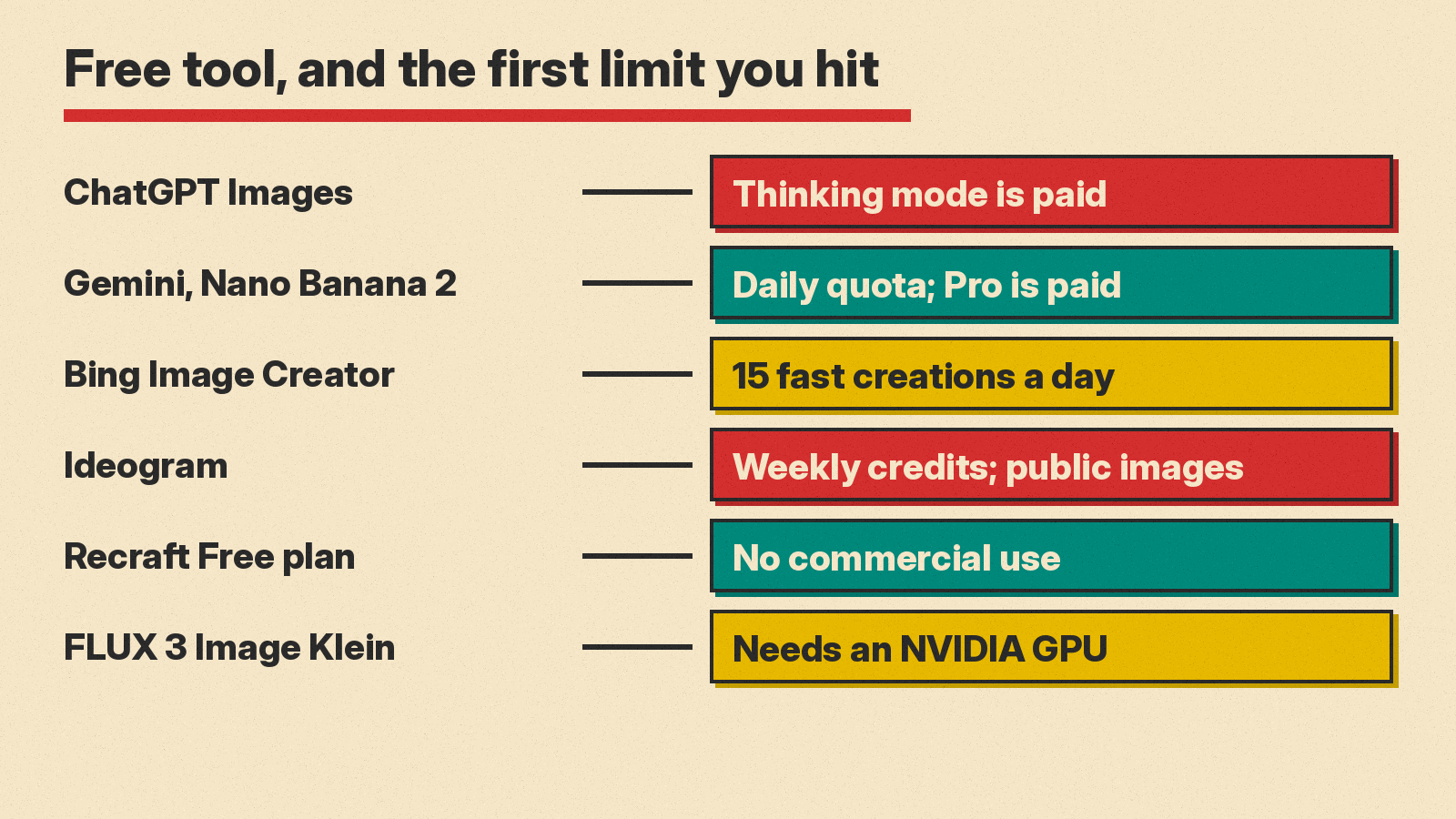
The catch: "Images with thinking," the mode that reasons about a request before drawing, is limited to Plus, Pro and Business plans, according to the same page. OpenAI also says generation can take a few minutes for complex requests.
Pick it if you already use ChatGPT and want to make and edit images by talking, without learning a new app.
2. Gemini with Nano Banana 2
Google's help page says you can create and edit images in Gemini Apps with Nano Banana 2, and that paid subscribers also get Nano Banana Pro. Google's usage limits page compares Gemini features with and without a Google AI plan, and says media requests such as images use more of your usage than simple chat.
Google lists these strengths for Nano Banana 2: better world knowledge for diagrams and infographics, character consistency across several images, the ability to blend multiple images, and local edits to one part of a picture. You must be signed in. You must be 13 or over (or the age set in your country) to generate images, and 18 or over to edit them.
The catch: Nano Banana Pro, the stronger model Google suggests for text rendering and infographics, is for paid subscribers. They can use it to redo an image. There is also a daily quota on Nano Banana 2 images. Google's page mentions the quota but does not publish a number.
Pick it if you want diagrams, infographics, or the same character across a set of images, which are the strengths Google lists.
3. Bing Image Creator
Microsoft's Bing Image Creator help page publishes the clearest free limits of any tool here. It is free for anyone with a personal Microsoft account. Each day you get 15 fast creations. When those run out, you are moved to standard speed, which is slower but still free. You can enter up to 200 prompts in a 24-hour period, and each click of "Edit image" counts toward that 200.
You can choose between Microsoft's own models, MAI-Image-2.5-Flash and MAI-Image-2e. One click of Create can return several images and still count as one creation. You can also turn on an optional visible watermark that marks your images as AI-made. Microsoft Rewards points can buy more fast creations after your free 15.
The catch: after the fast creations are gone, you wait longer for each image. Microsoft also says uploaded images must be original or images you have the right to use.
Pick it if you want to make a lot of images for free and can wait for them.
4. Ideogram
Ideogram is an image app and API from the company of the same name; our Ideogram 4.5 explainer covers its latest model. Its pricing page says it does not offer free trials of paid plans, but "eligible free accounts receive weekly credits when signing in with Google, Apple, or Microsoft; the amount may vary."
The same page explains how paid plans work, which shows what free users miss. Paid plans include priority credits for instant generation and unlimited slow credits. AI editing features such as Editing with AI and Image Reference need priority credits and do not work in the slow queue. All images on Ideogram are published to the community by default. Only Plus and Pro subscribers can generate unpublished images or delete images.
On rights, Ideogram's FAQ says it does not claim ownership of generated images and that you are free to use them for any purpose, including commercial use. The FAQ points to its Terms of Service for details.
The catch: your free images are public, the weekly credit amount is not fixed, and the best editing tools need paid credits.
Pick it if you want free credits from a tool whose FAQ allows commercial use, and you do not mind public images.
5. Recraft
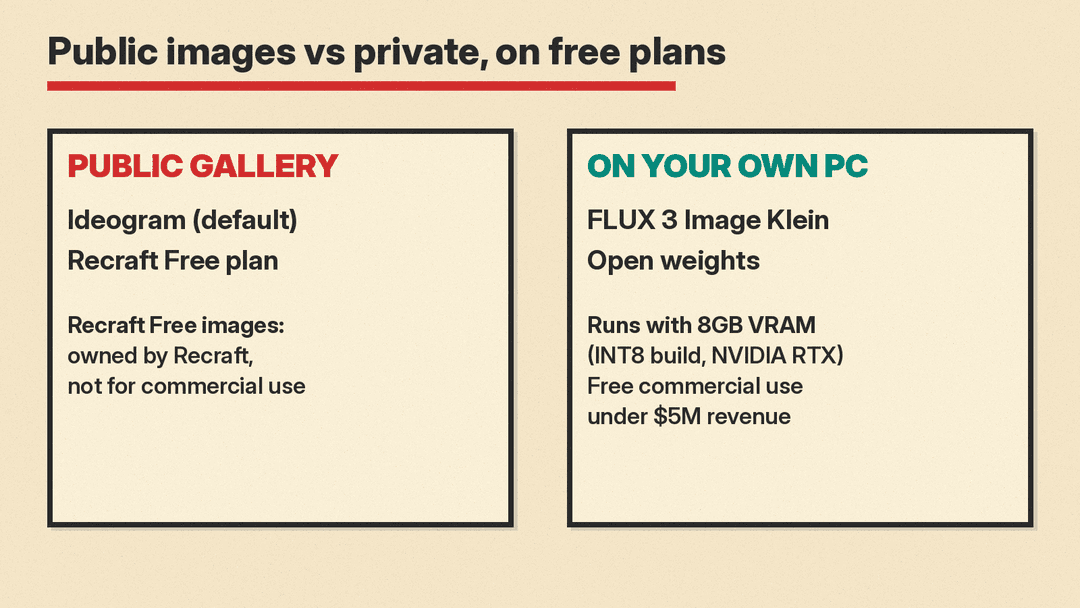
Recraft makes images and vector graphics. Its Free plan is "for exploring AI features at a basic level. Personal use only." It lists 3 generations per style per day, 3 image uploads a day and up to 2 images per generation. Read its terms before you use it for anything real. Recraft's pricing FAQ says images generated on the Free plan are owned by Recraft, are publicly visible in its community gallery, and are not licensed for commercial use. Paid plans grant full ownership and commercial rights, and keep images private.
The catch: this is the strictest free tier in this list. You can learn the tool and test ideas, but you cannot put a Free plan image on a product, a client project or a brand.
Pick it if you want to explore design-style generation before you decide whether to pay.
6. FLUX 3 Image Klein (open weights)
The only option here with no daily limit and no queue is the one you run yourself. Black Forest Labs released FLUX 3 Image Klein as an open weights model with 5.6 billion parameters. It handles text-to-image, image editing, and generation from up to 10 reference images.
Black Forest Labs says it was optimized for consumer graphics cards. With the INT8 build, it runs on NVIDIA GeForce RTX GPUs with as little as 8GB of video memory, through ComfyUI or Hugging Face Diffusers. NVIDIA measured the distilled model generating a 1 megapixel image in under 9 seconds on an RTX 4070. You can also try it on Hugging Face Spaces without installing anything.
The license matters. The FLUX Kommunity License allows free commercial use for individuals and companies with annual revenue under $5M, plus research and non-commercial use. Larger organizations need a self-hosted license or the paid API.
The catch: you need a capable graphics card, such as an NVIDIA GeForce RTX card with 8GB of video memory for the INT8 build, and some patience with setup. Black Forest Labs' quality claims come from its own internal evaluations.
Pick it if you have a gaming PC and want unlimited, private generation.
How to choose
Start with what you will do with the image.
- Just for fun or for ideas: any tool works. ChatGPT and Gemini are the fastest start because you may already have an account.
- For lots of images: Bing Image Creator publishes fixed daily numbers, and open weights have no limit beyond your hardware.
- For anything you sell or publish for a business: read the license. Recraft's Free plan rules this out. Ideogram's FAQ allows commercial use. FLUX 3 Image Klein allows it under its revenue limit. The help pages we used for ChatGPT, Gemini and Bing do not cover commercial rights, so check each company's terms of use.
- For privacy: remember that Ideogram and Recraft publish free images to public galleries. Running FLUX 3 Image Klein locally keeps your prompts and images on your own computer.
Tips for getting more out of free limits
- Write a full prompt the first time. Describe the subject, setting, style, lighting and any text. A clear prompt wastes fewer of your daily creations on retries.
- Edit instead of regenerating. ChatGPT, Gemini and Bing all let you change part of an image. Fixing one detail is usually faster than starting over.
- Use two tools. Make the base image where the model fits the job, then fix details in another tool. For example, draft an idea in Bing, where volume is high, and refine the final version in ChatGPT or Gemini.
- Know the cut-off. Bing's 15 fast creations reset daily. Ideogram's free credits are weekly. Plan bigger sessions around those resets.
Bottom line
For most people, the best free AI image generator is the one inside an app they already use: ChatGPT Images or Gemini. Bing Image Creator gives the most predictable free volume. Ideogram gives free weekly credits with commercial use allowed in its FAQ. Recraft's Free plan is for practice only. If you have the hardware, FLUX 3 Image Klein gives you a strong model with no usage limits at all.
