
You can now point a phone at your living room and see it redone in a new style in under a minute. That is useful, but the tools that do it are not all doing the same thing. Some restyle a photo. Some build a measured 3D plan. One is built to sell you furniture from a single store. If you pick the wrong type, you can end up with a pretty picture you cannot act on.
This guide covers five AI interior design tools as of October 2026, sorted by the job each one does best. Every feature listed comes from the company's own pages, linked in each section. Plans change often, so check the vendor's page before you pay.
The short version
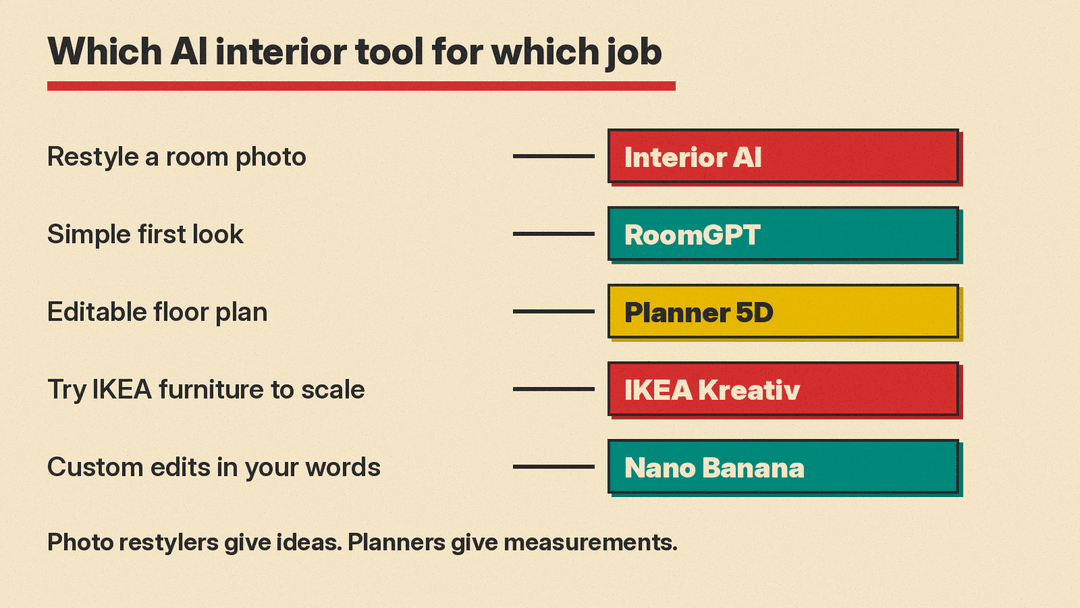
- For restyling a room photo fast: Interior AI, because it keeps the room's shape while it changes the style, and it has modes for empty rooms, sketches and SketchUp.
- For a quick first look: RoomGPT, a simple one-photo room redesign tool with 1 free generation.
- For a real floor plan you can edit: Planner 5D, because its AI works inside a 2D and 3D project, not only on a picture.
- For trying IKEA furniture in your own room: IKEA Kreativ, because it scans your space and places scale-accurate IKEA products.
- For custom edits with your own words: Google's Nano Banana image models in Gemini, because you can upload a room photo and ask for specific changes.
Two kinds of AI interior design tools
Before the list, it helps to know the split.
Photo restylers take a picture of your room and return a new picture. They are fast and good for ideas: what would this room look like in a Scandinavian style, or with darker walls? The output is an image. It has no measurements, and the furniture in it may not exist.
Planners build a model of your space with walls, doors and real dimensions. AI then helps furnish or arrange that model. They are slower to set up, but what you see is something you can measure and, in some cases, buy.
Most people get the best result from one of each. Use a restyler to find a direction. Use a planner to check that the direction fits.
1. Interior AI: best for restyling a room photo
Interior AI is built by Pieter Levels, an indie entrepreneur. You upload a photo of a room, pick a room type and a style, and it returns a redesigned version. The site says a design takes about 25 seconds and offers more than 50 preset styles, from Minimalist and Scandinavian to Midcentury modern and Japanese design.
What makes it more than a filter is its set of modes, which the site describes in detail:
- Interior design with 3D Vision tries to keep the current room's shape while it changes the style.
- Interior design (2D photo) changes the space more freely.
- Virtual Staging AI fills empty rooms with furniture while keeping the building's construction, which is aimed at real estate listings.
- Freestyle creates a design from scratch with no input photo.
- Sketch2Image turns a rough interior sketch into a photorealistic render.
- SketchUp mode turns a screenshot of a SketchUp model into a realistic render.
It also designs gardens and outdoor spaces, and can turn renders into 3D flythrough videos.
If you only need staged listing photos, our best AI tools for real estate agents guide covers Virtual Staging AI, a tool built for that one job.
Interior AI is candid about limits. Its FAQ says renders can have artifacts such as "chairs with too few legs," and that results depend heavily on the input photo. It recommends a sharp, well-lit photo taken straight toward a wall or window. It accepts JPG, PNG, WebP and AVIF, but not HEIC, so iPhone users may need to convert photos first. The company says it does not train on your photos.
On pricing, its page listed plans at $49, $99 and $199 per month as of October 2026, or $349, $599 and $1,199 billed yearly. It also states that it does not offer refunds, so read the plan details before you subscribe.
Good for: homeowners who want many style ideas fast, and agents who need staged photos of empty rooms. Watch out for: invented furniture, and changes to walls or windows in the more creative modes.
2. RoomGPT: best for a simple first look
RoomGPT calls itself "your personal AI interior designer." The idea is the same as Interior AI in its simplest form: upload one photo of a room and see it redesigned. The site says it has over 4 million users, a figure from the company itself.
Its public page lists far fewer controls than Interior AI, which is the point. If you want to see a few alternatives for one room without learning modes and settings, it is a low-effort place to start. Its sign-in page says a free account gets 1 free generation. After that, you buy credits.
Good for: a quick look at a room in a different style. Watch out for: the same limits as any photo restyler. The picture is an idea, not a plan.
3. Planner 5D: best for an editable floor plan
Planner 5D is a home design app first. You draw walls, add doors and windows, furnish rooms from a catalog, and switch between 2D and 3D views. It runs on the web, Windows, macOS, iOS and Android, and it is free to start.
Its AI sits inside that project. Planner 5D's help center article for the Android app describes an AI Designer with three options:
- Furnisher fills an empty room with new furniture.
- Styler makes over a room and its existing furniture.
- Smart arranger rearranges the furniture you already have.
You pick a room type and a style, shuffle the results until you like one, then apply it to your project. Because the result lands in your plan, you can keep editing it by hand.
Planner 5D also lists AI floor plan recognition, room scanning on supported phones, and photorealistic renders. Its platform table notes that the more advanced AI Studio is available on the web and iPad with a PRO subscription. On its pricing page, the Free plan costs $0, Premium costs $19.99 a month or $59.99 billed annually, and Professional costs $49.99 a month or $399.99 billed annually. AI floor plan recognition and photorealistic renders need a paid plan.
Good for: renovations and moves, where measurements matter. Watch out for: setup time. You get more control, but you have to build the room first.
4. IKEA Kreativ: best for trying real furniture in your room
IKEA Kreativ lives in the IKEA app and on IKEA's website. IKEA describes "realistic, scale-accurate spaces" where you can explore its furniture, storage and decor, either in a virtual room or by scanning your own space with the app.
When IKEA launched it in Australia in February 2024, its announcement explained the core trick. You take a series of photos of your room, which are assembled into an interactive replica with accurate dimensions and perspective. You can then erase some or all of your existing furniture and drag in IKEA products to see how they look and fit. IKEA said the feature uses visual AI similar to that used in self-driving cars, and it came from IKEA's purchase of Geomagical Labs. You can also start from more than 50 preloaded showrooms, save designs, share them, and add products to your cart. The announcement describes IKEA Kreativ as free.
Good for: answering "will this sofa fit and look right here" before you buy. Watch out for: the catalog. It only places IKEA products.
5. Nano Banana in Gemini: best for specific, custom edits
Sometimes you do not want a preset style. You want this wall in sage green, the rug gone and a reading lamp by the window. A general image model is the right tool for that.
Google's Nano Banana is the name for Gemini's native image generation. Google's documentation says you can provide an image and use text prompts to "add, remove, or modify elements, change the style, or adjust the color grading." It recommends multi-turn conversation as the way to iterate, so you can make one change, look, then ask for the next. Some of the models accept multiple reference images in one request. All images include Google's SynthID watermark. For how Nano Banana compares with OpenAI's newest image model, see our GPT Image 2.5 vs Nano Banana 2.1 comparison.
Good for: precise, one-change-at-a-time edits you describe in your own words. Watch out for: scale. A general image model does not know your room's dimensions, so a new piece of furniture may look right but not fit.
A simple workflow that works
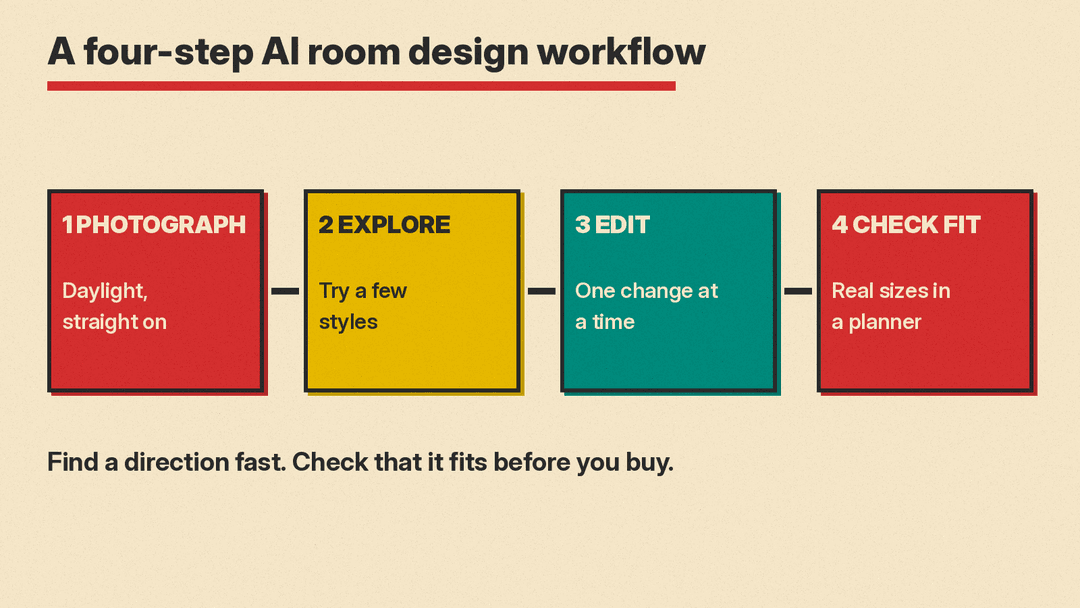
- Take good photos. Shoot in daylight, straight on toward a wall, with the room tidy. Every tool here does better with a clear input.
- Explore styles with a restyler. Run the same photo through a few styles in Interior AI or RoomGPT. Save the two or three you like.
- Make specific edits. Use a model like Nano Banana to change one thing at a time: a wall color, a rug, a light.
- Check the fit in a planner. Rebuild the room in Planner 5D or scan it with IKEA Kreativ, then place real furniture at real sizes before you buy anything.
Prompts that help
Most of these tools work from presets, but where you can type, specific beats vague. A few examples you can adapt:
- "Keep the walls, windows and floor exactly as they are. Change only the furniture to a midcentury modern style."
- "Paint the back wall a muted sage green. Do not change anything else."
- "Remove the coffee table and add a round wool rug in warm beige."
- "Stage this empty bedroom with a queen bed, two nightstands and soft evening light."
Telling the model what must not change is as important as telling it what should. For more prompt patterns, including edit requests like these, see our beginner's guide to AI image prompts.
What AI interior design cannot do yet
- It does not measure. Photo restylers produce pictures, not plans. Check sizes in a planner or with a tape measure.
- It can invent things. Furniture, lamps or even windows can appear that do not exist. Interior AI's own FAQ says this plainly.
- It is not a contractor. Moving a wall in a render is free. Moving it in a house needs a professional.
Used for what it is good at, finding a direction quickly and checking it before you spend money, AI can save real time on a room redesign.
Sources
- Interior AI
- RoomGPT
- RoomGPT: Sign in (free generation)
- RoomGPT: Buy credits
- Planner 5D: Interior Design App
- Planner 5D: AI Interior Design and Planner Tool
- Planner 5D Help Center: AI Designer
- Planner 5D: Pricing
- IKEA: Design and planning tools
- IKEA Australia: IKEA Kreativ launches
- Google AI for Developers: Nano Banana image generation
