
Google has added a library of "immersive explorations" to the Gemini app: interactive, visual lessons that let you move through a topic layer by layer, from planet-scale views down to molecules and atoms. Google announced the feature on October 28, and its Workspace Updates post says it is available now on web and mobile.
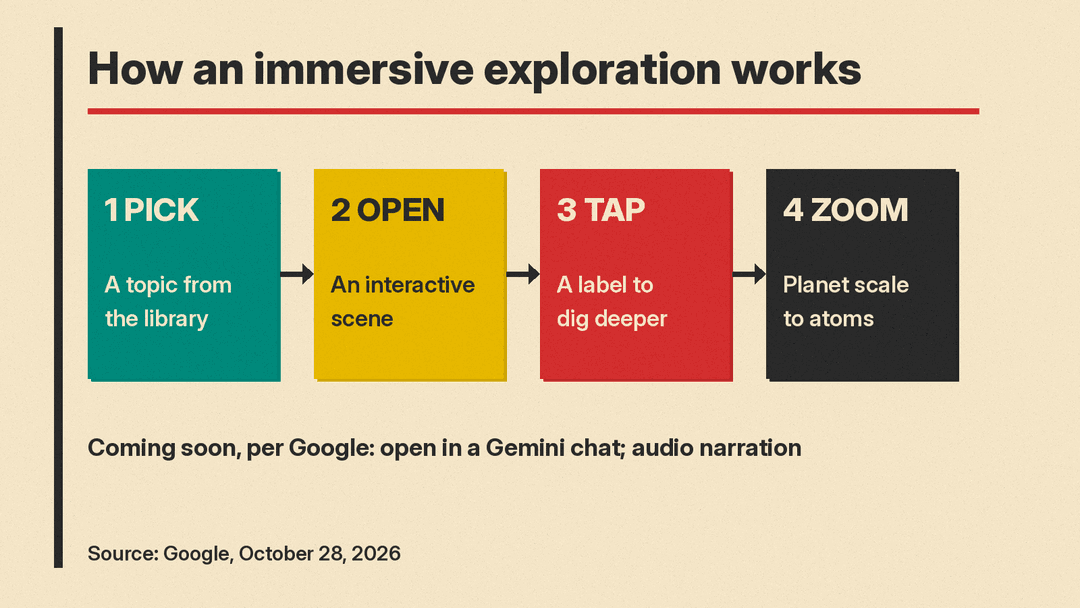
The examples Google gives are tracing trade routes on the Silk Road, looking inside a jet engine, and studying the physics of lightning. Each scene opens into what Google calls "interactive and guided experiences." You tap a label to go one level deeper.
What launched
The core of the launch is a fixed library, not a new chat mode. According to Google, you reach it from the Gemini student hub by selecting "Try immersive explorations." Google says it "will soon" also be possible to open these explorations directly in a normal chat conversation with Gemini. It gave no date for that.
Google also says the explorations "will soon include audio narration to walk you through each layer." Again, there is no date.
Android Authority reports that the library currently holds 20 topics, grouped into categories such as Civilizations, Energy, Engineering, Medicine, Geology, Oceans, and Spaceflight. Google's own posts do not give a count, so treat the number 20 as Android Authority's tally of what it saw at launch.
Android Authority also reports that you cannot create a custom exploration on a topic you choose. You pick from the library. Its writer called it "more of an interactive encyclopedia than a study tool" for now, and said Google has not said whether custom explorations will come later.
Who can use it
Google's Workspace Updates post splits availability by entry point:
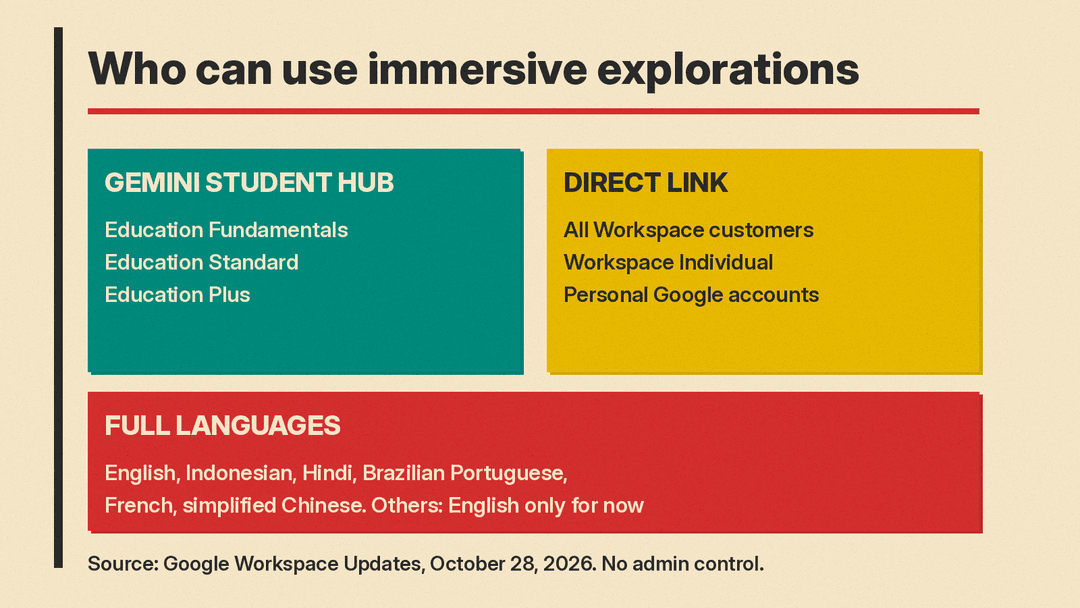
- In the Gemini student hub: available to Google Workspace for Education Fundamentals, Standard, and Plus.
- In the Gemini app at gemini.google.com/immersive-explorations: available to all Google Workspace customers, Workspace Individual subscribers, and users with personal Google accounts.
There is no admin control and no end user setting for the feature, according to the same post. Google points admins to its Help Center page on turning the Gemini app on or off. Digital Trends reads this to mean that if your organization already has Gemini turned on, "you are good to go." Google lists the rollout as "available now" for both Rapid Release and Scheduled Release domains.
On language, Google says the feature is available to all users in English, Indonesian, Hindi, Brazilian Portuguese, French, and simplified Chinese. Users in all other languages "currently receive an English-only experience, with more languages coming soon."
How to try it
There are two ways in, both from Google's posts:
- Open gemini.google.com/immersive-explorations directly.
- Or, in the Gemini app menu, select Students to open the student hub, then choose "Try immersive explorations."
Pick a topic, then tap the labels in the scene to go deeper. Android Authority says that, from what it could see of the interface, you can also select a specific area and type a question about it.
One caution: Android Authority's writer said the explorations "failed to load for me across several browsers" and described the feature as being in beta. If a scene does not open, that matches what at least one early tester saw.
Why it matters
The launch adds a new format to Gemini's learning tools. The student hub already gathers study tools: Android Authority notes that the immersive explorations library sits there alongside options for creating flashcards and quizzes. Those tools test what you know. Google describes the explorations as a way to explore a topic layer by layer, which makes them closer to a first look at how something works than to a test.
The format is the main change. Instead of a written answer, you get a scene you can click through, going from the big picture down to small parts at your own pace. Google's examples, such as the inside of a jet engine or the physics of lightning, are topics where seeing the parts and how they connect can help.
There are open questions that Google's posts do not answer:
- Who writes the content. Google does not say whether each scene is a fixed, authored lesson or is generated live by a model. That matters for accuracy on science and history topics.
- How big the library will get. Google gives no count and no plan for adding topics, beyond Android Authority's report of 20 at launch.
- When chat access and narration arrive. Both are described only as coming "soon."
- Whether chat access will need a paid plan. The current availability list includes personal Google accounts, but Google has not said how the in-chat version will be offered.
For teachers and IT admins on Education editions, the practical point is simple: there is nothing to turn on. If Gemini is enabled for your users, the library is already there in the student hub.
If you use Gemini for study or research, our explainer on Gemini Notebook, formerly NotebookLM covers Google's other main learning tool. For more on how Gemini is changing, see our posts on Gemini Gems becoming Skills and Google opening Gemini and Search to developer apps.
Sources
- Google: Dive into new topics with immersive explorations in the Gemini app
- Google Workspace Updates: Immersive explorations now available in the Gemini app
- Android Authority: Gemini's new 'immersive explorations' turn it into an interactive encyclopedia
- Digital Trends: Google's Gemini can now make complex topics more fun with new interactive learning feature
