
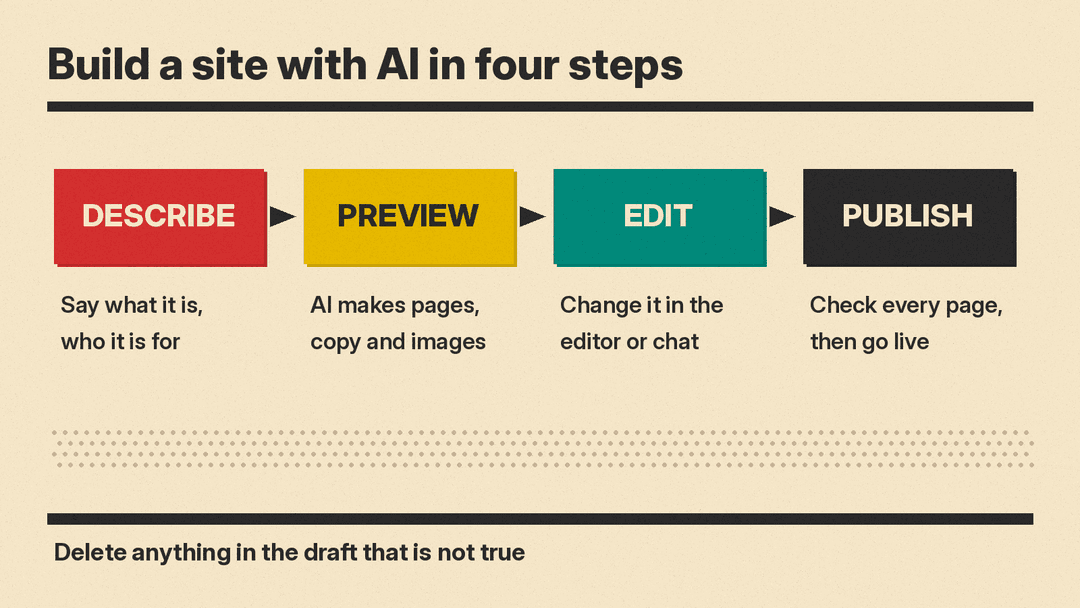
An AI website builder turns a short description of your business or project into a first draft of a website: pages, layout, copy and images. You then edit that draft and publish it. The tools differ in what comes after the first draft. Some hand you a drag-and-drop editor, some keep you in a chat, and some add business tools such as bookings and a CRM.
This guide covers seven real tools, grouped by the kind of builder they are, so you can pick one that fits how you like to work. Features below are as described on each vendor's own pages when we checked them in October 2026. Plans, limits and features change often, so check the vendor's site before you sign up. We do not list prices here. If you already know which tool you want and need help with the prompts, our prompt guide for building a website with AI has step-by-step templates.
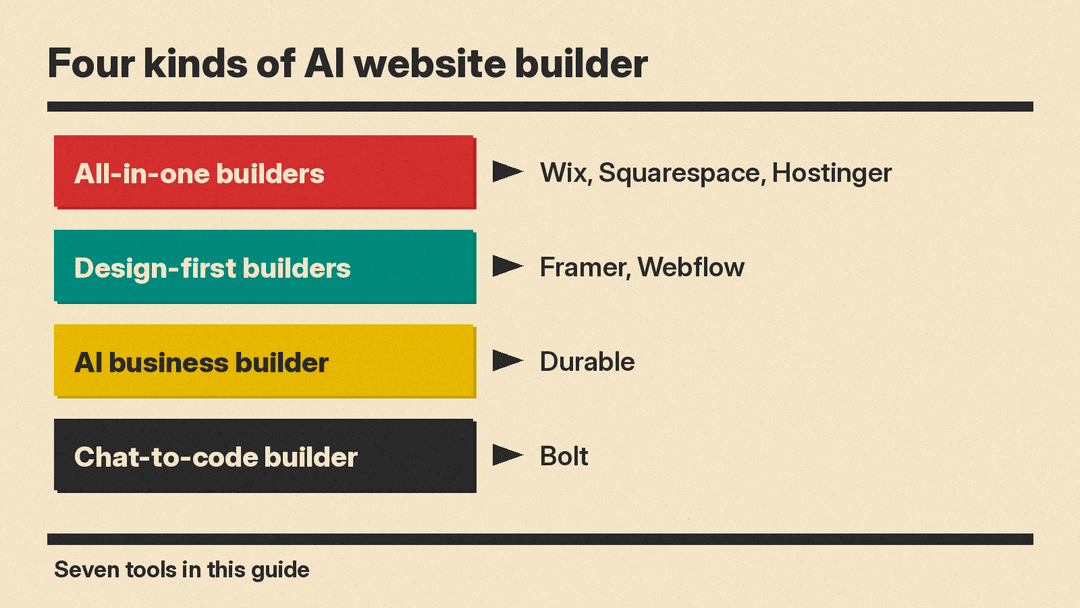
All-in-one website builders with AI
These are the classic website builders. AI writes the first draft, then you keep working in a familiar editor with hosting, domains and business tools in the same account.
Wix
Wix's AI website builder asks you to describe what you want, then builds the site. You can change it by hand with drag and drop, or ask Aria, which Wix calls "your built-in AI agent," to make changes for you. Wix lists add-ons such as an online store, scheduling and a blog, plus SEO and marketing tools and an AI marketing agent.
Wix says you can start building with AI for free. Its FAQ says you need a Premium Plan to connect a custom domain, collect payments online or use some other features.
Wix also sells Symphony, a separate team of AI agents for running a business rather than building a site. Our Symphony by Wix explainer covers its plans and credits.
Good for: small businesses that want a store, bookings or a blog in the same place as the site.
Squarespace
Squarespace's AI website builder turns your description into a "personalized, multi-page website starting point with relevant pages, copy, imagery, colors, and fonts." You then edit it in the Squarespace drag-and-drop editor. Squarespace also lists AI image generation, an AI assistant that answers questions or makes changes, and custom sections you describe in words, such as a service comparison or a pricing display.
Its FAQ says you can use the AI builder during a free Squarespace trial, but you need a paid website plan to publish the site. Squarespace also says you do not have to use AI for every change; you can edit directly at any time.
Good for: people who care most about polished design and want AI only for the starting point.
Hostinger
Hostinger's AI website builder has two modes. Manual mode makes a site from one prompt, and you fine-tune it with drag and drop. Agentic mode, which Hostinger also calls vibe coding, lets you build and change the site through a chat. Hostinger says Agentic mode suits more complex projects, such as stores with user accounts, membership sites and booking sites, and that it uses prompting credits that you can top up.
Hostinger says its plans include hosting and a domain, and that the plans are paid upfront. Its FAQ says you pick a mode when you start a site, so you would start a new project to try the other mode.
Good for: people who want hosting, a domain and email from one company and like the choice between an editor and a chat.
Design-first builders with AI
These tools come from the professional web design world. AI speeds up the work, but you get a full design canvas and a content management system (CMS).
Framer
Framer AI is a set of AI agents inside the Framer editor. Framer says an agent can create pages, sections, copy and visuals in your project, update CMS content and build custom code components. You can refine in the chat or take over on the canvas at any point. Framer says the agent creates "real, editable layers, not a fixed image or locked template."
Framer also says an agent can review your site before you publish and find contrast issues, typos, missing alt text and SEO gaps. Developers can connect outside coding agents such as Claude Code, Cursor and Codex to a Framer project.
Good for: designers, startups and marketers who want a custom look and plan to keep editing the site.
Webflow
Webflow AI includes an AI site builder that Webflow says can make a whole site "with a scalable design system in minutes" from a basic prompt. Other features on the page include AI copy drafts, CMS items made by AI, new page sections that use your existing design system, React code components and sitewide SEO and AEO (answer engine optimization) audits with suggestions.
Webflow says access to AI features "varies by workspace, site plan," and add-ons, and that some features use AI credits. You can try Webflow on its free Starter plan; Webflow says you need a paid Site plan to publish, host and unlock more features.
Good for: teams that want a site they can grow into a large, content-heavy marketing site.
AI business builder
Durable
Durable builds a website as part of what the company calls a "complete AI business builder." Durable says it can get you online "in 30 seconds." Next to the website it lists an AI image studio for logos and ads, a review tool, bookings, a CRM for leads and customers, payment processing and SEO tools that aim at both Google and AI chatbots such as ChatGPT. It also has an AI assistant for tasks such as marketing copy and social posts.
Good for: service businesses such as cleaners, coaches, landscapers and photographers who want a simple site plus bookings and lead tracking.
Chat-to-code builder
Bolt
Bolt lets you "create stunning apps & websites by chatting with AI." You can start from a prompt, a Figma file or a GitHub project. Bolt Cloud adds hosting with analytics and custom domains, databases, and user management and sign-in, so a site can grow into a web app.
Bolt builds the site with AI coding agents. Bolt says it picks a model for each task and that its agent tests, refactors and iterates to reduce errors. Our comparison of vibe coding tools covers Bolt next to Lovable, Replit and others.
Good for: founders, marketers and students who want a landing page that can turn into a working app.
How to pick
- You want a simple business site fast: start with Wix, Squarespace, Hostinger or Durable. All four make a full first draft from a description.
- You need bookings and a list of leads: Durable puts these at the center. Wix also lists scheduling and business tools.
- You care about custom design: Framer or Webflow give you a full design canvas and a CMS.
- You want a site that can become an app: Bolt, or Hostinger's Agentic mode, builds through chat and can add sign-in and databases.
- You want to try before you pay: Wix, Durable and Bolt say you can start for free, Webflow has a free Starter plan, and Squarespace has a free trial. Check what each one lets you publish before you commit.
Tips for building a site with AI
- Write a real brief. Squarespace suggests you say what you are building, who it is for, what visitors should be able to do and how it should feel. That works for every tool on this list.
- Replace the filler. Read every word of the AI draft. Delete or rewrite anything that is not true about your business before you publish.
- Check the basics by hand. Read every page on a phone, test every form and button, and add alt text to images. Framer and Webflow have AI checks for some of this, but a human pass still catches more. For search, our guide to using AI for SEO explains what Google allows.
- Keep your domain portable. If you buy a domain through a builder, learn how to move it before you need to.
- Plan for edits. A site is never finished. Pick the tool whose editor you are happy to open every week, not just the one with the best first draft.
