
Writing a book is a long project, and the hard parts are rarely the typing. Authors lose time on blank pages, on tracking who knows what in chapter 12, and on edit passes that never end. AI tools now target each of those jobs. This guide covers four of them as of November 2026: Sudowrite, Novelcrafter, ProWritingAid and NovelAI. For each one it says what the tool does, who it suits, and what the vendor's own pages say about plans and limits.
Plans change often. Where a vendor page printed a price, this guide copies the wording. Where a page showed a toggle or an unclear number, this guide says so instead of guessing. The guide does not rank the tools. It labels each one "Best for" a job, so you can match a tool to your own workflow.
What AI can and cannot do for an author
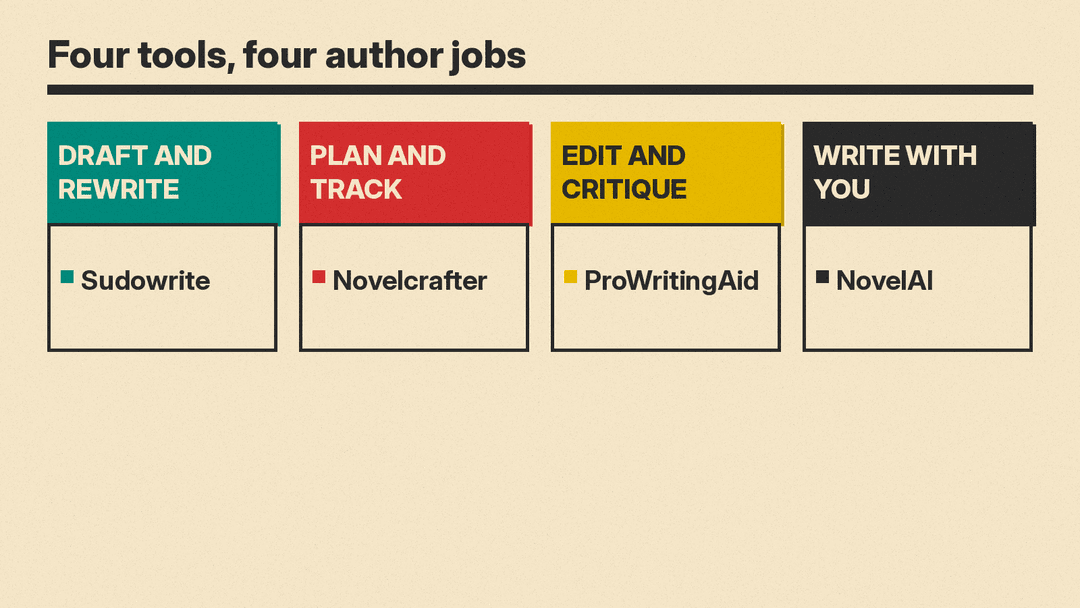
AI writing tools fall into three jobs.
- Drafting help: suggest the next lines, rewrite a clumsy paragraph, brainstorm names, plots and scenes.
- Story management: store characters, places and lore, and check a draft against them.
- Editing and feedback: flag repeated words, slow pacing, grammar slips and weak spots in a chapter.
No tool replaces the author's voice or judgment. Treat every suggestion as a draft to accept, change or reject. Several vendors say the same in their own words. Sudowrite's FAQ calls the product "a tool for creativity" that is not intended to write for you. NovelAI's home page describes a story generator "built to write with you, not for you."
The four tools
Sudowrite
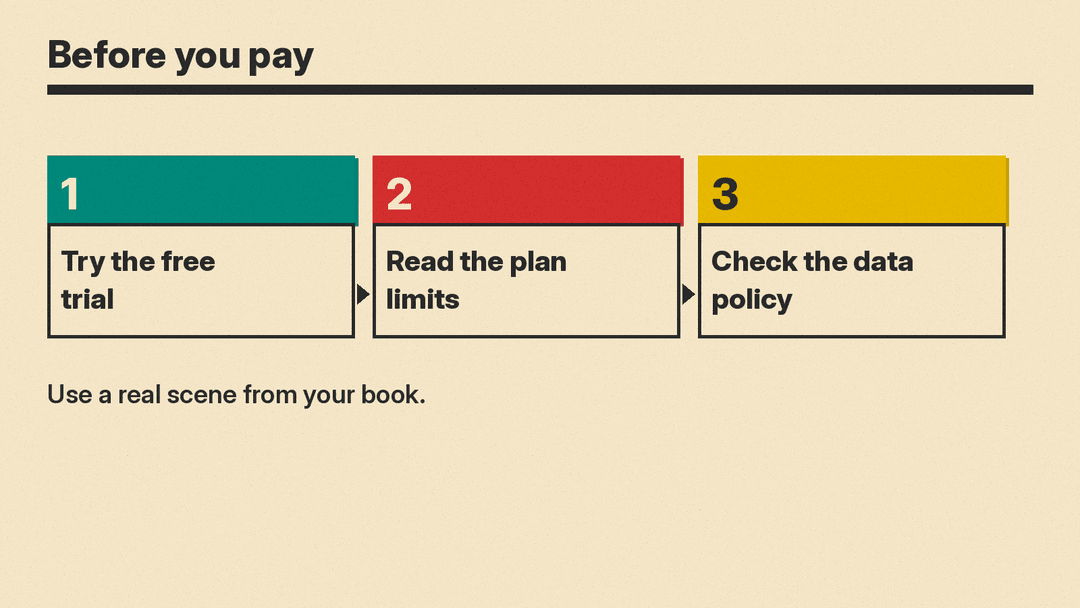
Best for: drafting, rewriting and brainstorming fiction.
Sudowrite is a writing app for fiction. Its pricing page lists the actions "Write, Rewrite, Describe, and Expand with story intelligence" on every plan. It also lists "Match your writing style," "Ensure continuity across a series," and "Brainstorm, research & edit with the best AI chat for fiction."
The page says Sudowrite uses "Muse & Ballad, Sudowrite's AI models just for fiction," plus "+30 industry-leading models." The FAQ on the same page adds that it uses dozens of models, including Claude models from Anthropic, open source models, its own in-house models such as Muse, and several models from OpenAI.
Plans: the page lists three tiers, named Hobby & Student, Professional and Max. The first tier shows "$10" "per month" and "225,000" "credits per month." The page has a Monthly and Yearly toggle with the label "Up to 50% off," so check which billing option is selected before you compare prices. Credits are how Sudowrite measures usage, so a long novel and a short story will use a plan differently. The page describes Professional as "Good for longer works, like a novel or screenplay," and says that tier adds "Get developmental edits, line edits, and beta reads." The Max tier adds "Unused credits rollover for 12 months."
Rights and training: the FAQ says Sudowrite claims "no rights over anything you put into Sudowrite, nor anything Sudowrite generates for you." It also says it does not use your writing to train Sudowrite or OpenAI's AI models. This is the vendor's own FAQ answer, not a legal document, so read the full terms before you upload a manuscript.
Cancel: the FAQ says that if you cancel, you can still access and work on your projects, but you cannot use AI features without a paid plan.
Novelcrafter
Best for: planning a novel, tracking a story world and using the AI model of your choice.
Novelcrafter is built around organization. Its home page describes "The Codex, a wiki that truly keeps track," where you build up characters, places and lore. It says planning modes help you "pinpoint issues early," and that a Codex can be shared across the books in a series. It also lists collaboration options, including teams for writing groups.
The AI side is flexible. The home page says you can "Connect to an AI platform of your choice, or even run models on your own machine," and lists OpenAI, Anthropic, Google, Meta, Mistral AI, OpenRouter, LM Studio and Ollama. The pricing page uses the phrase "AI (Bring your own Key)" for the plans that include AI. That means you connect your own account with an AI provider. The pricing page does not say what that provider charges, so check the provider's pricing as well.
Plans: the pricing page lists Scribe at "$4" USD monthly, Hobbyist at "$8" USD monthly, Artisan at "$14" USD monthly and Specialist at "$20" USD monthly. It also says "Prices have been localized to your region." Scribe has no AI features. Hobbyist adds bring-your-own-key AI, AI scene summarization, AI character extraction and "Generate from Scene Beats." Artisan adds chat features. Specialist adds collaborative writing and team management.
Trial and cancel: the FAQ says there is no free plan, but there is a 21-day free trial with all features and no credit card. It also says that if you no longer have an active subscription, you keep read-only access to your data, so you can view and export it but not edit it.
ProWritingAid
Best for: line editing, style checks and chapter critiques.
ProWritingAid sits on the editing side. Its pricing page lists a Free plan with "Grammar, spelling, punctuation" checks and "2 runs per line editing report per day" on 500 words of text. For longer drafts, the paid tiers raise those limits. The Premium tier lists "Unlimited line editing report runs," "25+ writing analysis reports," a "Custom style guide" and "Author comparison."
For story feedback, the page lists Chapter Critique ("Get a comprehensive story critique on your chapter in seconds") and Outline Crafter ("Explore alternative outlines for your story"). It also describes Story Credits, which "unlock in-depth feedback on your manuscript, including plot, characters, pacing, reader response, and marketability." Credits are an add-on, so budget for them separately if you want a whole-manuscript report.
Plans: the page prints Premium at "$ 30.00" "per month, billed monthly" and Premium Pro at "$ 36.00" "per month, billed monthly." It also shows a yearly option, with Premium at "$ 10.00" "per month, billed yearly $120." The FAQ says ProWritingAid is only available in English.
Data: the FAQ says "We never keep your work or any text entered into our editor," and that data is encrypted and sent to its servers for processing but "never stored on these servers." It also says documents you upload to your account are accessible only to you. As with the other tools, this is an FAQ answer. Read the full privacy policy if your manuscript is unpublished.
NovelAI
Best for: authors who want a story generator and image tools in one subscription.
NovelAI has a home page that describes two sides: an anime-style image generator and a storyteller. For writers, it says its story generator is "built to write with you, not for you" and that it offers "A writing space built around the way you create."
Plans: the FAQ says subscriptions "start at $10/month" and include access to both the image generator and the text generator. It says new users can try the platform through a trial period. It also says you can buy Anlas on demand instead of a subscription, to fuel image generation.
Privacy: the page's privacy answer talks about prompts and generated images. It does not describe how story text is handled, so read NovelAI's privacy policy before you rely on it for a manuscript.
How to choose
Match the tool to the job you struggle with most.
- If you get stuck on the blank page, a drafting tool like Sudowrite or NovelAI is the closest fit.
- If you lose track of your own story, Novelcrafter's Codex and planning modes target that problem.
- If your drafts are done and need polish, ProWritingAid's reports and critiques are built for editing.
- If you only want a general assistant, our guide to AI tools for writers covers broader options, and our Grammarly vs QuillBot comparison covers two common editors.
Many authors combine tools. A planning app can hold the story, a drafting tool can help with a stuck scene, and an editor can check the final pass. For a step-by-step workflow, see our guide to writing a book with AI. If you keep notes and reference files in a chatbot, our guide to ChatGPT Projects shows how to organize chats, files and instructions in one place.
Before you pay
Use this short list with any tool.
- Use the free trial first. Sudowrite and Novelcrafter both describe trials on their pages, and ProWritingAid has a Free plan. Test the tool on a real scene from your book.
- Read the plan limits. Credits, daily runs and word limits decide how far a plan goes. A plan that works for a short story may run out on a novel.
- Check the data policy. The vendors above describe how they handle your text in FAQs, but only the full privacy policy and terms are binding. Read them before you upload an unpublished manuscript.
- Keep your own copy. Export your work and keep a backup outside the app. Novelcrafter says you can view and export your data after a subscription ends, and Sudowrite says you can still access your projects.
Summary
AI tools for authors split into drafting help, story management and editing. Sudowrite and NovelAI focus on drafting, Novelcrafter focuses on planning and tracking a story world, and ProWritingAid focuses on editing and critique. Prices, credits and limits change, so confirm them on each vendor's page, test with a real scene, and keep the final voice your own.
