
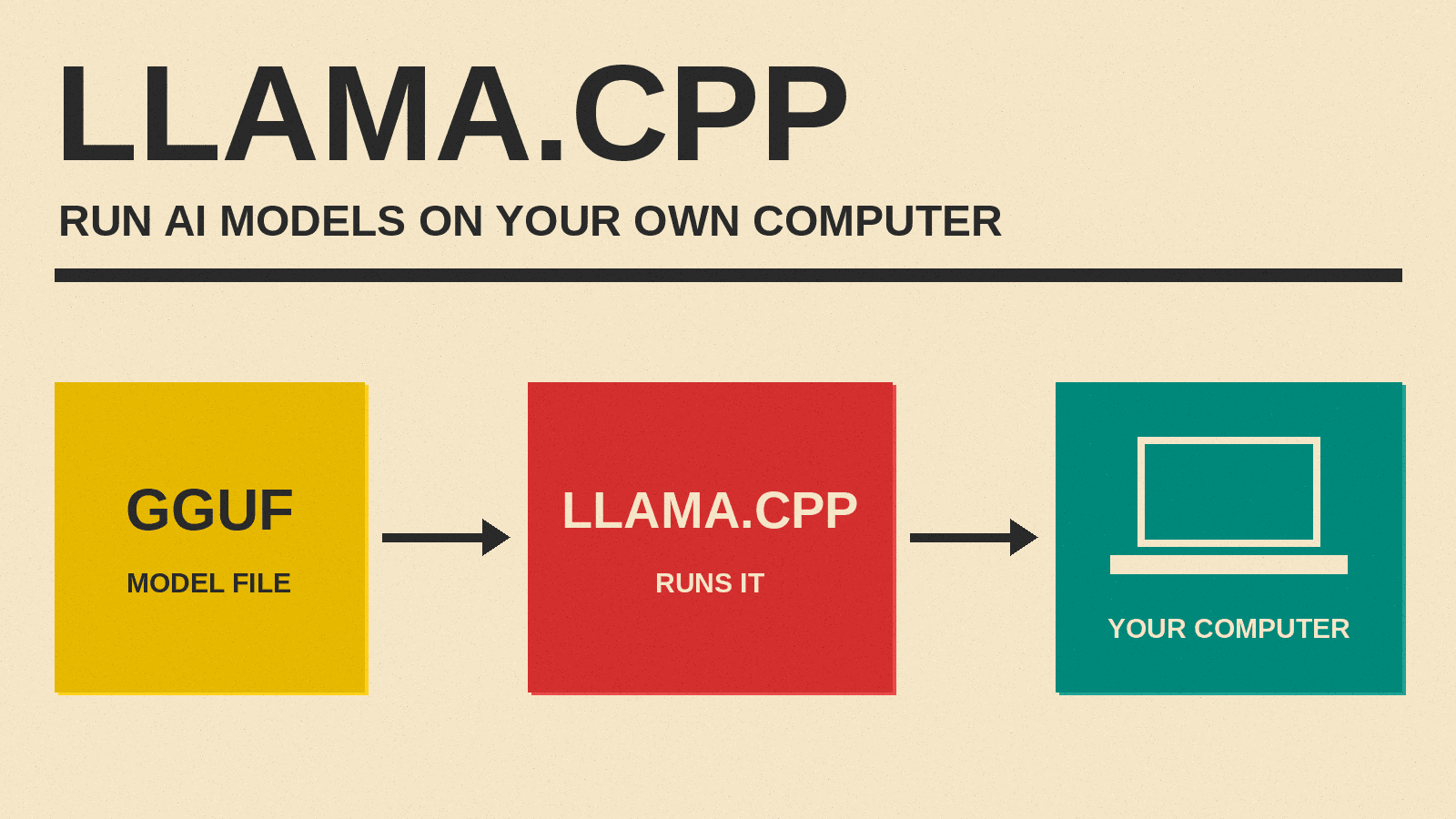
If you have tried to run an AI model on your own computer, you may have used llama.cpp without knowing it. It is a free, open source program that loads a language model and makes it answer, on ordinary hardware. Popular desktop apps for local AI, such as Ollama and LM Studio, list it as an engine they use.
This guide explains what llama.cpp is, what it does, why it matters for open-weight models, and how a non-developer can try it. Facts below come from the project's own GitHub pages and from Hugging Face's documentation, as checked on November 9, 2026. Command names and features change often in this project, so check the official README before you follow any step.
What llama.cpp is, in one paragraph
The llama.cpp README on GitHub describes the project in four words: "LLM inference in C/C++". Inference is the part of AI where a trained model answers a question. Training is the expensive part that a lab does once. Inference is what happens every time you type a prompt. llama.cpp does only inference. It does not train models. It takes a model that someone else trained and runs it, as fast as it can, on the hardware you have.
The README states the main goal like this: "to enable LLM (and VLM) inference with minimal setup and state-of-the-art performance on a wide range of hardware - locally and in the cloud." LLM means large language model. VLM means vision language model, a model that can also look at images.
Who makes it
The project lives under the ggml-org organization on GitHub. The Ollama README lists llama.cpp as a supported backend and calls it the "project founded by Georgi Gerganov." The llama.cpp README says the project "is build on top of the ggml library," which the ggml README describes as a "Tensor library for machine learning." A tensor is the grid of numbers that a model is made of, so ggml is the low-level math engine and llama.cpp is the model runner on top of it.
Both projects use the MIT License. The llama.cpp LICENSE file is the standard MIT text, with the copyright line "Copyright (c) 2023-2026 The ggml authors." MIT is a short, permissive license. It has no renewal clause or expiry date in the text. Note that this license covers the llama.cpp software only. Each model you run with it has its own license, set by the lab that released the model.
What the name means
".cpp" is the usual file ending for code written in C++, and the README describes the project as C/C++. The "llama" part shares its name with Meta's Llama model family, which we explain in our guide to Meta's Llama models. But llama.cpp is not limited to Llama. The README's own quick-start example downloads a Qwen model, and the supported models list covers many model families.
What llama.cpp does, step by step
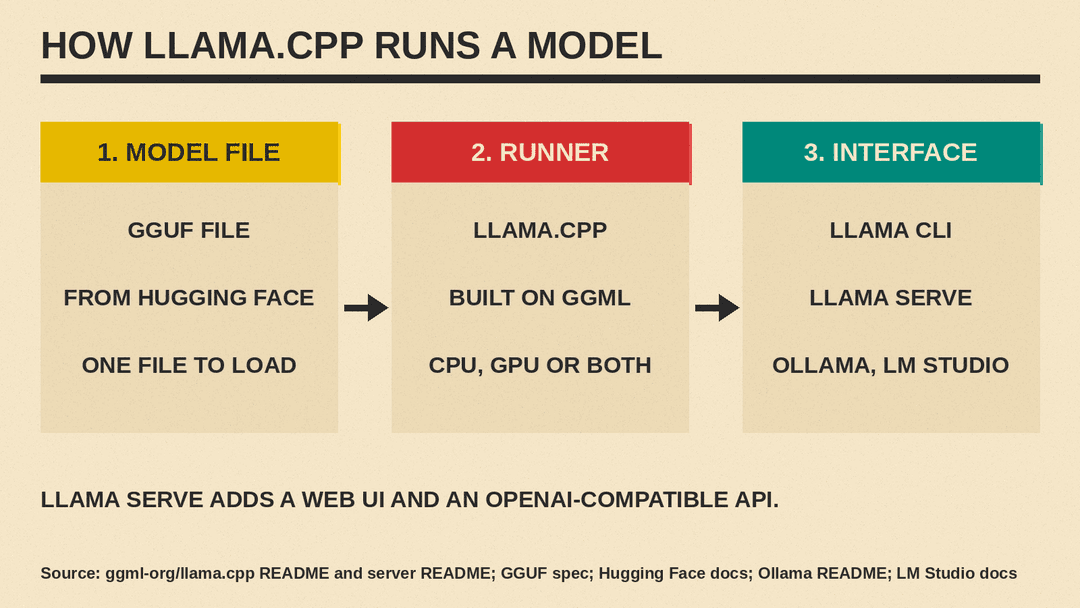
A local AI setup has three parts: a model file, a program that runs it, and a way for you to talk to it. llama.cpp is the middle part.
- The model file. llama.cpp reads models in a format called GGUF. The GGUF specification says GGUF "is a file format for storing models for inference with GGML and executors based on GGML." It also says that models "are traditionally developed using PyTorch or another framework, and then converted to GGUF." We compare GGUF with the other common format in GGUF vs Safetensors.
- The runner. llama.cpp loads the GGUF file into memory and runs the math on your processor, your graphics card, or both.
- The interface. You talk to the model in a terminal chat, in a browser page, or through another app that sends it requests.
One design goal of GGUF matters a lot for ordinary users. The specification calls it "single-file deployment": a GGUF file is meant to hold "all information needed to load a model," so you download one file and run it, with no extra setup files.
Why it matters: quantization
Most open-weight models are too big for a normal laptop in their original form. llama.cpp solves much of this with quantization. The quantize tool's README explains it in one line: "Quantization reduces the precision of model weights (e.g., from 32-bit floats to 4-bit integers), which shrinks the model's size and can speed up inference."
In plain terms, each number in the model is stored with fewer digits. The file gets much smaller and needs much less memory. The same README notes the cost: quantization "may introduce some accuracy loss," which it says is usually measured with scores such as perplexity.
The main README lists "1.5-bit, 2-bit, 3-bit, 4-bit, 5-bit, 6-bit, and 8-bit integer quantization for faster inference and reduced memory use." Those are the labels you see in file names such as Q4 and Q8. Our explainer on what Q4 and Q8 mean covers the trade-off in more depth, and how much memory you need to run an AI model locally shows how to size a model for your machine.
You do not have to quantize a model yourself. The quantize README points to a Hugging Face tool called GGUF-my-repo that builds quantized files "without any setup," and many model pages on Hugging Face already offer GGUF files in several sizes.
What hardware it runs on
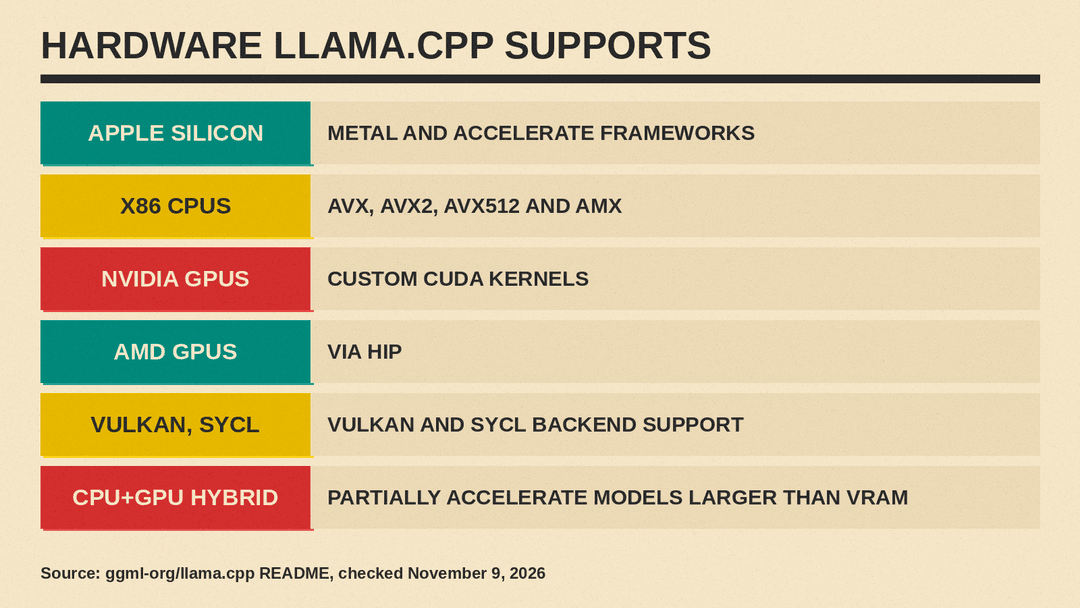
Wide hardware support is a large part of the README's feature list. It includes these points, among others:
- "Plain C/C++ implementation without any dependencies"
- "Apple silicon is a first-class citizen," with support through Apple's Metal and Accelerate frameworks
- AVX, AVX2, AVX512 and AMX support for x86 processors, the chips in most Windows and Linux PCs
- "Custom CUDA kernels for running LLMs on NVIDIA GPUs," with support for AMD GPUs through HIP
- Vulkan and SYCL backend support
- "CPU+GPU hybrid inference to partially accelerate models larger than the total VRAM capacity"
The last point is useful for home users. VRAM is the memory on a graphics card. If a model is larger than that memory, llama.cpp can still use the graphics card to speed up part of the work and use the main processor for the rest. The README calls this a way to "partially accelerate" such models.
The README's backend table also lists targets such as Huawei Ascend NPUs, Snapdragon chips, Intel GPUs and WebGPU. Some entries are marked as in progress, so check the table for your exact hardware.
What you can do with it
The project ships a few main tools. The server README describes the server as a "Set of LLM REST APIs and a web UI to interact with llama.cpp." Its listed features include:
- "OpenAI API compatible chat completions, responses, and embeddings routes"
- "Anthropic Messages API compatible chat completions"
- "Parallel decoding with multi-user support"
- "Function calling / tool use for ~any model"
- "Schema-constrained JSON response format"
- "Easy-to-use web UI"
The OpenAI-compatible part matters most for non-developers. It means software written for OpenAI's API format can send its requests to a llama.cpp server on your own machine instead, and get answers from a local model.
llama.cpp is not only for text. The multimodal documentation says that "Currently, we support image, audio and video input" for models built for it.
How llama.cpp relates to Ollama and LM Studio
Many people meet llama.cpp through an app. Two common ones are Ollama and LM Studio.
- Ollama. The Ollama README has a "Supported backends" section that lists llama.cpp.
- LM Studio. The LM Studio documentation has a section titled "Run llama.cpp (GGUF) or MLX models."
So these apps add their own windows and menus, and both name llama.cpp as an engine for running models. If you want to pick between the two apps, see Ollama vs LM Studio. Using llama.cpp directly means typing commands instead of clicking. Our beginner guide to running an AI model on your own laptop walks through Ollama, LM Studio and llama.cpp side by side, and our technical comparison of local LLM inference frameworks looks at llama.cpp, Ollama, Apple MLX and exo in more depth.
How to try llama.cpp
You need a terminal (the Terminal app on a Mac, PowerShell on Windows) and enough memory for the model you pick. Hugging Face's guide, GGUF usage with llama.cpp, gives these install options, as checked on November 9, 2026:
- On macOS and Linux, run the official install script (the one-line command is on llama.app and in the README), or use Homebrew:
brew install llama.cpp- On Windows, use WinGet:
winget install llama.cppThe llama.cpp README also offers pre-built downloads on its releases page, Docker images, and a guide to build it from source.
Once it is installed, the README and the Hugging Face guide show two main commands. Replace the part in angle brackets with the name of a GGUF repository on Hugging Face:
llama cli -hf <user>/<model-name>-GGUFThis downloads the model and opens a chat in your terminal. The Hugging Face guide says llama.cpp "downloads the model checkpoint and automatically caches it," so the next start is faster.
llama serve -hf <user>/<model-name>-GGUF --port 8080This starts the local server with its web page and its OpenAI-compatible API. The Hugging Face guide shows the chat endpoint at http://localhost:8080/v1/chat/completions. Older tutorials use names such as llama-cli and llama-server. Follow whatever the current README shows.
If you would rather click than type, our step-by-step guide on running a Hugging Face model in Ollama or LM Studio uses the same GGUF files through a desktop app.
What llama.cpp does not do
A few limits are worth knowing before you start:
- It does not train models. It runs models that already exist. Teaching a model a new task is a separate step, covered in our fine-tuning explainer.
- It does not make a model smarter. A quantized model on llama.cpp answers no better than the original model. Lower-bit files can be a little worse, as the quantize README notes.
- It does not choose a license for you. The MIT License covers llama.cpp itself. The model you load keeps its own license terms, which you should read on its model page.
- It does not remove hardware limits. Hybrid CPU and GPU mode only "partially" accelerates a model larger than your graphics memory, in the README's words.
Key points
- llama.cpp is a free, MIT-licensed program that runs language models on your own hardware. Its README calls it "LLM inference in C/C++."
- It is built on the ggml tensor library and reads models in the GGUF file format.
- Quantization shrinks models so they fit on ordinary computers, with some possible loss in accuracy.
- It supports Apple silicon, common PC processors, NVIDIA and AMD graphics cards, and a CPU+GPU hybrid mode.
- Its server offers a web chat page and an OpenAI-compatible API.
- Apps such as Ollama and LM Studio list llama.cpp as an engine they use.
Sources
- ggml-org/llama.cpp README on GitHub
- llama.cpp LICENSE (MIT)
- llama.cpp server README
- llama.cpp quantize README
- llama.cpp multimodal documentation
- llama.cpp supported models list
- ggml README on GitHub
- GGUF specification (ggml docs)
- Hugging Face: GGUF usage with llama.cpp
- Ollama README on GitHub
- LM Studio documentation
