
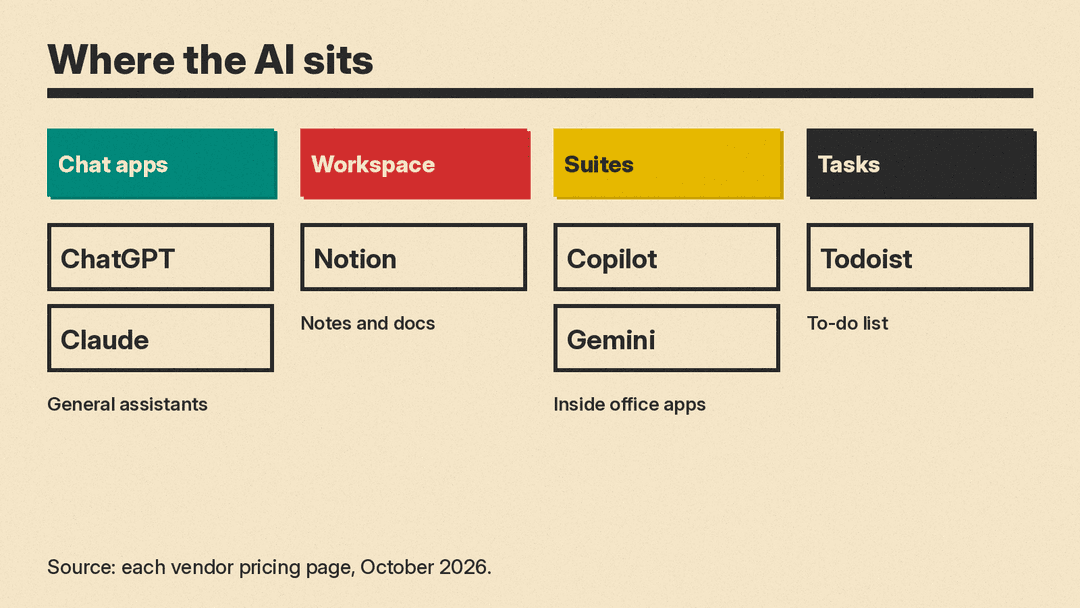
Productivity work is a stack of small jobs: inbox, notes, tasks, docs, meetings and the research that feeds them. General AI chat tools help across that stack. Workspace tools put AI inside the apps you already open. Task tools use AI on the to-do list itself.
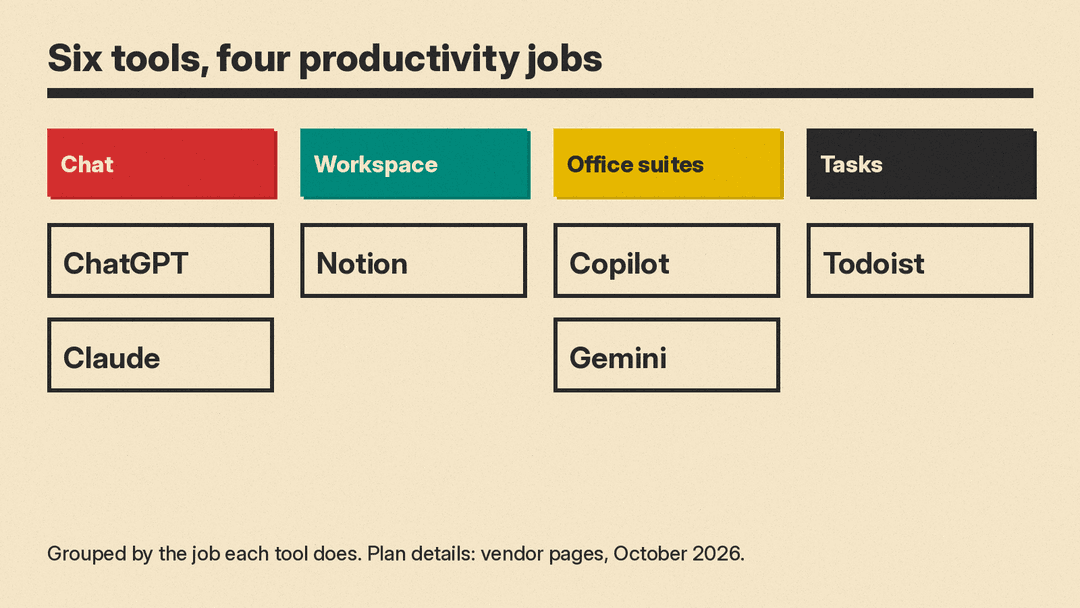
This guide covers six real tools, grouped by the job they do. Features, prices and plan details come from each vendor's own pricing or help page, checked on October 28, 2026. Prices are in US dollars. Plans change often, so check the vendor page before you pay. For project boards and team workflows, see our best AI project management tools guide. For spreadsheets, see best AI tools for Excel and Google Sheets. If you run a small company, our best AI tools for small business owners guide adds Canva, HubSpot and Zapier.
How to choose an AI productivity tool
Answer three questions before you compare features.
- Where do your hours go? Match the tool to writing, suite apps, or the task list.
- Do you need a free plan? Check each vendor pricing page for a free tier or trial.
- Will work data leave your company boundary? Read each vendor's data and training terms first.
One rule applies to every tool here: check anything AI writes before it becomes a send, a share or a filed record.
General assistant for drafts and research: ChatGPT
OpenAI's ChatGPT is a general AI assistant. People use it to draft emails and outlines, summarize long documents, plan a week of work, run deep research and analyze uploaded files.
OpenAI's pricing page lists four individual plans. Free is $0 and includes unlimited text chats, with limits on uploads, deep research and memory. Go is $8 per month, adds more messages, uploads and memory, and may include ads. Plus is $20 per month and adds advanced reasoning models and expanded deep research, memory and Codex use. Pro starts at $100 per month, with a choice of 3 usage tiers. OpenAI's help center says Plus is billed monthly, with no annual option. Every individual plan lets you opt out of having your content used for training, so opt out before you paste work material. Our ChatGPT Plus vs Claude Pro vs Google AI Pro comparison goes deeper on the $20 tier.
Good for: a single assistant for writing, research and planning when you are not locked into one office suite.
General assistant with projects and apps: Claude
Anthropic's Claude helps with drafts, projects, scheduled tasks and app connections. On Anthropic's pricing page, Free is $0 and includes app connectors and up to 5 projects. Pro is $17 per month billed annually ($200 up front) or $20 billed monthly, and adds scheduled tasks, Research, Claude Code, and Claude in Chrome and Microsoft 365. Max starts at $100 per month, with 5x or 20x the usage of Pro. Every individual plan lets you opt out of model training.
Good for: longer writing and planning with projects and scheduled tasks.
Notes, docs and meeting notes in one workspace: Notion
Notion is a workspace for pages, databases, docs and sites, with Notion AI on its plans.
On Notion's pricing page, Free is $0. Plus is $10 per seat per month billed yearly ($12 billed monthly) and includes only a trial of Notion AI. Business is $20 per seat per month billed yearly ($24 billed monthly) and adds Notion Agent, Custom Agents, AI Meeting Notes, Enterprise Search (beta) and SAML SSO, plus 1,500 Standard and 500 Select AI credits per seat each month. Enterprise has custom pricing. Notion's AI security page says customer data is not used to train models by default. On Free, Plus and Business, the AI provider keeps data for 30 days or fewer, then deletes it. On Enterprise, most models use zero data retention, and the few that do not are off unless the workspace owner turns them on. Our Notion AI agents explainer covers how the agents and credits work.
Good for: notes, docs and projects in one workspace.
AI inside Word, Excel, Outlook and Teams: Microsoft 365 Copilot
Microsoft 365 Copilot puts AI into Word, Excel, PowerPoint, Outlook and Teams, with chat grounded in work data. On Microsoft's Copilot pricing page, Microsoft 365 Business Premium with Copilot is $32.00 per user per month paid yearly ($38.40 on monthly billing), and Business Standard with Copilot is $23.50 paid yearly ($28.20 monthly). The Copilot Business add-on for existing Microsoft 365 Business plans is $18.00 per user per month paid yearly, down from $21.00 ($25.20 on monthly billing). The $18.00 price is a promotion that runs from July 1 to December 31, 2026, needs an annual commitment and applies to the first year only. Everyday AI is included with the license; advanced features such as Cowork and Autopilot are billed by usage. Microsoft says prompts and responses are not used to train the underlying large language models, and with enterprise data protection they stay within the Microsoft 365 service boundary. Copilot Chat is included at no additional cost with eligible Microsoft 365 plans. For a side-by-side with Google, see our Microsoft 365 Copilot vs Gemini in Google Workspace comparison.
Good for: people whose day already lives in Microsoft 365.
AI inside Gmail, Docs and the Gemini app: Google Gemini
Google Gemini is Google's AI assistant, and paid Google AI plans unlock Gemini inside Google apps. Google's Gemini subscriptions and Google AI plans pages list four plans. Free is $0 and includes the Gemini app, Deep Research and 15 GB of storage. Google AI Plus is $4.99 per month with 400 GB of storage and Gemini in Gmail for proofreading. Google AI Pro is $19.99 per month (or $199.99 billed annually) with 5 TB of storage, Gemini 4 Argon, and Gemini in Gmail, Docs and Sheets. Google AI Ultra, the top plan, starts at $99.99 per month for 5x the usage of Pro, or $199.99 per month for 20x, and is billed monthly only.
Good for: people who live in Gmail, Docs, Drive and Chrome.
Tasks and the to-do list: Todoist
Todoist is a task manager, and its AI features sit under Todoist Assist. On Todoist's pricing page, Beginner is free with 5 personal projects and Filter Assist. Pro is $5 per month billed yearly ($60) or $7 billed monthly, and adds Task Assist, Email Assist, calendar layout and 300 personal projects. Business is $8 per user per month plus local tax billed yearly ($96), or $10 billed monthly.
Good for: people whose bottleneck is the task list itself.
A simple setup for most people
If you want one starting stack as of October 2026:
- Use ChatGPT Free or Claude Free for drafts, and turn on each vendor's training opt-out if you need it.
- Keep notes in Notion; use Business when you need Notion Agent and AI Meeting Notes beyond the trial.
- If your company is on Microsoft 365 or Google Workspace, prefer Copilot or Gemini in those apps.
- Put the daily to-do list in Todoist Beginner; move to Pro for Task Assist and more projects.
You do not need all six. Pick the layer that matches where your time goes, verify the live plan page, and keep a human check on anything that leaves your desk.
