
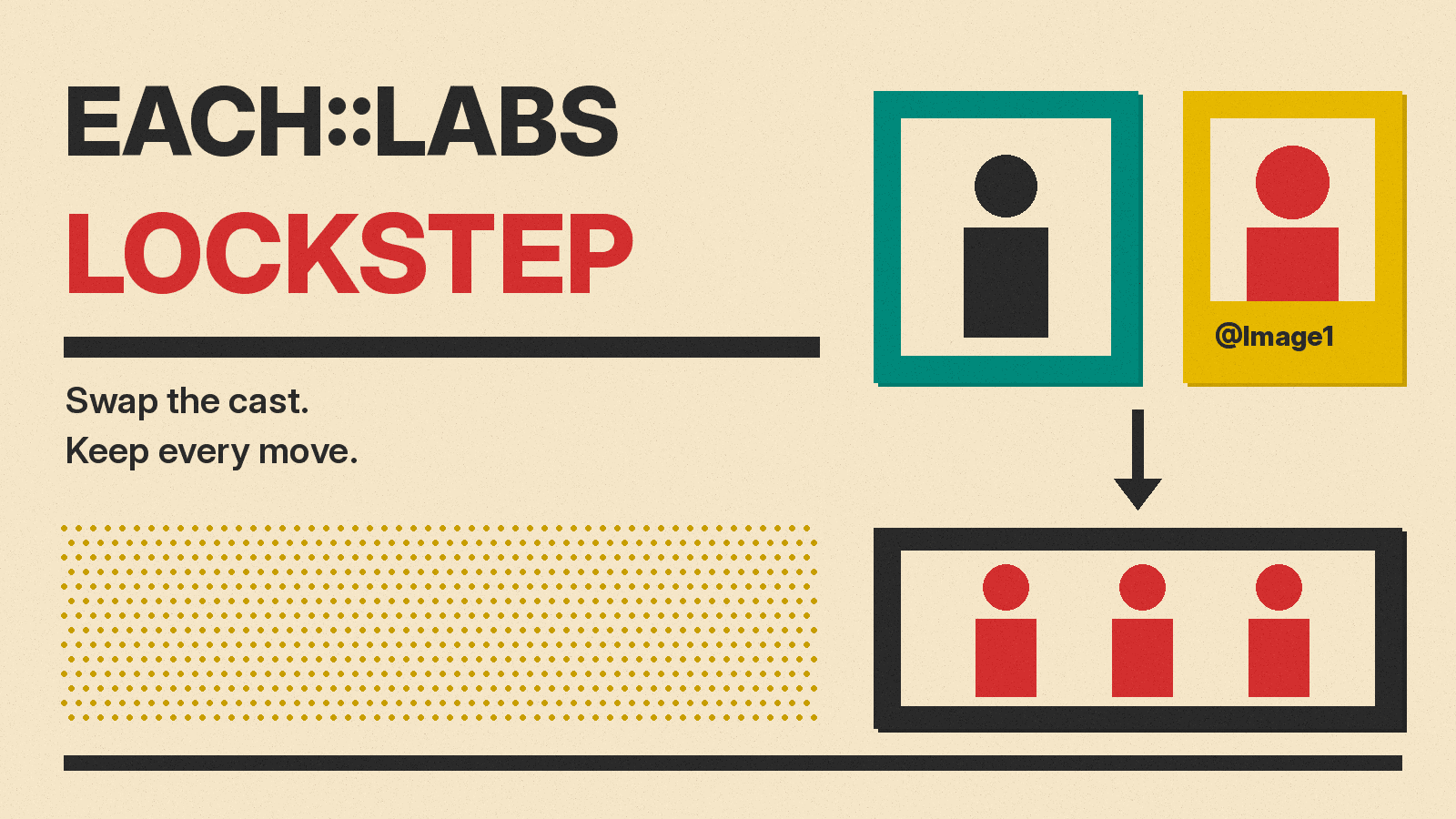
each::labs, a platform that serves many image, video and audio models through one API, has released its own video model. It is called Lockstep, and it does one job: it swaps the people in an existing video for characters you supply, and keeps the original motion, lip sync and camera work. The company announced it on X on October 28 at about 6:04 AM PT, after a "Something BIG is coming" teaser the day before.
Most tools in our best AI video generators guide make a new clip from a prompt. Lockstep starts from footage that already exists. You bring the performance, and the model changes who performs it.
What Lockstep does
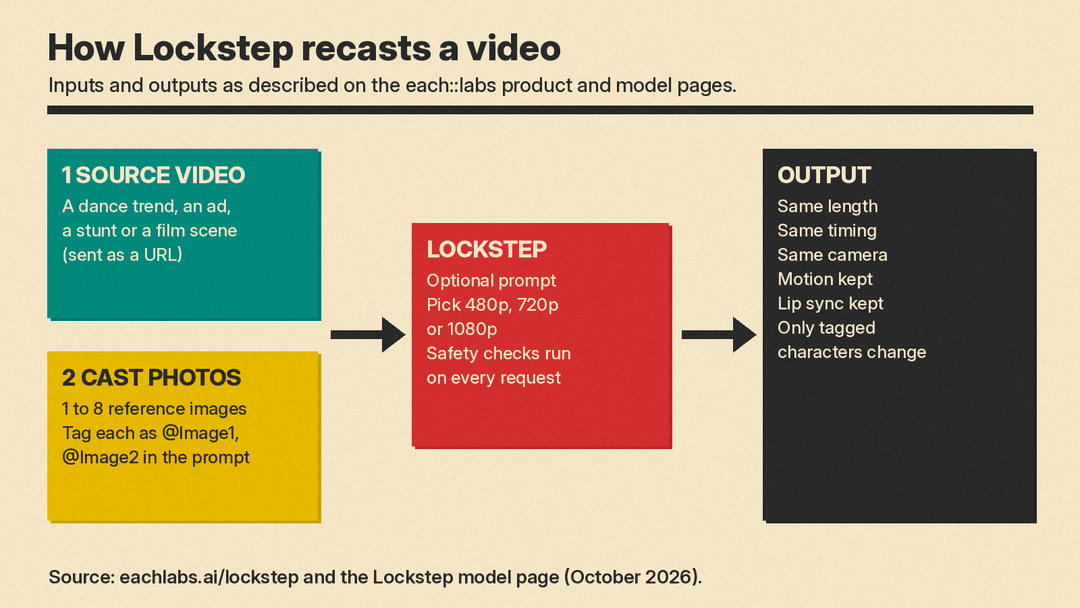
Per the Lockstep product page, the brief is short: one reference video and one photo of each character. You tag each photo in your prompt as @Image1, @Image2 and so on, and say who replaces whom. The page gives examples such as "Replace the runner with @Image1. Set the scene in a school hallway."
each::labs says three things carry over from the source clip:
- Motion. "Every step, spin and gesture lands on the same beat as the original."
- Lip sync. "Mouth shapes follow the original take, so singing and dialogue stay in sync."
- Camera. "Handheld shake, pans and fast moves carry over untouched."
The output has the same length, timing and camera as the input. The page says only the characters you tag change. Background, lighting and framing stay as filmed, unless your prompt asks for a new scene. You can swap one person or a whole group in one run. The company also says pets, mascots and stylized characters "pick up the motion the same way."
For best results, the FAQ asks for front-facing, well-lit photos with the whole head in frame.
Price and access
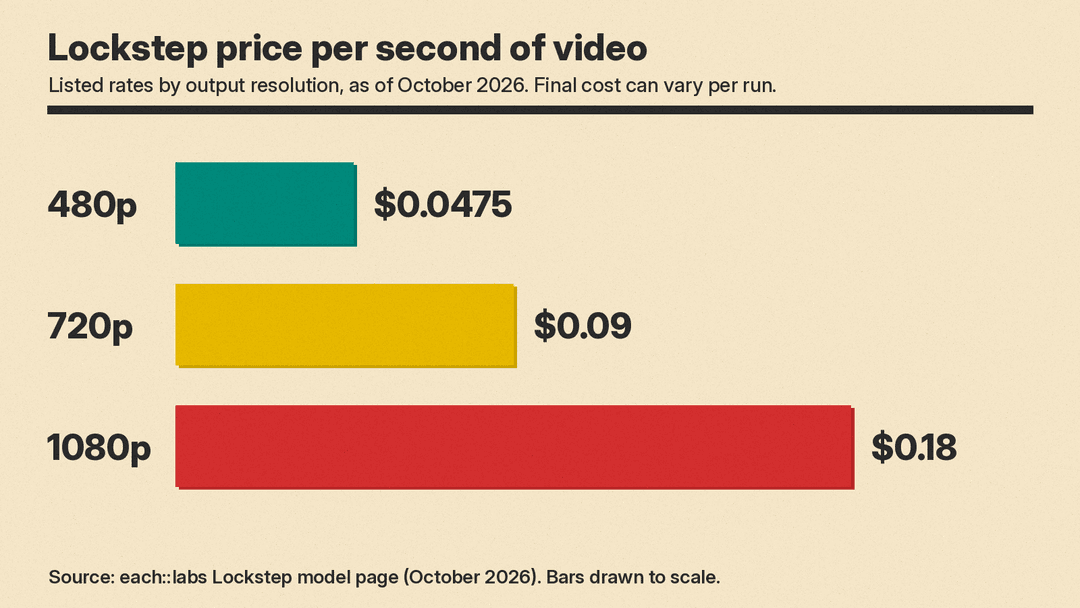
Lockstep runs in the each::labs playground, through its API and inside its multi-step workflows. The model page lists per-second prices by output resolution, as of October 2026:
- 480p: $0.0475 per second
- 720p: $0.09 per second
- 1080p: $0.18 per second
At those listed rates, a 10-second clip would cost about $0.90 at 720p and about $1.80 at 1080p. The same page also says Lockstep "bills the actual total cost reported by the completed workflow," so the final amount can vary per run. The product page says every run shows its cost before it starts. For a wider view of per-second costs, see our AI video generator pricing comparison.
The API call takes a source video URL, a list of reference image URLs, an optional prompt and a resolution. The model page says you can send between one and eight reference images, and that media must be sent as URLs, not inline files. A webhook can tell your app when the video is ready.
One detail to check: the model page lists 720p as the default resolution, but its FAQ says output "defaults to 480p." If cost or quality matters, set the resolution yourself on every call.
each::labs has also put Lockstep into ready-made templates. Its Luxury Car Exit workflow, for example, runs an image edit step first and then passes the result to Lockstep.
Who it is for
The company pitches three groups. Apps can "turn every trend into a template," where users add a selfie and star in the trend clip. Film and VFX teams can "shoot a stunt once, then put any actor in it." Creators can drop themselves, a friend or a mascot into a scene.
each::labs also pitches Lockstep for advertising. In a follow-up post, it says it "turned a single shoot into four ads with four different characters," with the product, light and motion kept the same. The product page frames this as recasting "one ad for every market, audience and season."
What is not proven yet
each::labs calls Lockstep "our new frontier model, and right now the best recast model on the market at the best price of any alternative." That is the company's own claim. The product page shows side-by-side clips against "two other character swap models," but it does not name them, and we found no independent benchmark or leaderboard result for Lockstep. We also found no paper, model size or training details from the company.
There is also the consent question that comes with any face swap tool. The FAQ says users should upload "footage and photos you have the rights to use," and that every request goes through content safety checks, with failed requests declined. It does not say what those checks test for, or whether outputs carry a watermark or other label.
Why it matters
Prompt-only video models still struggle to repeat an exact performance. If you need the same dance, the same product handling or the same line reading across many versions, rerolling a prompt is slow and inconsistent. Motion transfer tools like Lockstep take a different route: lock the performance first, then change the cast. If the motion and lip sync hold up as each::labs claims, that is useful for localized ads and trend templates. It also makes realistic swaps of real people cheaper, which raises the stakes for consent and labeling.
If you want to direct clips from scratch instead, our guide to writing AI video prompts covers Veo, Runway and Kling.
