
An AI email assistant reads your inbox for you. It can summarize a long thread, draft a reply, sort the noise and remind you to follow up. This guide covers six tools worth knowing as of November 2026, what each one does, and the plan wording straight from each vendor's own page.
Plans change often, so check the vendor page before you pay. Where a page did not state something, this guide says so instead of guessing. If you write marketing email rather than answer it, see our guide on how to use AI for email marketing.
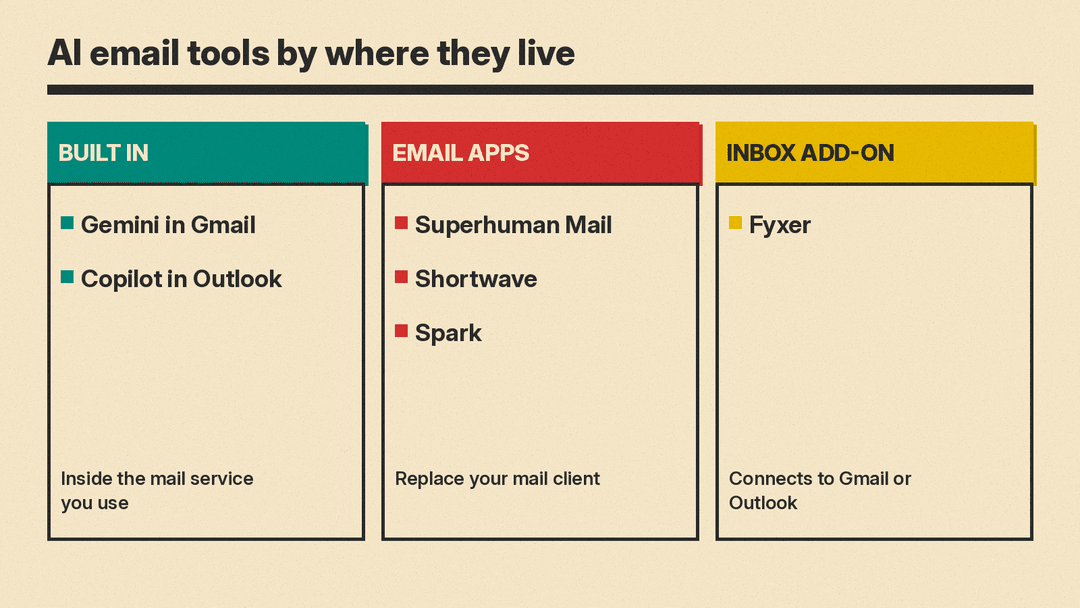
Three ways to add AI to your email
The tools below fall into three groups. The choice matters more than any single feature.
- A built-in assistant lives inside the mail service you already use. Nothing to install, but you need an eligible plan.
- An AI email app replaces your mail client. You get a faster inbox with AI built in, but you switch apps.
- An inbox assistant connects to your existing Gmail or Outlook account and sorts and drafts for you there.
Whichever you pick, read every draft before it goes out. AI drafts miss context, and a wrong reply costs more than a slow one. If you only need the two built-in options, see our guide to using AI for work email in Gmail and Outlook, which walks through each one step by step.
Built into your mail service
Gemini in Gmail
Google's help page says Gemini in Gmail is a collaborative inbox assistant. It lists five jobs: summarize long email threads into bullet points, draft or refine emails, organize (such as deleting emails or adding labels), search for details like flight times, and propose meeting times from your Google Calendar.
The page says the feature requires an eligible Google Workspace or Google AI plan. It also says it is available in Google Workspace Experiments, a trusted tester program for personal accounts. For inbox changes, the page says your emails are not deleted, archived, labeled or marked read until you confirm, and that you have 60 seconds to undo a confirmed action. The page does not state prices, so check Google's plan pages.
Best for: people who live in Gmail and already pay for a Google plan that includes Gemini.
Copilot in Outlook
Microsoft's FAQ for Copilot in Outlook, last updated October 2026, lists these features: inbox prioritization, triage actions, rules created in plain language, thread summaries, drafting, coaching, and chat. Coaching by Copilot suggests changes to tone, sentiment and clarity, and Microsoft's coaching page says you can apply all suggestions at once. Microsoft's drafting page says coaching needs at least 100 characters of text. Its summary page says the summary can include numbered citations that link back to emails in the thread.
The FAQ notes that some features need a Microsoft Copilot (work) license, and that chat in Outlook works only with a work or school account. It also lists limits: Copilot cannot access S/MIME or Double Key Encryption encrypted emails, and it is not available on group mailboxes or mailboxes not hosted on Exchange Online. On privacy, the FAQ sends readers to separate Microsoft pages for work accounts and for personal accounts.
Best for: Microsoft 365 teams that want AI inside the Outlook they already use.
AI email apps
Superhuman Mail
Superhuman Mail calls itself AI-native email. Its page says Superhuman AI can organize your inbox, draft emails, and, if you want, send fully written emails for you. It lists Split Inbox, follow-up reminders, snippets, read statuses and the ability to share a live view of an email with your team. The page also says an Email Assistant works inside Gmail or Outlook to sort messages, draft replies in your voice, clear the noise and remind you to follow up.
On the pricing page, Starter is $25 per member / month, billed annually, or $30 billed monthly. Business is $33 per member / month, billed annually, or $40 billed monthly. The page lists Auto drafts, Ask AI and CRM integrations on Business, and Enterprise is contact sales.
Best for: people who send a lot of email and want speed and follow-up tracking, and who are fine with its listed prices.
Shortwave
Shortwave has a Free plan and a 14 day free trial, according to its pricing page. The page has an Individual view and a Business view. The Individual view lists Free and Pro at $18 per seat / month, and Pro adds standard intelligence, 3 years of AI search history, AI web browsing and AI autocomplete with instant summaries. The Business view lists AI summaries, AI autocomplete, attachment analysis, AI search over your mail, AI filters that act on new emails from a prompt you write, and instant AI replies. It lists Business at $30 per seat / month, Premier at $45, and Max at $120 per seat / month. Higher tiers raise the AI usage allowance and the number of AI filters (3, 10 and 50).
The page names Claude models for its AI intelligence levels, and it lists CASA Tier 2 compliance under privacy and security. Shortwave's home page talks about Gmail accounts and Gmail-style filters. The pricing FAQ says Shortwave connects natively to Gmail and Google Workspace accounts, and that Outlook, Fastmail, Yahoo and other accounts can be added by first connecting them to your Gmail account.
Best for: Gmail users who want AI search and AI filters that work from plain-language instructions.
Spark
Spark is the budget pick. Its pricing page lists a Free plan at $0 with Smart Inbox and unlimited email accounts. Plus is listed at $10 / month per user on the monthly view, or $8.25 / month per user ($99 / year) on the yearly view, with Spark +AI, an AI Assistant and 40 AI Meeting Notes. Pro is listed at $20 / month per user on the monthly view, or $16.58 / month per user ($199 / year) on the yearly view, and adds unlimited AI Meeting Notes, Autopilot and Auto-Drafts. Spark's home page shows Outlook, Exchange and iCloud among the services it connects.
Best for: people with several accounts who want a clean inbox first and AI second.
An assistant for the inbox you already have
Fyxer
Fyxer connects to Gmail or Outlook. Its pricing page lists Free at $0 with 400 monthly credits, Pro at $37 / person / mo billed annually ($49 on monthly billing), and Team at $64 / person / mo billed annually ($99 on monthly billing). The page lists a 14 day free trial, and the FAQ says the trial starts on the Team plan and moves to Free when it ends unless you pay.
Per the page, Pro and above include inbox sorting and labeling and replies drafted in your tone, while the FAQ says the Free plan does not sort your inbox. Sorting costs credits: the page says 5 emails per credit. A launch offer gives unlimited credits for the first 3 months, then Pro includes 3,000 credits a month per paid member. The FAQ also says Fyxer cannot send emails for you: it drafts replies in your inbox and you decide what gets sent. On privacy, the FAQ says Fyxer has SOC 2 Type II, ISO/IEC 27001 and GDPR compliance, and that the AI providers it works with cannot use your data to train their own models. The FAQ also says you can opt out of Fyxer's own model training at any time.
Best for: busy professionals who want sorting and drafts without changing their email app.
Which one to pick
- Already on Gmail with a Google plan that includes Gemini: start with Gemini in Gmail.
- Microsoft 365 with a Copilot license: start with Copilot in Outlook.
- Want the fastest dedicated app and will pay for it: Superhuman Mail.
- Want AI search and filters on Gmail: Shortwave.
- Want a low-cost app for several accounts: Spark.
- Want drafts and labels without leaving your inbox: Fyxer.
If email is one part of a larger time problem, our guide to AI tools for productivity covers more options. Meetings are the other big source of follow-up mail, so see our guide to AI note-taking apps.
A few habits that make any of these safer
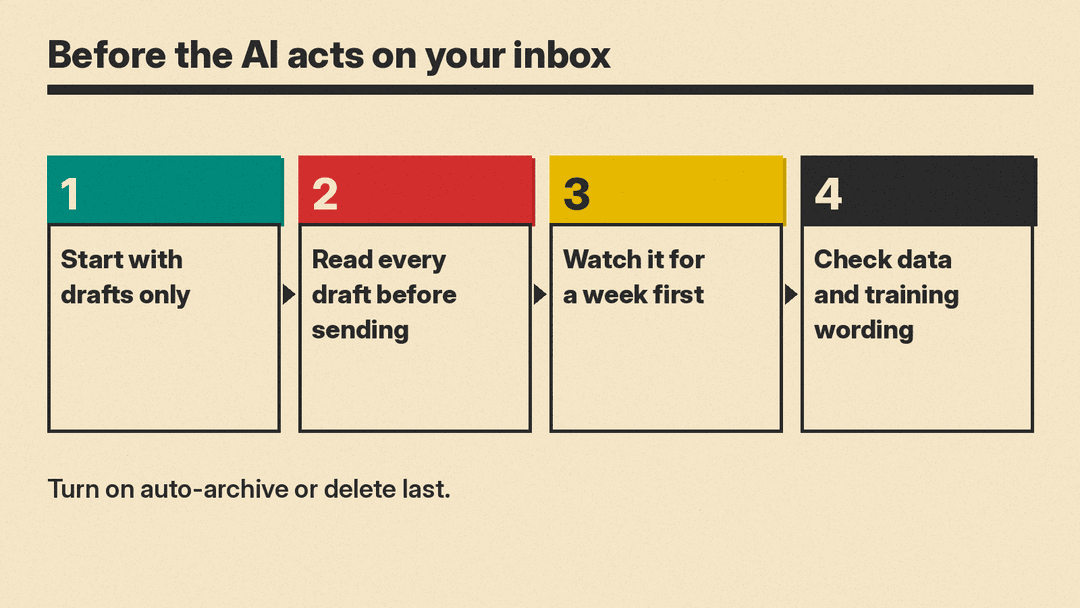
Start with drafts only. Let the tool write replies, read them, and send them yourself. Turn on automatic actions such as archive or delete only after you have watched the tool work for a week. For confidential mail, read the vendor's data and training wording first, since the vendors above word this differently. Last, keep your own record of anything you cannot afford to lose, because AI sorting can bury a message you needed.
Sources
- Collaborate with Gemini in Gmail (Gmail Help)
- Frequently asked questions about Copilot in Outlook (Microsoft Support)
- Get email coaching with Copilot in Outlook
- Draft an email message with Copilot in Outlook
- Summarize an email thread with Copilot in Outlook
- Superhuman Mail
- Superhuman Mail pricing
- Shortwave pricing
- Shortwave
- Spark pricing
- Spark
- Fyxer pricing
