
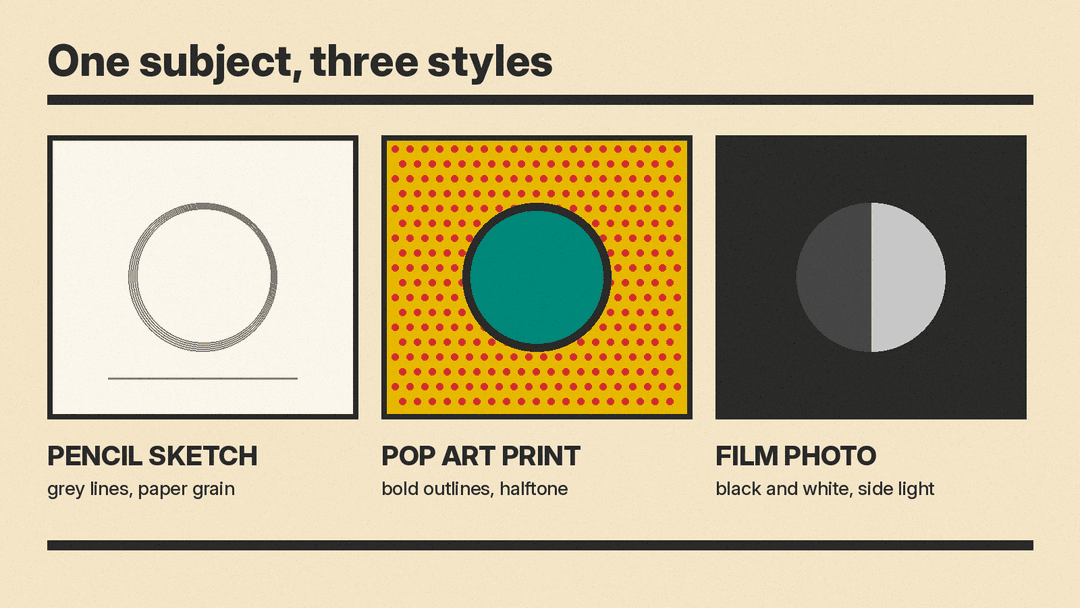
The same subject can look like a pencil sketch, a pop art print or a moody film photo. The difference is the style words in your prompt. Most people type a subject and hope the tool picks a good look. You get far more control when you name the style on purpose, in a structured way.
This guide explains what "style" means in an AI image prompt, which style words do the most work, and how to keep one look across many images. It works with any text-to-image tool, including Midjourney, ChatGPT and OpenAI's GPT Image models, Google's Imagen models and Ideogram. If you are new to prompting, start with our beginner's guide to AI image prompts and come back here.
What "style" means in an image prompt
In a prompt, the subject is what is in the picture. The style is how it is made. Google's Imagen prompt guide shows this with one sentence template: "An [art style or creation technique] of an angular sporty electric sedan with skyscrapers in the background." It then swaps in a technical pencil drawing, a charcoal drawing, a color pencil drawing, a pastel painting, digital art and an art deco poster. The car stays the same. Only the look changes.
Midjourney's Style Reference documentation uses a similar split. It says a style reference "doesn't copy objects or people," just "the overall style," such as colors, medium, textures or lighting.
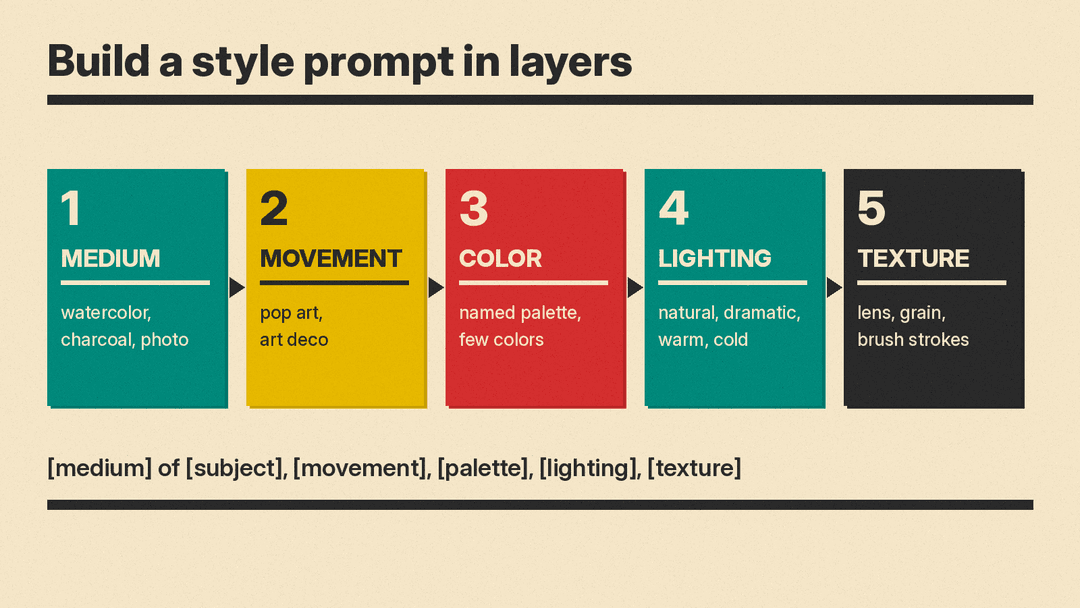
That gives you a useful working definition. Style is a bundle of a few separate choices:
- Medium: what the image seems to be made with (oil paint, watercolor, charcoal, ink, 3D render, photograph).
- Movement or genre: a named tradition (impressionism, pop art, art deco, renaissance painting).
- Color: the palette and how strong it is (muted earth tones, two-color print, black and white).
- Lighting: where the light comes from and its mood (natural, dramatic, warm, cold).
- Camera or texture: for photos, the lens and film; for art, the surface (paper grain, brush strokes, halftone dots).
When a result looks "off," it is usually because one of these choices was left to the model. Name each one you care about.
Layer 1: Pick a medium
The medium shapes the whole image. It changes line, texture and color all at once. Put it at the start, next to the subject, as in Google's template: "A charcoal drawing of..." or "A pastel painting of..."
Useful medium words for everyday projects:
- Pencil sketch, technical pencil drawing, charcoal drawing, color pencil drawing
- Watercolor, gouache, oil painting, pastel painting
- Ink illustration, linocut print, screen print
- Flat vector illustration, digital art
- Photograph, studio photo, polaroid
Pick one. Two media in one prompt ("a watercolor oil painting") can give a muddy result, because the model may try to blend both.
Layer 2: Add a movement or genre
Named art movements carry a whole set of habits: typical colors, shapes and subjects. Google's guide suggests the pattern "generate an image in the style of [art period or movement]" and shows a wind farm as an impressionist painting, a renaissance painting and pop art.
Movement and genre words that are easy to recognize:
- Impressionism, renaissance painting, pop art, art deco, art nouveau
- Bauhaus, mid-century modern, Swiss poster design
- Ukiyo-e woodblock print
- Comic book, manga, children's book illustration
- Film noir, vintage travel poster
Google's guide also notes that referencing specific artists or art movements can help when you have a particular aesthetic in mind. A more repeatable approach is to lean on movements and on plain descriptions of traits instead of a living artist's name. "Bold black outlines, flat primary colors, halftone dots" tells the model what you want and leaves you with a look you can describe and repeat.
Layer 3: Set the color palette
Color is where many prompts stay vague. "Colorful" gives a model little to work with. Be specific:
- Name the palette: "muted earth tones," "pastel pinks and blues," "red, mustard and teal on cream."
- Limit the count: "a two-color screen print" or "black ink with one red accent."
- Say what to avoid in words, or with a negative prompt field if your tool has one.
A limited palette helps images feel designed and consistent. It also helps if you plan to use the images in a brand, poster or slide deck.
Layer 4: Choose the lighting
Lighting sets the mood. Google's guide lists lighting words such as natural, dramatic, warm and cold, with examples like "studio photo of a modern arm chair, natural lighting" and the same chair with "dramatic lighting."
Short lighting phrases that work in most tools:
- Soft natural window light
- Dramatic side light, deep shadows
- Warm golden light
- Cold blue light
- Flat even light (good for product shots and diagrams)
For illustrations, lighting words still help. "Flat even light" keeps a vector look clean. "Dramatic side light" gives a painting more depth.
Layer 5: Camera, lens and texture
For photo styles, camera words do a lot of work. Google's guide lists camera settings (motion blur, soft focus, bokeh, portrait), lens types (35mm, 50mm, fisheye, wide angle, macro) and film types (black and white, polaroid). Its examples include "photo of a leaf, macro lens" and "a polaroid portrait of a dog wearing sunglasses."
For art styles, think about surface instead of lens:
- Visible brush strokes, thick paint
- Rough paper grain, watercolor bleed
- Halftone dots, slight print misregistration
- Clean vector edges
Our post on photorealistic Midjourney prompts has many more camera and lens examples you can copy.
Put it together: a style prompt template
Here is a simple order that keeps prompts readable:
[medium] of [subject], [movement or genre], [color palette], [lighting], [camera or texture]
Three examples built from it:
- "A watercolor illustration of a lighthouse on a cliff, vintage travel poster style, muted blues and sandy yellows, soft morning light, rough paper grain."
- "A screen print of a city bicycle, Swiss poster design, red and black on off-white, flat even light, halftone texture."
- "A black and white photograph of a street market at night, film noir mood, high contrast, dramatic side light, 35mm lens."
You do not need every layer every time. Start with medium and subject, then add one layer at a time and compare. Changing one thing per try shows you which word made the difference.
Use a reference image instead of words
Some looks are hard to put into words. Many tools let you upload an image as a style guide. Midjourney calls this a Style Reference. Its docs say you can drag an image into the Style Reference section of the Imagine bar, or, in Discord, add the --sref parameter with an image URL. A style weight parameter, --sw, controls how strongly the reference shapes the new image.
Midjourney's best practices for style references are worth applying in any tool:
- Keep the text prompt simple. Avoid style words that fight with the reference image.
- Add style words only when needed, and make them match the reference.
- Describe content, not instructions. Midjourney lists "copy this style and make a bunny" as a bad prompt and "ballpoint pen sketch of a bunny" as a good one.
Midjourney also offers style codes, which are numbers that apply a look from its internal style library, and a Style Explorer for browsing them. If your tool has nothing like this, a precise written style line (the template above) is the next best thing.
Keep one style across many images
For a series, such as a blog, a set of social posts or a children's book, consistency matters more than any single image. A few habits help:
- Save a style line. Write your medium, palette, lighting and texture once, and paste the same line into every prompt. Change only the subject.
- Reuse the same reference image or style code for the whole set.
- Fix your settings. Keep the same aspect ratio, and use a fixed seed when you want small, controlled changes. Our guide to seed, aspect ratio and guidance settings explains each one.
- Keep characters stable separately. Style keeps the look the same. It does not keep a face or outfit the same. For that, see how to create consistent characters.
Common style mistakes
- Stacking clashing styles. "Photorealistic anime oil painting" asks for three looks. Pick one main style.
- Vague words. "Beautiful," "cool" and "aesthetic" add little. Replace them with a medium, a palette or a light source.
- Style words buried at the end of a long prompt. Put the medium near the start, next to the subject.
- Asking the tool to "copy" an image. Describe what you want to see, as Midjourney's docs advise.
- Expecting text styles to work everywhere. Lettering and logos depend heavily on the model. If you need text in the image, test a few tools.
Quick checklist
Before you generate, check that your prompt names:
- One medium
- A movement or genre (optional, but powerful)
- A specific color palette
- A lighting choice
- A camera or texture detail
Then change one layer at a time until the look is right, and save the final style line for next time.
