
If you read about open AI models for long enough, you will see the name vLLM. Many model cards on Hugging Face list it as a way to run the model, often with a ready-made vllm serve command. But most explanations assume you already know what an inference engine is.
This guide explains vLLM in plain English: what it is, the problem it solves, how it is different from Ollama or llama.cpp, and who should use it.
What is vLLM?
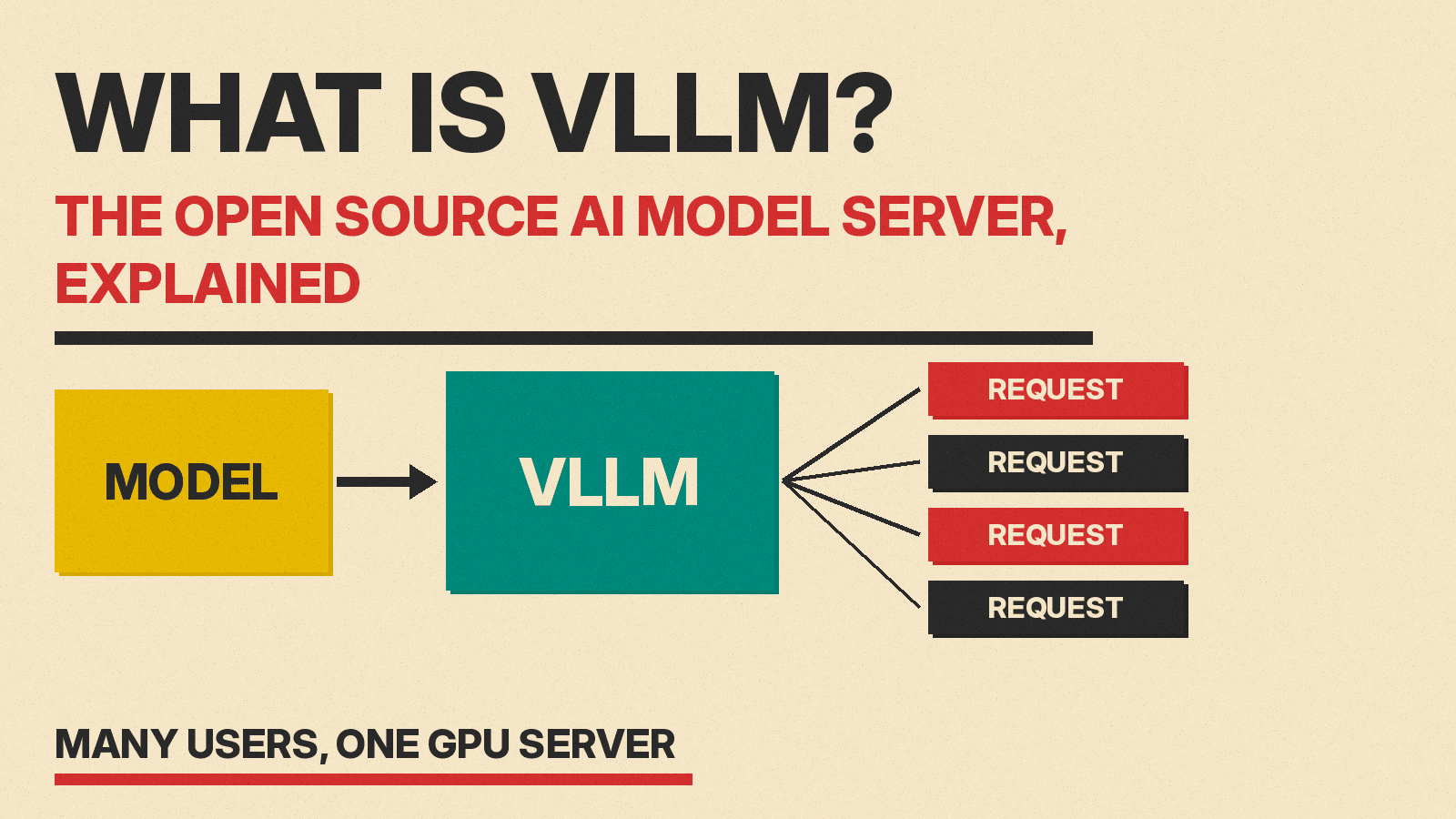
vLLM is free, open source software that runs large language models and answers requests to them. Its own GitHub page describes it as "a fast and easy-to-use library for LLM inference and serving."
Two words in that line matter:
- Inference means using a trained model to produce answers. Training builds the model. Inference is everything after that, every time someone asks it a question.
- Serving means running the model as a service, so many people or apps can send it requests at the same time over a network.
So vLLM is the engine that sits between a model file and the people who use it. You give it an open-weight model, for example one from Hugging Face, and it turns that model into a service that can answer many requests fast.
The project started in the Sky Computing Lab at UC Berkeley, according to its README. It is released under the Apache 2.0 license, per the repository's LICENSE file, and it is now built by a large community of universities and companies.
The problem vLLM solves
Running one chat for one person on a big GPU is easy. Running thousands of chats at once is hard, and the hard part is memory.
When a language model writes an answer, it keeps notes on every token it has already seen, so it does not redo the same math for each new word. These notes are called the KV cache (short for "key and value" cache). The KV cache grows with every token, and it can be large. It also has an unknown final size, because nobody knows in advance how long an answer will be.
The vLLM team explained the problem in its 2023 launch post. It said existing systems wasted 60 to 80 percent of this memory "due to fragmentation and over-reservation." In simple terms, older systems reserved a big block of GPU memory for each request just in case, and much of that space sat empty. Empty, reserved memory means fewer requests can run at the same time.
PagedAttention: the core idea
vLLM's fix is called PagedAttention. The launch post says it is "inspired by the classic idea of virtual memory and paging in operating systems."
Here is the idea without the math (our PagedAttention deep dive covers the math):
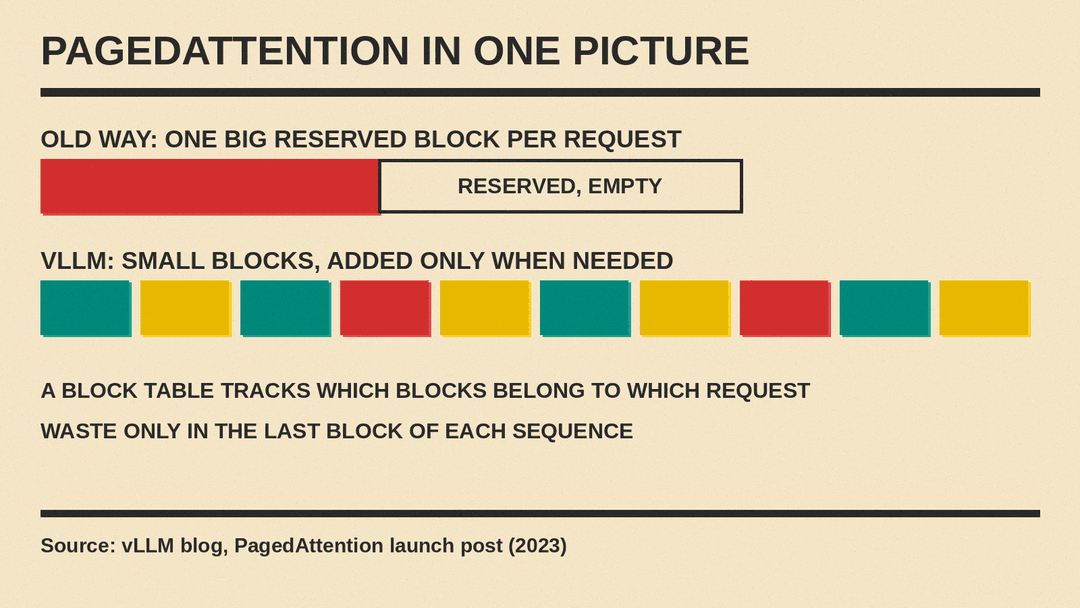
- Instead of one big reserved block per request, vLLM splits the KV cache into small, fixed-size blocks.
- The blocks do not need to sit next to each other in memory. A small table keeps track of which blocks belong to which request.
- New blocks are handed out only when a request actually needs them.
Think of a parking garage. The old way reserved a whole row of spaces for every car that might bring a trailer. The new way gives each car one space and adds more only when the trailer shows up.
The launch post says that with PagedAttention, memory waste happens only in the last block of each sequence, which it puts at "a mere waste of under 4%." More free memory means the GPU can work on more requests at once. In that same post, the team said vLLM "delivers up to 24x higher throughput than HuggingFace Transformers." That figure is from the team's own 2023 tests, not an independent benchmark. The team's peer-reviewed research paper later that year compared vLLM with faster serving systems, FasterTransformer and Orca, and reported a smaller gain: 2 to 4 times higher throughput at the same latency.
Continuous batching and other speed tricks
PagedAttention is the famous part, but the README lists more. The one most worth knowing is continuous batching.
A simple server waits until a group of requests is ready, runs them together, and waits for the whole group to finish before it starts the next one. With continuous batching, new requests join the work as soon as a slot is free, and finished ones leave right away. The GPU stays busy instead of waiting on the slowest answer in the group.
The README also lists:
- Prefix caching, which reuses work when many requests start with the same text, such as a long system prompt.
- Quantization support, including GGUF, GPTQ, AWQ, INT4, INT8 and FP8 formats, so models can use less memory.
- Speculative decoding, where a fast guess is checked by the main model to speed up output.
- Parallelism that splits one large model across several GPUs.
What you can run with it
vLLM is built around Hugging Face models. Its README lists support for many model types, including:
- Standard chat models such as Llama, Qwen and Gemma
- Mixture-of-experts models such as Mixtral, DeepSeek-V3 and GPT-OSS (see our explainer on mixture-of-experts models)
- Multimodal models that read images, such as LLaVA and Qwen-VL
- Embedding and retrieval models
On hardware, the README lists NVIDIA, AMD and Intel GPUs and x86, ARM and PowerPC CPUs, plus plugins for chips such as Google TPUs, Intel Gaudi and Huawei Ascend. The quickstart lists Linux as the operating system and points Mac users to a separate project, vLLM-Metal, for Apple Silicon.
The project also has a sister project, vLLM-Omni, for models beyond text. For example, MiniMax recommends it as one way to serve its new H3-Image model.
How you use it
You do not need to write code to start a vLLM server, but you do need a terminal. The quickstart shows the basic steps:
- Install vLLM with Python's package tools. The docs recommend
uv, for exampleuv pip install vllm --torch-backend=autoon NVIDIA GPUs. - Start a server with one model:
vllm serve Qwen/Qwen2.5-1.5B-Instruct. - Send it requests at
http://localhost:8000, the default address.
The key feature here is that the server "implements the OpenAI API protocol," in the quickstart's words. That means apps built for OpenAI's API can often talk to your own vLLM server by changing the address they call. The README adds that it also supports the Anthropic Messages API.
The quickstart also says the server "currently hosts one model at a time." If you want to switch between many models on one machine, that is a job for a different tool.
vLLM vs Ollama and llama.cpp
People often compare vLLM with Ollama, LM Studio and llama.cpp. They all run open models, but they aim at different people.
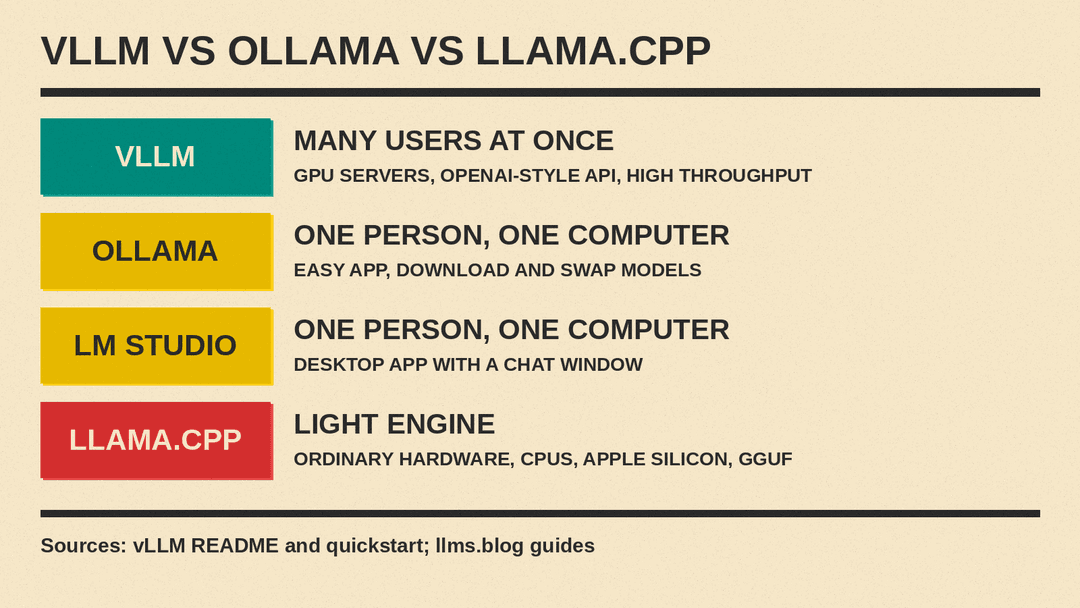
- Ollama and LM Studio are apps for one person on one computer. They are easy to install, work on laptops, and make it simple to download and swap models.
- llama.cpp is a lightweight engine that runs well on ordinary computers, including CPUs and Apple Silicon, and uses GGUF model files.
- vLLM is built for serving: many users, many requests at once, on GPU servers. Its main goal is throughput, meaning how much total work the hardware gets done.
A simple way to decide: if you want to chat with a model on your own laptop, start with Ollama or LM Studio. If you are building a product, an internal tool, or an API that many people will use at the same time, vLLM is one of the main options to look at. Other serving engines exist too, such as SGLang, which is also open source. Our comparison of inference engines matches vLLM, SGLang, TensorRT-LLM and TGI to different workloads.
What to watch out for
- It needs real hardware. vLLM is made for GPUs. The model still has to fit in GPU memory, plus room for the KV cache. Our guide on how much memory you need to run an AI model explains the basics.
- It is a developer tool. Setup happens in a terminal, and you should expect to read the docs.
- Speed claims depend on the setup. Throughput numbers change with the model, the GPU, the length of prompts and how many users there are. Test with your own workload.
The short version
vLLM is an open source engine that turns an open-weight model into a fast service many people can use at once. Its big idea, PagedAttention, manages the model's working memory in small blocks so less of it goes to waste. That lets one GPU handle more requests. It speaks the same API format as OpenAI, so apps can switch to it with little work. For a single user on a laptop, a desktop app is simpler. For serving open models to many users, vLLM is one of the standard choices.
