
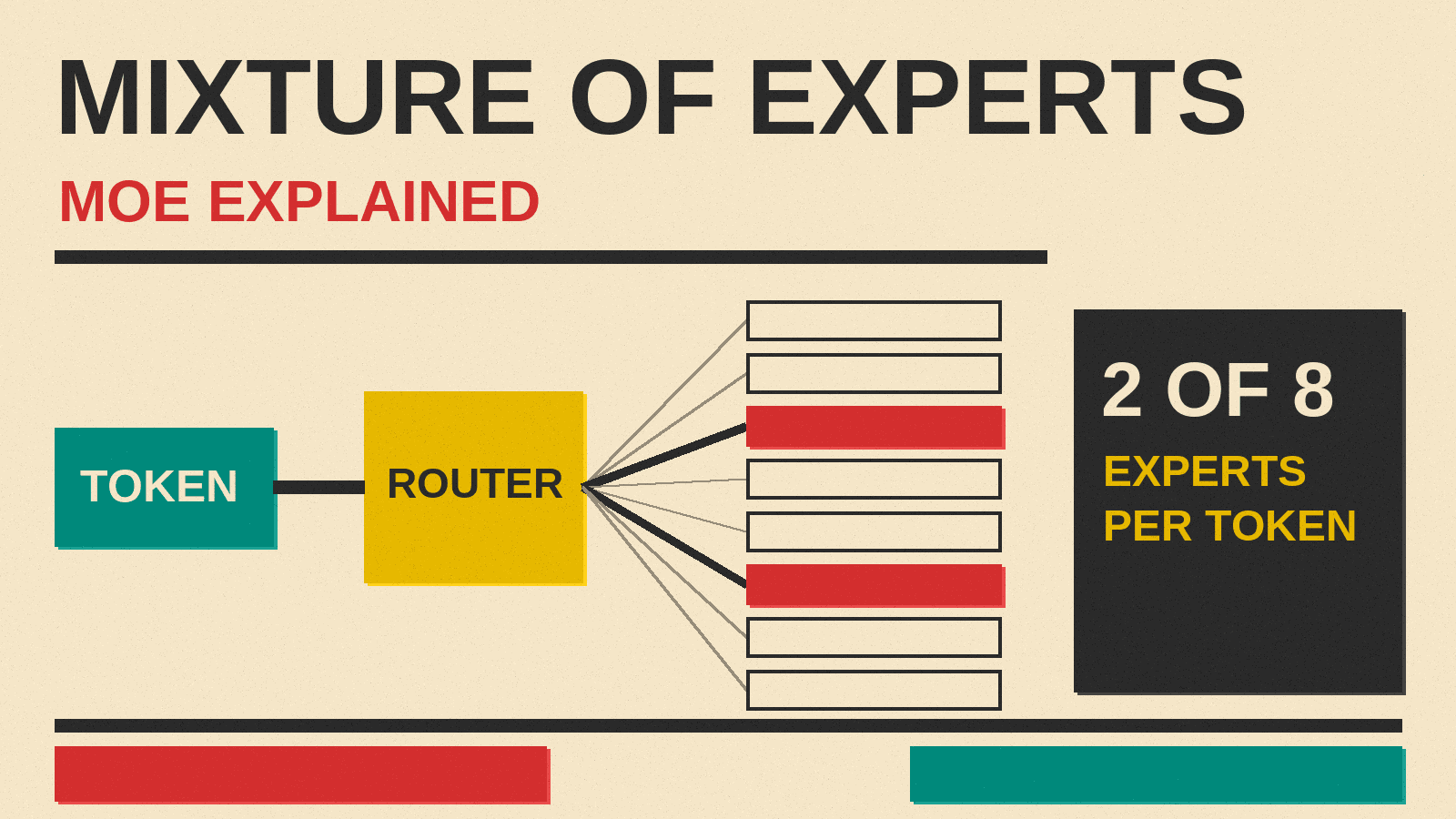
Some open AI model pages describe a model with two sizes, a total parameter count and an active one, and use the words "mixture of experts." If you have wondered why a model has two sizes, or why a model that is "fast" still needs a huge amount of memory, this guide explains it in plain English.
The short version: a mixture of experts (MoE) model has some layers split into many smaller parts. For each word it reads or writes, it only uses a few of those parts. That makes it faster to run than its size suggests, but you still have to load the whole thing into memory.
The basic idea
A normal language model is called a dense model. Every time it processes a token (a word or a piece of a word), it uses all of its parameters, the numbers it learned during training.
A mixture of experts model is different. According to Hugging Face's guide to MoE, an MoE model built on the transformer design has two key parts:
- Experts. Some of the model's layers are replaced by a set of smaller networks called experts. A layer might have 8 experts, or many more.
- A router (also called a gate network). For each token, the router picks which experts should handle it. The router is learned during training, at the same time as the rest of the model.
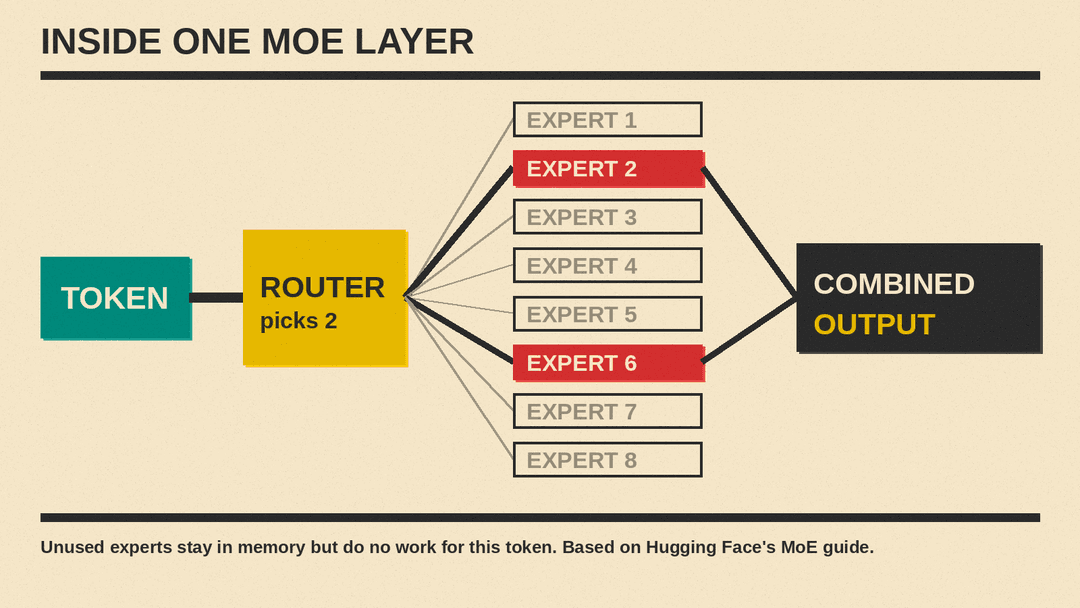
So instead of every token passing through the full model, each token takes a short path through only a few experts. Hugging Face describes this as sparsity: a dense model uses all its parameters for every input, while a sparse model "only run[s] some parts of the whole system."
Total parameters vs active parameters
This is the part that matters most when you read a model page.
- Total parameters is everything in the model: all the experts plus the shared parts.
- Active parameters is how much of the model is used for each token.
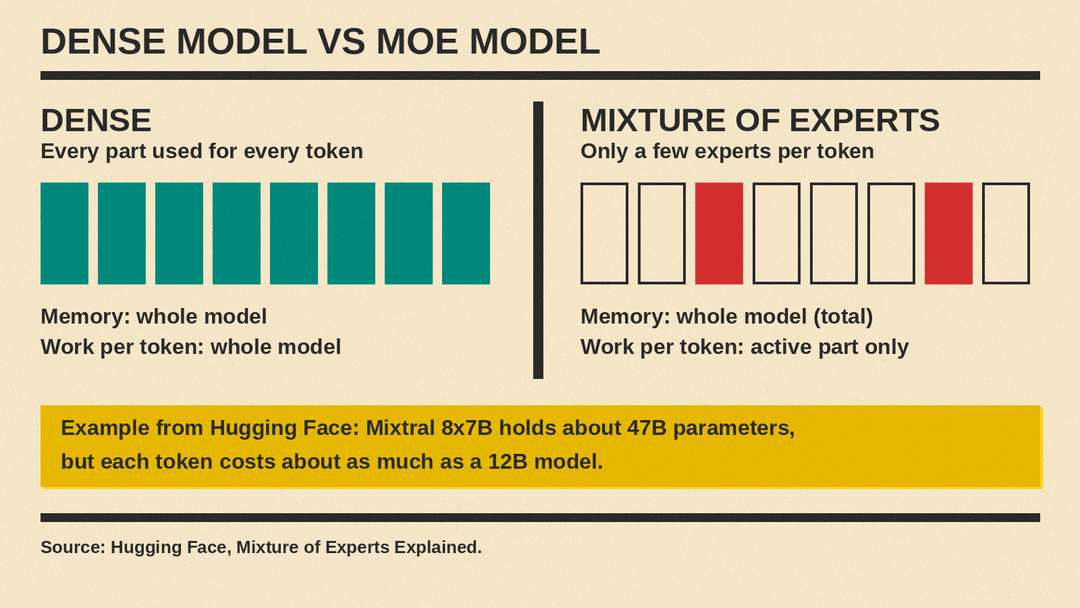
Hugging Face uses Mistral's Mixtral 8x7B as its example. The name suggests 8 experts of 7B each, or 56B. But the model holds about 47B parameters, because only certain layers are split into experts and the rest of the model is shared. With two experts used per token, Hugging Face says the computing cost per token is "like using a 12B model."
That gives you a simple rule:
- Active parameters roughly tell you how much computing work each token takes, so they relate to speed.
- Total parameters tell you how much memory you need to hold the model.
Why MoE models are fast but memory hungry
The Hugging Face guide sums up the trade-off in its opening summary. MoE models:
- are pretrained much faster than dense models,
- have faster inference than a dense model with the same number of parameters,
- require a lot of VRAM (graphics card memory), because all experts are loaded in memory,
- have been harder to fine-tune, though Hugging Face notes that work on instruction-tuning MoE models is "promising."
The router only uses a few experts per token, but Hugging Face notes that all experts are loaded in memory. For Mixtral 8x7B, Hugging Face says you need enough VRAM to hold a dense 47B model, even though each token only costs about as much as a 12B model.
In practice this means:
- An MoE model with a small active size can produce text quickly once it is loaded.
- But loading it can still take far more memory than a dense model with the same speed.
- Quantization, which stores each number with fewer bits, can shrink the memory needed. Hugging Face points to QMoE, which compressed the 1.6T Switch Transformer from 3.2TB to 160GB. For what labels like Q4 and Q8 mean, see our quantization explainer for beginners.
Why labs build MoE models
The main reason is training cost. Hugging Face explains that for a fixed computing budget, bigger models tend to do better, and that MoE lets a lab "dramatically scale up the model or dataset size with the same compute budget as a dense model." It adds that an MoE model "should achieve the same quality as its dense counterpart much faster during pretraining."
In other words, MoE is a way to get a bigger, more capable model without paying for the full cost of running every parameter on every token.
A short history
MoE is not a new idea. Per Hugging Face's guide:
- The idea goes back to a 1991 paper, "Adaptive Mixture of Local Experts," where separate networks each handled a different part of the training data and a gating network chose between them.
- In 2017, Shazeer and others, including Geoffrey Hinton and Jeff Dean, scaled the idea to a 137B model for translation, using sparsity to keep it fast.
- Google's Switch Transformers later reached 1.6 trillion parameters with MoE layers.
- Mistral's Mixtral 8x7B made MoE "the hottest topic in the open AI community," in Hugging Face's words.
Hugging Face's guide lists several openly released MoE models, including Google's Switch Transformers, Meta's NLLB MoE, the community OpenMoE project and Mixtral 8x7B. Newer open models list the same split. MiniMax M3.1 Flash, for example, has about 428B total parameters with 23B active per token.
What do the experts actually learn?
The name "experts" suggests one expert for math, one for French and one for code. That is not how it usually works.
Hugging Face cites researchers behind the ST-MoE model, who found that some experts specialize in groups of tokens or simple concepts, such as a "punctuation expert" or a "proper noun expert." In a model trained on many languages, they expected each expert to handle one language, but "the opposite happens": no single expert specialized in any one language. Part of the reason is load balancing, a training method that spreads tokens across experts so a few experts do not get all the work.
So think of experts as parts of the model that the router learns to use for certain patterns, not as subject specialists you can choose.
MoE vs dense: which is better for you?
Neither is better in every case. Hugging Face's guidance:
- MoE models are useful for "high throughput scenarios with many machines," such as a company serving many users at once.
- For "low throughput scenarios with little VRAM," such as one person on one computer, "a dense model will be better."
It also warns that you "cannot directly compare the number of parameters between sparse and dense models," because the numbers mean different things.
For everyday users, that leads to a few practical tips:
- Running a model on your own computer: check the total size and the file size first. That decides whether it fits in your memory. Our guide How to Run an AI Model on Your Own Laptop covers the tools.
- Comparing speed: look at active parameters. A model with fewer active parameters will usually generate text faster on the same hardware, once loaded.
- Comparing quality: do not assume a model with more total parameters is smarter. Look at independent tests, and read benchmark tables from the maker with care.
- Using a hosted model: if you use a model through an app or API, MoE is mostly invisible to you. It can help the provider serve it faster or cheaper.
Key terms
- Dense model: a model that uses all its parameters for every token.
- Mixture of experts (MoE): a model where some layers are split into many experts and only a few are used per token.
- Expert: one of the smaller networks inside an MoE layer.
- Router or gate: the part that picks which experts handle each token.
- Sparsity: using only part of the model for each input.
- Total parameters: the full size of the model; it decides memory needs.
- Active parameters: the part used per token; it relates to speed and compute cost.
- Load balancing: training methods that spread tokens across experts.
The bottom line
A mixture of experts model is a large model that only uses a small slice of itself for each token. That makes it cheaper to train and faster to run than a dense model of the same total size. The cost is memory: the whole model must still be loaded. When you see two sizes on a model page, the active number tells you about speed, and the total number tells you whether it will fit on your machine.
