
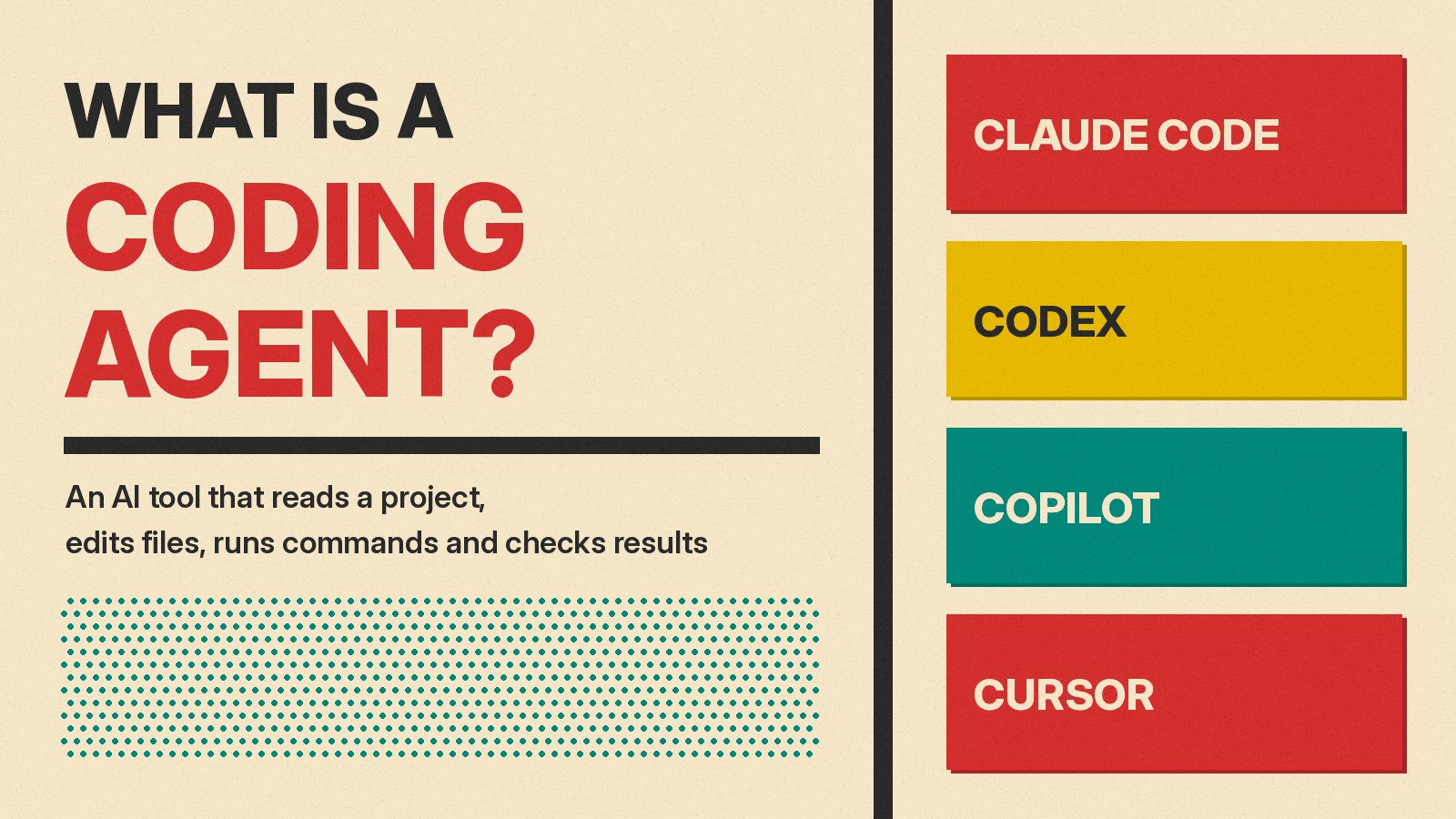
A coding agent is an AI tool that can do software work in steps, not only answer questions about code. You describe a goal in plain language. The agent reads the project, changes files, runs commands and checks its own results, then hands the work back to a person for review.
This explainer is for people who do not write code: managers, founders, designers, students and anyone who keeps hearing the names Claude Code, Codex, GitHub Copilot and Cursor. It covers what a coding agent is, how it differs from an AI coding assistant, how the loop inside it works, where it runs, and which safety controls the vendors describe. Every claim comes from the vendors' own documentation and engineering posts, linked in each section and listed at the end.
If you are new to agents in general, start with our plain-English guide to what an AI agent is and how it works. This post zooms in on one kind of agent: the kind that works on software.
The short definition
Anthropic's engineering post Building effective agents separates two kinds of AI systems. It says "workflows are systems where LLMs and tools are orchestrated through predefined code paths," while "agents, on the other hand, are systems where LLMs dynamically direct their own processes and tool usage, maintaining control over how they accomplish tasks."
The same post describes agents in simple terms: "They are typically just LLMs using tools based on environmental feedback in a loop." An LLM (large language model) is the AI model that reads and writes text. A tool is anything the model can use to act, such as opening a file or running a program.
A coding agent applies that idea to software. In the words of Anthropic's Claude Code overview, Claude Code "is an agentic coding tool that reads your codebase, edits files, runs commands, and integrates with your development tools." A codebase is the full set of files that make up a software project.
Assistant vs agent: the key difference
GitHub separates an AI coding assistant from a coding agent in its page About GitHub Copilot. It sorts Copilot's capabilities into categories, and two of them matter here:
- Assistive. GitHub says: "Copilot responds while you work, suggesting code, answering questions, or explaining code. You review and apply each suggestion."
- Agentic. GitHub says: "You describe a goal, and Copilot can work through multiple steps. It researches a repository, proposes a plan, edits files, reviews pull requests, runs tools, and prepares tasks for your review. You remain responsible for reviewing and approving."
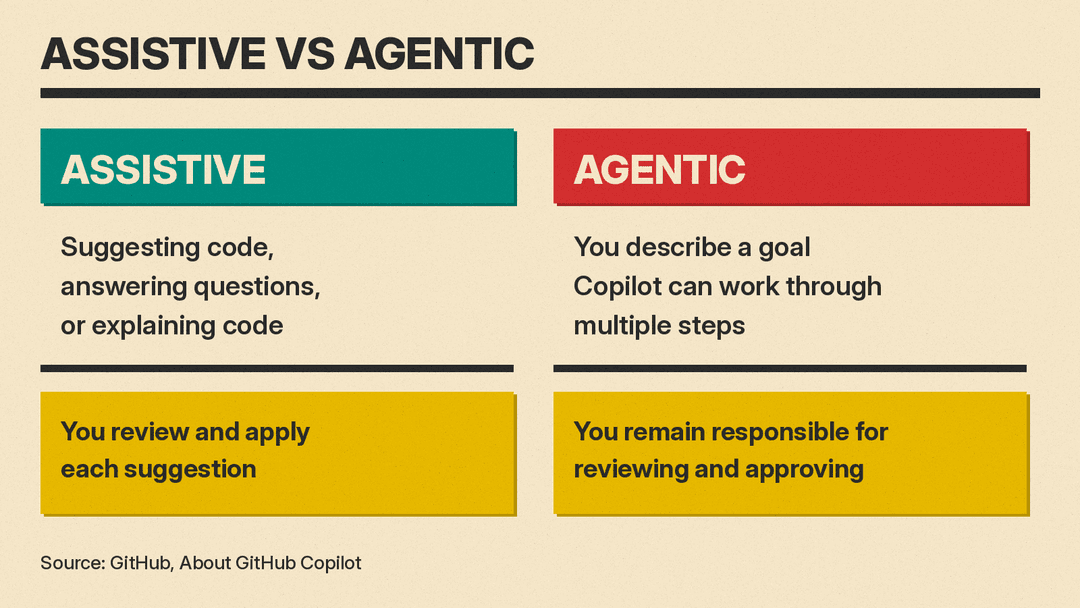
So the difference is who drives each step. With an assistant, a person accepts or rejects each suggestion. With an agent, the person sets the goal and the agent chooses the next steps, then a person reviews the finished work.
Anthropic makes a similar point in How Claude Code works. Because Claude Code can see the whole project, it can search for relevant files, read several of them, make "coordinated edits across them," and run tests to check the fix. The page adds: "This is different from inline code assistants that only see the current file."
Two terms appear often in these docs:
- A repository (or "repo") is where a project's code and its history live, often on GitHub.
- A pull request is a proposed set of changes that teammates review before the changes join the main project.
How a coding agent works: the loop
Inside a coding agent is a loop. Anthropic's How Claude Code works page describes it this way: "When you give Claude a task, it works through three phases: gather context, take action, and verify results." It adds that "these phases blend together," and that "a bug fix cycles through all three phases repeatedly."
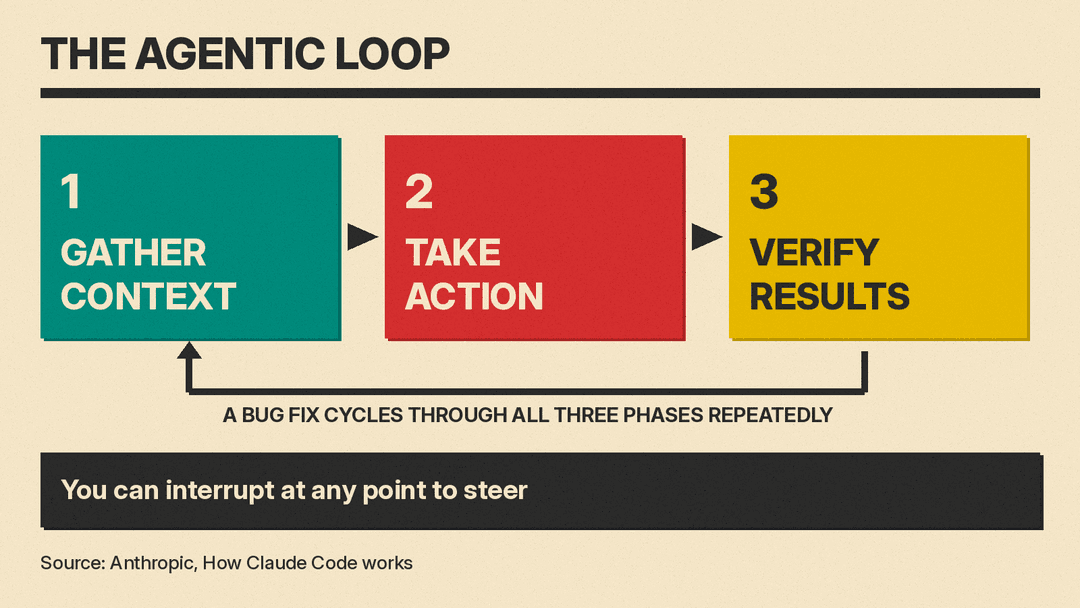
The same page gives a concrete example. When you say "fix the failing tests," Claude might:
- Run the test suite to see what's failing
- Read the error output
- Search for the relevant source files
- Read those files to understand the code
- Edit the files to fix the issue
- Run the tests again to verify
Tests are small programs that check whether code behaves as expected. They give the agent a way to check its own work. Our technical explainer on test-driven development in AI coding agents covers how agents use tests this way. Anthropic's Building effective agents post lists reasons agents are "particularly effective" at coding, including that "code solutions are verifiable through automated tests" and "agents can iterate on solutions using test results as feedback."
The person stays in the loop. Anthropic's page says: "You can interrupt at any point to steer Claude in a different direction, provide additional context, or ask it to try a different approach." Cursor's Agent overview describes a similar feature, which Cursor says is available on cursor.com/agents and rolling out in its Agents Window: you can send a follow-up to steer the agent while it works, and "the message is delivered at the agent's next tool call instead of cutting off work mid-action."
The three parts of an agent
Cursor's Agent overview says an agent "is built on three components":
- Instructions: "The system prompt and rules that guide agent behavior"
- Tools: "File editing, codebase search, terminal execution, and more"
- Model: "The agent model you pick for the task"
Anthropic uses a related term. Its How Claude Code works page says Claude Code "is the layer around the model that provides the tools and manages the context the model sees," and that "this surrounding layer is what the term agentic harness refers to." In plain English, the model does the reasoning, and the harness gives it tools and manages what it sees. For a technical look at how harnesses are built, see our comparison of OpenHands, SWE-agent, Aider and Cline.
The context the model sees has a size limit, called a context window. Our explainer on what a context window is covers that idea in more depth.
What tools a coding agent uses
Tools are what turn a chatbot into an agent. Anthropic's How Claude Code works page says: "Without tools, Claude can only respond with text. With tools, Claude can act." It groups Claude Code's built-in tools into five categories:
- File operations: "Read files, edit code, create new files, rename and reorganize"
- Search: "Find files by pattern, search content with regex, explore codebases"
- Execution: "Run shell commands, start servers, run tests, use git"
- Web: "Search the web, fetch documentation, look up error messages"
- Code intelligence: "See type errors and warnings after edits, jump to definitions, find references," which the page notes "requires code intelligence plugins"
Cursor's Agent overview lists a similar set, including search, reading and editing files, running shell commands, and a browser tool that can "take screenshots, test applications, and verify visual changes."
A "shell command" is a typed instruction to the computer, the kind you would enter in a terminal window. Git is a system for tracking changes to code.
Agents can also reach outside services. Claude Code's overview says that with the Model Context Protocol (MCP), "Claude Code can read your design docs in Google Drive, update tickets in Jira, pull data from Slack, or use your own custom tooling."
Where coding agents run: your computer or the cloud
A coding agent can work on your own computer, or on a computer the vendor runs for you. Anthropic's How Claude Code works page lists three environments for Claude Code:
- Local: code runs on "your machine," which the page calls the default.
- Cloud: "Anthropic-managed VMs, or self-hosted environments your organization operates." A VM (virtual machine) is a computer simulated in software inside a data center.
- Remote Control: "Your machine, controlled from a browser."
OpenAI's Codex has the same split. The Codex CLI page describes a terminal tool that lets you "inspect code, make changes, run commands, and automate repeatable work without leaving your terminal." The Codex Cloud page says you can "give Codex coding tasks to work through in the cloud, from investigating bugs to building features," and that each task "has its own workspace and can keep working while your computer is asleep."
GitHub Copilot also works in the cloud. GitHub's page GitHub Copilot on GitHub.com and GitHub Mobile says Copilot "can research a repository, plan changes, and implement them in the background. It can edit files and run tests and linters in a cloud development environment, rather than your local IDE." An IDE (integrated development environment) is the main app programmers write code in. A linter is a tool that flags style problems and likely mistakes.
For hand-off work, the Claude Code overview says the web version lets you "kick off long-running tasks and check back when they're done."
The four names you keep hearing
Here is what each vendor says its product is, in its own words.
Claude Code (Anthropic)
The Claude Code overview calls it "an AI-powered coding assistant that helps you build features, fix bugs, and automate development tasks." It says Claude Code "runs on several surfaces: the terminal, IDE extensions, a desktop app, and the web." For bugs, the page says you can "paste an error message or describe the symptom," and Claude Code "traces the issue through your codebase, identifies the root cause, and implements a fix." For background on the company's AI assistant itself, see our guide to what Claude is.
Codex (OpenAI)
OpenAI documents Codex in several forms. The Codex CLI page says Codex can "inspect files, make edits, and run the tools already installed on your machine." The Codex Cloud page says that when a task is done, you can "review the changes and test results, request follow-ups, and commit or open a pull request when ready."
GitHub Copilot (GitHub)
GitHub's About GitHub Copilot page describes Copilot as "an AI assistant that helps you write, understand, and ship software." It says Copilot "suggests code as you type, answers questions about a codebase, reviews your changes, and works on tasks you assign it." The same page sketches the full path of a change: "A change can start as an issue, be picked up by an agent, return as a pull request, get reviewed for quality and security, and be merged." GitHub also says that third-party coding agents "work asynchronously on development tasks and can make changes and open or update pull requests for your review."
Cursor
Cursor's Agent overview says: "Agent is Cursor's assistant that can complete complex coding tasks independently, run terminal commands, and edit code." It also says that "for a larger body of work, such as a feature or a migration," you can create a Project, where "a coordinator agent plans the work and delegates it to other agents." Cursor's Projects page says Projects run on its Cloud Agents and are not available on every plan.
If you want to compare these tools for building apps without a coding background, our guide to vibe coding tools looks at several of them side by side.
Instruction files: how teams brief an agent
Coding agents can read a plain text file of house rules at the start of each task. Teams use these files for rules such as which checks to run before opening a pull request.
OpenAI's page Custom instructions with AGENTS.md says: "Codex reads AGENTS.md files before doing any work." Anthropic's Claude Code overview describes CLAUDE.md as "a markdown file you add to your project root that Claude Code reads at the start of every session," and adds: "If your repository already has an AGENTS.md for other coding agents, Claude Code can read that in place of a CLAUDE.md."
These are plain Markdown text files, so people on the team can read and edit them.
Some teams also add a review step before an agent writes code. Google's open-source Elephant-Goldfish plugin is one example: it has fresh reviewer agents check a design draft first.
Safety controls: permissions, sandboxes and undo
Each vendor describes controls that limit what an agent can do on its own.
Permissions
Claude Code lets you choose a permission mode. Anthropic's How Claude Code works page lists modes that include:
- Manual: "Claude asks before file edits and shell commands"
- Accept edits: Claude edits files and runs common filesystem commands "without asking, still asks for other commands"
- Plan: "Claude explores and proposes a plan without editing your source files"
The page also describes an Auto mode, where "a classifier reviews most actions in the background and blocks the risky ones instead of asking you."
Sandboxes
A sandbox is a walled-off space where the agent can work without touching the rest of the computer. OpenAI's Agent approvals & security page says: "By default, the agent runs with network access turned off." It says that on your own computer, "Codex uses an OS-enforced sandbox that limits what it can touch (typically to the current workspace), plus an approval policy that controls when it must stop and ask you before acting."
Undo
Both Anthropic and Cursor describe checkpoints, which are saved snapshots of files. Anthropic's How Claude Code works page says: "Before Claude edits a file, it snapshots the current contents." It also warns that "actions that affect remote systems (databases, APIs, deployments) can't be checkpointed." Cursor's Agent overview says its agent "automatically creates them before making significant changes," and that checkpoints are "stored locally and separate from Git."
Human review
GitHub's page Risks and mitigations for GitHub Copilot cloud agent lists several limits. It says: "Draft pull requests created by Copilot cloud agent must be reviewed and merged by a human." It also says the agent "cannot mark its pull requests as 'Ready for review' and cannot approve or merge a pull request," and that GitHub "restricts Copilot cloud agent's access to the internet."
Limits and risks the vendors name
GitHub's and Anthropic's docs also name risks.
- Wrong or unsafe code. GitHub's Copilot on GitHub.com page says: "Copilot can produce incorrect or suboptimal code, including code that contains security vulnerabilities. Review and test the output before using it in production."
- Errors that build on each other. Anthropic's Building effective agents post says: "The autonomous nature of agents means higher costs, and the potential for compounding errors." It recommends "extensive testing in sandboxed environments, along with the appropriate guardrails."
- Hidden instructions. GitHub's Risks and mitigations page warns: "Users can include hidden messages in issues assigned to Copilot cloud agent or comments left for Copilot cloud agent as a form of prompt injection." GitHub says it filters hidden characters, for example HTML comments, before passing input to the agent.
- Lost instructions in long sessions. Anthropic's How Claude Code works page says that as context fills up, Claude Code summarizes the conversation, and "detailed instructions from early in the conversation may be lost." It advises putting lasting rules in CLAUDE.md.
- Human judgment still counts. Anthropic's post says that "whereas automated testing helps verify functionality, human review remains crucial for ensuring solutions align with broader system requirements."
Questions to ask before your team uses one
These questions follow from the controls the vendors document above:
- Where does it run? On a teammate's computer, or in a cloud environment run by the vendor or your company?
- What can it do without asking? Which permission mode or approval policy is set?
- Can it reach the internet? Codex turns network access off by default, according to OpenAI's Agent approvals & security page.
- Who reviews the work? GitHub requires a human to review and merge pull requests from its cloud agent.
- What instructions does it follow? Check whether the project has an AGENTS.md or CLAUDE.md file, and who keeps it up to date.
Quick glossary
- Agent: an AI system that, in Anthropic's words, uses tools "based on environmental feedback in a loop."
- Agentic harness: Anthropic's term for the layer around the model that provides tools and manages context.
- Checkpoint: a saved snapshot of files that lets you undo an agent's edits.
- Codebase / repository: the files of a software project, and the place they are stored with their history.
- Pull request: a proposed set of changes for review before they join the main project.
- Sandbox: a limited space where an agent can run commands without full access to the computer.
- Tests: small programs that check whether code works as expected.
Sources
- Anthropic: Building effective agents
- Anthropic: Claude Code overview
- Anthropic: How Claude Code works
- OpenAI: Codex CLI
- OpenAI: Codex Cloud
- OpenAI: Agent approvals & security
- OpenAI: Custom instructions with AGENTS.md
- GitHub: About GitHub Copilot
- GitHub: GitHub Copilot on GitHub.com and GitHub Mobile
- GitHub: Risks and mitigations for GitHub Copilot cloud agent
- Cursor: Cursor Agent overview
- Cursor: Cursor Projects
