
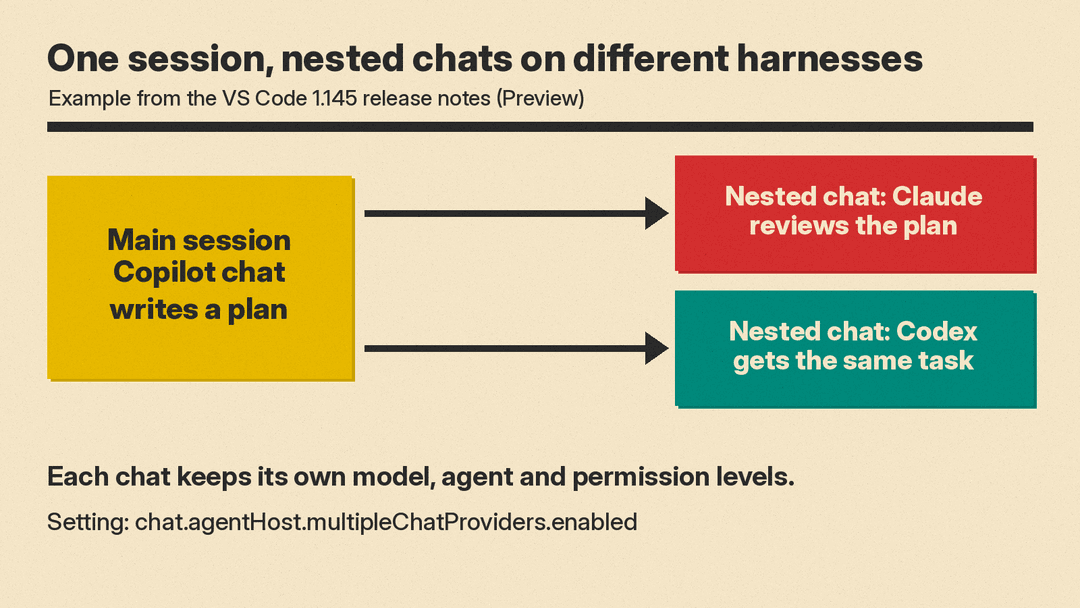
VS Code 1.145 lets a single agent session hold chats that run on different harnesses. The VS Code 1.145 release notes, dated November 4, 2026, label the feature Preview and give the example of asking Claude to review a plan that a Copilot chat wrote, or giving Codex the same task, side by side in the same session. The release also adds cron schedules for local automations, remote app previews for agent sessions, and support for tools provided by MCP apps.
Mixed harnesses in one session
A harness coordinates the language model, context and tools for an agent. VS Code's agent harness guide lists Copilot, Local, Claude and Codex as harnesses, plus a Cloud execution target. It says changing the model or the agent role does not change the harness, so picking a Claude model inside a Copilot session still uses the Copilot harness.
Nested sessions keep related conversations inside one main chat session. According to the release notes, every nested session used to inherit its parent's harness, so a second opinion from another agent meant starting a separate session and losing the grouping. In 1.145, a nested session can use a different harness from its parent, chosen with the harness picker when you create it.
The notes say each chat keeps its own model, agent and permission levels, based on its harness, and that changing them in one chat does not affect the others. A moved chat keeps its history and its harness, and a forked nested session continues with the same configuration. The setting is chat.agentHost.multipleChatProviders.enabled.
The harness guide marks mixed-harness chats as experimental and says the feature might change or be removed. It also says a mixed-harness chat starts a separate conversation on the chosen harness rather than handing off an existing conversation.
Access depends on the harness. The guide says the Claude and Codex harnesses are disabled when Copilot enterprise-managed settings apply, and that Codex is not listed by default. It describes two Codex routes: the OpenAI Codex extension, or an experimental Agent Host integration that needs chat.agentHost.codexAgent.enabled. For Claude, it says to use a GitHub Copilot subscription or a bring-your-own-key option, with billing following the model you select.
Cron schedules for local automations
Automations run agent tasks from a saved prompt and session configuration. The 1.145 notes add a Cron option, where you enter a five-field cron expression when the other presets are not precise enough. The dialog validates the expression and describes the schedule. You can also choose a custom agent from the selected workspace.
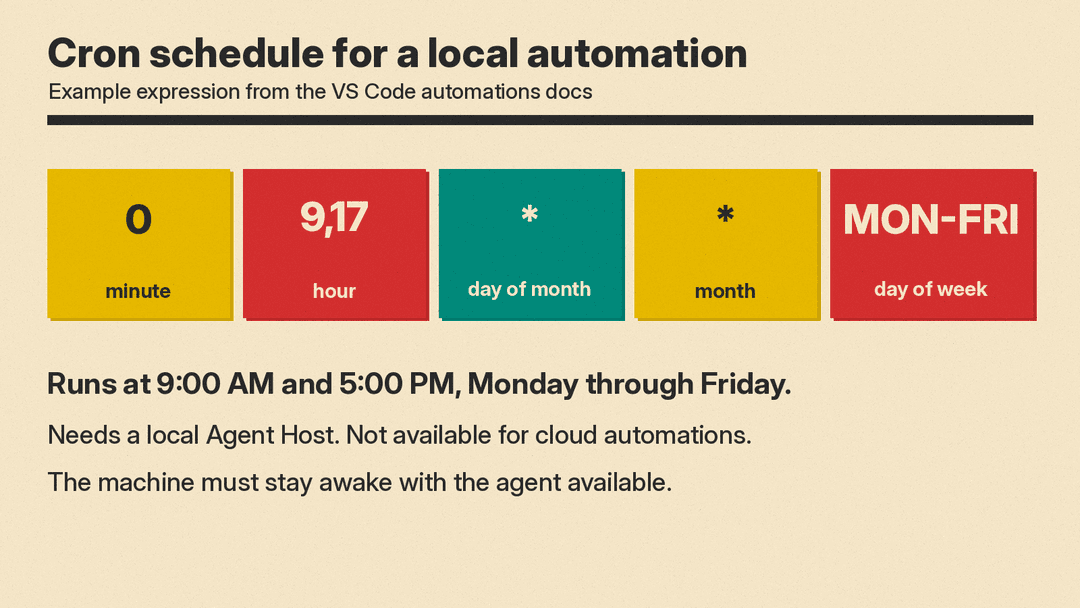
The automations documentation gives the limits. Cron schedules require a local Agent Host and are not supported for cloud automations, which offer Manual, Daily and Weekly triggers. The machine must stay awake with the agent available, and VS Code does not promise to replay every missed run. Its example, 0 9,17 * * MON-FRI, runs at 9:00 AM and 5:00 PM on weekdays. The documentation also warns that an automation can read files, run commands and make changes according to its agent's permissions.
Our post on Copilot in JetBrains Air and Xcode covers other places Copilot's agent now runs.
Remote agents and chat views
Two Preview features target sessions on a remote agent host. With workbench.browser.enableRemoteProxy on, the integrated browser in the Agents window loads pages through that host. The notes say that when the agent starts a dev server on the remote machine, you can open it in the Agents window to preview the app, check the agent's changes and give feedback. Remote canvases use the same setting plus chat.canvases.enabled.
An Experimental setting, chat.persistentProgressVerbosity, adds chat view modes. Conversation collapses reasoning and tool calls between blocks of response text, Verbose expands each tool call, and Compact is the default. The notes say the modes change how the conversation is displayed, not the work the agent does.
MCP changes
The release notes say MCP apps, which are interactive interfaces provided by MCP servers, can now register tools that the language model can call in its next request. Their example is a ShaderToy server that lets the model iterate on shaders in real time. If MCP is new to you, our plain-English MCP guide explains the protocol.
For organizations, the managed allowedMcpServers list now takes precedence over registry-only access for MCP servers that VS Code starts. A server that matches the list can run even if it is not in the registry, and a registry server that does not match is blocked. The notes say an empty list blocks all servers, and the change does not apply to servers managed by the Agent Host.
The release also removes the Install Extension, Run VS Code Command and Create New Workspace tools from the Local harness. For background on the tools involved, see our explainer on coding agents.
