
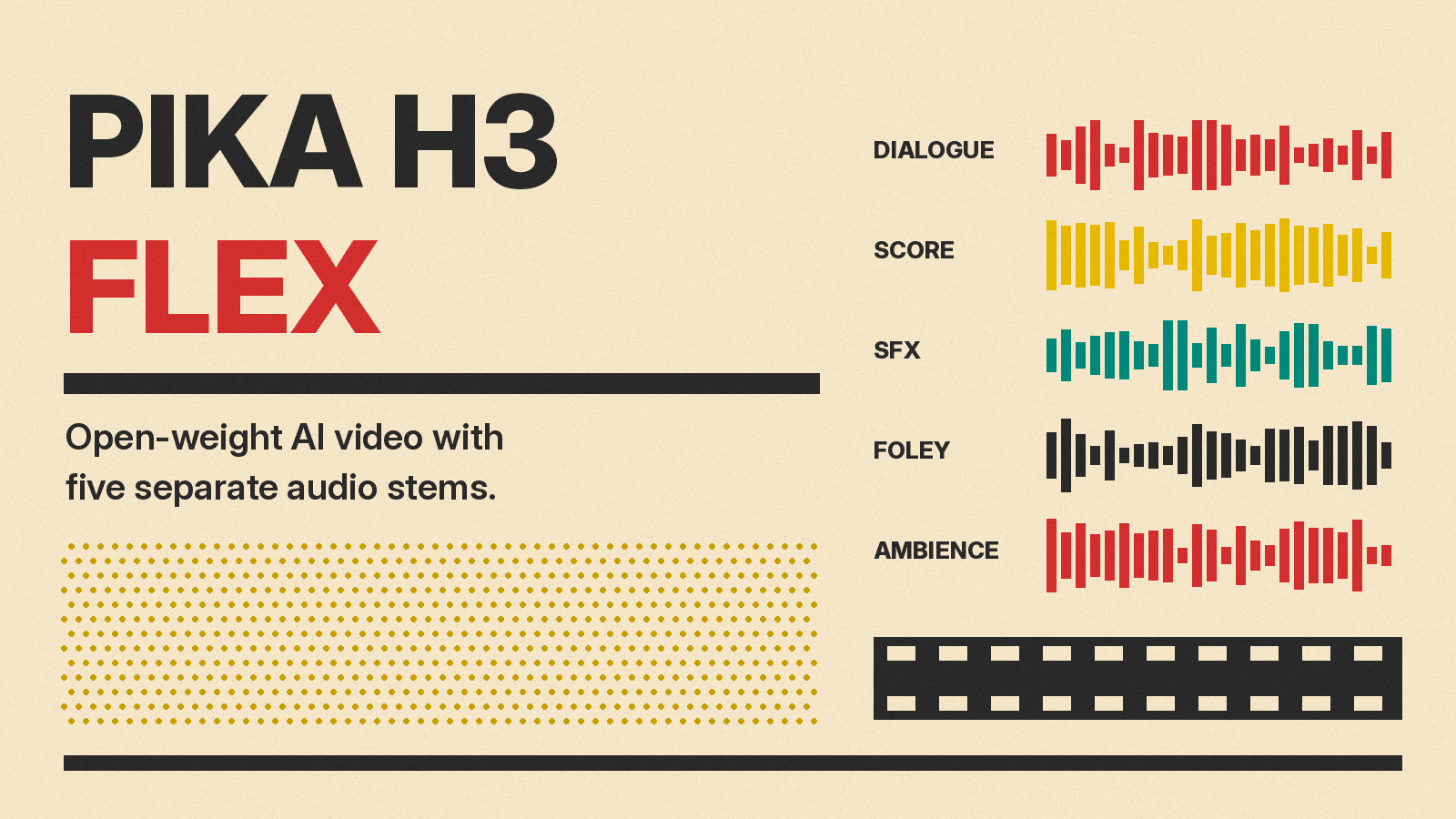
Pika has released Pika H3 Flex, a video model that makes clips with synced sound and ships with open weights. The company announced it on X on October 29, 2026, calling it "the #1 open weight model on DesignArena's t2v board." The pitch is speed and control for people who redo a shot many times, not a model that tries to nail every take on the first try.
Flex is not built from scratch. Pika says it is post-trained on MiniMax H3, the same base model behind HeyGen Video 1. What Pika added is a faster sampling schedule, more reference inputs, an editing mode, and separate audio tracks.
What Pika H3 Flex does
According to Pika's model page, Flex supports four modes:
- Text to video
- First-frame and last-frame image to video
- Multimodal reference to video
- Prompt and reference-guided video editing
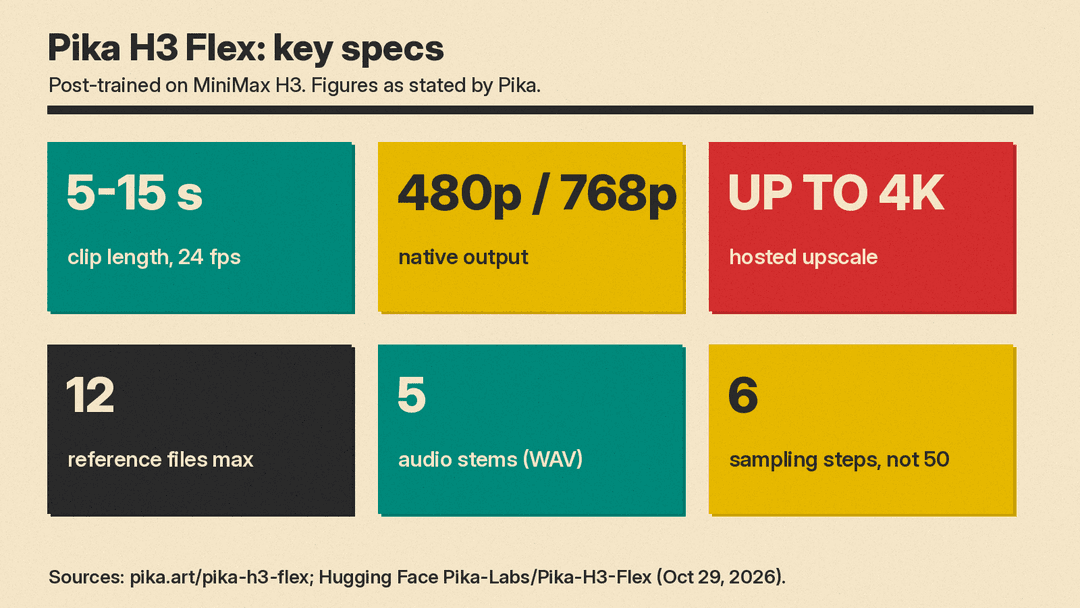
Clips run 5 to 15 seconds, at 24 fps, in 11 aspect ratios from 21:9 to 9:21. Every clip has stereo audio at 32 kHz, generated in the same pass as the picture. Prompts can be up to 8,000 characters, and the model accepts a seed for repeatable results.
The reference mode is the main control tool. A single request can take up to 12 files: up to 9 images, 3 videos, and 3 audio clips. Pika lists a sketch, a character sheet, a product photo, a moodboard, a voice sample, or a video of a movement as examples. Video and audio references must each be 2 to 15 seconds, with at most 15 seconds combined per type. Audio alone is not enough; a reference request needs at least one image or video.
Editing works on clips you already have. Pika says you can replace an outfit, a prop, or the background while telling Flex to keep the original performance and timing.
The speed claim, read carefully
Pika's headline number is a 15-second clip with sound in "as little as 7 seconds." The model page explains what that means: seven seconds of transformer (DiT) computation for a 15-second 768p clip in a controlled benchmark. Pika's own FAQ says this is not end-to-end API latency. References, 4K finishing, stem separation, hardware, and service overhead all add time.
The speedup comes from distillation. Pika says it trained the model to generate in six steps instead of 50. The ComfyUI tutorial adds that Pika used distribution matching distillation, then refined the model with reward feedback and preference optimization. Pika also says Flex is up to 1.8x faster and up to 80% cheaper than its H3Max model.
For local runs, the Comfy docs give a different figure: a 5-second 1344x768 clip finishes in about a minute on a single card.
Draft low, finish at 4K
Flex generates natively at 480p or 768p. Pika's hosted upsampler then takes a chosen clip to 1080p, 2K, or 4K in the same job. The idea is to explore cheaply at 768p and pay for a 4K pass only on the take you keep. A draft-to-video endpoint finishes an earlier 480p or 768p draft at higher resolution, keeping the same take and audio, and Pika says you pay only the difference.
Five audio stems
The feature most likely to matter to editors is stems. Through the Pika API, any generation can return the video plus five separate WAV files: Dialogue, Score, SFX, Foley, and Ambience. That means you can turn the music down under a line of dialogue, or replace the score in your own editor, without generating the clip again. Stereo and mono separation are both supported.
Early replies under Pika's launch post picked up on this. "exportable audio stems ?? editors gonna love that fr," wrote @heisgift. Another user, @nijokestu, wrote: "Being able to tweak a clip instead of praying the first generation works is what sells me on H3 Flex."
Price
Pika lists per-second prices on its model page, with a regular price and a lower launch price. The page does not say when the launch price ends. For text, image, and keyframe generation, as of October 29, 2026:
- 480p: $0.02 per second regular, $0.01 launch
- 768p: $0.04 per second regular, $0.02 launch
- 1080p: $0.07 per second regular, $0.035 launch
- 2K: $0.08 per second regular, $0.04 launch
- 4K: $0.16 per second regular, $0.08 launch
Reference-to-video costs more (from $0.06 per second regular at 480p), and when a video reference is used, input-video seconds are billed too. Image and audio references are free. Audio stems cost $0.001 per second. As a launch promotion, Pika API Club members also get 15 free Flex generations per day from October 29 to November 5.
At the 768p launch rate, a 15-second clip works out to about $0.30, before stems or upscaling.
What "open weights" covers here
The open release is narrower than the hosted product, and Pika says so. The Hugging Face repo contains two LoRA adapters: FL2VA for text and first/last-frame input, and Ref2VA for multimodal references. They run on top of the MiniMax H3 base, which the repo also bundles. Pika says the base components take about 210 GB in total, though each workflow loads only the part it needs.
Local inference supports native 480p and 768p with mixed stereo audio. The 1080p to 4K upsampler, stem separation, prompt enhancement, and the fast serving stack stay on Pika's servers. The prompt rewriter is free on Pika's hosted Flex and costs $0.02 per request if you run the model yourself. Pika also warns that local runs "will not necessarily match the optimized hosted API's speed." Its CLI was tested on an H100 80GB, and large requests may need CPU offload.
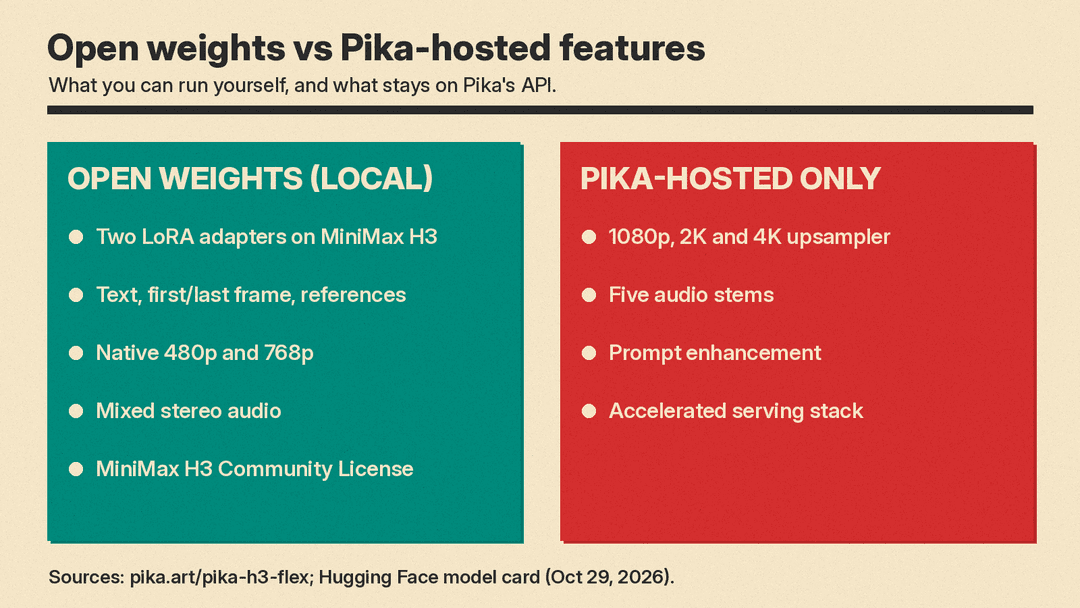
The license matters. Pika's model page calls the release open source, but the adapters are distributed under the MiniMax H3 Community License Agreement, not a standard open-source license. The Comfy docs tell users to review its "territorial and commercial-use conditions" before using outputs commercially. If the difference between open weights and open source is new to you, our guide to open-weight vs closed models explains it.
Where it ranks
Pika says Flex is ranked #7 for video quality on DesignArena's text-to-video board, above base MiniMax H3, H3 Max, and Seedance 2.5, and that it is the highest-ranked model there with open weights. The board Pika shows puts Gemini Omni 1.1 Flash, Gemini Omni Flash, HeyGen Video 1.0 (1080p), Wan 3.0, P-Video-2-Pro, and FLUX 3 Max ahead of it. Those are Pika's figures from a single leaderboard snapshot; arena rankings move often.
Why it matters
Most AI video tools still treat a clip as one finished file. Flex is built around the way editors work: cheap drafts, many references, partial edits, and sound split into tracks. The open adapters also give ComfyUI users a faster MiniMax H3 option they can run themselves, within the license terms.
The limits are real. Clips top out at 15 seconds, native output is 768p, and the 4K upsampler and audio stems are hosted only. The Comfy team's own testing notes say explicit camera degrees and cut timestamps can land 0.2 to 0.3 seconds off or go in the opposite direction, and that fine contact between objects is unreliable. For how Flex fits among other tools, see our roundup of the best AI video generators.
