
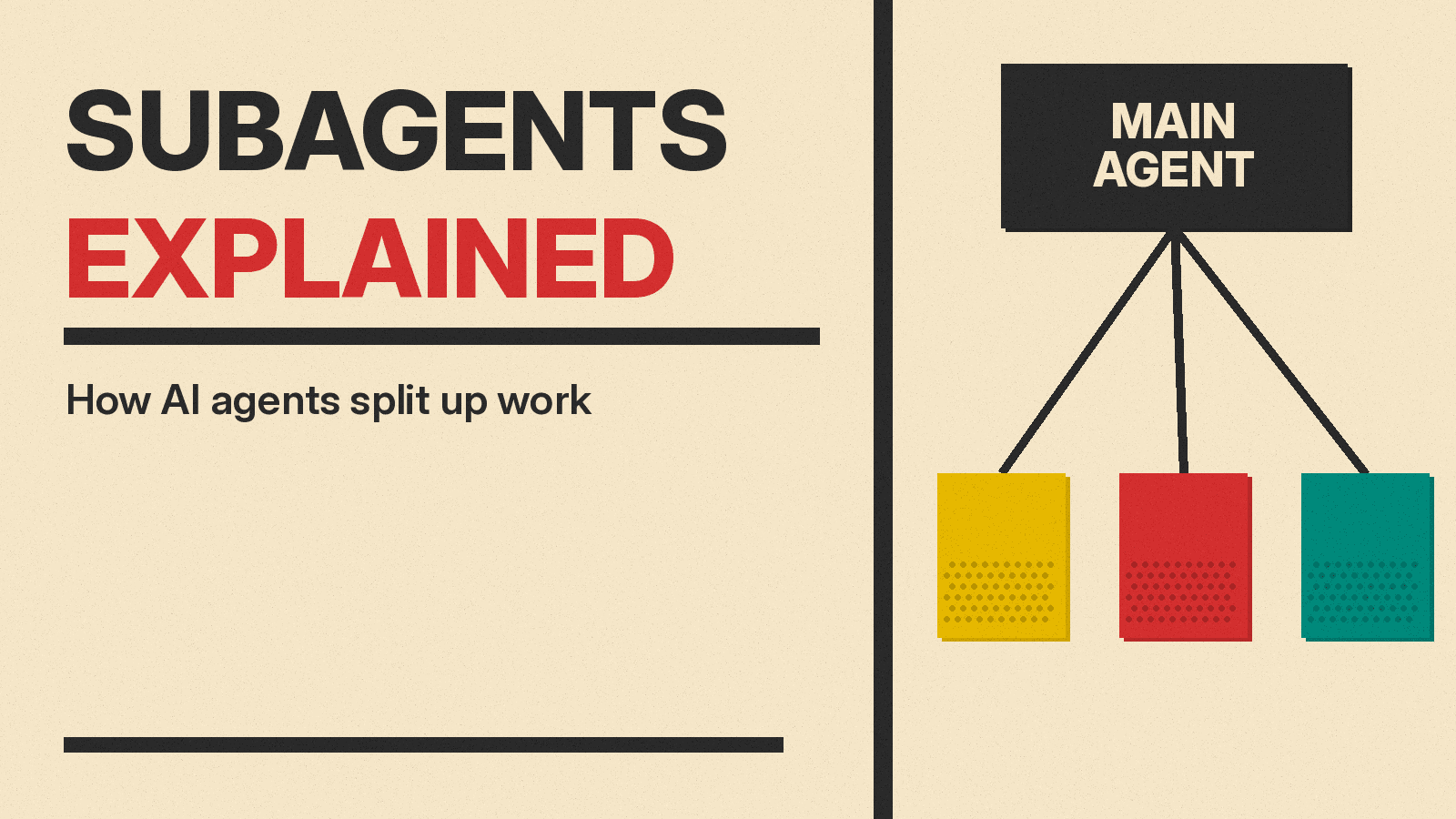
You may have heard that AI coding tools can split their work into pieces. One piece stays in the main chat. Other pieces get handed off to helpers. Those helpers are called subagents.
This article explains the term in plain English. It covers what a subagent is, why tools use them, what happens during a handoff, and what the feature looks like in Claude Code, Cursor, Codex and GitHub Copilot. It also covers the cost side, and the cases where a subagent is the wrong tool.
No coding background is needed. Technical terms are defined as they appear, and again in a glossary near the end.
What is a subagent?
A subagent is a helper that an AI agent creates for one job. The main agent is often called the parent agent. The parent keeps talking to you. When it meets a task that suits a helper, it passes that task along. The helper does the work on its own, then reports back.
Here is the definition from Claude Code's docs: "Subagents are specialized AI assistants that handle specific types of tasks."
Cursor's docs describe subagents in similar terms. They are specialized AI assistants that Cursor's agent can delegate tasks to. Each one operates in its own context window and returns its result to the parent agent.
Two details do the work here.
The first is "its own context window." A context window is the text a model can hold in front of it while it answers. Your messages, the tool's replies, file contents, and search results all sit in that window. A subagent gets a fresh, separate window. It does not see your whole chat.
The second is "returns its result." The parent receives an answer, not the entire process. The steps stay behind in the subagent's own window.
Here is one analogy, and only one. Think of the parent agent as a project lead at a desk with a single notebook. The lead needs information from a storage room down the hall. Instead of leaving the desk, the lead sends an assistant with a written note. The assistant reads forty boxes, comes back, and hands over one page of findings. The lead writes that page into the notebook. The forty boxes never reach the desk. The assistant is the subagent. The notebook is the main conversation.
If you are new to the underlying tools, start with this primer on what a coding agent is and how the main products compare. Subagents are a feature inside those tools, not a separate product.
Why agents hand work to subagents
Coding agents read a lot. They search files, run commands, open documents, and collect output. That material has to go somewhere, and it goes into the context window.
Codex's docs name two problems that follow. The first is context pollution: useful information gets buried under noisy intermediate output. The second is context rot: performance degrades as the chat fills with less relevant details.
Subagents are one answer to both. The noisy work happens in a separate window. Only a summary comes back.
Claude Code's docs list the benefits directly. Subagents preserve context. They enforce constraints by limiting tools. They let you reuse configurations across projects. They specialize behavior with focused prompts. They can control costs by routing tasks to faster, lower-cost models such as Haiku.
Claude Code's docs also point to a specific use case. Use a subagent when a side task would flood the main conversation with search results, logs, or file contents you will not reference again. The subagent does that work in its own context and returns only the summary.
Cursor's docs give a matching list of situations. Use subagents for context isolation on long research, for parallel workstreams, for multi-step specialized work, and for independent verification of work.
Copilot CLI has a related built-in agent, rubber-duck, which GitHub's docs describe as a second opinion.
There is a second reason beyond context. A subagent can be given a narrow job and a narrow set of tools. Claude Code's docs say each subagent runs with specific tool access and independent permissions. Its built-in Explore agent is read-only: Write and Edit are denied.
How a subagent works, step by step
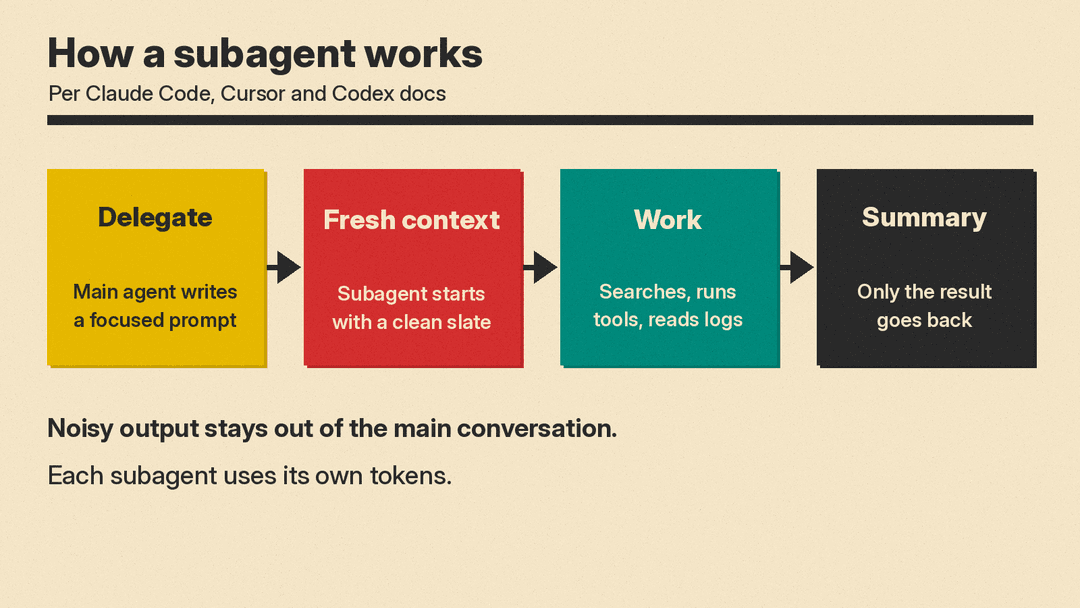
The exact steps differ by product. The shared pattern looks like this.
- The parent decides to delegate. Sometimes you ask for it. Sometimes the tool decides on its own. Claude Code's docs say Claude uses each subagent's description to decide when to delegate. Codex's docs say current local Codex releases delegate when you ask directly, or when AGENTS.md or skill instructions request it.
- The parent writes the task. This is a prompt: a block of instructions for the helper. It must be self-contained. Cursor's docs say subagents start with a clean context, and that the parent includes relevant information in the prompt because subagents do not have access to prior conversation history.
- The helper starts fresh. Its own window opens. Its own system prompt applies. Its own tool list applies.
- The helper works. It may search, read files, run commands, or browse, depending on what it was given access to. Claude Code's docs say a subagent sends its own requests.
- The result comes back. The parent receives the summary or output and continues the main conversation with you.
- The intermediate work stays behind. The searches, logs, and drafts live in the subagent's window, not yours.
Two timing options appear in Cursor's docs. In foreground mode, the parent blocks until the subagent finishes, then gets the result. In background mode, the call returns immediately and the subagent works independently. Cursor's docs list background mode as best for long-running tasks or parallel workstreams. Several helpers can also run at once when the agent launches them in a single message.
Codex's docs describe the parallel case too. ChatGPT Work and Codex can run subagent workflows by spawning specialized agents in parallel and collecting results in one response. In the CLI, the /subagents command lets you inspect and switch between agent threads.
One boundary is worth stating. Claude Code's docs say subagents work within a single session. For many parallel sessions, the docs point to separate features, such as background agents and agent teams.
Subagents in Claude Code, Cursor, Codex and GitHub Copilot
Each vendor documents its own version of this idea. The names and details differ.
Claude Code
Claude Code's docs define subagents as specialized AI assistants that handle specific types of tasks. Each one runs in its own context window with a custom system prompt, specific tool access, and independent permissions. Its requests count toward the same usage limits as your main conversation.
Built-in subagents include Explore, a fast, read-only agent for searching and analyzing codebases (Write and Edit are denied), and Plan.
Cursor
Cursor's docs say subagents can be used in the editor, in the CLI, and in Cloud Agents. The two built-in options are Explore, which searches codebases, uses a faster model, and can run many parallel searches, and Browser, which controls a browser through MCP tools and filters noisy page snapshots and screenshots.
Custom subagents are files stored in .cursor/agents/. Cursor's docs say it also reads .claude/agents/ and .codex/agents/ for compatibility. Each file holds a name, a description, and a prompt.
Codex
Codex's docs cover subagent workflows for ChatGPT Work and Codex, with specialized agents spawned in parallel and their results collected into one response. Delegation can be triggered by your request, or by instructions in AGENTS.md or a skill. The CLI includes /subagents for inspecting and switching between threads.
Codex's docs also warn about token use, quoted in the next section.
GitHub Copilot
GitHub Copilot's docs use both terms and keep them apart. A custom agent is "a definition of a specialist," and a subagent is "an agent doing delegated work in a separate context window." Custom agents are specialized versions of the Copilot agent, tailored to tasks. Each is defined in an agent profile: a Markdown file with YAML frontmatter that can restrict tools.
Copilot CLI includes a set of built-in agents the main agent can use: explore, task, general-purpose, code-review, research, rubber-duck and security-review.
Codex's docs mention AGENTS.md as one trigger for delegation. If that file is new to you, this explainer on AGENTS.md instruction files covers what goes in it and where it lives.
Subagents vs skills
The two words get used near each other, and they are not the same thing.
A subagent is a worker. It has its own context window, does work, and returns a result. A skill is a set of instructions that tells the agent how to do something. Cursor's docs say skills fit quick, repeatable actions that complete in one shot and don't need a separate context window.
Cursor's docs draw the line in practical terms. For a simple, single-purpose task such as generating a changelog, consider a skill instead. Reserve subagents for the harder cases: context isolation on long research, parallel workstreams, multi-step specialized work, and independent verification.
Codex's docs place skills on the instruction side as well. They say delegation happens when you ask directly, or when AGENTS.md or skill instructions request it. In that framing, a skill can be the thing that asks for a subagent.
One way to read the docs: If the problem is "the agent should do this the same way every time," that is instructions. If the problem is "this task will fill the conversation with noise," that is a subagent.
What subagents cost you
Splitting work is not free. Each helper does its own thinking, and that work is measured in tokens, the chunks of text a model processes.
Codex's docs say: "Because each subagent does its own model and tool work, subagent workflows consume more tokens than comparable single-agent runs."
Claude Code's docs make the same point from the account side. A subagent sends its own requests, and those requests count toward the same usage limits as your main conversation.
There is an offset. Claude Code's docs list controlling costs as a benefit, achieved by routing tasks to faster, lower-cost models such as Haiku. Cursor's docs say its built-in Explore subagent uses a faster model.
There is also a second cost that does not appear on a bill: writing the prompt. Cursor's docs say subagents do not have access to prior conversation history, so the parent has to pack the relevant information into the task. For a job that depends on thirty messages of nuance, that packing is the hard part.
Some readers assume a larger context window removes the need for all of this. This piece on why a bigger context window is not better memory argues that size and usefulness are different things. Codex's docs make a related point: "Even with large context windows, models have limits."
When subagents help and when they don't
Useful cases, drawn from the vendor docs:
- Read-heavy exploration. Codex's docs recommend parallel agents for read-heavy tasks such as exploration, tests, triage, and summarization.
- Long research that produces noise. Cursor's docs point to context isolation on long research.
- Several independent workstreams. Cursor's docs list parallel workstreams. Codex's docs describe spawning agents in parallel and collecting results in one response.
- A check on finished work. Cursor's docs list independent verification. Copilot CLI has a
rubber-duckagent for a second opinion, and acode-reviewagent. - Work that needs guardrails. Claude Code's docs cite enforcing constraints by limiting tools, with Explore denied Write and Edit. Copilot's docs say an agent profile can restrict tools.
Cases where the docs suggest caution:
- Small, single-purpose tasks. Cursor's docs suggest a skill instead, with generating a changelog as the example.
- Parallel writing. Codex's docs advise more care with write-heavy work, because agents editing code at the same time can create conflicts.
- Tasks that depend on the full conversation. Cursor's docs say subagents start with a clean context, so anything the helper needs has to be restated in the prompt.
- Tight budgets. Codex's docs say subagent workflows consume more tokens than comparable single agent runs.
- Long-running separate sessions. Claude Code's docs say subagents work within a single session, and point to background agents and agent teams for parallel sessions.
Key terms
- Parent agent: the main agent you are talking to. It decides what to hand off.
- Subagent: a specialized helper that works in its own context and returns a result. GitHub Copilot's docs call the reusable definition of such a specialist a custom agent.
- Context window: the text a model can hold in front of it while it works. Subagents get a fresh, separate one.
- Delegation: the act of passing a task from the parent to a subagent.
- Foreground: the parent waits until the subagent finishes, then receives the result.
- Background: the call returns immediately and the subagent works independently.
- Custom subagent: a helper you define yourself. Cursor's docs describe these as files in
.cursor/agents/containing a name, a description, and a prompt.
