
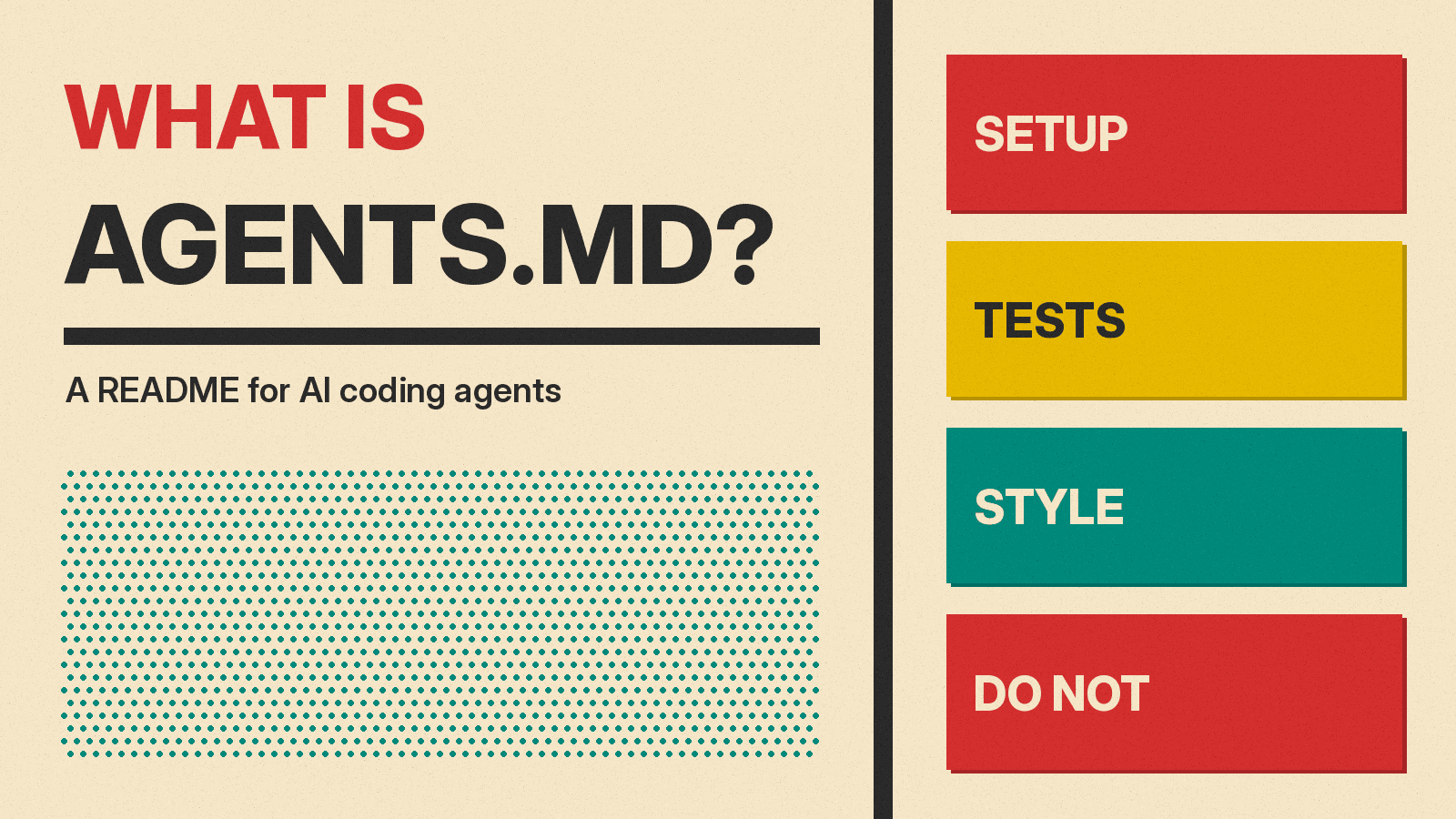
If you use an AI coding agent such as Claude Code, Codex, GitHub Copilot or Cursor, you may see a file called AGENTS.md at the top of a project. It is a plain text note, written for the agent and not for people. The official AGENTS.md site describes it this way: "Think of AGENTS.md as a README for agents: a dedicated, predictable place to provide the context and instructions to help AI coding agents work on your project."
This guide explains what goes in the file, which tools read it, how it differs from tool-specific files such as CLAUDE.md, and what it can and cannot do. You do not need to be a developer to follow it. If you are new to agents in general, start with our explainer on what an AI agent is and how it works.
Why agents need a note at all
A coding agent does not remember your last session the way a coworker would. Anthropic's Claude Code memory docs say: "Each Claude Code session begins with a fresh context window." Cursor's rules docs make the same point: "Large language models don't retain memory between completions."
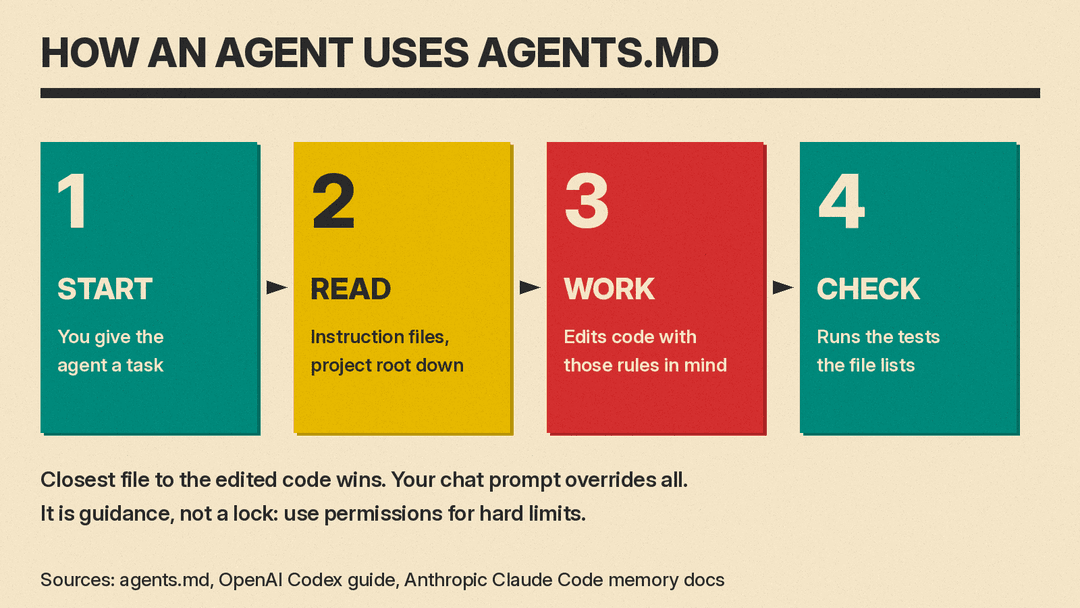
Without a note, you would repeat the same facts every time: which command runs the tests, which folder holds what, which style the team uses. An instruction file stores those facts once. The agent reads it at the start of its work. OpenAI's Codex guide to AGENTS.md says: "Codex reads AGENTS.md files before doing any work."
Why a separate file from the README
Most projects already have a README.md, which is a guide for people. The AGENTS.md site explains why the agent file is kept apart: "README.md files are for humans: quick starts, project descriptions, and contribution guidelines." AGENTS.md holds "the extra, sometimes detailed context coding agents need: build steps, tests, and conventions that might clutter a README or aren't relevant to human contributors."
The site lists three reasons for a separate file:
- to give agents "a clear, predictable place for instructions"
- to keep READMEs "concise and focused on human contributors"
- to provide "precise, agent-focused guidance that complements existing README and docs"
What goes in an AGENTS.md file
There is no fixed layout. The AGENTS.md site answers the question "Are there required fields?" with: "No. AGENTS.md is just standard Markdown. Use any headings you like; the agent simply parses the text you provide."
The same site lists "popular choices" for sections:
- Project overview
- Build and test commands
- Code style guidelines
- Testing instructions
- Security considerations
It also suggests commit message or pull request rules, "security gotchas," large datasets and deployment steps: "anything you'd tell a new teammate belongs here too."
Here is a short example, written in the same style as the samples on the AGENTS.md site and in the Codex guide:
# AGENTS.md

## Setup
- Install dependencies: pnpm install
- Start the dev server: pnpm dev

## Tests
- Run pnpm test before every commit.
- Fix failing tests before you finish a task.

## Style
- Use TypeScript for all new files.
- Keep components small and name exports.

## Do not
- Do not edit files in the dist/ folder.
- Ask before you add a new dependency.
Each line is a short rule that the agent can check. GitHub's Copilot custom instructions docs give the same advice for its own instruction files: instructions "are most effective when they are short, self-contained statements."
Which tools read AGENTS.md
AGENTS.md is not tied to one company. The AGENTS.md site says it "emerged from collaborative efforts across the AI software development ecosystem, including OpenAI Codex, Amp, Jules from Google, Cursor, and Factory." The site also says AGENTS.md "is now stewarded by the Agentic AI Foundation under the Linux Foundation." The Linux Foundation's announcement of that foundation describes AGENTS.md as "a simple, universal standard that gives AI coding agents a consistent source of project-specific guidance" and lists it as a contribution from OpenAI, next to Anthropic's Model Context Protocol and Block's goose.
Here is how four tools handle the file, based on each vendor's own documentation:
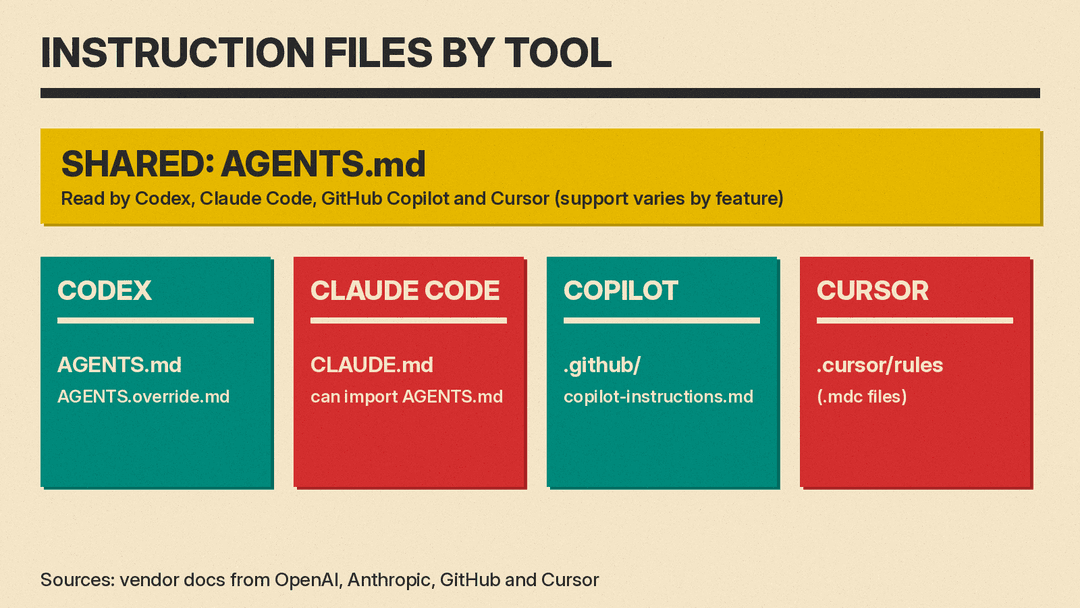
- Codex (OpenAI). The Codex guide says Codex reads a global AGENTS.md from your Codex home folder, then walks from the project root down to your current folder and reads AGENTS.md files on the way. Codex also supports an AGENTS.override.md file for temporary or local overrides.
- Claude Code (Anthropic). Claude Code's own file is CLAUDE.md. The memory docs say: "Claude Code can read
AGENTS.mdas your project instructions, so a repository already set up for other coding agents works without adding aCLAUDE.md, an import, or a setting." Reading AGENTS.md directly needs Claude Code v2.1.277 or later. By default it reads AGENTS.md only when there is no CLAUDE.md or CLAUDE.local.md in the working folder or above it. A CLAUDE.md can also pull in AGENTS.md with an@AGENTS.mdimport line. - GitHub Copilot. GitHub's custom instructions docs list three kinds of repository instructions. One kind is "agent instructions," kept in files called "
AGENTS.md,CLAUDE.md, orGEMINI.md." GitHub notes these "are currently not supported by all Copilot features." Copilot's own repository-wide file is.github/copilot-instructions.md. - Cursor. Cursor's rules docs call AGENTS.md "a simple markdown file for defining agent instructions" and a "simple alternative to
.cursor/rules." The docs say: "Cursor supports AGENTS.md in the project root and subdirectories."
Support details change as tools update. Check each tool's docs for the version you use.
AGENTS.md versus tool-specific files
Several tools had their own instruction files before AGENTS.md, and they still support them. The names differ, but the idea is the same: a Markdown note the agent reads before it works.
- CLAUDE.md for Claude Code. Anthropic's docs describe CLAUDE.md files as "markdown files that give Claude persistent instructions for a project, your personal workflow, or your entire organization."
- .github/copilot-instructions.md for GitHub Copilot, plus path-specific files under
.github/instructions. - .cursor/rules for Cursor. These are
.mdcfiles with a short header that says when each rule applies: always, for matching files, when the agent decides it is relevant, or only when you mention it.
If a team uses more than one agent, one shared AGENTS.md can save work. Anthropic's docs suggest one way to do this for Claude Code: keep AGENTS.md as "the one file every tool shares" and put an @AGENTS.md import in a CLAUDE.md next to it, with any Claude-only notes below the import.
Nested files: rules for one folder
Large projects can have more than one AGENTS.md. The AGENTS.md site says: "Place another AGENTS.md inside each package. Agents automatically read the nearest file in the directory tree, so the closest one takes precedence and every subproject can ship tailored instructions."
What happens when two files disagree? The AGENTS.md site says: "The closest AGENTS.md to the edited file wins; explicit user chat prompts override everything."
Each tool handles this in its own way:
- The Codex guide says Codex joins the files from the root down, and "Files closer to your current directory override earlier guidance because they appear later in the combined prompt."
- Cursor's docs say instructions from nested AGENTS.md files "are combined with parent directories, with more specific instructions taking precedence."
- GitHub's docs say most Copilot surfaces "combine applicable instruction files without defining a general precedence order." GitHub advises: "Whenever possible, try to avoid providing conflicting sets of instructions."
AGENTS.md versus skills
Agent skills are a related idea: packaged instructions for one kind of task. Anthropic's docs say skills "only load when you invoke them or when Claude determines they're relevant to your prompt." The same docs draw the line this way: keep CLAUDE.md "to facts Claude should hold in every session: build commands, conventions, project layout, 'always do X' rules." If an entry "is a multi-step procedure or only matters for one part of the codebase, move it to a skill or a path-scoped rule instead."
A simple test: if the agent needs the fact in every task, it belongs in the instruction file. If it is a long procedure for one kind of task, a skill may fit better. Our step-by-step guide shows how to write an agent skill with a SKILL.md file.
What AGENTS.md cannot do
An instruction file is guidance, not a lock. The vendors say this plainly:
- Anthropic: "Claude treats them as context, not enforced configuration. To block an action regardless of what Claude decides, use a PreToolUse hook instead."
- GitHub: "Due to the non-deterministic nature of AI, Copilot may not always follow your custom instructions in exactly the same way every time they are used."
- Cursor, on its enforced team rules: "AI guidance should not be your only security control."
So a line such as "never delete the database" in AGENTS.md is a request. If an action must never happen, use the tool's permission settings, sandbox or hooks as well. Anthropic's docs make this split for Claude Code: settings such as permissions.deny handle "technical enforcement," while CLAUDE.md handles "behavioral guidance."
A safety note: the file is also an attack surface
Because agents follow these files, a file that someone else wrote can steer your agent. Anthropic's docs show one guard for this. When a project's CLAUDE.md imports files from outside the project folder, Claude Code shows an approval dialog the first time, which the docs say is there "to protect you from files other people commit to a shared project."
Researchers have shown what can go wrong. We reported on a case where a planted AGENTS.md in a Downloads folder hijacked Codex, with a variant that could leak Claude Code tokens.
Habits that follow from these docs and cases:
- Read the AGENTS.md, CLAUDE.md or rules files in any project you download before you run an agent on it.
- Start agents in the project folder, not in a folder full of unknown downloads.
- Keep your agent's permission prompts on for actions you cannot undo.
How to write a good AGENTS.md
The vendor docs agree on a few points:
- Be concrete. Anthropic's docs suggest "Use 2-space indentation" instead of "Format code properly," and "Run
npm testbefore committing" instead of "Test your changes." - Keep it short. Anthropic's docs say "Longer files consume more context and reduce adherence." Cursor's docs say good rules "are focused, actionable, and scoped."
- Start small and grow it. Cursor's docs: "Start simple. Add rules only when you notice Agent making the same mistake repeatedly." Anthropic suggests adding to the file when the agent "makes the same mistake a second time."
- Let the agent draft it. The AGENTS.md site says "Most coding agents can even scaffold one for you if you ask nicely." In Claude Code, the
/initcommand generates a starting CLAUDE.md from your codebase. - List the checks you want run. The AGENTS.md site says that if you list testing commands, "The agent will attempt to execute relevant programmatic checks and fix failures before finishing the task."
- Keep it current. The site's advice: "Treat AGENTS.md as living documentation."
Quick answers
Is AGENTS.md only for programmers? It is written for coding agents, but anyone who uses those agents can write one. If you build small apps with AI, a few lines about how to run and test your project can save you from repeating yourself. Our guide to vibe coding tools covers apps aimed at that use.
Does the file name matter? Yes. Agents look for exact names. Codex, for example, ignores other file names unless you add them to its fallback list in its settings.
Can I use AGENTS.md and CLAUDE.md together? Yes. When both files exist, Claude Code reads only CLAUDE.md by default. You can import AGENTS.md from it, or change the Project instructions setting so both load.
Will the agent always obey it? No. The vendors describe these files as guidance. Use permissions and sandboxes for anything that must not happen.
