
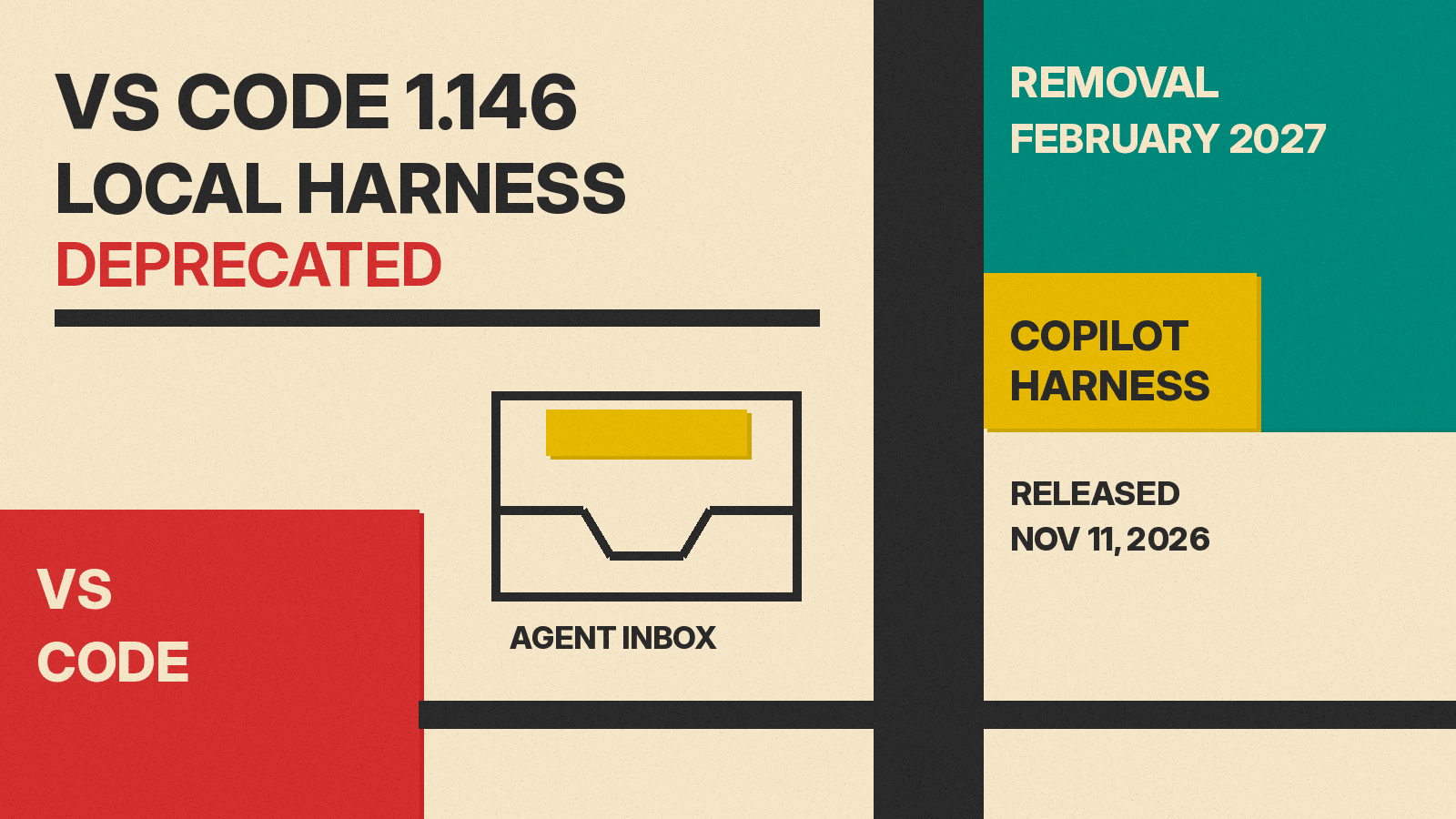
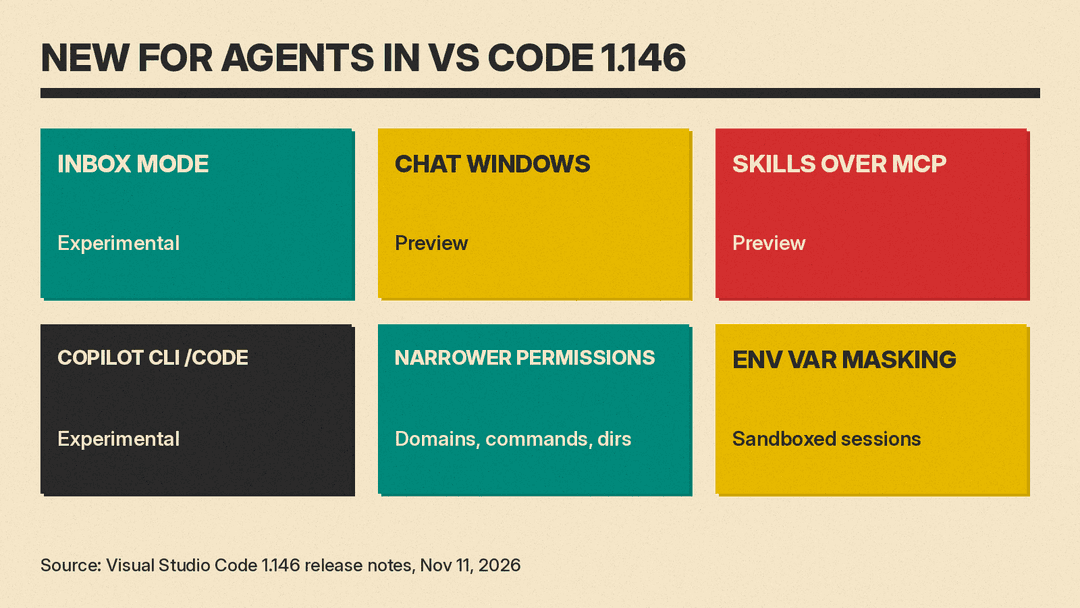
Microsoft released Visual Studio Code 1.146 on November 11, 2026. Per the release notes, the Local agent harness is now deprecated and "will be removed in three months (February 2027)." The same release adds an experimental inbox for agent sessions, lets chats open in their own windows, and adds preview support for skills that MCP servers provide.
An agent harness coordinates the language model, context and tools that an agent uses, per VS Code's agent harness guide. VS Code supports several harnesses, including Copilot, Local, Claude and Codex, and VS Code 1.145 let one session mix chats on different harnesses.
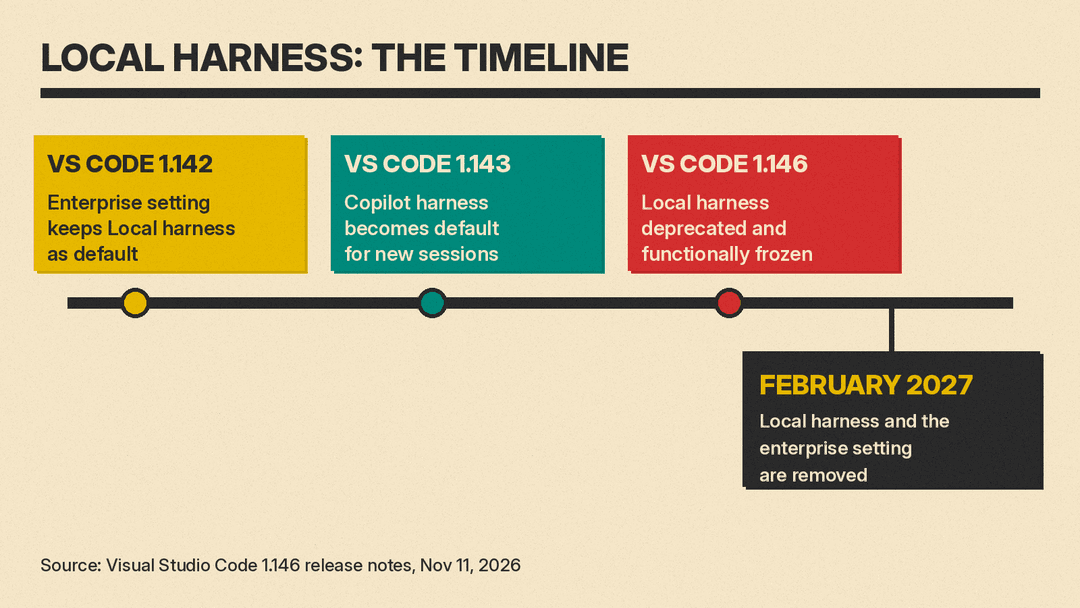
What happens to the Local harness
Per the release notes, the Copilot harness is Microsoft's "latest agent harness" and has been the default for new sessions since VS Code 1.143. Its sessions run through the Agent Host, so they can keep running in the background.
For organizations, Microsoft says the Copilot harness "enforces managed sandbox and permission policies that the Local harness doesn't."
The notes set out two phases:
- Next three months. You can still use the Local harness, but it is "functionally frozen." New features go to the Copilot harness and "are not guaranteed to be supported by the Local harness."
- After three months. The Local harness will no longer be available. The
vscode.temporaryDefaultToLocalHarnessenterprise setting, added in VS Code 1.142 to keep the Local harness as the default, will also be removed.
Because the Copilot harness is already the default for new sessions, Microsoft says "you might not need to take any new actions." To check, look for Copilot in the harness picker when you start a session. Teams still on the Local harness can follow the Local-to-Copilot harness transition guide, which, per the notes, covers customization compatibility, continuing existing Local conversations, and organization rollout.
For background on what a harness does, see our explainer on agent permissions and approvals, which covers the prompts these tools show before they act.
Inbox mode for agent sessions (Experimental)
Inbox mode gives one view of agent sessions across projects. Turn on the sessions.list.inboxEnabled setting (off by default), then pick Grouping, then Inbox Mode in the Agents window's sessions list.
Per the notes, sessions that need your attention sit at the top, above the Working, Ready to merge, On hold and Done groups. You can Dismiss from Inbox, Put on Hold, or Snooze a session. Dismissing a session does not archive it; Mark Session as Done does.
Chat windows (Preview)
With sessions.chatWindows.enabled, a chat can open in a window of its own, with its editors and terminals. The setting is on by default in VS Code Insiders and off by default in Stable. Per the notes, chat windows reopen with their chats and editors after a restart. The Agents window docs cover the layout options.
Skills over MCP (Preview)
VS Code 1.146 adds support for SEP-2640 Skills over MCP, which the notes say allows "MCP servers to automatically provide skills to the model." The first time you connect to a server that provides skills, VS Code asks you to allow them into the model's context. After that, they show on the Skills tab of the Agent Customizations editor. The setting is chat.agentHost.mcpSkills.enabled.
Skills are packaged instructions an agent loads when a task needs them. Our agent skills explainer covers how Claude Code, Cursor, Codex and Copilot use them.
Move a Copilot CLI session into VS Code (Experimental)
If you run the GitHub Copilot CLI in a terminal, you can now type /code (or /code-insiders) to hand the session to VS Code. Per the notes, the session keeps its history, model, reasoning effort, mode and permissions. Two limits apply:
- It needs Copilot CLI 1.0.107 or later with experimental features on (
/settings experimental on). - Permissions that apply only to the CLI process, such as
--allow-toolor approvals granted in that session, "don't carry over," and the CLI lists them before handing off.
Tighter permission prompts and secret masking
Microsoft says the Copilot harness "previously suggested overly broad tool-level allowances." For example, the default for fetching a URL was "Allow in this Session," which would let the model reach any URL in that session. Now the prompts add allowances for specific domains, commands and directories by default.
A new setting, chat.agent.sandbox.credentials.envVars, masks chosen environment variables in sandboxed sessions. Per the notes, sandboxed tools get placeholders, and the real values go only to approved HTTPS hosts listed in injectHosts. On Windows, masking needs local-network access, and on Windows and macOS some tools also need the sandbox CA certificate trusted. The sandboxing docs explain how to trust that certificate.
What else is in the release
The agent sections of the notes also list:
- Model comparison (Preview): run one prompt across models, add a judge and a synthesizer, and include Copilot Fusion. An experimental setting lets an agent launch comparisons itself.
- Extensions in the Agents window (Experimental): find, install and remove extensions without switching to an editor window.
- Virtual repositories: the Copilot harness now works in virtual workspaces, such as a GitHub repository you view without cloning.
On November 6, GitHub made @GitHub in Slack and Teams generally available, another way to start Copilot agent work outside the editor.
Sources
- Visual Studio Code 1.146 release notes
- VS Code 1.143 release notes: Copilot harness as the default
- Local-to-Copilot harness transition guide
- Manage AI settings: keep Local harness as default
- Agents window: open chats in separate windows
- Agent sandboxing docs
- Choose an agent harness (VS Code docs)
- Skills over MCP extension (modelcontextprotocol/ext-skills)
