
Google's coding agent app, Antigravity, now has a voice mode. In a Nov 6 post on the Antigravity blog, Google says you can "talk with the agent the way you'd talk to a teammate on a call: give it a task, steer the work while it runs, and answer permission prompts without clicking."
Voice mode is in the Antigravity App and in the Antigravity CLI version 1.5.0 and later. It runs on the Gemini Live model. The Antigravity changelog for v2.29.0 (Nov 3) says voice mode "is rolling out gradually, so you may not see it yet." The same release starts the rollout of remote agents, which run conversations in the cloud.
If you are new to tools like this, our explainer on what a coding agent is covers the basics. Antigravity is also where Google points users as it shuts down Jules, its earlier coding agent.
What voice mode does
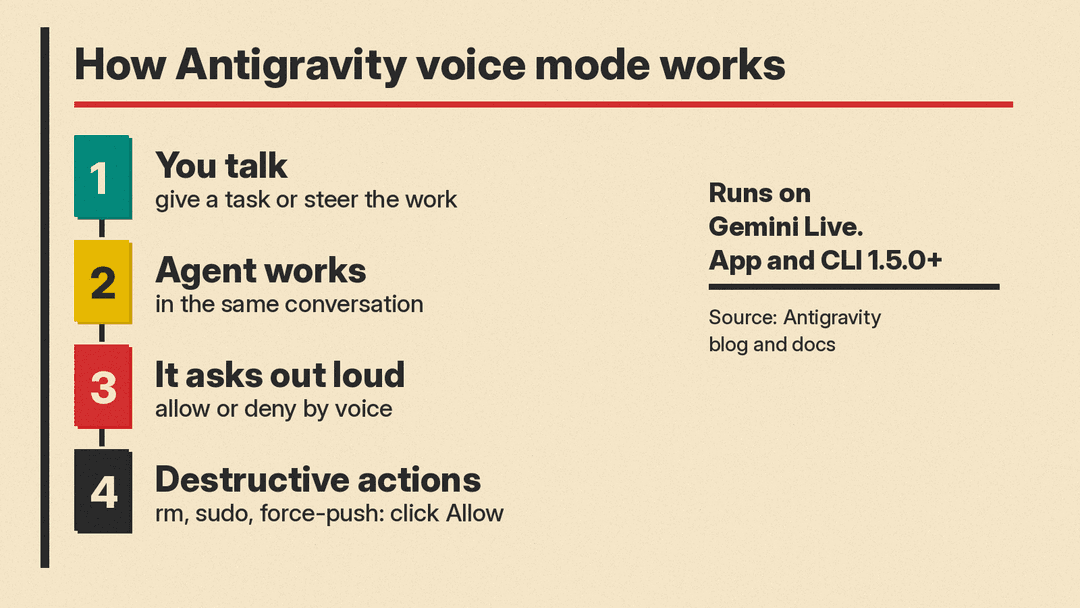
Voice mode turns a normal Antigravity conversation into a spoken, two-way one. According to the voice mode docs, it continues the conversation you are already in, so the agent keeps the context of earlier messages, including ones you typed.
The docs list what you can do while voice mode is on:
- Give a task, such as "Find the failing test and fix it." The agent confirms the plan and starts work.
- Steer a running task, for example "Just check it, don't change anything yet."
- Ask "What are you doing?" to hear the latest progress, or say "Stop" to stop the running task.
- Ask the agent to show a table or draw a diagram. It adds it to the conversation and explains it out loud instead of reading every cell.
Google says the Gemini Live model "hears your voice directly instead of a transcript," so a mistake in the on-screen transcript "doesn't mean that it misunderstood you." You can also interrupt the agent at any time by talking.
Permission prompts by voice, with limits
When the agent needs approval for an action, it reads the request out loud with its recommendation and waits. The docs give sample answers for each level: allow once, allow for this conversation, allow for this project, always allow, or deny.
There is a hard limit. Per the docs, "You can't approve destructive actions by voice, such as commands that delete files (for example, rm), run with elevated privileges (for example, sudo), or force-push to a Git remote." For those, you click Allow on screen. You can still deny them by voice.
Quiet by default
By default the agent works quietly and speaks only when it has an answer or needs your input. Say "Keep me posted" and you get a short update about every 30 seconds, or ask for another interval, such as once a minute. Spoken updates turn off when voice mode ends.
In the app, you can pick from nine voices and set the speaking speed from 0.75x to 2x. Any task still running keeps going after you hang up, and a transcript is saved on your computer.
In the terminal
In the Antigravity CLI, you start voice mode with /voice live or the F6 key. By default your microphone is muted while the agent speaks, and /voice duplex on lets you interrupt it. Over SSH, you run agy mic-serve on your own computer and set ANTIGRAVITY_MIC so voice mode uses your local microphone and speaker.
Privacy and limits
The docs explain how audio is handled: "Antigravity streams your microphone's audio to Google servers, where the Gemini Live model recognizes what you say and generates the agent's spoken replies." In voice mode, the Gemini Live model can reach only the conversation you started it in, and work on files, commands and tools runs under your usual permissions.
The docs list limits. In the app, voice mode works only in local conversations, not in Remote Control sessions or conversations that run in the cloud. In the CLI, it is not available in print mode or in sessions with a remote agent. It can be on in only one conversation at a time, and you cannot start it in a subagent's conversation.
Remote agents in the same release
The v2.29.0 changelog says "Remote agents are starting to roll out to Google AI Ultra and Pro subscribers." Conversations in a cloud project run in the cloud instead of on your computer, and you can open them at antigravity.google.com/remote.
How it compares
Cursor announced voice chat with its agents the same day, which we covered in Cursor Adds Voice Chat With Agents, Running on Grok Voice. The New Stack reports that Cursor, Antigravity and Codex users can now talk to their agents and hear updates aloud, while voice input in Claude Code "remains dictation-only."
How to try it
In the app, clear the message box and click Start Voice mode. In the CLI, run /voice live. If the button does not appear, the docs say voice mode "might also not be available for your account yet."
