
Google has put the full Gemini app on Apple CarPlay. Starting November 11, iPhone owners can tap a Gemini icon on their car's screen and have a hands-free, back-and-forth voice conversation with Gemini Live while they drive. Google announced the change on its blog and says it is rolling out to every Gemini user on iOS around the world.
Until now, CarPlay drivers could only reach Gemini inside Google Maps. The new app is a separate CarPlay app that syncs with your Gemini chats, helps with email and calendar, and brings Gemini Live voice chats to the car screen.
What Google launched
The Gemini app now appears as its own icon on the CarPlay home screen and side rail. When you tap it, you can pick up a recent chat or start a new one. Google says you can talk at your own pace: interrupt Gemini to add a detail, change the subject, or pause when you need to focus on an exit.
This follows Google's earlier rollout of Gemini on Android Auto and in cars with Google built-in, which we covered in our guide to Gemini in your car. It also closes a gap. As Android Authority notes, ChatGPT, Claude, Grok and Copilot were already available on CarPlay before Gemini arrived.
Google frames the feature around commute time. Its post says that for millions of people the daily commute averages about an hour behind the wheel, and that this time can be used to catch up, prepare, or think out loud.
How to use Gemini on CarPlay
You do not need to download a separate app, Android Authority notes. Google lists these steps:
- Update the Gemini app on your iPhone to the latest version.
- Allow the Gemini app to use your microphone.
- Use Gemini Live on your phone at least once.
- Connect your iPhone to your car and tap the Gemini icon on the CarPlay screen.
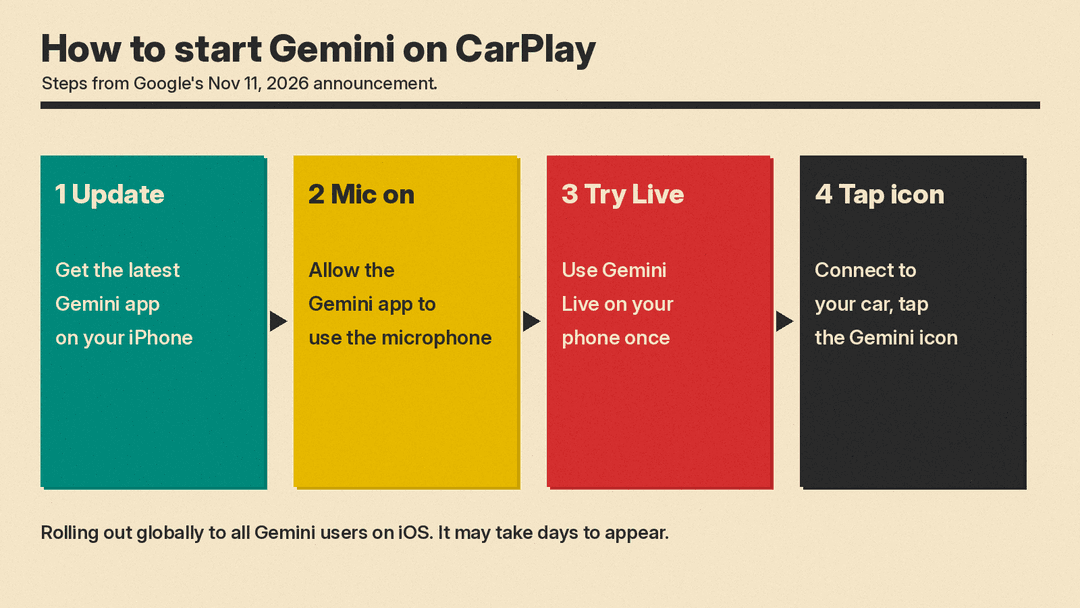
Be patient if the icon does not show up yet. Google calls this a rollout, and both 9to5Mac and Android Authority reported that the app update was not live for them when the news broke. Android Authority said it could take a few days to reach everyone.
What you can ask it
Google groups the uses into four areas:
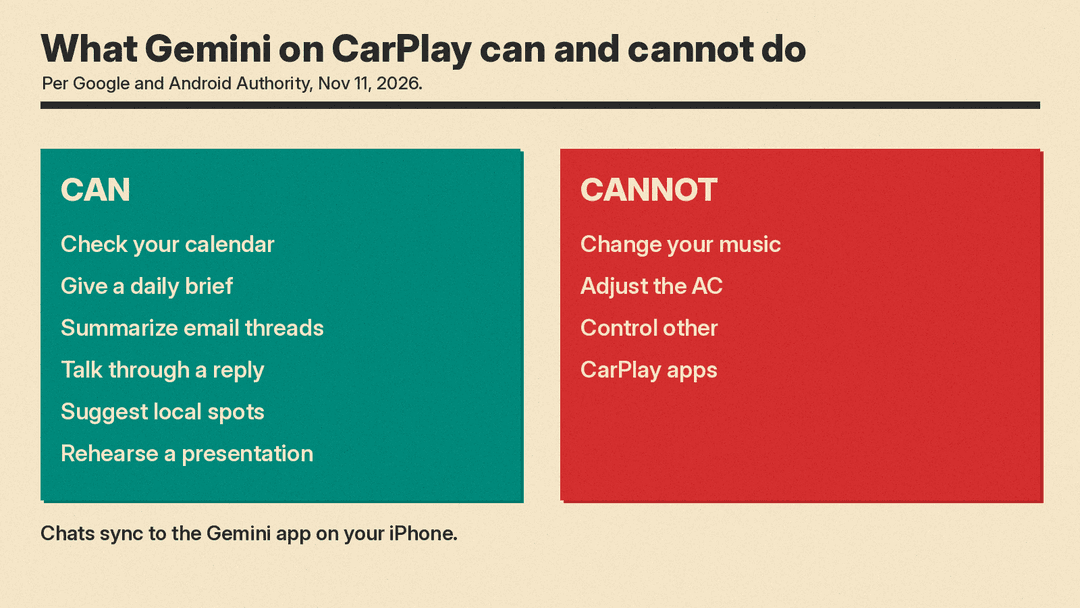
- Plan your day. Ask what is on your calendar, when you need to leave for your next appointment, or talk through what you want to say before you arrive. Google's sample prompt: "What does my day look like?"
- Work through your inbox. Gemini connects to Google Workspace apps such as Gmail and Google Calendar. You can ask for your Daily Brief, catch up on unread emails, get a summary of a long email thread, and talk through a quick reply by voice. Sample prompt: "Give me my daily brief for today."
- Find places. Ask for a quick lunch spot near where you are heading, or for the backstory on a local landmark.
- Think out loud. Use Gemini Live to rehearse a presentation, prepare for a hard conversation, or have a complex topic explained in simple terms.
Your CarPlay chats sync to the Gemini app on your iPhone. Anything you talked through in the car is in your chat history after you park, so every summary, note and brainstorm from the drive is there later.
What it cannot do
This is a conversation app, not a car controller. Android Authority reports that the integration does not give Gemini deep access to your device, so it will not change your music, adjust the air conditioning, or control other CarPlay apps.
Who can get it
Google says the CarPlay app is rolling out globally to all Gemini users on iOS, in every language Gemini Live supports. The Tech Boom points out that this means it is not limited to paying subscribers, and that the Gemini iPhone app needs iOS 16 or later.
There are limits on some features:
- The Daily Brief has to be turned on first.
- Google says Daily Brief and some other personal features are not available to users under 18, or in the European Economic Area (EEA) and Nigeria.
- Work and school accounts only get Gemini if their plan includes it, according to The Tech Boom.
Why it matters
For iPhone owners, Gemini in the car had been limited to Google Maps. Rival chatbots such as ChatGPT and Claude got onto CarPlay first. Now Gemini users can keep the same chats, email summaries and calendar help across their phone and their dashboard.
It also shows where voice assistants are heading. Short commands like "play my playlist" or "navigate home" are no longer the whole job. Google is pitching the car as a place for longer conversations: a morning briefing, a reply to an email, or a practice run of a pitch. That fits other recent Gemini moves on phones, such as Gemini making phone calls for Pixel owners.
The open question is attention. Google says the app is designed to keep your hands on the wheel and your eyes on the road, but a long conversation is still a conversation. Drivers should check local road rules and keep the chats simple when traffic is busy.
