
Google Labs has a new experiment for the group chat problem. It is called Tabletop, and it gives a group of friends or family one shared space where an AI builds the planning tools they need: a trip itinerary, a dinner poll, an expense splitter, a tournament bracket. Everyone in the group can then use those tools at the same time.
Google announced Tabletop on November 11. It is rolling out in the U.S. to people 18 and older through a waitlist. Here is what it does, how it works, and what is still unclear.
What is Google Tabletop?
Tabletop is a shared online space for group plans. In the announcement, Roman Nurik, design and engineering lead at Google Labs, describes it as "a new Google Labs experiment built for real-time collaboration." His examples are everyday ones: planning a family trip, running a rec league, or hosting a potluck.
The idea is simple. Group plans often live in a messy mix of chat threads, links, and spreadsheets. Tabletop tries to put all of that in one place and lets an AI turn it into small, interactive tools that the whole group can use.
The Verge says the layout looks a bit like workplace apps such as Asana and Monday, but with a built-in AI that lets you "vibecode" your own tools just by describing them. Its examples include savings trackers, chore charts, and event plans.
How Tabletop works
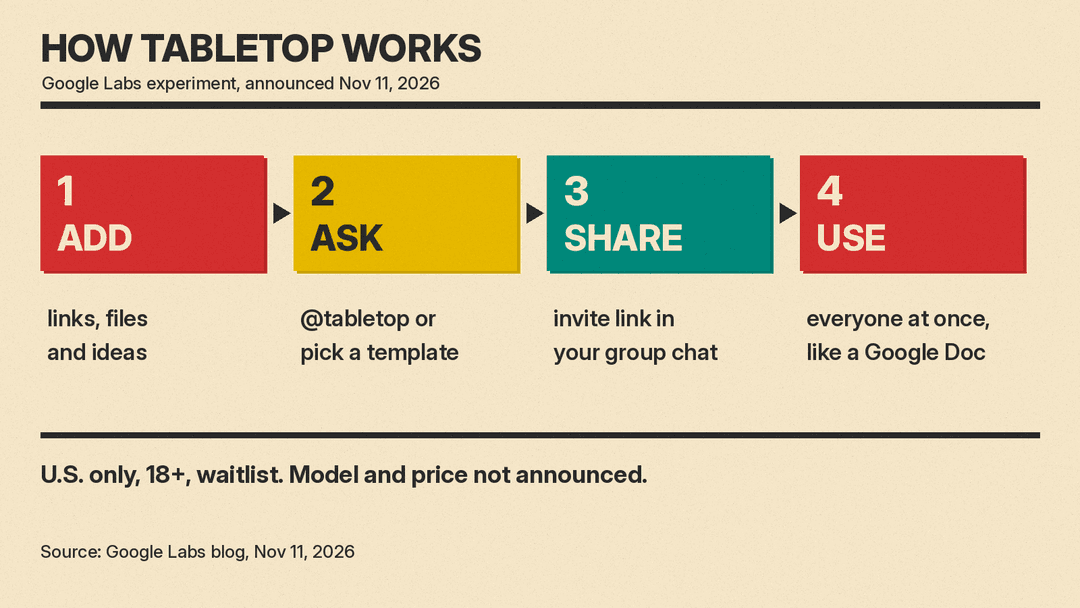
Based on Google's post and early coverage, the flow has four steps:
- Add your stuff. The person who sets up a space adds links, files, and ideas the group has already collected.
- Ask @tabletop or pick a template. You type a request to @tabletop, or start from a starter template. Tabletop then builds the tool, such as an itinerary or a poll.
- Share the invite link. You drop the link into your existing group chat.
- Use it together. Everyone can jump in and use the space at the same time, "like in a Google Doc," according to Nurik.
Tools can change as plans change. The Next Web reports that members can ask @tabletop to change a rule or add something new without starting over. In one example on Google's product page, a Pong game becomes "Pickle Pong," with a bouncing pickle and a live scoreboard.
SiliconANGLE describes another demo: at an office party, a guest is seated next to the boss, and a request to @tabletop turns the seating chart into one where name badges can be dragged between tables.
What can you build with it?
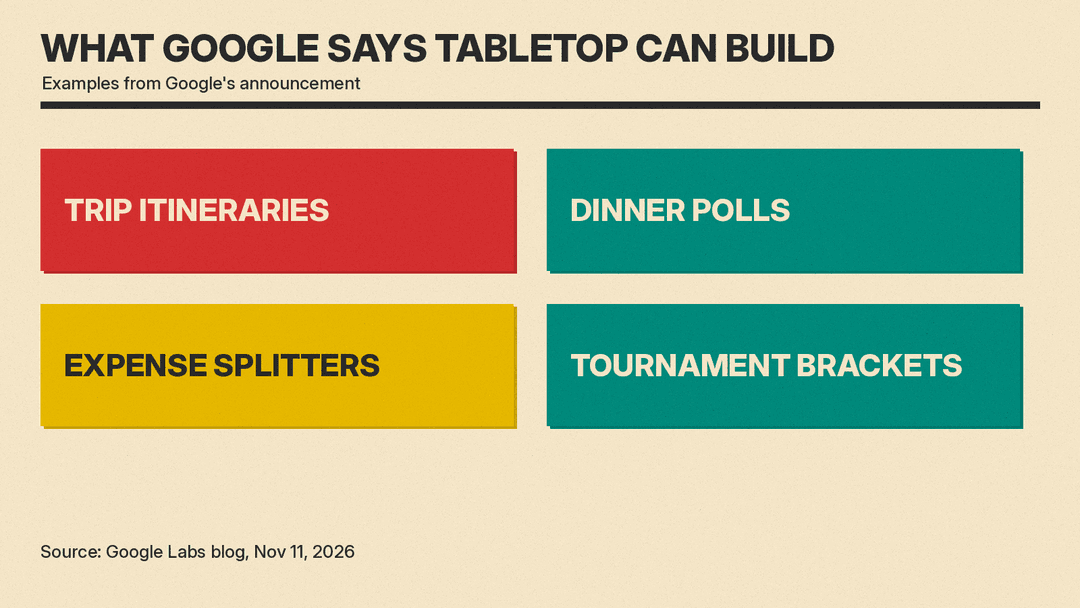
Google's own list of examples:
- Trip itineraries
- Dinner polls
- Expense splitters
- Tournament brackets
Other examples from coverage of the launch:
- Road trips, sports leagues, weddings, weekly meal plans, and school pickups (The Next Web)
- A chore tracker that becomes a game with points and a shared reward (The Next Web)
- Savings trackers, chore charts, and event plans (The Verge)
The common thread is coordination. These are jobs where a group needs to vote, split, track, or decide, and where a plain chat thread gets lost fast.
Who can use it, and how to sign up
Access is limited for now:
- Country: U.S. only.
- Age: 18 and older.
- Access: waitlist. Google's post says to sign up at labs.google/tabletop, which currently redirects to tabletop.google.
- Pace: SiliconANGLE reports that Google says it will let more people in each week.
Google's announcement does not mention a price or a release outside the U.S., SiliconANGLE notes. The Verge points out that some of Google's example uses, like family plans, would seem to involve kids or teens, so the 18+ limit may apply only while Tabletop is in public testing. That is The Verge's guess, not a Google statement.
What we don't know yet
A few open questions matter for anyone thinking about signing up:
- Which AI model runs it. Google has not said, according to both SiliconANGLE and The Next Web.
- Price. No pricing was announced.
- Wider release. No dates for other countries or for under-18 users.
- Whether it lasts. It is a Labs experiment. Some Labs experiments become full products. The Next Web notes that NotebookLM started in Labs and was renamed Gemini Notebook this year. Others stay small or go away.
Why it matters
Most AI assistants today are built for one person talking to one chatbot. Group features are newer. SiliconANGLE points out that OpenAI added group chats to ChatGPT a year ago, where the chatbot sits in the conversation as one more member and up to 20 people can now talk to it in one thread.
Tabletop takes a different angle. The AI is not mainly a chat partner in the group. It is a builder: it makes small shared tools that the group then uses together. For families, friend groups, and clubs, that could replace a stack of separate apps for polls, shared lists, and expense splitting.
It also fits a wider push by Google to let ordinary users build small apps by describing them. On Pixel phones, for example, the new Create My Widget feature builds home screen widgets from a plain-language description. We covered other parts of that update in our post on Gemini making phone calls in the November Pixel Drop.
For now, Tabletop is a waitlist-only test. If your group plans live in a chaotic group chat and you are in the U.S., it may be worth joining the list to see if it helps.
Sources
- Google: Try Tabletop, customizable, collaborative spaces for groups (Nov 11, 2026)
- SiliconANGLE: Google tests Tabletop, letting groups build planning tools with an AI agent
- The Verge: Google's Tabletop AI experiment lets you build custom collaboration apps
- The Next Web: Google's Tabletop lets groups build AI planning tools together
- Google: Gemini Intelligence, new features on more devices (Nov 10, 2026)
