
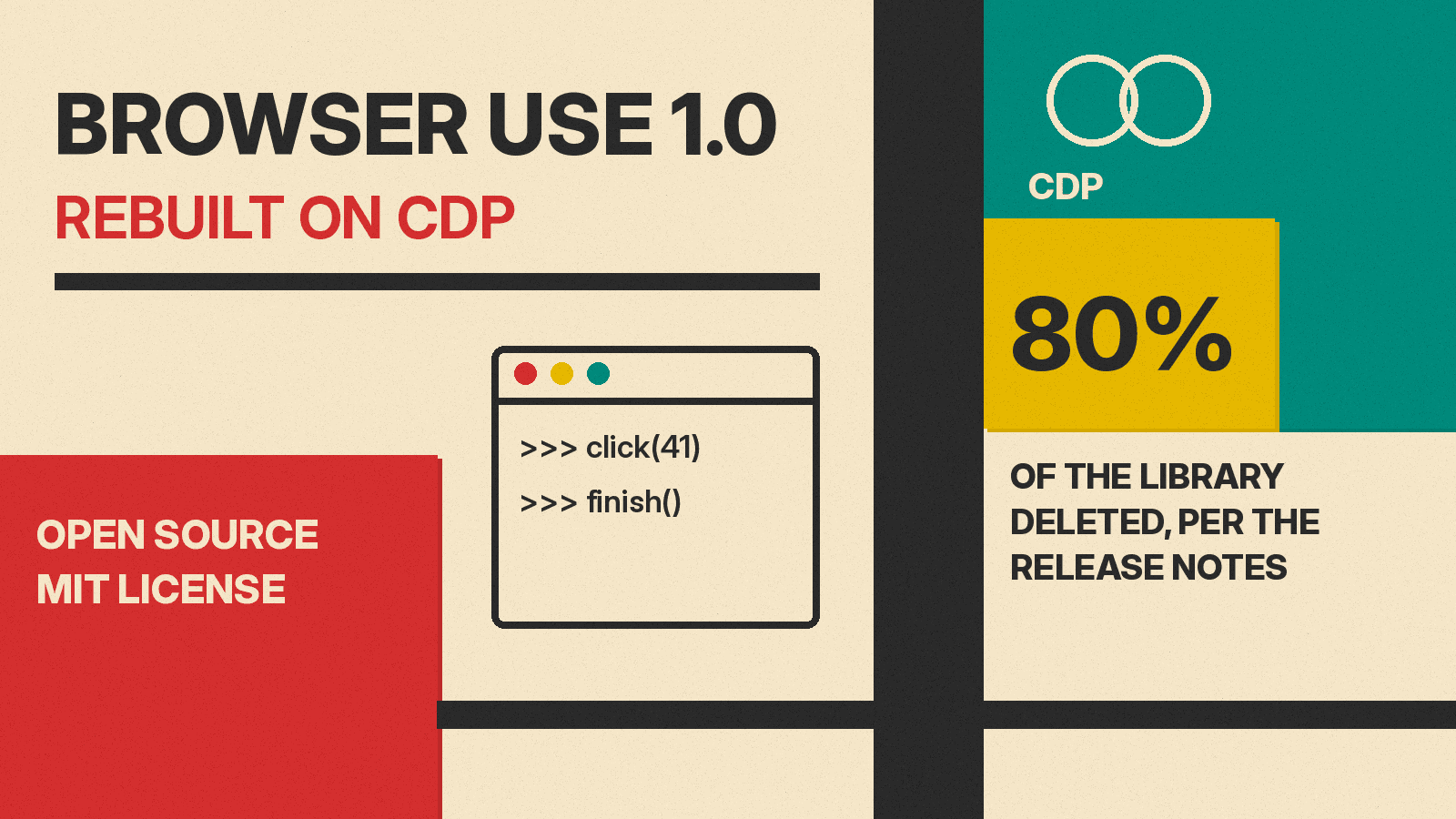
Browser Use, the open source Python library for AI browser agents, shipped version 1.0 on November 9 (PT). The release notes describe a full restart: the team says it deleted 136,866 lines, or 80% of the library. The agent now writes Python code in one persistent session that talks straight to Chrome. Two patch releases followed within two days.
If you are new to the idea, our explainer on what a browser agent is covers the basics.
What changed in Browser Use 1.0
In the 0.x versions, the library turned each page into a structured list of elements and gave the model a fixed menu of actions. The 1.0 release notes say that layer is gone: "No DOM serializer, no action schema, nothing in between."
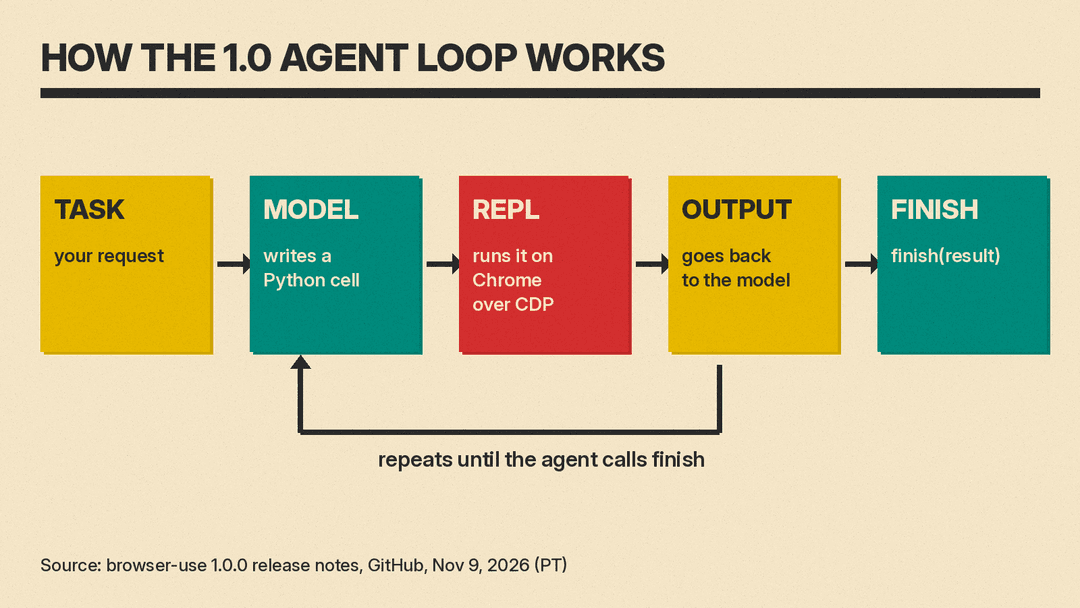
Instead, the model writes a small "cell" of Python, such as opening a tab or clicking element 41. A REPL (a live Python session) runs it on Chrome through the Chrome DevTools Protocol (CDP), the same interface Chrome's developer tools use. The output goes back to the model, and the loop repeats until the agent calls finish(result).
The project is MIT licensed, per its GitHub repository, which has more than 120,000 stars.
New defaults point to Browser Use Cloud
The upgrade changes what happens when you leave settings empty. Per the release notes' table of defaults:
- Model: with no model set, 1.0 uses
bu-faston the Browser Use gateway. In 0.x a model was required. - Browser:
Browser()now starts a Browser Use Cloud browser. A local one needsBrowser('chromium'), and your own open Chrome isBrowser('chrome'). - Key: one Browser Use key (
BROWSER_USE_API_KEY) replaces one key per model provider. - Limits:
run()now stops at 100 steps (was 500) and 1,700 seconds.
You can still bring your own model, such as ChatOpenAI, ChatAnthropic or ChatGoogle. Tasks on localhost or private IP addresses need a local browser.
What it costs
The defaults are paid services, so the Browser Use pricing page matters here. As of November 2026 it says it is pay as you go, with "No subscription. No concurrency fees." Credits start at $5, and new users get a one-time $1 signup credit.
- Cloud browsers: $0.02 per browser hour, billed by the minute with a 1-minute minimum.
- Traffic: $5 per GB through home-IP proxies, or $0.20 per GB direct or through your own proxy.
- BU Fast model: $0.12 per 1M input tokens and $0.60 per 1M output tokens.
- Browser Harness (open source, MIT): $0, free on your own Chrome, with cloud browsers at the hourly rate above.
Enterprise plans have custom pricing through sales.
Browser Use's benchmark claims
On the same models, the release notes say 1.0 scores "up to 33 points higher" and runs 2.7 to 5.2 times cheaper and 2 to 3 times faster. They also call 1.0 the "state-of-the-art web agent" and link a benchmarks page. We did not test these claims.
The notes include one dated run on Browser Use's own BU Bench v2 (60 tasks, 3 repeats each, cloud browsers, November 9). Browser Use reports:
- browser-use 1.0 (
ultrafastmode): score 62.5, $0.070 per task, 650 seconds per task. - Browser Use Pi (run in the same window): score 56.3, $0.082 per task, 743 seconds per task.
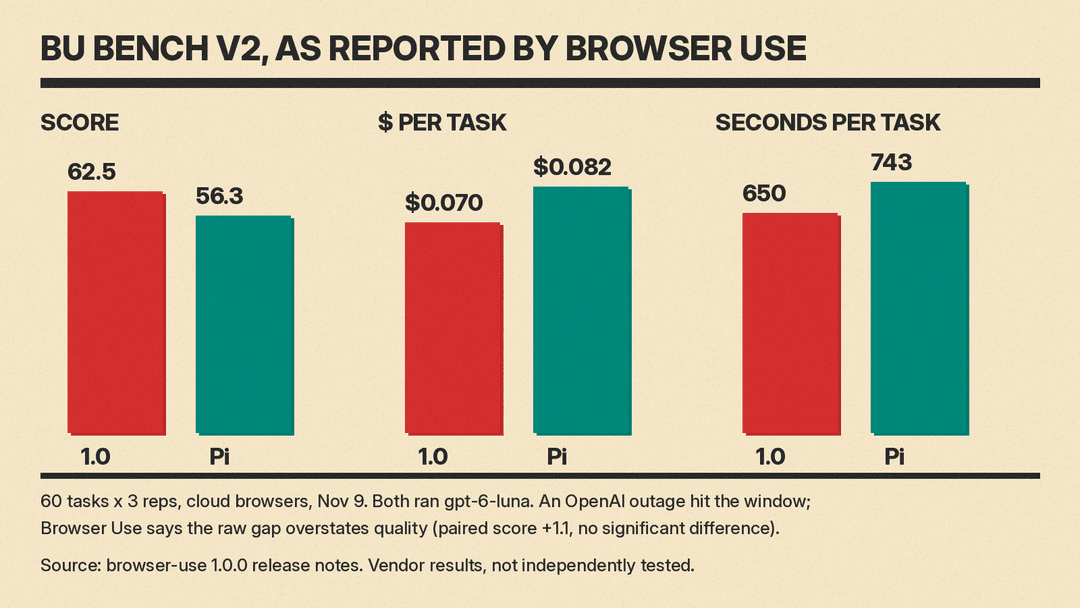
Browser Use adds its own caveat. An OpenAI outage hit the test window. Pi lost 18 of 180 runs to provider errors, and 1.0 lost 1. The notes say "the raw gap overstates quality." With those errors excluded, the paired score difference was +1.1 points, which the team calls "no significant difference," while 1.0 was cheaper and faster. Both agents ran gpt-6-luna. The default bu-fast model "was not part of this run."
Upgrading from 0.x
Version 1.0 breaks old code, and the notes point users to MIGRATING.md first. Users who need the old library can pin browser-use<1.
- A 0.x option that 1.0 cannot honor raises a
TypeErrorbefore any browser starts or anything is billed. - Every removed 0.x import raises an
ImportErrorthat names the replacement. - LangChain chat models now raise a
TypeError. - Every dependency is pinned to an exact version. The notes call this a supply-chain policy and say it can block installs next to projects that need other versions of packages such as
pydanticormcp.
New features include typed results, file uploads and downloads, redacted secrets (the notes say "Not a sandbox") and domain allow and block lists.
MCP and coding agents
Browser Use 1.0 also runs as an MCP server for coding agents: browser-use --cli-mcp serves tools named browser_exec, browser_screenshot and browser_login. The older --mcp flag prints a deprecation notice.
Several patch fixes target this path. Per the 1.0.1 notes, the MCP server on servers, containers and CI machines now drives its own Chromium, installed on first use, and --mcp with allowed_domains "can no longer be bypassed through a cloud browser." The 1.0.2 notes say that when Chrome's remote debugging is off, the MCP server runs its own Chromium and tells your agent how to switch to your Chrome.
For a hosted take on the same idea, see our post on LangSmith managed deep agents getting a browser, and our explainer on computer use.
The 1.0 notes also list known issues, including that viewport emulation does not yet work on cloud browsers.
