
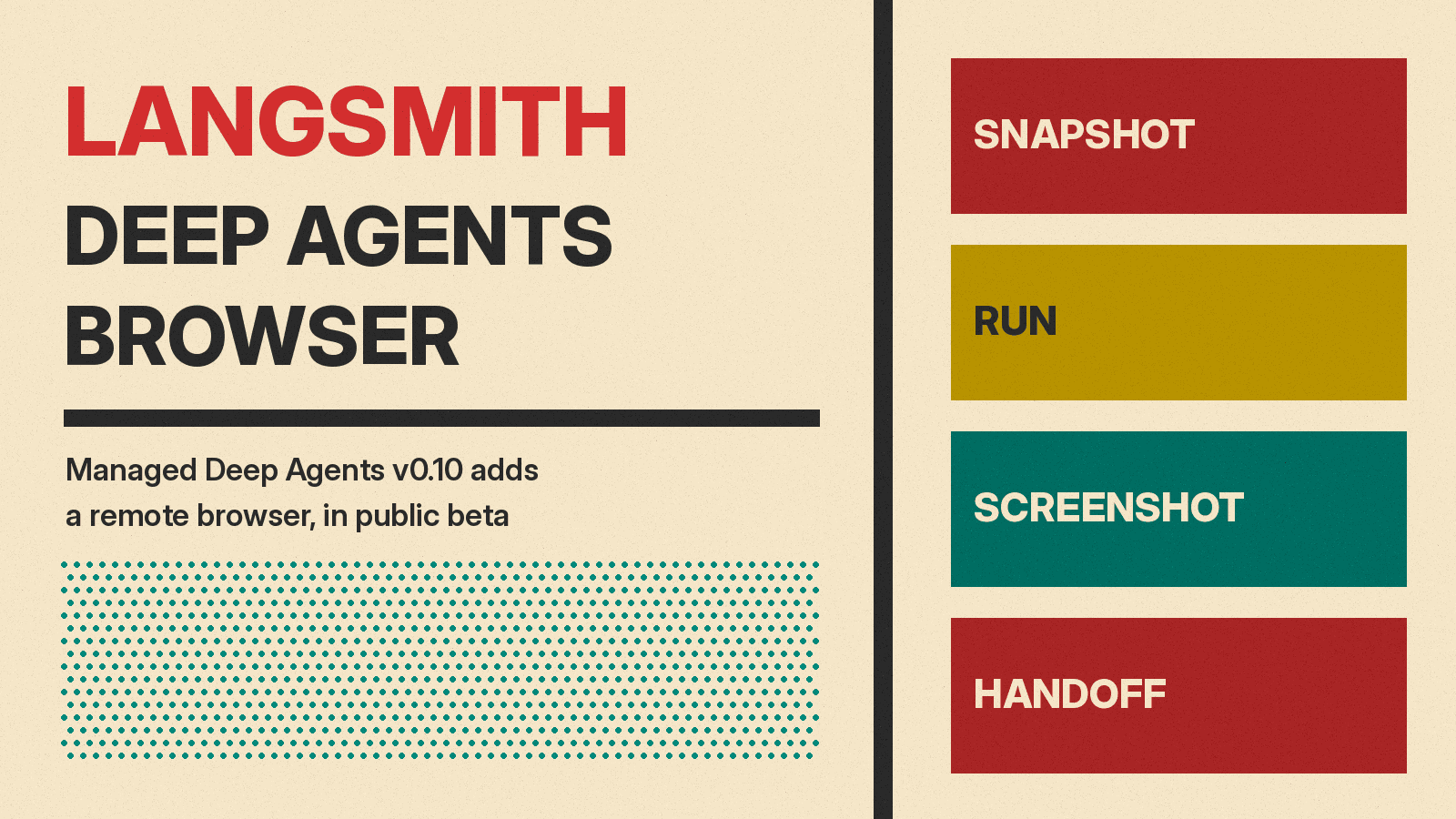
LangChain has added a browser to Managed Deep Agents, its service for building and running agents inside LangSmith. In an October 29, 2026 post, LangChain says Managed Deep Agents "now runs a browser for your agent, with tools tuned for context-efficient browser use." A separate v0.10 release post says Managed Deep Agents v0.10 "is available in public beta today."
What Managed Deep Agents is
LangChain's browser post describes the service this way: "You write the agent's instructions and tools, and LangSmith runs the harness and runtime." For background, see our explainer What Is an AI Agent?
LangChain names two uses for the browser in its browser post:
- Actions an API can't cover, such as booking a flight or a restaurant reservation. The post adds: "When a site does have an API for the task, the agent should use the API."
- End-to-end testing, such as checking a frontend change before it merges. LangChain says it uses this in Open SWE, its coding agent.
How to turn it on
Developers add a browser.py file at the project root that exports a browser made with define_browser. The browser use docs list two options:
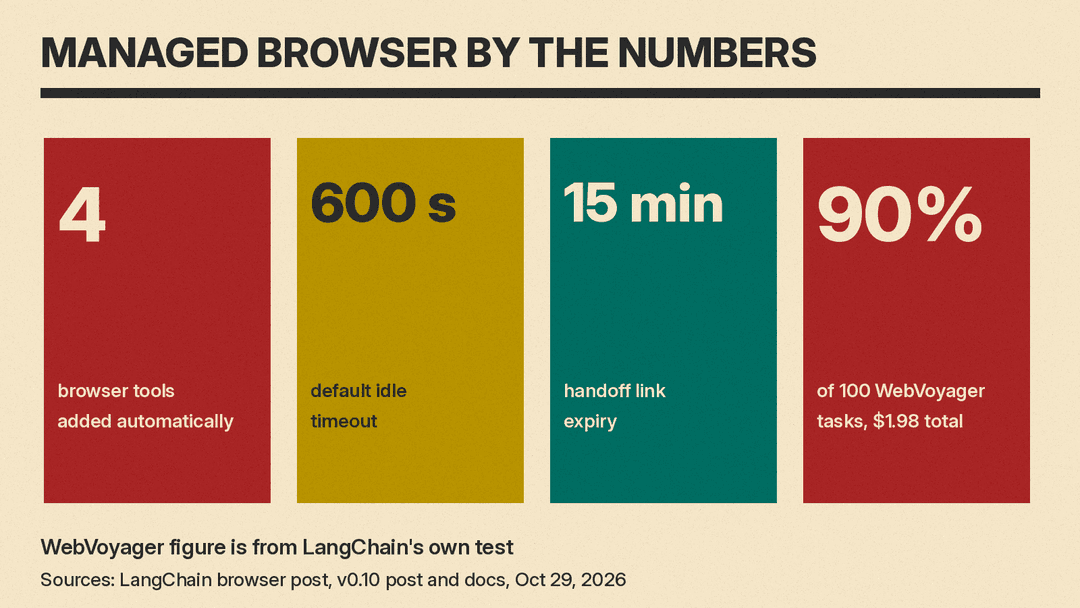
scope:"thread"(the default) gives each conversation its own browser."user"gives each authenticated person one browser, with a separate window per thread and shared cookies and logins.idle_ttl_seconds: seconds of inactivity before the browser stops. The default is600, and the docs say it "accepts60through86400."
The docs warn: "Shared login state is not account isolation."
The four browser tools
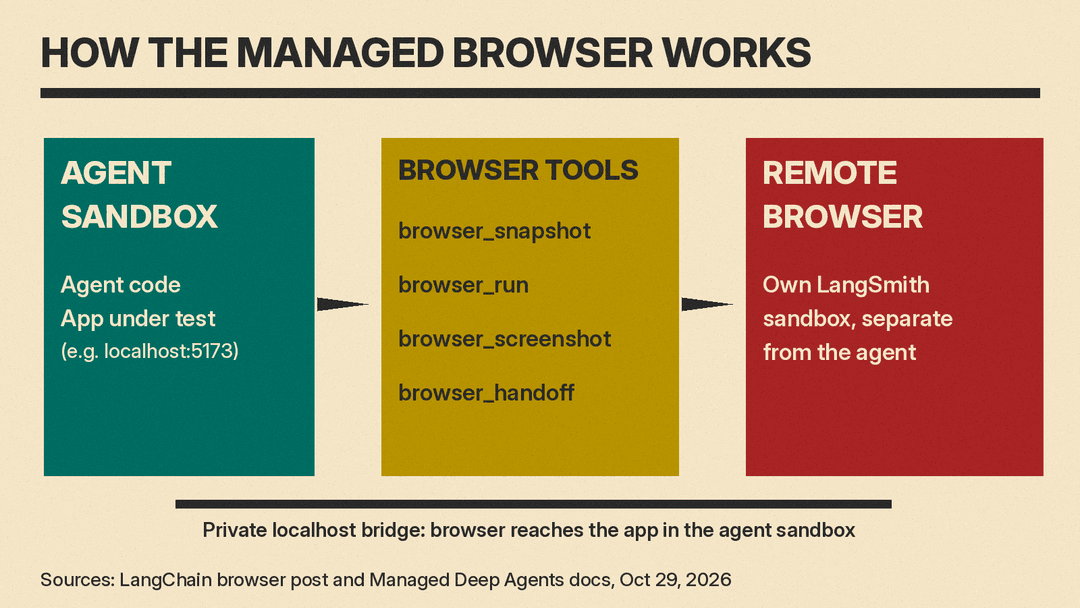
When a browser is defined, the docs say Managed Deep Agents adds these tools automatically:
browser_snapshotreads the page's accessibility tree and assigns element IDs.browser_runnavigates and interacts through JavaScript or batches of actions.browser_screenshotcaptures the page.browser_handoffgives a person control of the window "for login, CAPTCHA, or two-factor authentication."
The browser post says the tools are built on Stagehand, Browserbase's open source SDK for browser agents, and that browser_run "does most of the work." Because it takes code, LangChain says, the agent can write a chain of steps as one call, which "keeps most of the page out of the agent's context."
Handoff keeps passwords out of the model
LangChain's stated reason for handoff is that you do not want a password to "end up in the model's messages, in traces, and with a model provider." The user signs in directly on the site, then clicks Hand back.
According to the v0.10 post, handoff returns at once so the agent can do other work, and "Handoff links expire after 15 minutes." The docs add a warning: "Keep handoff links private: anyone with a valid link can control the browser." For other browser risks in developer tools, see our report on the EMBRACE embedded browser flaws.
Under the hood: a separate browser sandbox
The browser post says Managed Deep Agents "runs the browser in its own LangSmith sandbox, separate from the agent." For end-to-end testing, LangChain says the browser has a private link to the agent's sandbox, so an app running there does not need a public URL. LangChain also says each browser_run call "is a piece of an ordinary Playwright script," so a passing test can be saved as a file and replayed "with no model calls until the page changes."
LangChain's test numbers
In its own test, reported in the browser post, LangChain ran 100 tasks from WebVoyager, a benchmark of everyday tasks on live websites, and says its tools "passed 90% of tasks for $1.98 in total." LangChain says that was "the highest pass rate of the seven toolsets we tested," and that "The closest, Browserbase's MCP server, passed 89% at 9x the cost."
Async subagents and other v0.10 changes
The v0.10 post says developers add async to a subagent definition to run it without blocking the main agent. The main agent can start, check on, update and cancel these tasks.
The post also lists a Stop button for Slack threads and a breaking change: connectors.mcp() and the connectors/ layout are removed, and MCP servers must be declared in tools/mcp.ts or tools/mcp.py.
Teams comparing code-defined agent platforms can also read our explainer on the Cursor Agent SDK.
What it costs
LangChain's posts do not give a browser price. The browser post says the idle timeout means "you don't pay for a browser nobody is using." The LangSmith pricing page has no separate browser line. It lists:
- Developer plan: $0 per seat per month, 1 seat, then pay as you go.
- Plus plan: $39 per seat per month, billed monthly, then pay as you go.
- Sandboxes: compute at 0.0576 LSU per vCPU-hour, memory at 0.01845 LSU per GiB-hour and storage at 0.000123 LSU per GiB-hour, with "All rates billed per second." The page lists 8 LSU of sandbox usage per month included.
- One LSU (LangChain Standard Unit) equals $1. Developer and Plus are billed monthly; Enterprise plans are invoiced annually upfront.
LangChain's browser post says agents built with open source Deep Agents can use a browser too, one you bring yourself, as its open source browser docs describe. To try the managed version, the v0.10 post gives uvx --from managed-deepagents mda init my-agent, then uv run mda deploy.
