
Microsoft 365 Copilot can now create, update and delete information in connected third-party apps, which moves it beyond reading their data to changing it on a user's behalf. Microsoft announced that connector write actions are generally available across Copilot Chat and Cowork, with connector tools from partners including Atlassian, Notion and Canva (Windows Report).
What can Copilot now do in other apps?
Federated Copilot connectors use the Model Context Protocol (MCP) to access data in real time. The data stays in its original location and is not indexed into Microsoft 365 (Microsoft Learn).
Where a connector provides the tools, Copilot can create, update or delete data in the connected system on the user's behalf. Actions run in the third-party service and are limited by that user's permissions, so Copilot can change only what the user could already change. The user must be connected to the third-party service first, and the available actions depend on the tools the connector publisher exposes. Publishers can add or change tools over time (Microsoft Learn).
Examples in Microsoft's documentation include turning an escalation email into an issue in a project-tracking tool, updating a record in a CRM, and adding a comment to a ticket from Copilot Chat. Windows Report adds that a Teams meeting transcript can become a CRM activity and a follow-up task, that an Outlook escalation can become a product issue with a summary and labels, and that an Excel workbook can become new records in a connected accounting application (Windows Report).
Which apps and connectors support write actions?
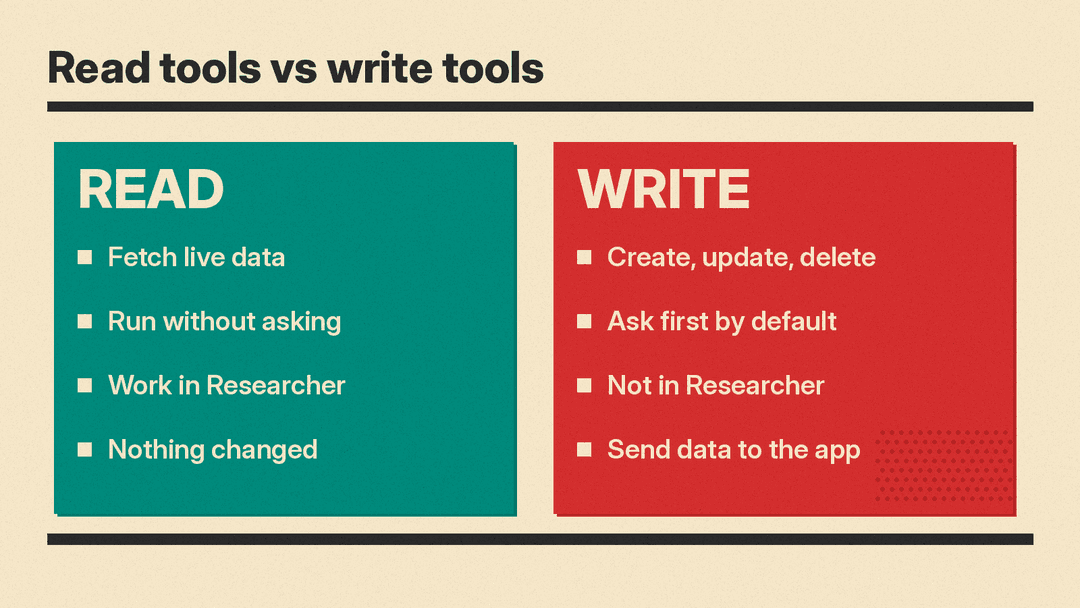
Microsoft Learn lists the supported experiences as Microsoft 365 Copilot Chat, agents, Cowork, Copilot in Word, Excel, PowerPoint and Outlook, and the Researcher agent. The Researcher agent stays read-only and does not support write, update or delete actions. One point of ambiguity concerns the Office apps. Microsoft's documentation lists Copilot in Word, Excel, PowerPoint and Outlook among the supported experiences, while Windows Report says Microsoft described write actions arriving in Copilot across Office apps soon (Microsoft Learn, Windows Report).
The connector partners give a sense of the range. Atlassian Rovo creates and updates Jira tickets from meeting discussions or email threads. Notion turns discovery calls into project pages and updates existing databases. Canva generates campaign graphics from prompts or updates designs using team feedback. G2 can prepare review campaigns, check funding and launch approved campaigns. iManage supports drafting legal documents using existing agreements. BioRender turns scientific concepts into structured figures (Windows Report).
How does approval work?
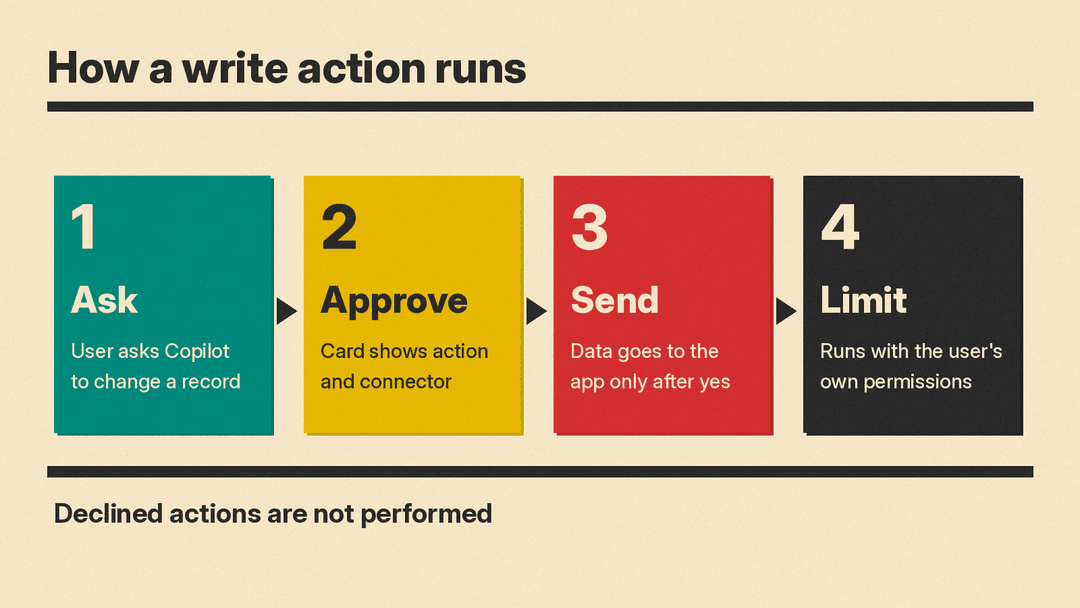
Read tools do not require confirmation. Tools that create, update or delete data start out set to Needs approval, so Copilot asks for the user's explicit approval each time until the user picks a broader option. While an action awaits confirmation, nothing is sent to the connected system, and declined actions are not performed (Microsoft Learn).
In practice, Copilot shows a confirmation card with the requested action and the connector involved, and users can expand the card to review the action's details. Microsoft's confirmation guidance lists four choices: Allow once, Allow for conversation, Always allow and Cancel. Allow for conversation and Always allow apply to a single tool, not the whole connector. Windows Report says these preferences can be changed in Settings, Sources and Tools (Windows Report). Approval is not always permanent. Microsoft's write-tool guidance says that when a publisher adds a write tool or changes one, that tool is set back to Needs approval, a point ABT also stresses (ABT).
What admins control
Admins can review connector tools in the admin center and see which ones create, update or delete information (Windows Report). Microsoft's admin guidance marks that Tools view as coming soon and says it is not available for all connectors; users can also find a connector's Write/Delete tools in Copilot under Settings, then Sources. ABT says admins can enable, disable, stage or block a connector, and can block individual tools. ABT also says the rollout began in early October 2026 and was expected to finish by late October (ABT).
One structural detail from Microsoft's documentation matters here. Write, update and delete tools are part of the connector and are not enabled separately (Microsoft Learn). In other words, there is no separate write switch to turn on. If a connector's publisher ships write tools, they come with the connector, and admins who want to stop a specific action block that tool, per ABT.
What this means for teams
Uses drawn from the published examples:
- Sales teams can turn discovery calls into Notion project pages, or convert a Teams meeting transcript into a CRM activity and a follow-up task.
- Support teams can convert Outlook escalations into product issues with summaries and labels, add a comment to a ticket from Copilot Chat, or have Rovo create and update Jira tickets from email threads.
- Marketing teams can generate Canva campaign graphics from prompts, update designs based on team feedback, or use G2 to prepare a review campaign, check funding and launch it once approved.
- Finance and operations teams can turn an Excel workbook into new records in a connected accounting application.
- Legal teams can draft documents in iManage using existing agreements.
In each case the action runs under the user's existing permissions, so Copilot changes only records the user could already change manually. The benefit is fewer copy-and-paste steps between systems, not broader access.
Before you turn on Always allow
- Check which connectors expose write tools. Admins can review the tools that create, update or delete information in the admin center where that view is available (Microsoft marks it coming soon), or in Copilot under Settings, then Sources, before users encounter confirmation cards.
- Keep approval on for delete actions. Allow once keeps a human check on the least reversible operations.
- Review what a tool will send. Because the action runs in the third-party service on the user's behalf, approving it exports customer data to the connected system (Microsoft Learn).
- Revisit settings when publishers change tools. A changed write tool returns to requiring approval, so tools that previously ran under Always allow will prompt again (ABT).
