
AI can take a lot of slow work off a reporter's desk: typing up interviews, searching a document dump, checking where a viral video first appeared, cutting a podcast. It does not replace the reporter's judgment. This guide lists six real tools, as of November 2026, with what each vendor's own page says it does.
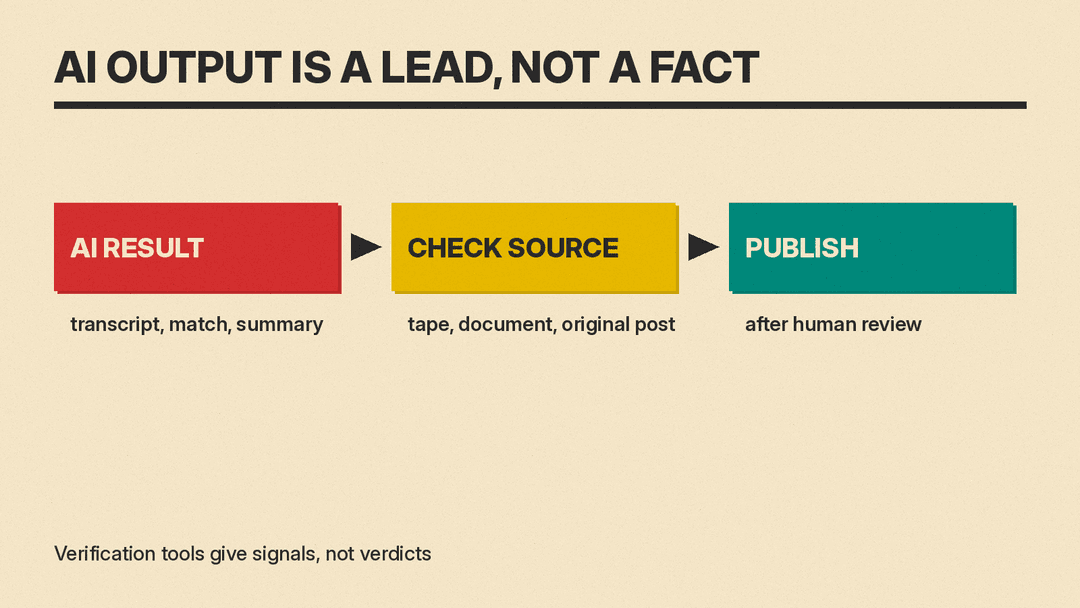
This guide organizes AI tools by specific newsroom jobs. We look at transcription, document search, verification, editing, and general assistance. The goal is to help you choose the right tool for your workflow while keeping strict ethical standards. Remember that AI output must always be checked against the original recording or document. Verification tools provide signals, not final verdicts.
Transcribe Interviews with Trint
Trint is an AI transcription service with a dedicated newsroom product; it also sells to sports media, production teams, podcasters, law firms and educators. According to its newsroom page, the mobile app can capture an interview or event and transcribe it into more than 40 languages. The company claims up to 99% accuracy. You should treat this number as a vendor claim. Always listen back to the audio to confirm names, numbers, and key quotes.
One useful feature for teams is the ability to share a live feed with colleagues. This allows editors to verify quotes as they happen during a press conference or long interview. Trint also includes an AI Assistant and Story Builder. These features turn raw quotes and soundbites into article first drafts or video rough cuts. Treat any draft it builds as a starting point that you edit and check against the tape.
Security is a major concern for journalists handling sensitive sources. Trint states that it never trains its algorithms on user transcripts. It offers EU or US data storage options depending on your needs. Trint lists ISO 27001 and Cyber Essentials certifications, and its newsroom page mentions granular access permissions. The homepage also lists translation of transcripts into 70+ languages, an MCP Connector, and MAM (media asset management) integrations. A free trial is available on their newsroom page if you want to test the workflow before committing.
Manage Meetings and Calls with Otter.ai
While Trint focuses on high-stakes interviews, Otter.ai is built around meetings and calls. The Basic plan is free. It provides 300 monthly transcription minutes. This is enough for many freelancers or student journalists starting out. Live transcription works with Zoom, Microsoft Teams, and Google Meet. Speaker identification helps separate voices in group discussions.
Otter’s AI Chat feature lets you ask questions within and across multiple meetings. For example, you could ask what was decided about budget in last week’s call. The pricing page lists support for English, Spanish, French, German, Japanese, and Chinese. Paid plans add more minutes and file imports. Basic caps each conversation at 30 minutes of transcription, Pro allows up to 90 minutes per meeting and Business up to four hours. For more transcription apps and their prices, see our AI transcription tools comparison.
For journalists, Otter lists a Media use case. Its listed uses are interview transcription, thought organization and content creation. If you need voice-to-text for personal notes rather than public articles, check our comparison of best AI dictation apps. For broader meeting note taking strategies, see our guide to best AI note-taking apps.
Search Large Document Dumps with Pinpoint
Investigative reporting often involves thousands of pages of documents. Reading them all is impossible. Pinpoint by Google is a research tool built for this problem. It comes from Google's Journalist Studio and the Google News Initiative. It allows you to upload PDFs, images, audio files, email archives, and even handwritten forms.
Pinpoint's advanced search supports exact match, exclude and combined keywords. You can filter documents by key people, organizations, and locations. It transcribes audio and video into searchable text automatically. If you have structured tables, like years of property records, Pinpoint can turn them into sortable spreadsheets without code. This makes finding patterns in bureaucratic data much easier.
Collections are private by default. You can share specific collections with colleagues for fact checking. Custom labels help organize complex projects. Partners like the Associated Press and The New York Times curate some collections. Google also invites users to apply for early access to generative AI features. Whatever Pinpoint surfaces, read the original document before you quote it.
Verify Images and Video with InVID
Misinformation spreads fast on social networks. Verifying user-generated content is now a core skill. The InVID Verification Plugin is a free Chrome extension, with a Firefox beta, from the European InVID project. The project describes it as a verification "Swiss army knife" for journalists checking videos and images on social networks.
When you find a suspicious video on Facebook or YouTube, InVID gets contextual information. It performs reverse image searches using Google, Baidu, or Yandex. This helps find where the image appeared first. For videos, it splits the file into keyframes. You can then reverse search those frames to see if they appear in older events.
InVID also reads video and image metadata, checks video copyrights, and applies forensic filters to still images. Metadata can be missing or stripped by platforms, so it is a clue, not proof. Note that some external services used by the Analysis and Keyframes tabs are not open-sourced. This means you rely on third-party engines for some results. Treat these tools as signal detectors. A lack of red flags does not prove authenticity. It only means no obvious errors were found.
Edit Audio and Video with Descript
Traditional video editing software has a steep learning curve. Descript simplifies this by letting you edit media through text. Its pricing page says editing video in Descript is as easy as using docs and slides: you work on the transcript text instead of a timeline.
Descript offers automatic transcription and captions. It supports multitrack podcast editing. Screen recording and remote recording rooms are included. An AI assistant called Underlord helps automate repetitive tasks. Its feature list also includes removing retakes and translation.
There is a Free plan at zero dollars. Paid Hobbyist, Creator, and Business plans add more media hours and AI credits; the pricing page lists 1080p export on Hobbyist and 4k on Creator. It suits podcasters and video journalists who want to edit from a transcript.
Draft and Research with Claude
Claude is a general AI assistant from Anthropic. It is not specialized for journalism, but it can help with drafting and summarizing. The Free plan is available for everyone. It allows web search, file creation, and code execution. Usage is limited every five hours and every week. Paid Pro, Max, and Ultra plans increase these limits.
Reporters can use Claude to summarize long government reports. It can draft interview questions based on background reading. It helps outline stories or explain complex jargon in plain language. Because it can search the web, it might pull outdated or incorrect facts. You must always verify statements against primary sources. Do not let the AI write your lead or body copy without deep human editing. Hallucinations are real risks in news writing.
If you are looking for more specialized search capabilities, consider how AI changes information retrieval. Our breakdown of best AI search engines compares Perplexity, Google and ChatGPT search.
How to Choose
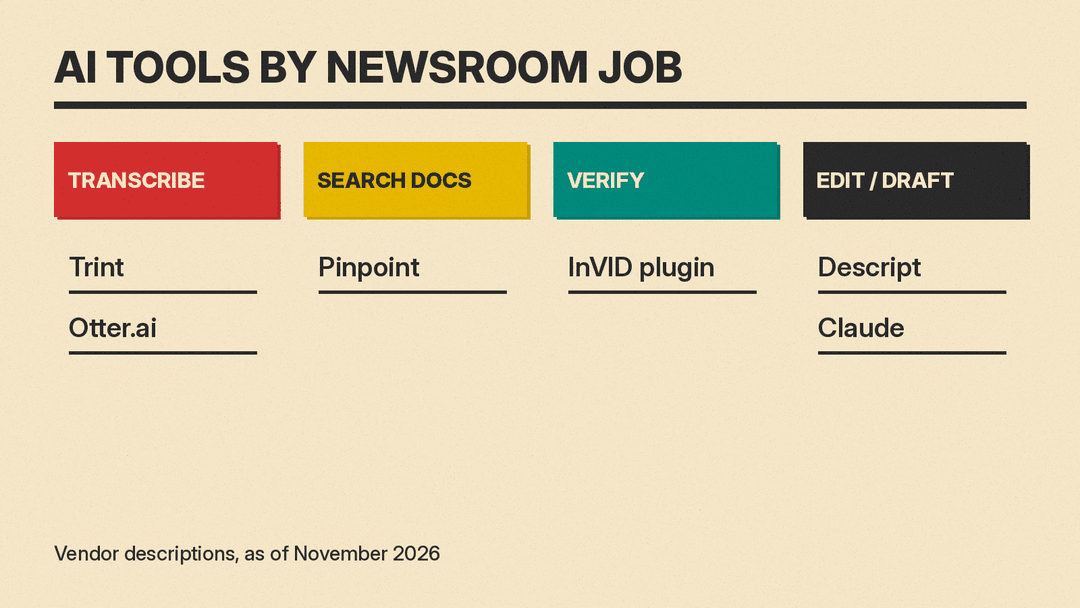
Selecting the right tool depends on your specific bottleneck. If you spend hours typing out interviews, start with Trint or Otter. If you drown in PDFs, try Pinpoint. If you battle fake videos, install InVID. If you struggle with editing timelines, learn Descript. If you need help thinking through structure, use Claude.
Consider your budget. Many tools offer free tiers. Trint and Otter have trials or basic plans. InVID's plugin page says the tool is free; it runs as a Chrome extension. Check Pinpoint's sign-up page for access terms. Descript and Claude have clear paid paths for heavier users.
Think about security. If you handle confidential sources, check data retention policies. Trint emphasizes not training on your data. Pinpoint keeps collections private by default. Ensure your newsroom IT department approves these platforms before uploading sensitive material.
What AI Should Not Do in a Newsroom
AI is a helper, not a journalist. There are lines that should not be crossed. First, never publish AI-generated text without human review. Machines can invent facts, misattribute quotes, or miss nuance. Second, do not use AI to make editorial judgments. Deciding what is newsworthy is a human responsibility rooted in ethics and community values.
Third, avoid using AI to impersonate humans. If you generate synthetic voices or avatars, disclose it clearly. Transparency builds trust. Fourth, do not rely on AI for legal compliance. Copyright laws and defamation standards vary by region. Lawyers and editors must review risky content.
Finally, remember that verification tools give signals, not verdicts. InVID can point you to an older copy of an image, but it cannot tell you who made it or why. Only a human investigator can determine intent and context. Use AI to narrow down possibilities, not to close cases.
FAQ
Do I need coding skills to use these tools? No. Pinpoint, Trint, and Descript run in a browser or app, and none of the features in this guide needs code.
Is my data safe with these providers? Trint lists ISO 27001 and Cyber Essentials certifications and says it never trains on your transcripts. Pinpoint says collections are private by default. For any tool, read its privacy policy before you upload. Avoid uploading highly sensitive unredacted documents until you understand the data flow.
Can AI replace human proofreading? No. AI catches spelling and grammar errors well. It misses factual inaccuracies, tone issues, and logical gaps. Human editing remains essential for quality journalism.
Which tool is best for beginners? Otter.ai has a free Basic plan with 300 monthly transcription minutes. InVID is free and easy to install as a browser extension. Start with one simple task before adding more complexity.
How do I cite AI tools in my work? A common approach is to disclose AI use in your methodology section or editor's note. State which tools helped with transcription, search, or editing. Be transparent about what was automated and what was manual.
