
Most small teams meet automation the same way. Someone copies data from one app to another every Monday, and a colleague asks if AI can do it. The tools that handle this are workflow automation platforms, and most of them now add AI agents, AI steps or a chat helper on top. This guide covers five of them as of November 2026: Zapier, Make, n8n, Microsoft Power Automate and Activepieces. For each one it says what the vendor says the product does and what the vendor's own pricing page printed when we read it on November 5, 2026.
Plans change often. Where a page printed a price, this guide copies the wording. Where a price depends on a slider or a toggle, the guide says so. It does not rank the tools. It labels each one "Best for" a kind of user, so you can match a tool to your own job. If you want the plain-language how-to first, read How to Automate Small Business Tasks With AI, then come back here to pick a platform.
What an automation platform does
An automation platform connects apps so that an event in one app starts an action in another. A new form entry can add a row to a sheet, post a message in chat and create a task. Each platform names the pieces differently, and each bills in a different unit. That billing unit matters more than the headline price, so the next section starts there.
- Zapier calls a workflow a Zap and bills by tasks.
- Make calls a workflow a scenario and bills by credits.
- n8n calls a run of a whole workflow an execution and bills by executions.
- Power Automate bills per user or per bot on the plans below.
- Activepieces bills by credits, with flat monthly plans.
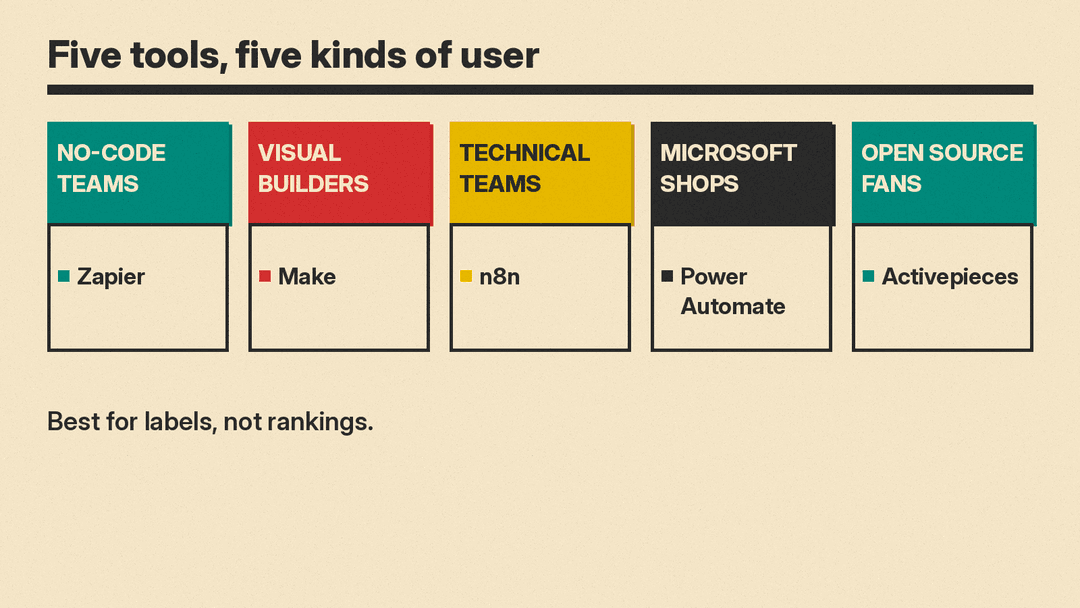
Zapier: best for no-code teams that want the most app connections
Zapier says on its home page: "Build and scale AI workflows and agents across 9,000+ apps". Its pricing page lists Zap workflows, Tables, Forms and Zapier MCP, and it has separate tabs for Agents and Chatbots.
What the pricing page printed on November 5, 2026:
- Free: "$0/month" with Zaps, Tables and Forms included at "100 tasks per month." Zaps on this plan have two steps.
- Professional: "Starting from $19.99/month." Key features include multi-step Zaps, unlimited premium apps, webhooks and AI fields.
- Team: "Starting from $69/month." Key features include 25 users, shared Zaps and folders, and SAML SSO.
- Enterprise: "Contact for pricing."
The page has a task-tier selector, a "Pay monthly" and "Pay yearly (Save 33%)" toggle, and a currency menu. The "Starting from" figures are the entry point. Your price changes with the task tier you pick. The page also says AI steps, code and SDK now follow the same task-based pricing, so test an AI-heavy Zap before you assume one step equals one task. For how Zapier handles personal data, read the vendor's privacy policy.
Make: best for visual builders who want to see every step
Make describes itself as a tool to "visually build, scale and automate AI and agentic workflows." Its pricing page says that as of August 27, credits are the billing unit. Each action a scenario performs uses credits, and "most actions consume 1 credit." The page says router modules and error handler modules count no credits. The FAQ also says that if you are on the Free plan, you have 1000 credits per month.
With the slider at "10,000 credits/mo," the page showed:
- Free: "$0/mo"
- Core: "$12/mo," with a "Save 25%" badge
- Pro: "$21/mo," with a "Save 25%" badge
- Teams: "$38/mo," with a "Save 25%" badge
- Enterprise: "Custom"
Prices move with the credit slider. The FAQ says annual payment in advance is cheaper than monthly payment, and that credits expire at the end of the term. If you run out of credits, the FAQ says scenarios stop until credits are added. Read Make's privacy notice before you connect customer data.
n8n: best for technical teams that want self-hosting
n8n describes itself as a workflow automation platform that "uniquely combines AI capabilities with business process automation, giving technical teams the flexibility of code with the speed of no-code." Its pricing page says all plans include unlimited users and workflows and every integration, and that pricing is based on monthly workflow executions, regardless of complexity.
The page defines an execution as a single run of your entire workflow. In its words, it does not matter how many steps the workflow has or how much data it processes. That is a different unit from the per-task and per-credit models above, so compare it with your own volume before you decide.
Plans printed on November 5, 2026, with the "Annually (Save 17%)" view shown:
- Starter: "20€ /mo, billed annually," with 2.5K workflow executions, hosted by n8n. It lists agents, MCP and AI nodes and 1,600 Assistant credits per month.
- Pro: "50€ /mo, billed annually," with 10K workflow executions, hosted by n8n.
- Business: "667€ /mo, billed annually," with 40K workflow executions. The page marks it "Self-hosted only."
- Enterprise: "Contact Sales."
The page also says "A standard, self-hosted version of n8n is available on GitHub" under Community Edition. The Starter and Pro trial cards say "No credit card required." Read n8n's privacy policy and its security page before you move data through any hosted plan.
Microsoft Power Automate: best for teams already on Microsoft 365
Power Automate is described on Microsoft's page this way: "Automate workflows and business processes across apps, systems, and websites with Microsoft Power Automate using AI, digital, and robotic process automation." Its pricing page mostly prices by user or by bot, not by task.
What the page printed on November 5, 2026:
- Power Automate free trial: "Free," described as a "30-day trial" for UI-based cloud flows and standard connectors.
- Power Automate Premium: "$15.00 user/month, paid yearly." It lists cloud flows, attended desktop flows and process mining for individual users.
- Power Automate Process: "$150.00 bot/month, paid yearly," for unattended automation.
- Power Automate Hosted Process: "$215.00 bot/month, paid yearly," which adds a Microsoft hosted virtual machine.
The page adds that the prices shown are for marketing purposes only and may not match the actual list price because of currency, country, regional and organizational factors. For agents, the page points to Microsoft Copilot Studio, and says an Azure subscription is required to use agents. Microsoft's data practices sit in its privacy statement.
Activepieces: best for open source fans who want flat prices
Activepieces describes its product as "Chat, agents, flows, tables, and 770+ apps in one workspace" and says "Open source at the core." Its pricing page shows flat monthly plans.
What the page printed on November 5, 2026:
- Free: "$0," "Free forever, no card," with 1,000 credits a month, unlimited flows and up to 5 users.
- Plus: "$20 flat per month," described as 10 times the Free plan, with bring your own AI keys.
- Team: "$200 flat per month," described as 5 times the Plus plan, with 25 users included, SSO and standard roles.
- Ultimate: "Custom."
The comparison table on the page lists hosting as "Cloud or on-prem" for all four plans. Read the vendor's privacy policy before you connect customer data.
How to choose
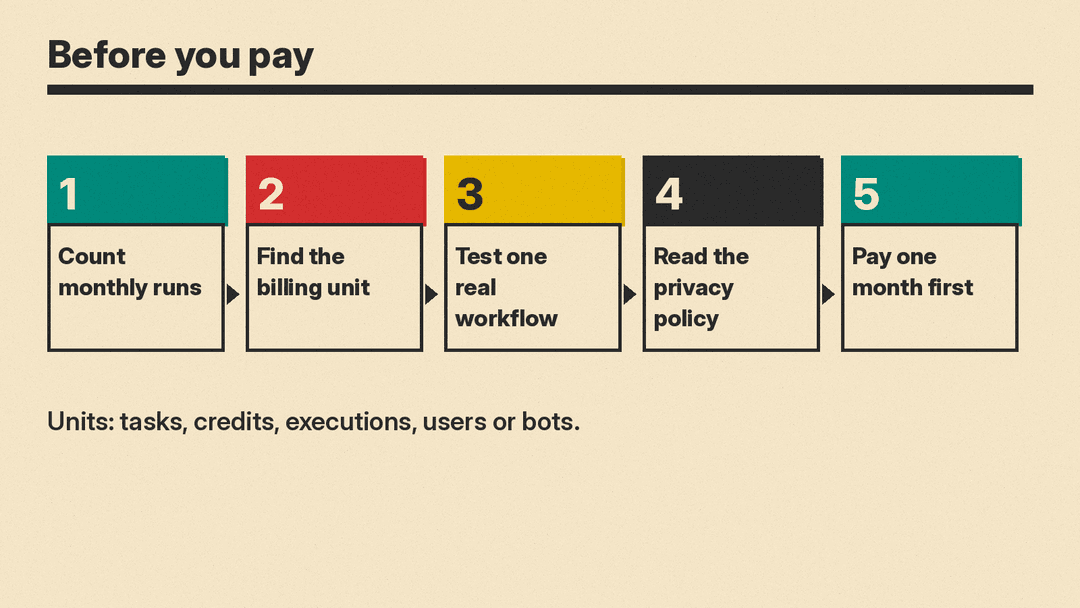
Start with the unit, not the logo.
- Count your runs. List the workflows you want and how often each one fires in a month.
- Find the unit. Zapier counts tasks, Make counts credits, n8n counts whole-workflow executions, Activepieces counts credits, and Power Automate counts users or bots. On per-step models a longer workflow uses more units. On n8n, per its pricing page, one run of the whole workflow is one execution. Price your busiest workflow in each unit.
- Test one real workflow on the free plan or trial. Pick a workflow you run today, so you can compare the result with your manual process.
- Read the privacy policy of every tool that will see customer data. This guide links each vendor's own policy page and does not summarize them.
- Pay for one month before you commit to a yearly plan. Several pages above show lower prices for yearly billing.
Small teams that mostly connect common apps can start with Zapier or Make. Teams with a developer can look at n8n or Activepieces, which both list a self-hosted option. Companies that already license Microsoft 365 can start with the Power Automate trial. If your real need is a calendar or inbox helper and not a workflow engine, see Best AI Email Assistants for Gmail and Outlook or Best AI Project Management Tools.
