
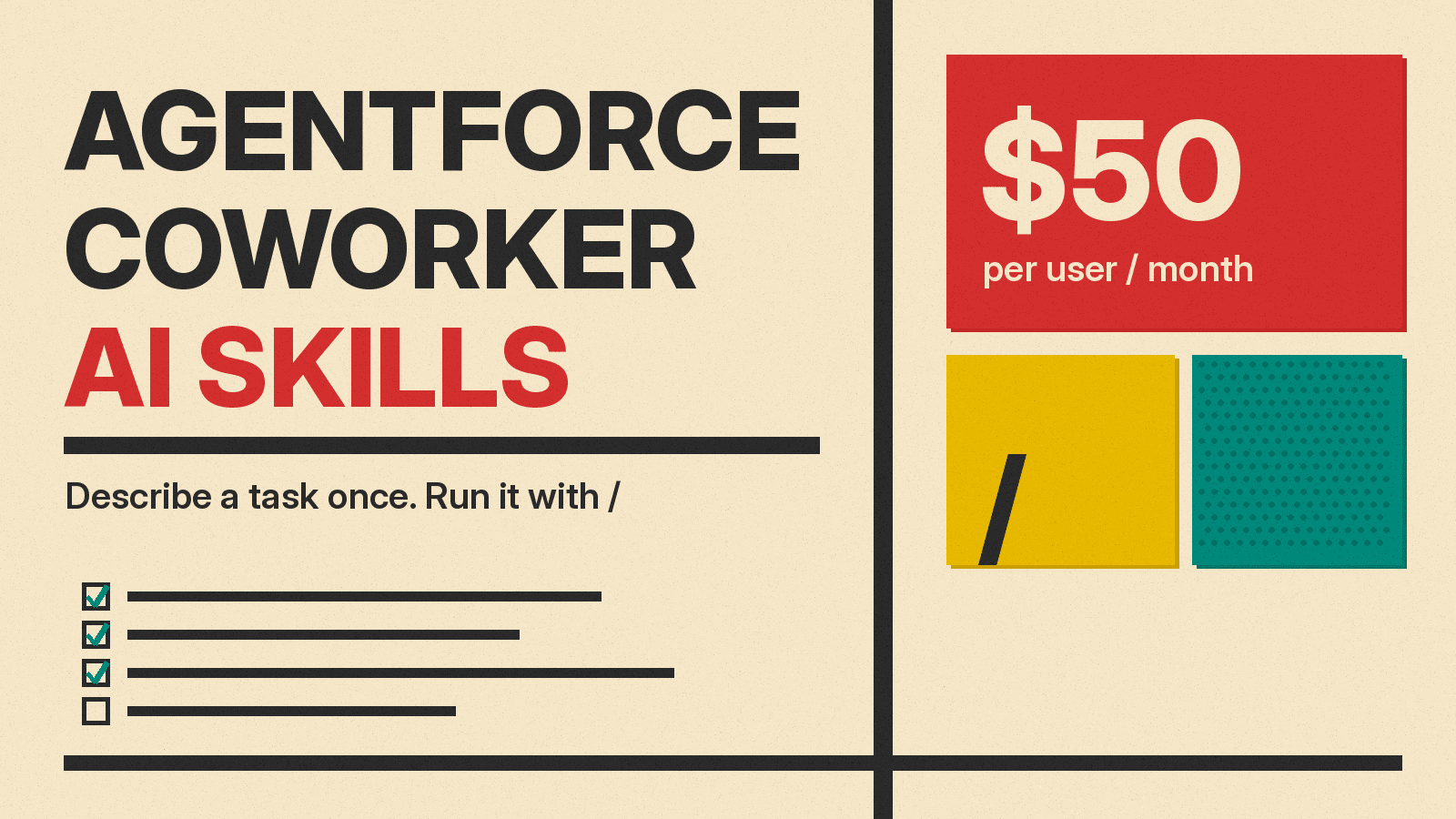
Salesforce has made AI Skills in Agentforce Coworker generally available. The November 10 release follows a broader Coworker expansion announced on November 4, 2026, which added Google Workspace and Microsoft 365 connections and a new $50 per user, per month option, with Coworker in Microsoft Teams due for general availability in November. For sales, service and marketing teams, the pitch is simple: write down how your best people do a repeatable task once, and let an AI teammate run it the same way for everyone.
What are AI Skills in Agentforce Coworker?
An AI Skill is a reusable set of instructions that tells an agent how to complete a specific task. You describe the job once using plain language. After that, Coworker can run it consistently every time.
Coworker itself is an AI teammate designed to coordinate Agentforce agents. It operates within Salesforce, Microsoft Teams, and on mobile devices. It is the first Agentforce agent to include AI Skills as a core feature.
It is important to distinguish skills from Prompt Builder templates. A prompt template is a repeatable way to ask a large language model for text output. Examples include generating an intro sales email or summarizing a record. A skill goes further. It describes the entire repeatable task so an agent can work through each step and take action, according to Salesforce.
How to build a skill
To start building, log in to Salesforce and click Ask at the end of the search bar. Skills are located under the Skills section in the left sidebar. Open Skills and click New. This opens a chat interface with Coworker.
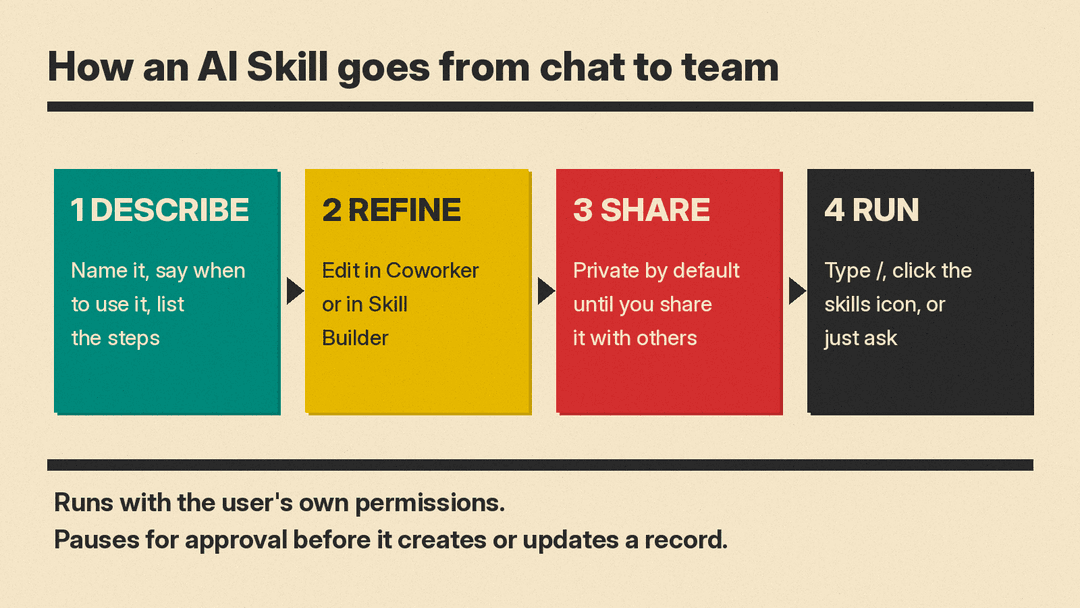
The process involves three main steps. First, you describe the workflow. You need to name the skill, explain when it should be used, and list the specific steps. This includes noting which records to check and how to format the final output.
Second, you review and refine the steps directly in the Coworker chat. Or open them in Skill Builder to edit them directly. Third, you save and share the skill. By default, skills remain private until you explicitly choose to share them with your team.
How to run a skill
Running a skill is straightforward. Users can type a forward slash (/) in the chat box. They can also click the skills icon directly. Another option is to simply ask for the task in natural language. Coworker can also pick the right skill automatically based on intent, so a rep can ask for meeting prep without remembering the skill's name.
Guardrails are built into the execution process. A skill runs as the person using it. It respects their row-level and object-level permissions. This means the skill cannot access data that the user could not already see. Additionally, Coworker pauses for approval before it creates or updates any record. This ensures human oversight remains part of the workflow.
What Coworker costs and what ships when
Salesforce says more than 185,000 users now use Coworker and that usage grew 21x in three months. Those are company figures. Alongside them it added a new $50 per user, per month option. The company notes that pricing and packaging are subject to change.
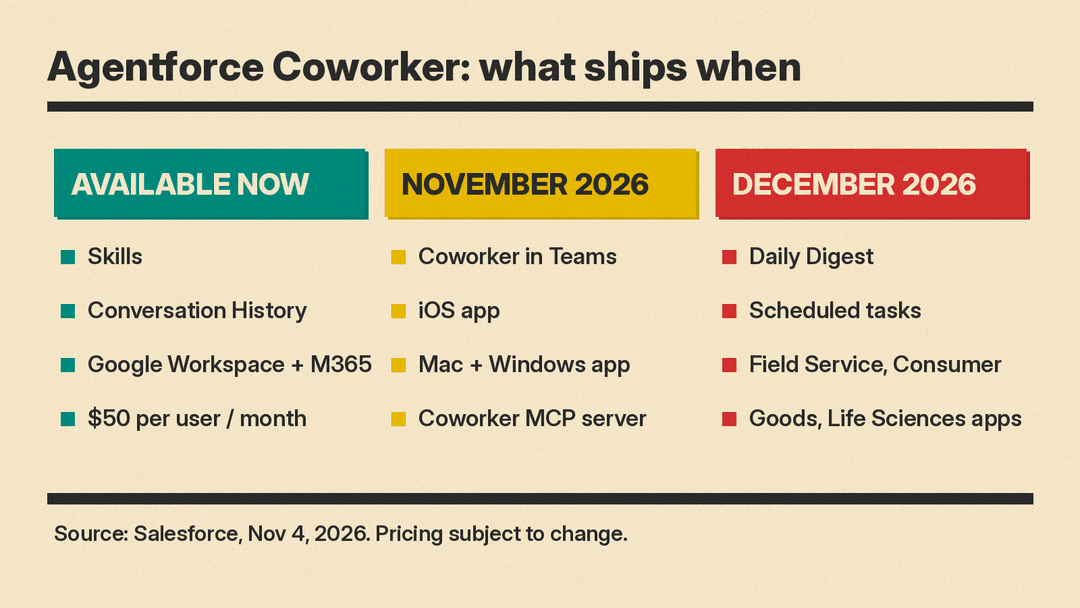
Several features are available immediately. These include Google Workspace and Microsoft 365 connectivity, Conversation History, Skills, and the per-user per-month SKU. Customers can turn on Coworker in Setup. For questions about per-user pricing, they must contact a Salesforce account executive.
Other features are scheduled for general availability in November 2026. This includes Coworker in Microsoft Teams, an iOS app, desktop apps for Mac and Windows, and the Coworker MCP server. Flex Credits customers will also receive a free trial during this period.
Looking ahead to December 2026, Salesforce expects to release Daily Digest and Scheduled tasks. Coworker in the Field Service, Consumer Goods Cloud and Life Sciences Cloud mobile apps is expected then too.
Five tasks to start with
Salesforce provides five example tasks to help teams get started with AI Skills. These cover common scenarios for sales, service and marketing teams.
- Account research. Write down your team's research routine once, such as which records to check first and what every summary should flag, so any rep gets a summary built the same way.
- Call prep and record sync. This prepares context for a call and syncs follow-ups after the rep confirms details.
- Competitive battle cards. The skill assembles talking points, differentiators and objection handling into one consistent answer.
- Summarize a case and draft a response. The skill reads a support case and drafts a reply for the rep to review and send.
- Turn campaign performance into a report. The skill gathers the latest data and summarizes what is working and what is not.
Salesforce advises picking one workflow your team runs every week. Write the steps as if you were explaining them to a new hire. Walk Coworker through the process. Share the skill only once it works correctly.
Why it matters
Reusable, plain-language instructions are showing up across work software. Slack reworked the Skills library in Slackbot and added a Skills API in October, and tools such as Claude, Codex and Cursor load packaged instructions called agent skills. Google rolled out a similar feature this month, and Google calls them skills too. The common idea: the know-how that lives in one person's head becomes a shared instruction an agent can follow.
For small teams and managers, the value lies in consistency and permission safety. Because a skill runs with the user's own permissions, it cannot see more than that person can. The approval pause before any record change keeps a human in the loop. With the new pricing option, Google Workspace and Microsoft 365 connections now, and Teams and iOS apps due in November, Coworker is easier to budget for teams already on Salesforce. Whether $50 per user is worth it depends on how many weekly workflows a team can turn into skills, so starting with one, as Salesforce suggests, is a cheap way to find out.
