
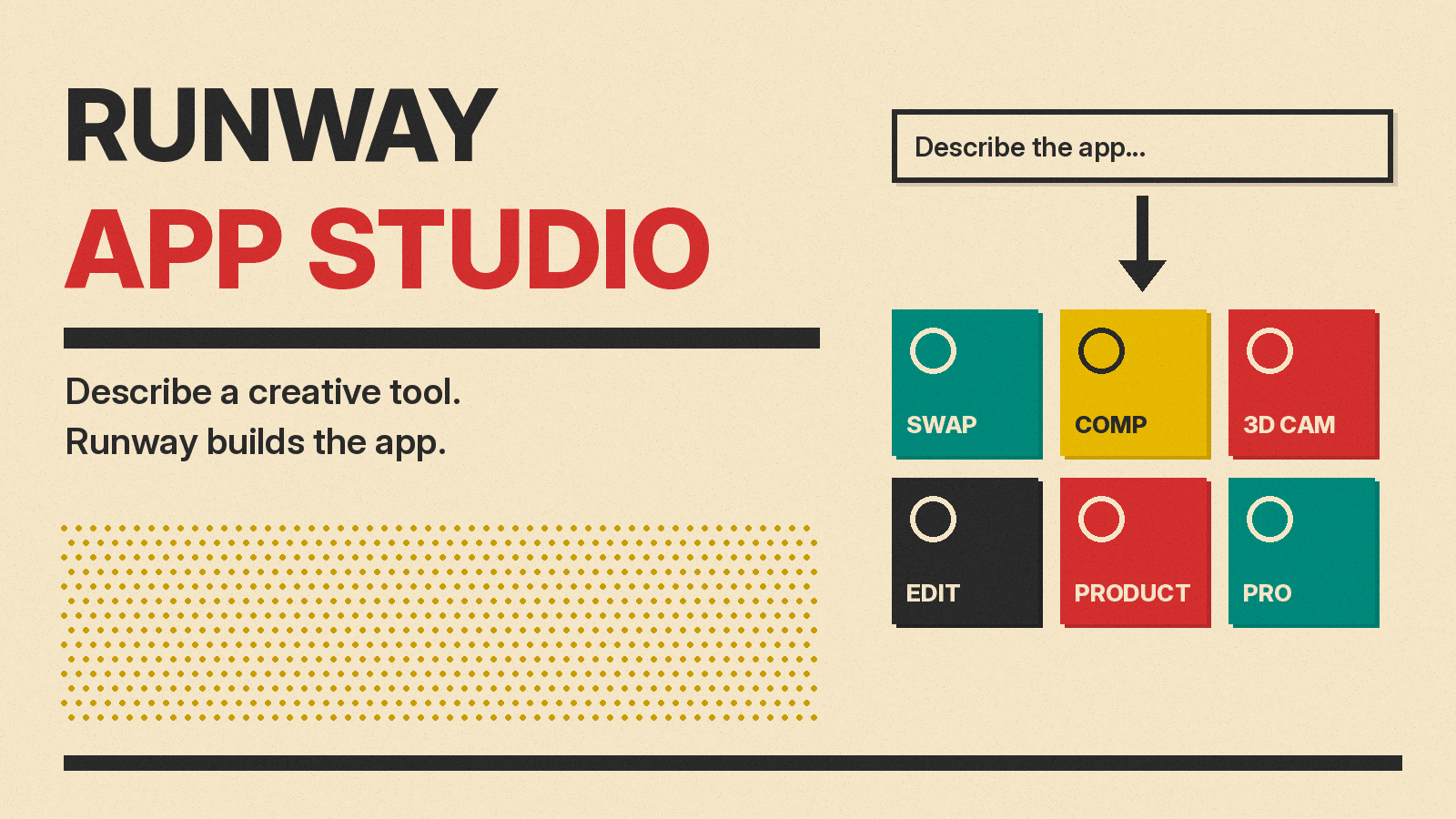
Runway launched App Studio on October 26, 2026. It lets you describe a creative tool in plain language, and Runway's agent builds it as a small app with its own interface. The app can generate images, video and audio with Runway's models, your Brand Kits and your saved Workflows. You can keep it for yourself, share it with your team, or publish a link.
Runway's pitch is about team know-how. In its words, "Today, that knowledge usually lives in one person's prompts and settings." App Studio tries to turn that know-how into a tool that anyone on the team can run. This guide covers what App Studio does, the built-in apps, how a build works, what it costs, and the open questions.
What App Studio is
App Studio is a no-code app builder inside Runway. You type what the app should do, for example "Convert ad scripts into shot-by-shot visual storyboards," which is the sample prompt in Runway's help article on building apps. Runway says App Studio "writes, tests and deploys every app." You refine it by chatting, preview each change before you publish, and roll back to an earlier version when you need to.
You do not need to write code, but the code is not hidden. The builder has a Code tab, and after you publish you can download the app's source as a zip file.
Runway frames this as the same shift that coding agents brought to software. In its words, LLMs and coding agents let millions of people create software on demand, "but those breakthroughs haven't yet translated to creative work." App Studio is Runway's attempt to close that gap for media teams. It sits beside Runway's other recent launches, such as the GWM Worlds 2 world model, but it is a product layer, not a new model.
The built-in apps
Runway ships App Studio with six apps of its own. You can use them as they are or remix them:
- Character Swap: cast yourself or any character into a video, or recast a scene without reshooting it.
- AutoComp: swap a product into existing footage while keeping labels and packaging accurate.
- Product Portfolio: turn one product photo into product visuals for a launch, a catalog or an ecommerce page.
- 3D Camera Control: set camera position and movement in 3D space for previz, VFX, animation or product shots.
- Precise Edit: mark one area of an image and retouch only that area.
- Runway Pro: build your own version of Runway around your production pipeline. Runway says this is one of the tools its Enterprise customers ask for most.
What early customers built
Runway says design partners built dozens of custom apps during early access. The architecture firm KPF built one that turns still design renderings into video: designers mark what should move, draw a camera path, and get back directed video. "Runway's App Studio lets us build our own AI tools around the way our teams work, so every designer in the studio can use them, not just a few specialists," said KPF Associate Principal Andy Christoforou.
Other examples Runway lists, without naming the companies:
- A film studio turns one location photo and a drawn camera path into a continuous fly-through, to plan a shot before booking a drone or helicopter.
- The same studio translates a trailer's on-screen text into other languages while keeping the original fonts, effects and layout.
- A production company turns a green-screen take into a clean background plate that follows the original camera move.
- A game studio generates matching shots of each character from a few reference images, and regenerates them all when a design changes.
- A technology company describes a creative direction and gets an instrumental album of 8 to 12 tracks with cover art.
How a build works
The help article walks through the flow:
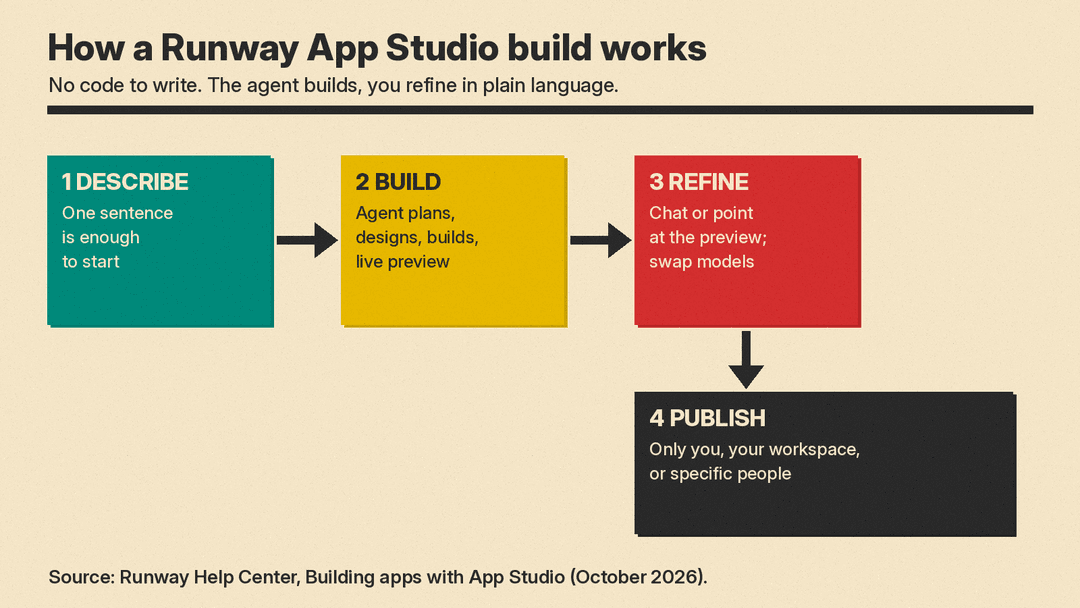
- Open App Studio from the left sidebar and describe the app. One sentence is enough to start.
- The agent plans, designs and builds the app while you watch a live preview. Early on it asks you to pick a color scheme and lets you add a logo.
- Ask for changes in plain language, or point at the preview: select an element, draw on it or mark a spot, then say what to change.
- In App settings, you can swap the model behind each generation step. App Studio rebuilds the app with your choice.
- Select Publish and choose an audience.
If you already have an Agent session or a Workflow that gives the result you want, Runway says you can turn it into an app in one click. You lock in the prompt, model chain and settings, and teammates get a simple form with only the inputs they need.
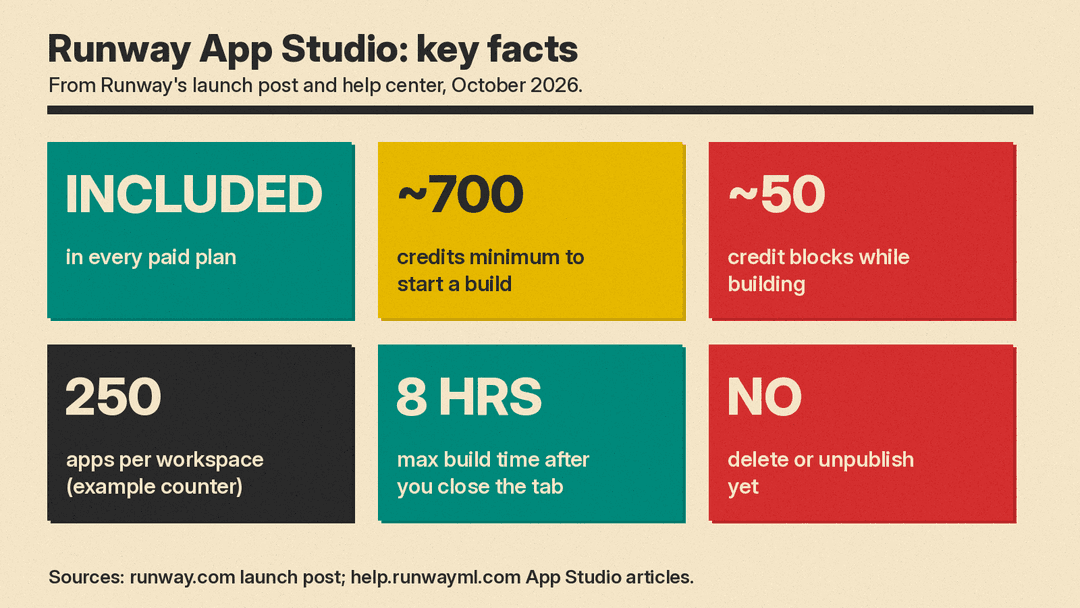
App Studio keeps building for up to eight hours after you close the tab. Each workspace has an app limit; Runway's example counter reads "1 of 250 apps used," and unpublished apps and Store apps count toward it.
What it costs
App Studio is included in every paid Runway plan, with no add-on. Building, running and hosting apps all draw from your Runway credit balance, and each app shows its usage.
The help article adds detail. You need a minimum balance of "about 700 credits" to start a build session, and building is charged in blocks of "about 50 credits" as the build goes. Runway does not publish a fixed price per app, so the cost depends on how long the agent works and which models your app runs. For what Runway's video generation itself costs per second, see our AI video generator pricing comparison.
Free users can run built-in apps and apps shared with them, but they must upgrade to a paid plan to build their own.
Sharing, and one point to check
Every app is private until you publish it. In the help center, the audiences are Only you, Everyone in your workspace, or Specific people.
The sources do not agree on public links. Runway's launch post says paid customers "can also publish a public link," and that visitors sign in with a Runway account and pay for their own generations. But the help article on sharing says "there's no option to share an app with people outside" your workspace and "there's no public link option," while its own step-by-step list also mentions an "Anyone with a link" audience. If you plan to share an app outside your team, check what the Publish panel offers on your account.
Two other limits matter. You cannot delete or unpublish an app today; to hide one, you set its audience to Only you. And published apps can reach the internet, for example to call an outside API, unless a workspace admin turns that off.
Controls for companies
On Enterprise plans, admins turn App Studio on or off per workspace and decide whether public links are allowed. Apps follow the account's model controls, so a model an admin disables is disabled in every app, and users see why. Every Enterprise app link needs sign-in with a Runway account, and admins can see App Studio usage across the workspace. Each app also has an Insights view with visits over the last 7, 30 or 90 days.
Why it matters
App Studio is not a new model. It is a way to package a workflow. Runway says it turns "years of institutional knowledge and creative expertise into a tool the whole company can run," so that "everyone on every team can get an on-brand asset the moment they need it." A locked app with a short form hands that process to teammates who do not need to pick a model or write a prompt.
There are open questions. Runway's launch post cites no independent tests of app quality, credit use per app will vary, and the public sharing rules are not consistent across its own pages yet. If you are choosing a video tool first, start with our guide to the best AI video generators in October 2026. If your team already uses Runway, App Studio is worth a try on one repeated task, because it costs nothing extra beyond credits.
