
Meta says developers "can now create and configure an app for Social Technologies Dev Center using their agent." In an October 26, 2026 post on the Meta for Developers blog, Zoë Lieberman writes that Meta's Social Technologies MCP server "can do the setup too, from creating an app to creating a new business, linking them and then adding a new usecase, everything can be done via the MCP."
When Meta launched the server, the post says, it "could answer questions about your Meta app integrations." An agent could discover APIs, check app status, look at required actions, and configure and debug webhook deliveries.
What the server is
MCP, the Model Context Protocol, is a standard way for AI assistants to connect to outside services and use their tools. Meta runs several MCP servers. Its MCP overview page lists Meta Ads MCP, Meta Social Technologies MCP and WhatsApp Business Tools MCP, and describes the Social Technologies server as a way to "Manage the Meta apps and integrations you build on the Meta Social Technologies Developer Platform." The same page says the server was "Formerly known as Meta Developer Tools MCP."
According to the Social Technologies MCP documentation, the server is remote, uses the Streamable HTTP transport at https://mcp.facebook.com/devtools, and signs people in with their Meta developer account over OAuth. Its status is listed as "Beta - interface and tool set may change." The overview page says Meta has validated Claude Desktop, Claude Code, ChatGPT (Web), Codex App, Codex CLI, Cursor App and Cursor CLI as clients, and that "clients not listed above aren't supported yet."
None of the three Meta pages cited here lists a price for using the server.
The six new tools
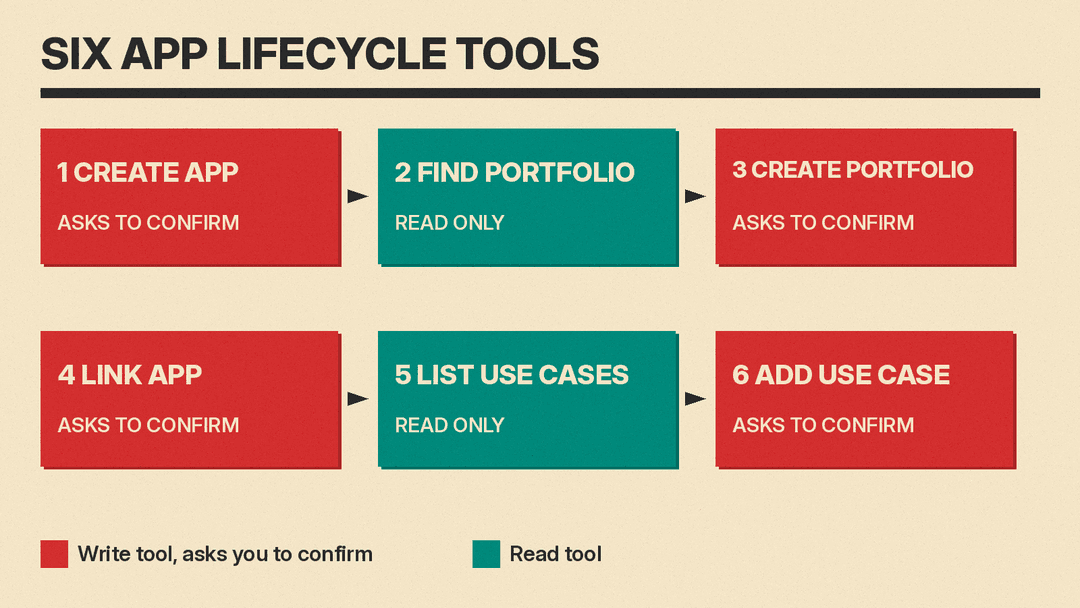
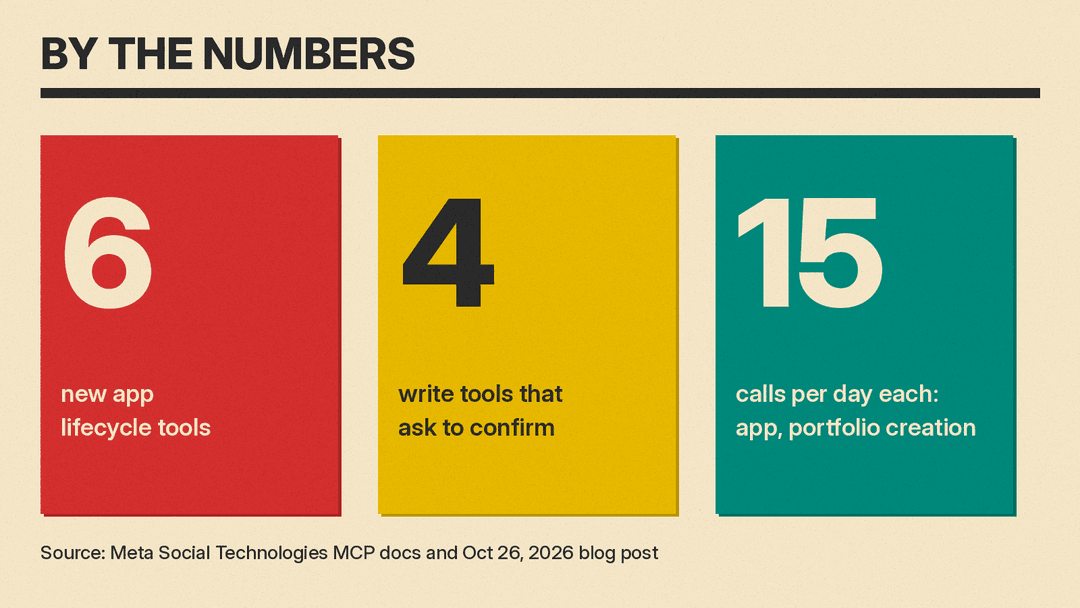
The blog post says "Six tools span the app lifecycle." It lists them by what they do:
- Create a new app.
- Find an existing Business Portfolio.
- Create one if you do not have the right one yet.
- Link the app to the portfolio.
- List the use cases available to the linked app.
- Add a use case, such as WhatsApp Business messaging.
The documentation names each tool with the devtools_ prefix. In the blog post's order, the six are devtools_app_create, devtools_business_list, devtools_business_create, devtools_app_business_manage, devtools_app_use_cases and devtools_app_use_cases_manage. It says devtools_app_create makes an app that "starts in development mode with no use cases and no Business Portfolio." It says devtools_business_create requires the optional business_management scope. For devtools_app_use_cases_manage, it warns that "Adding a use case grants the privileges that come with it, and this server cannot remove it afterwards, so the tool asks you to confirm and is marked as destructive to your agent." The linking tool, devtools_app_business_manage, rejects an app owned by a different portfolio, "because moving it is not something this server does."
The blog post sketches the flow as a short chat. A developer asks for a new app for WhatsApp Business messaging, and the agent replies that it will create the app, link it to a named Business Portfolio and add the use case, adding: "I will ask for confirmation before each enabled write." In Meta's words, "What used to be a sequence of dashboard visits is now a sentence."
Confirmation, secrets and limits
The post says: "We are introducing four write-tools. Your agent will ask you for confirmation." The documentation puts it as "The four tools that make changes ask you to confirm before they act."
On credentials, the post says app creation "never returns your app secret," which developers retrieve from the App Dashboard, and that "Secrets will not be shared via an agent conversation."
The post says app and Business Portfolio creation "have per-user safety limits." The documentation gives the number: "Creating an app and creating a Business Portfolio are each limited to 15 calls per day." It adds that attempts "count toward that limit before they run, so a confirmation you decline still uses one." The post says: "Failed validation and declined or timed-out confirmations may consume an attempt, so avoid repeated retries and follow the error guidance."
Availability
The two Meta pages describe availability differently. The blog post says "These tools are rolling out gradually and might not be available to all users today," and tells people who already have the server connected to reconnect so their agent can discover the new tools. The documentation page, marked "Updated: Oct 7, 2026," labels the lifecycle tools "Coming soon" and says "Until they reach your account, they do not appear in your agent's tool list."
The documentation also says that with the lifecycle tools, the Manage scope "will also let the server create an app, add a use case to an app, and link an app to a Business Portfolio." Users can manage scopes or revoke access in their Facebook Business Integrations settings, according to the same page.
What comes next
Meta says it is "adding new skills and plugins to the Github repo to help enable integrations." The post also points to Meta's other MCP servers, including Ads MCP, WhatsApp Business Tools MCP and Instagram Business MCP.
llms.blog has also covered MCP from other companies, including how Notion MCP connects AI agents to Notion, how Suno's MCP beta brings song creation into Claude, ChatGPT and Gemini, and how Apple Creator Studio is adding MCP support for outside agents on the Mac.
