
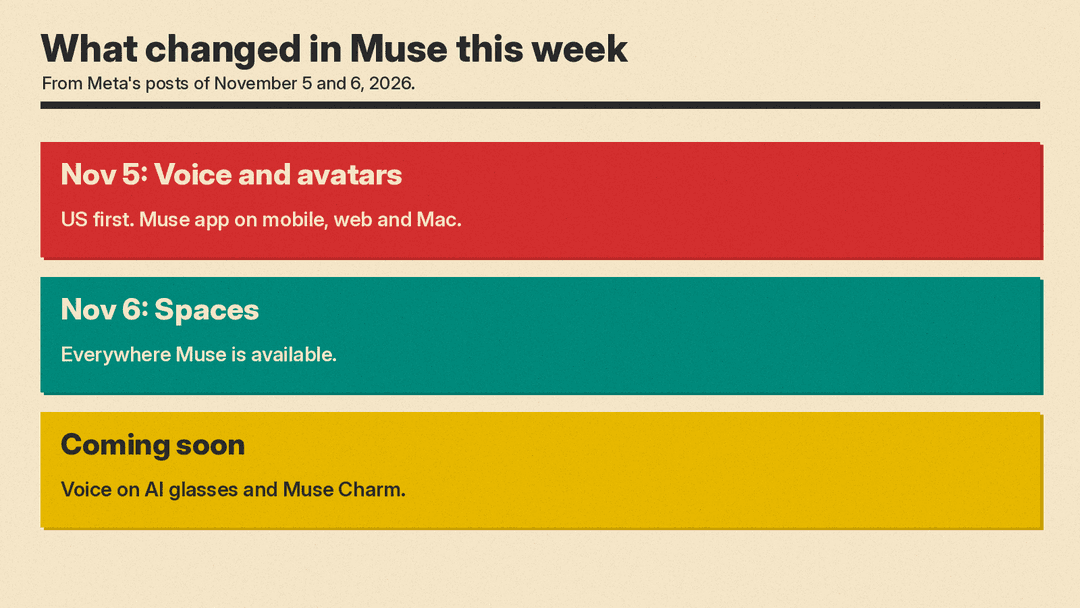
Meta gave its Muse app two new features in two days. On November 5 it rolled out real-time voice calls with an animated avatar, and on November 6 it added "spaces," small custom tools that Muse builds for you when you describe them. Together they push Muse further from a chat window and closer to an app you shape yourself.
Here is what each feature does, who can use it, and what Meta has not said yet.
What a space is
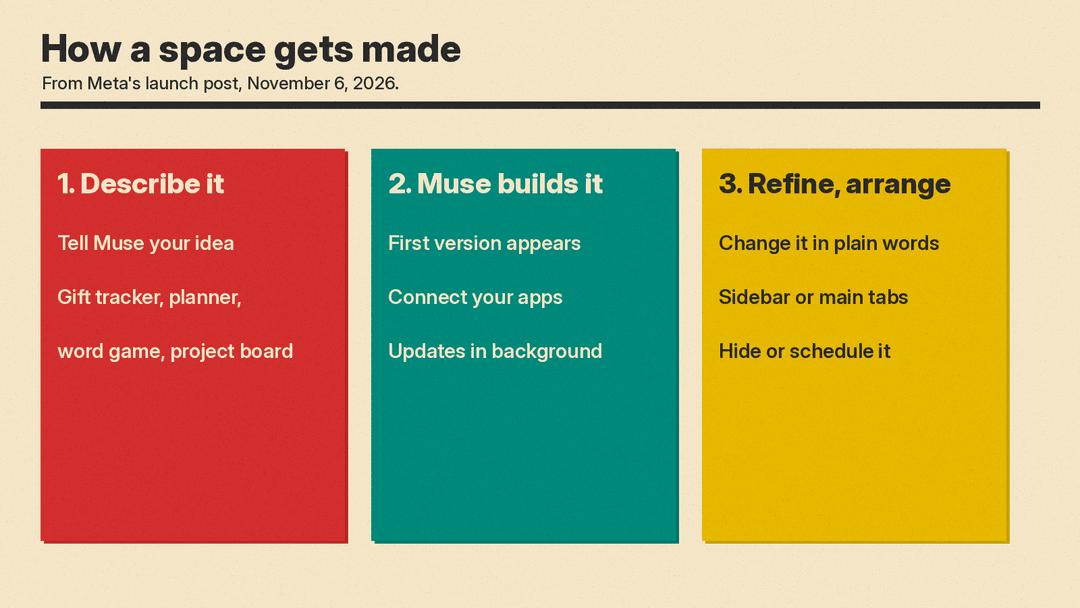
Meta's launch post describes a space as "a custom experience you create inside Muse by describing your idea." Its examples include a holiday gift tracker, a daily word game, and a planning board for a DIY project.
You start by telling Muse what you want, and it builds a first version. After that, you keep changing it in plain language. Meta says you can add what is missing, try a new look, or change how it works. You can also check things off, add notes, and make edits inside the space, and they are saved for next time.
The Verge and Digital Trends both compare spaces to mini apps. Digital Trends calls the idea "an app within an app" and notes that Google and Replit already offer tools to build small apps with AI. TechCrunch reads them more as topic-focused workspaces where Muse works toward one goal for you.
Spaces that update themselves
The most useful part may be the connection to other apps. Meta says that when you connect the apps you use, "your spaces keep themselves up to date in the background, so new concert dates, price changes, or savings progress show up without you having to ask."
The Verge lists Gmail, Google Calendar, OpenTable, and Notion among the apps Muse works with. Meta's own ideas show how this could look day to day:
- A school dashboard that finds events for your kids in school emails and adds them to your calendar
- A shopping hub with gift ideas, wishlists from Instagram saves, and your Marketplace listings and buyer messages
- A trip planner with flights, hotel, reservations, and a day-by-day plan
- A music tracker with new releases and upcoming shows
- An order tracker or client hub for a small business or freelance work
Meta CEO Mark Zuckerberg wrote on X that he had built "a BBQ game, an event tracker, and a home control dashboard," according to TechCrunch.
You choose where spaces live
Spaces can sit in the sidebar or in the main tabs. You can hide the ones you do not need and schedule when they appear. Meta's example: keep a weekly planner up front during the workweek, then swap it for weekend plans on Saturday.
Meta says spaces are available "everywhere Muse is available," starting November 6. Digital Citizen reports that this means the US and Singapore, on iOS, Android, and the web. Meta also says it is exploring ways to share spaces with other people. Sharing is not available yet.
The Verge adds that Meta is bringing "Active Memory" and "Active Focus" from its Muse Wonder model into the Muse app and the Meta AI chatbot. Meta's post says only that it is rolling out specialized models "trained with learnings from Muse Wonder."
Voice calls with an avatar
The day before, Meta announced voice and expressive avatars in the Muse app. You tap the phone icon in the top-right corner of a conversation to start talking. You can interrupt Muse while it speaks, as you would with a person.
The avatar reacts while you talk and uses "subtle expressions and gestures" that match the tone of the conversation. You pick how much of it you see: voice only, the avatar next to your chat, or full screen. Meta says there are "hundreds of voices" to choose from, and you can change the voice whenever you want. TechCrunch notes that Muse does not actually see you. It hears you and reacts to the conversation.
Meta pitches voice for brainstorming, planning a trip on a walk, and rehearsing a job interview or a presentation out loud. In a hands-on test, The Verge found that Muse responds quickly over voice but sometimes pauses while it looks something up.
Voice is rolling out in the US first, in the Muse app on mobile, web, and Mac. Meta says voice conversations are "coming soon" to its AI glasses and to Muse Charm, its upcoming Muse device. TechCrunch reports that Meta plans to launch that wearable before the end of the year.
The tech behind the avatar
Meta's research team published a technical post on Muse Realtime Avatar. It says the avatar streams 448x768 portrait video at 25 frames per second, with about 870 ms from the end of your turn to the first byte of the synced voice and video reply. The same stream of speech data drives both the voice and the lip movement, which keeps them in sync.
Why it matters
Spaces give Muse a place to keep work going between chats, and voice lets you hand it tasks while your hands are busy. That is the same direction other assistants are moving, with Siri AI opening to apps and Google opening the Gemini app to outside developers through connected apps.
There are open questions. Meta has not said whether spaces count against any usage limits. Spaces that read your email and calendar in the background also mean giving Muse wide access to personal data, so it is worth checking which apps you connect. Our earlier look at Muse in Singapore covers what the agent does and what it costs.
