
Meta Muse now works with Apple Watch and Wear OS as a companion app. It lets users text, dictate, or call Muse from the wrist, while the agent's work happens off the watch, through the phone app and Meta's cloud.
What is new for Muse?
Muse's official X account said on Nov 9, 2026, that Muse "is now on Apple Watch and Wear OS," as quoted by TechCrunch. The App Store listing says users can add Muse to the wrist with a new Apple Watch companion app. MacRumors reports the watch app puts the Muse character on the watch with options to text it, dictate to it, or call it. MacObserver says these features shipped with Muse for iOS version 15.0 on Nov 9.
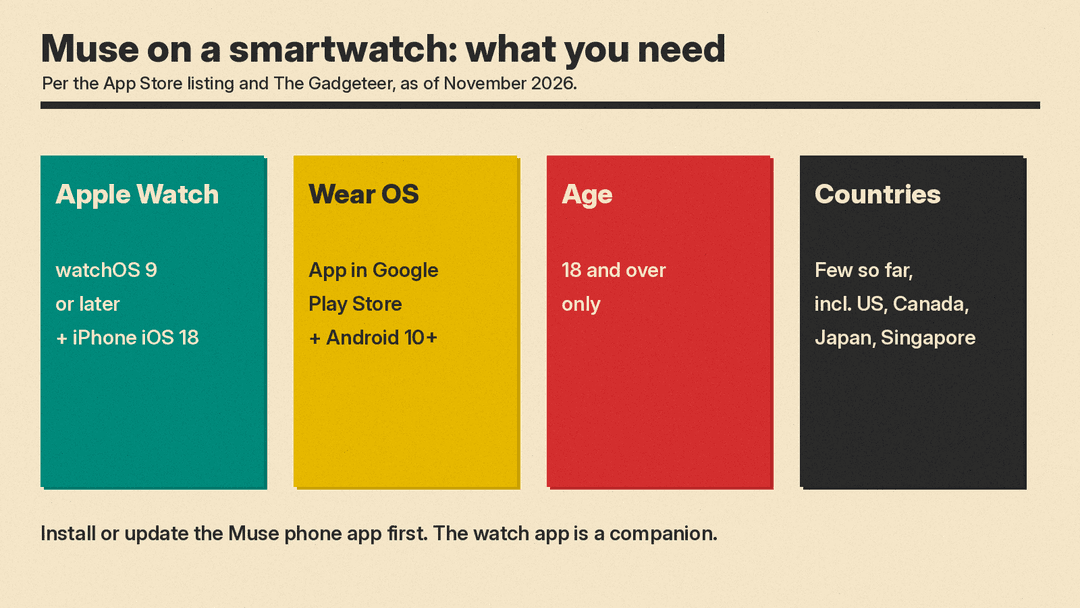
The Gadgeteer says Muse runs only in a few countries so far, including the US, Canada, Japan, and Singapore, and it is for people 18 and over. TechCrunch notes the watch app comes a month after Meta launched a Muse iPad app. Muse first launched on the App Store in September, and TechCrunch says it became one of 12 mobile apps to pass 10 million US downloads in their first 40 days in the App Store. For earlier updates, see our coverage of Muse Spaces and voice avatars.
Does Muse work on Apple Watch and Wear OS?
Yes. The App Store listing says it works with iPhone, iPad, and Apple Watch. iPhone needs iOS 18.0 or later, iPad needs iPadOS 18.0 or later, and Apple Watch needs watchOS 9.0 or later. The app is free, with purchases inside the app, and its age rating is 18+. For Android, The Gadgeteer says setup needs the latest Muse app on the phone first. The phone needs Android 10 and up, with the Wear OS app in the Google Play Store. MacObserver says Meta has confirmed Wear OS support, but individual watch compatibility is not detailed. Android Authority says the agent does not run natively on the Wear OS watch. It also could not confirm a watch face complication on Wear OS. For pricing and app details from the earlier rollout, see Muse in Singapore.
How do I set up Muse on my watch?
The Gadgeteer says start with the latest Muse app on your phone. The basic steps, based on that report and Apple's watch app help:
- Update the Muse app on your iPhone or Android phone to the latest version.
- On Apple Watch, the companion app may install on its own, since Apple Watch installs watch versions of your iPhone apps by default. If it does not, open the Apple Watch app on your iPhone, tap My Watch, then Apps, and tap Install next to Muse under Available Apps, per Apple's support guide. You can also get it from the App Store on the watch.
- On a Wear OS watch, install Muse from the Google Play Store.
- Open Muse on your wrist and pick text, dictation, or a voice call.
- On Apple Watch, add the Muse complication to your watch face for one-tap access.
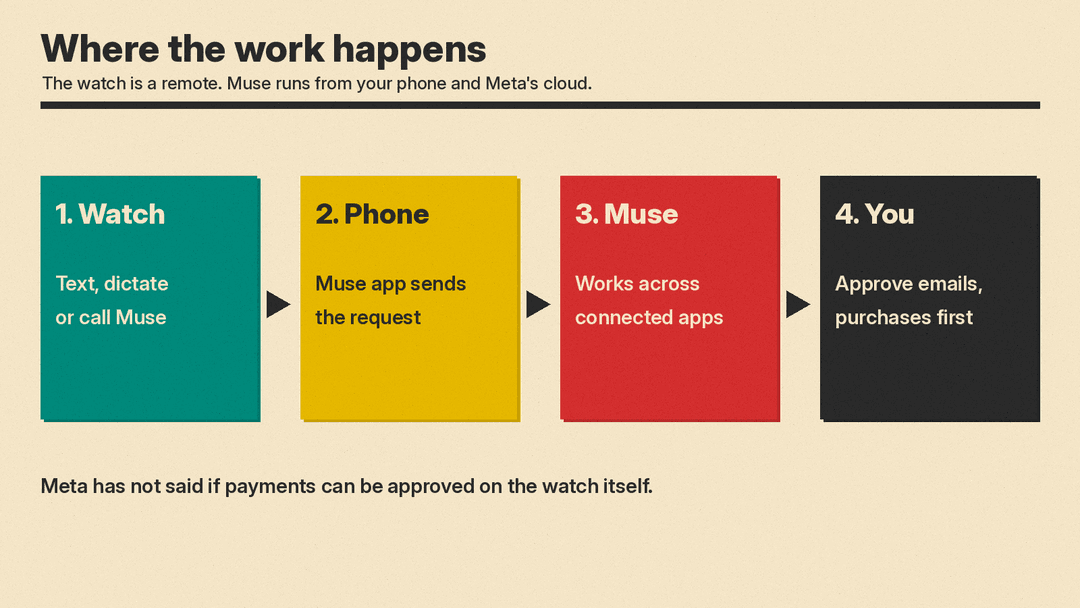
Android Authority says the watch acts like a remote or control hub for tasks run on your phone. MacObserver describes the features after setup: voice conversations, text messaging, voice dictation, and a watch face complication on Apple Watch.
What can and cannot Muse do on the wrist?
It can show the Muse character, send typed prompts, accept dictation, call Muse, and give quick access through an Apple Watch complication. MacRumors and MacObserver confirm these options on Apple Watch. On Wear OS, users should be able to approve tasks or check on a running task, according to Android Authority. It cannot do the main AI work on the watch. Android Authority says the agent does not run natively on Wear OS and still needs a phone. MacObserver says Muse works in a cloud environment Meta calls Muse Secure VM, and that Meta requires approval for sensitive actions such as sending emails or making purchases. Android Authority says Meta has not said whether payments can be approved directly on the watch or need phone confirmation. The App Store listing says Muse may be inaccurate or take unexpected actions, so check in and intervene as needed.
Is Muse on a watch safe?
The safest use is limited permissions and regular review. AppleInsider advised readers not to install the watch app, citing privacy risk from how much data Muse can reach when connected to email, calendar, finance, and Meta apps. The App Store listing says Muse keeps an activity log and you can revoke any connector anytime. A few habits help:
- Connect only the accounts you need.
- Check the activity log often.
- Revoke any connector you no longer use.
- Read each approval request before you tap yes, especially for email and purchases.
Should I add Muse to my wrist?
Add it if you want quick access to an AI agent for text, dictation, calls, approvals, and task updates. Skip it for now if you are not comfortable letting Muse reach email, calendar, finance, or Meta apps. The watch is not the brain. The work happens through your phone app and Meta's cloud, and you still need to check what it does.
Sources
- Muse from Meta, App Store listing
- TechCrunch: Meta's AI agent Muse lands on Apple Watch and Android Wear OS
- MacRumors: Meta's Muse AI Agent Comes to Apple Watch
- The Mac Observer: Meta's Muse AI Agent Comes to Apple Watch With Voice and Text Support
- Android Authority: Your Wear OS watch can now run Meta's Muse AI agent
- The Gadgeteer: Meta's Muse now lives on Apple Watch and Wear OS
- AppleInsider: Muse AI now available on Apple Watch, but don't bother with it
- Apple Support: App Store on Apple Watch
