
Instagram has a new way to make the filters people put on their Stories. Effect Builder is a free web tool where you type a description of a look, and AI turns it into an effect that anyone on Instagram can use. Instagram announced it on November 9, 2026, in a post on its Edits blog. Instagram says it is available in the US for people over 18.
Here is what the tool does, how publishing works, and what is still unclear.
What is Instagram Effect Builder?
Effect Builder is a web-based tool for creating AI effects for Instagram Stories. It lives at edits.com/effectbuilder, and Instagram announced it as an expansion of what you can create with Edits. Instagram says you need no design or coding skills and no prior experience making effects. "If you can describe it, you can build it," the post says.
Instagram gives three examples of the kind of look you can ask for: warm vintage film grain, dreamy pastel watercolor, or bold comic-book contrast. It says it built the tool because people love Restyle effects in Stories, and because "until now, building effects required special design and technical skills."
How to make an effect, step by step
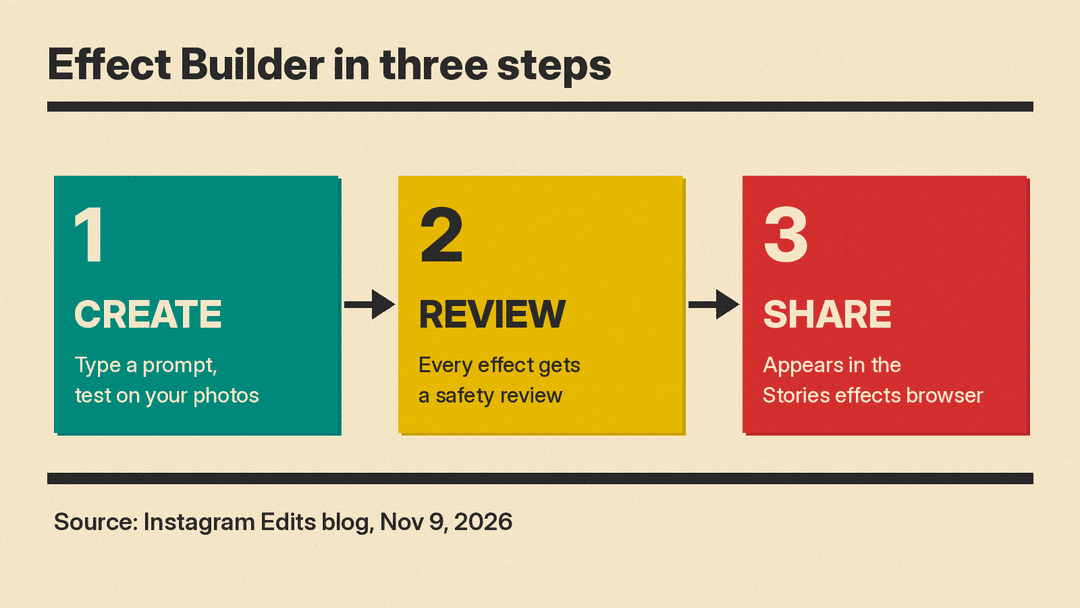
Instagram's post lays out three steps.
- Create and test. Go to edits.com/effectbuilder, type a prompt, and test the result on your own photos until it looks the way you want.
- Submit for review. When you publish, every effect goes through a safety review. Once approved, it appears in the Instagram Stories effects browser next to other effects.
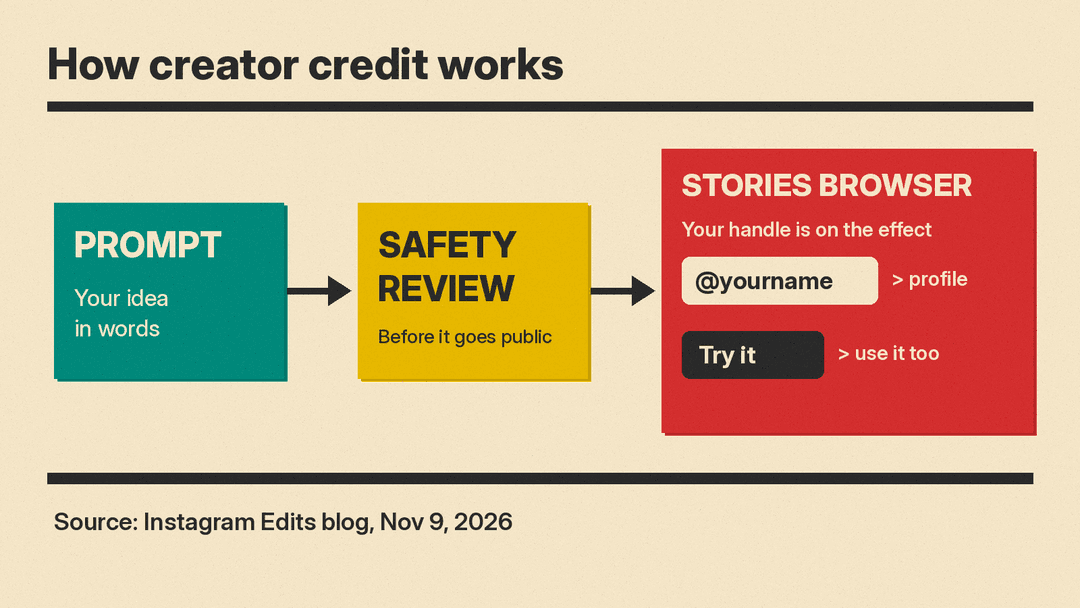
- Share it in Stories. Other people can find your effect while making a Story and apply it to their own photo. Your Instagram handle is on the effect, so viewers can tap through to your profile. People who see it can tap "Try it" to use it themselves. Your own effects also show up under "My effects" in your Stories.
The Verge adds detail on the build screen. It describes a prompt box where you tell a chatbot your filter idea, with an option to attach style reference images. You can upload your own photos to preview the effect and ask for changes in follow-up prompts.
The prompt rewrite option
Effect Builder can also rewrite your prompt for you. The Verge tried it with a one-line prompt: "Make a filter that turns photos into comic book pages." Instagram's AI turned that line into several paragraphs of detailed style requests, covering everything from color palette to lighting.
The longer prompt did not change much. The Verge reports that the effect generated from the rewritten version "still looked nearly identical" to the one from the original one-liner. That is one test, not a rule, but it is a useful hint: start with a short, clear description and only add detail if the first result misses.
If you want to practice describing a visual style in words before you try it on Instagram, our guide to Midjourney prompts for photorealistic images covers how light, camera and mood words shape an image.
Why creator credit is the main pitch
Instagram frames Effect Builder as a discovery tool as much as a creative one. "Whenever someone uses your effect we'll link back to your profile so that it's easy for others to find your work," the post says. Instagram says the platform opens effect creation to anyone with an idea, grows the variety of effects in Stories, and gives creative people "a new opportunity to get discovered."
Instagram says it worked with creators during testing, including @kemar.anthony, @karenxcheng, @juliaroga, @dave.krugman and @floam.world. It highlights a light prism effect prompted by @kemar.anthony, shows his "In the light" effect applied to a photo, and names a film effect from @dave.krugman, a "clean girl" effect from @juliaroga, and Bubbles by @josephinemiller.
For a first effect, Instagram suggests three starting points: describe a filter you wish existed, turn the visual mood of your content into an effect, or build something your community would want to create and share.
A return of community-made effects
This is not Meta's first platform for outside effect makers. Meta Spark was Meta's platform for building augmented reality (AR) effects for Instagram and other Meta apps. In August 2024, Meta announced it would shut down Meta Spark's platform of third-party tools and content on January 14, 2025. Meta said AR effects built by third parties, including brands and community AR creators, would no longer be available from that date, while AR effects owned by Meta would stay available.
Effect Builder brings back a route for people outside Meta to publish effects in Stories, but with a different method. Instead of a design tool, you write a description and AI generates the effect, and every effect is checked before it goes public.
What we do not know yet
Instagram's post leaves several questions open:
- Model. The post does not say which AI model generates the effects.
- Labels. It does not say whether photos made with these effects get an AI label. Instagram already labels some AI content; our explainer on why Instagram puts an AI label on your real photo covers how that system works.
- Review rules. It says every effect gets a safety review, but does not publish the rules the review uses.
- Wider rollout. It gives no timeline for countries outside the US or for users under 18.
How it fits Instagram's recent Edits push
Effect Builder arrives soon after another Edits expansion. The Verge notes that Instagram brought its Edits app to macOS the week before.
For anyone who follows AI image tools, the bigger shift is where the AI sits. Tools like ByteDance Seedream 5.5 make images you then post. Effect Builder makes a reusable style that other people apply to their own photos, with your name attached.
