
Deep research is the ChatGPT tool for questions that need more than a quick answer. Instead of replying in a few seconds, it plans a piece of research, reads across many sources, and hands back a structured report with citations. This guide explains what it does, when it is worth using, how to start a task, how to control which sources it reads, and what happens to your data, based on OpenAI's own help page for the feature.
If you have used ChatGPT search, think of deep research as the slower, more thorough sibling. Google has a similar tool, covered in our guide on how to use Gemini Deep Research.
What deep research is
OpenAI describes deep research as a tool that "helps you accomplish complex online tasks by reasoning, researching, and synthesizing information into a documented report." In plain terms, you give it a question that would normally take you an afternoon of tabs and notes, and it does the reading for you.
According to OpenAI's help page, deep research can work with three kinds of material:
- Files you upload
- The public web, or specific sites you choose
- ChatGPT apps you have enabled, when they support deep research
The result is not a chat reply. It is a report you can navigate, check and download.
How a deep research task works
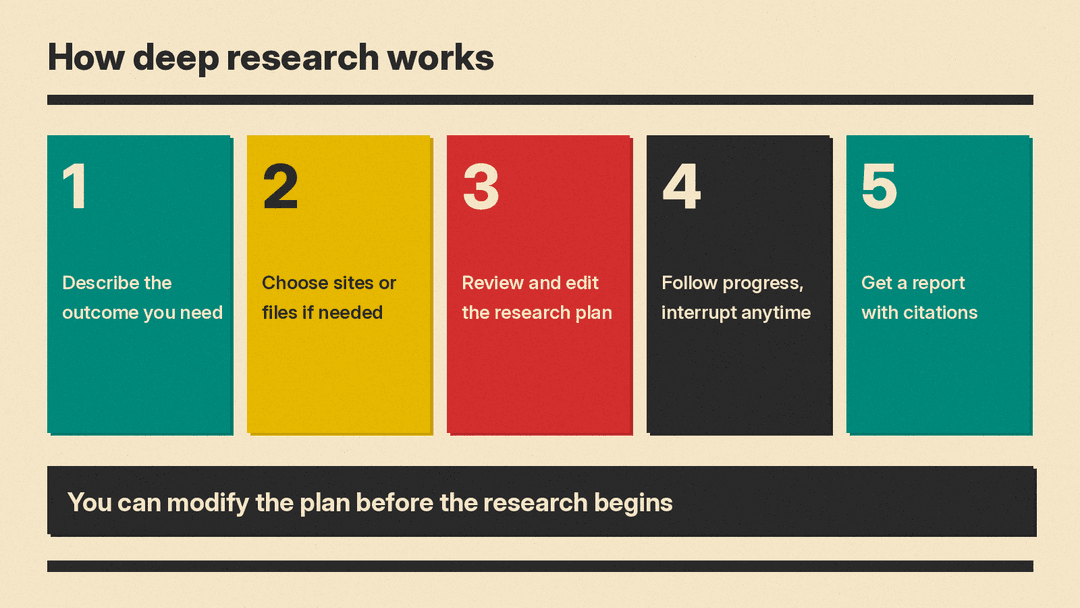
OpenAI lays out the process in five steps:
- You describe the outcome you need.
- You choose websites or uploaded files when needed. Eligible connected apps are available automatically when their permissions and workspace settings allow.
- ChatGPT creates a proposed research plan. You can review and modify it before the research begins.
- You can follow progress as it runs and interrupt at any time to refine the focus, including adjusting which sources it can access.
- You get a structured report with citations or source links so you can verify the information.
The plan step is easy to skip, but it is worth reading. Before any research starts, you can see what ChatGPT intends to look into and change it. If the plan is heading somewhere you did not mean, fixing it now is easier than rerunning the whole task. OpenAI also notes that ChatGPT may ask clarifying questions to confirm your goals before it begins.
When to use it, and when not to
OpenAI's advice is simple: use deep research "for multi-step or in-depth questions that require combining and analyzing information from multiple sources, especially when you want explicit control over which sources are used." For quick lookups or short conversations, the help page says standard chat may be faster.
The FAQ draws the same line between deep research and search:
- Search is for quick facts. It pulls recent web information and returns a short summary with links.
- Deep research is for depth and thoroughness. It takes more time to read and analyze many sources, then produces a detailed, documented report.
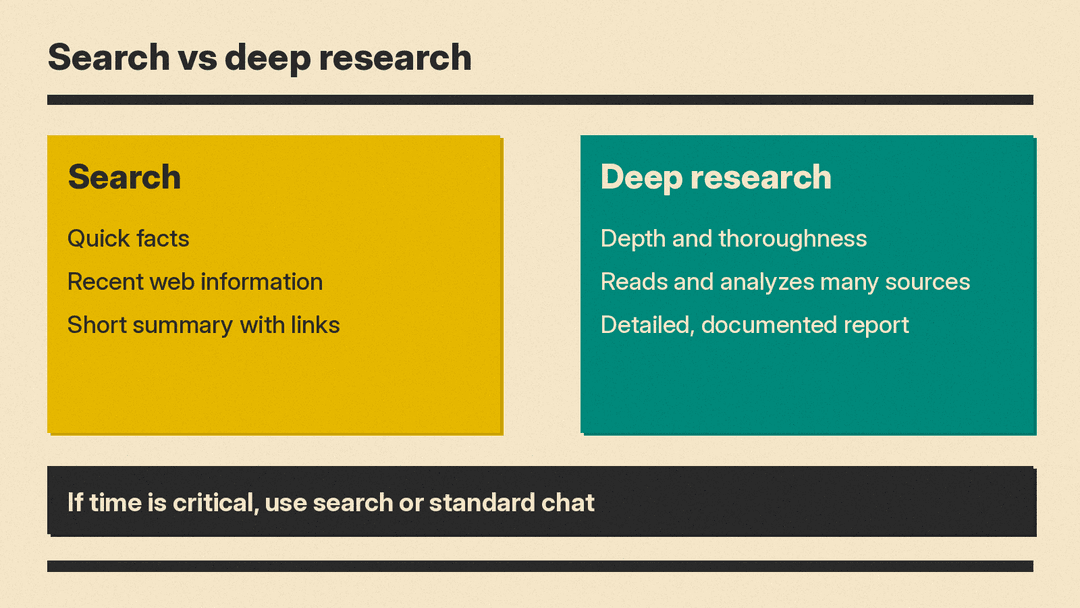
If you need an answer right now, OpenAI says to use search or standard chat and "save deep research for in-depth analysis."
Some everyday examples of questions that suit deep research better than a normal chat (these are our examples, not OpenAI's):
- Comparing several products or services across features and reviews before a big purchase
- Pulling together what different sources say about a topic for a school or work report
- Summarizing a set of documents you upload, and checking them against what is published online
- Researching a local market, a company or an industry before a meeting
The common thread is that the answer has to be assembled from many places, and you want to be able to check where each piece came from.
How to start a deep research task
OpenAI lists three ways to start:
- Type
/Deepresearchdirectly in a ChatGPT prompt - Select Deep research from the tools menu (+) in the prompt window
- Select Deep research from the sidebar menu
Then write your prompt. OpenAI's guidance is that a good deep research prompt "clearly describes the question, desired outcome, and any relevant constraints."
A practical way to apply that is to cover three things in your request:
- The question. What do you actually want to know?
- The outcome. What should the finished report help you do, such as decide, compare or explain?
- The constraints. Which regions, sources, or kinds of information matter, and which should be left out?
For example, rather than "research electric bikes," you might write: "I'm choosing an electric bike for a 10 km city commute. Compare popular commuter models on range, weight and maintenance, and focus on independent reviews. I want a short list I can test ride." The more of your real situation you give, the better the proposed plan will match it.
Choosing your sources
By default, deep research can access the public web and files you upload. You can narrow or widen that.
Specific websites
To focus on particular sites, OpenAI says to go to Sites > Manage sites in the ChatGPT prompt window. You then have two choices:
- Restrict research to only the websites or domains you enter
- Select Prioritize these sites, but allow full-web search, which emphasizes the sources you picked while still searching the broader web
You can enter several websites as a comma-separated list. This is useful when you trust a few sources more than the open web, for example official government pages, a set of trade publications, or your own company's site.
Uploaded files
Files you upload are one of the default sources. If you work with documents in ChatGPT already, our guide to ChatGPT file uploads and data analysis covers how uploads work in general.
Connected apps
Deep research can also use supported connected apps and data services available to your account. OpenAI says that, depending on your plan, region, workspace settings and the app's capabilities, these can include document stores such as Google Drive or SharePoint and authenticated industry data services.
There are some conditions worth knowing:
- An app must be available for deep research and enabled for your workspace and role when applicable.
- When an app requires individual authorization, you need to connect an account that can access the information you want to use.
- App connections do not override provider permissions or workspace restrictions.
- Not every app or plugin supports deep research. OpenAI says an app being available in ChatGPT does not, by itself, mean it is available for deep research.
- Deep research uses available read actions from connected apps. OpenAI says it does not use app write actions as part of research.
That last point matters for peace of mind: during research, deep research reads from your connected apps rather than making changes in them.
If an app you expected is missing from the list of sources, OpenAI points to its troubleshooting guide for apps in ChatGPT.
Steering research while it runs
You are not locked in once a task starts. According to the FAQ, you can:
- Edit the research plan before it starts
- View progress in real time
- Interrupt the research to adjust focus
- Update which sources the research can access
So if you see the task chasing a side topic, or you realize a key site is missing, you can step in rather than waiting for a report that misses the point.
Reading and downloading the report
Every deep research output includes citations or source links. Completed research opens in a fullscreen report view with:
- A table of contents for navigating long reports
- A sources used section for reference checking
- An activity history showing how the research progressed
You can download completed reports in formats including Markdown, Word and PDF.
Citations are there so you can verify the information, and it is worth doing that for anything you plan to rely on. Open the sources behind the claims that matter most to your decision, and check that they say what the report says they do. The activity history also shows how the research progressed. OpenAI's February 2025 launch post for deep research also warned that it can sometimes hallucinate facts or make incorrect inferences, and may struggle to tell authoritative information from rumors.
Models, usage limits and availability
OpenAI says deep research is powered by the latest model by default. If you prefer, you can choose a legacy model for a deep research task.
Usage depends on your plan. OpenAI does not list fixed numbers on the help page; instead, an in-product usage counter shows your remaining tasks. For plans with a fixed monthly allowance, the help page says it resets every 30 days from the date of your first use.
Deep research is not available everywhere. The FAQ says availability depends on your plan and your country or territory.
Privacy and how long results last
Conversations that use deep research follow the same data handling and privacy settings as regular ChatGPT conversations. You manage retention and training preferences in your data controls. Our guide to ChatGPT data controls and opting out of model training walks through those settings.
Deep research results follow the retention policy for the conversation, including any workspace retention settings. Deleting the chat also deletes its associated deep research outputs under that policy. If you want to clear out old chats, see our explainer on Temporary Chat, locked chats and deleting chats in ChatGPT.
For Enterprise and Edu workspaces
For organizations, OpenAI notes a few extra points:
- Admins control access to deep research through role-based access control (RBAC).
- Deep research respects workspace app enablement, role access and connected-account permissions.
- An app appears as a research source only when it supports deep research and is available to the account and workspace. Enabling an app for a workspace does not guarantee that the app supports deep research, or that every member can access the same provider content.
- Deep research activity is detailed in the Conversation API, along with the conversation where the task was started, for compliance purposes.
Tips for better results
These follow directly from how OpenAI describes the tool:
- Pick the right tool. Use search or standard chat for quick questions. Save deep research for questions that need many sources.
- Say what you want at the end. Describe the outcome and constraints, not just the topic.
- Read the plan. Edit it before research begins if it misses something.
- Control the sources. Use Manage sites to restrict or prioritize sites you trust, and upload any files the research should include.
- Watch and steer. Check progress and interrupt to adjust focus if the task drifts.
- Verify before you rely on it. Use the citations and the sources used section to check key claims.
The bottom line
Deep research is ChatGPT's tool for work that would normally take hours of reading. You describe what you need, review a plan, and get back a cited report you can check and download. It is slower than a normal chat by design, so use it when depth matters more than speed, and use the plan, source controls and citations to keep the result on track.
