
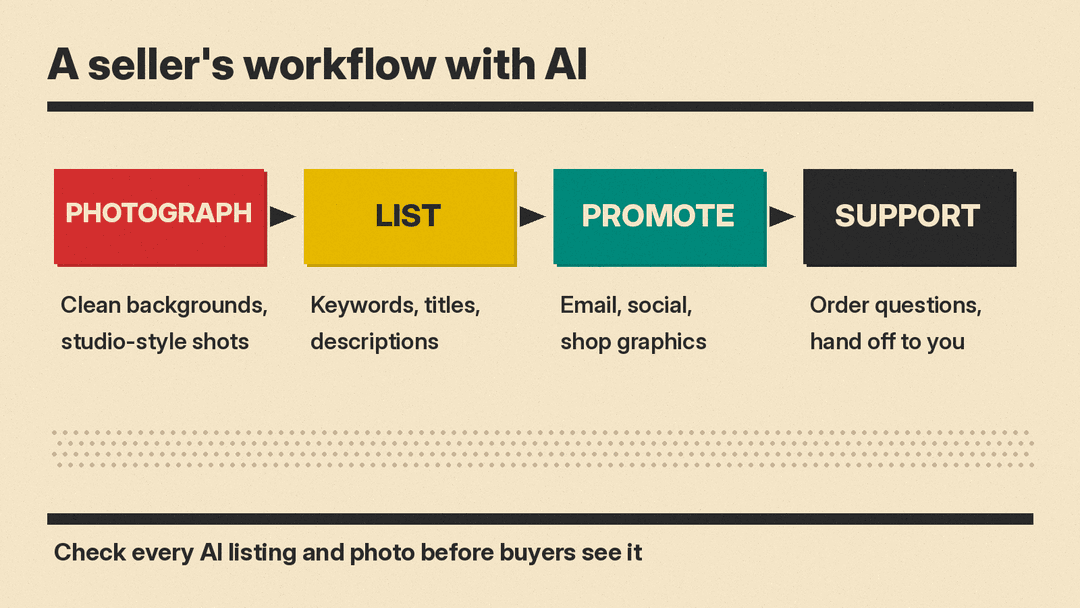
Running a small online shop means doing a dozen jobs yourself: product photos, listing copy, search keywords, email, customer questions, and the store itself. Each of the seven tools below now includes AI features, so the practical question is which tool's AI saves time on the job that eats your week.
This guide covers seven real tools, grouped by job. Features below are as described on each vendor's own pages when we checked them in October 2026. Plans, credits and features change often, so check the vendor's site before you sign up. We do not list prices here. For the wider marketing stack, see our best AI tools for marketers guide, and for posting and scheduling, our best AI tools for social media managers guide.
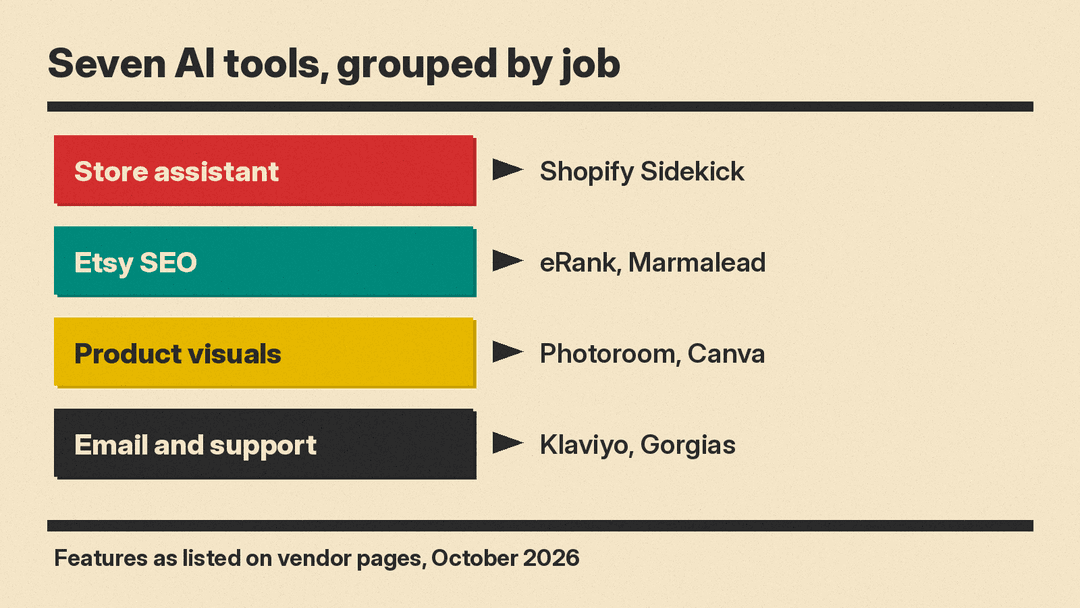
The store assistant: Shopify Sidekick
If you sell on Shopify, start with the AI you already have.
Shopify Sidekick
Sidekick is Shopify's AI assistant inside the Shopify admin. Shopify calls it "Your AI Shopify expert." To open it, Shopify says you click the purple glasses icon in your admin, with "No setup, no configuration."
Shopify's page lists popular prompts to get started. They include writing product descriptions for SEO, analyzing pricing, creating social media content for products, a weekly performance summary, setting up discounts, building an email campaign, low stock alerts, organizing products into collections, optimizing ad spend by channel, and auditing shipping settings. Shopify also says Sidekick can upgrade phone photos to studio shots and can generate images with transparent backgrounds.
Two details matter for sellers. First, Shopify's FAQ says Sidekick "is included with your Shopify plan," and that features and usage limits vary by plan. Second, Shopify says Sidekick "has direct access to your Shopify data" and can take action in your admin. Each staff member can use it only within their own admin permissions, so a part-time helper does not see more than you already allow.
Good for: any Shopify seller. Shopify says it needs no setup, and it works with your store data.
Etsy SEO tools with AI
On Etsy, buyers find you through search, so titles and tags matter. These two tools focus on Etsy keyword research and now add AI on top.
eRank
eRank is an Etsy SEO tool that says it is "Trusted by over 2,500,000 Etsy sellers." It covers keyword research with options for countries around the world, competitor analysis, trend tracking of trending products and seasonal searches, and listing optimization tips. You connect your Etsy shop so eRank can analyze your listings and sales. eRank's help pages list an AI Listing Helper that generates titles, descriptions and tags, and a Health Check that flags listings with missing key components, potential spelling issues or one-word tags.
eRank lists a Free plan alongside paid plans, so you can try the keyword tools before you pay.
Good for: new and growing Etsy shops that want keyword data and a listing checkup in one place.
Marmalead
Marmalead describes itself as "Etsy SEO, powered by AI." Its AI shop coach, Marma, answers questions using your shop stats and Marmalead's Etsy market data, and Marmalead says it can help with writing titles and tags and breaking down keyword trends. Other features include search volume and engagement estimates for the next 30 days, seasonality with over 12 months of history and a 3 month forecast, letter grades for your shop and each listing, and AI Authoring to draft and improve listings. Marmalead also lists AI Insights that read Etsy product reviews to show what customers care about.
Good for: established Etsy sellers who want deeper keyword forecasts and a coach that knows their own numbers.
Product photos and visuals
Good photos sell products. These two tools turn quick phone shots into clean listing images and marketing graphics.
Photoroom
Photoroom is an AI photo editor built for e-commerce. Its features include a background remover that it says is trusted by 80M+ users, AI product photography that generates studio-style shots from an uploaded product photo, a brand library for colors, logos and fonts, instant resize, video templates for Reels, TikTok and Stories, and batch editing across many images at once. For Shopify sellers, Photoroom says you can publish edited images directly to Shopify.
Photoroom also publishes guides on fixing inaccurate AI product images, which is a useful reminder: check that colors, logos and textures in an AI shot still match the real item.
If you shoot your own product photos and want AI help with culling, editing or retouching, see our guide to the best AI tools for photographers.
Good for: sellers who shoot on a phone and need white backgrounds, lifestyle scenes or many images edited the same way.
For step-by-step instructions in Canva, Photoshop, Adobe Firefly and on iPhone, see our guide on how to remove or replace a background with AI.
Canva
Canva AI lets you describe a design in text or voice and refine it through chat. Canva says it learns your brand's fonts, colors and rules so designs stay on brand, and its small business pitch is to "Launch across every channel from a single idea." Its existing tools include Magic Layers, AI-generated elements, background tools, and resizing a design into new formats, languages and dimensions.
Canva says Canva AI is available to everyone, with a range of AI tools on the Free plan and more usage on paid plans. On commercial use, Canva says you may not have exclusive rights to AI-generated designs, and that you are responsible for checking an AI design is suitable for commercial use. That matters if you plan to print an AI design on products you sell.
Good for: shop banners, social posts, promo graphics, packaging inserts and thank-you cards.
Email marketing and customer support
Once orders come in, repeat buyers and quick answers drive growth. These tools add AI to email and support.
Klaviyo
Klaviyo's K:AI covers email, text, push and WhatsApp marketing plus customer service. Composer turns a goal into a campaign: Klaviyo says it builds the audience, drafts the content and maps the send strategy. When a customer asks where their order is, Klaviyo says Customer Agent can find the order, check the status and send an update. Klaviyo says Customer Agent supports 113 languages. Other AI features include predicted customer lifetime value, churn risk, personalized send times and product recommendations.
On data, Klaviyo's FAQ says it works with service providers like OpenAI and AWS Bedrock, and that external providers are "contractually prohibited from using customer prompts for training." Generative AI features are marked with a sparkle icon, and many of them are optional.
Good for: Shopify brands that want email and text flows, such as abandoned cart and win-back messages, with AI help on content and timing.
Gorgias
Gorgias is a helpdesk with an AI Agent built for e-commerce. Gorgias says its AI Agent is pre-trained on 1B+ conversations, applies your tone, policies and guardrails, and hands off to a human agent with context when needed. Its inbox puts email, chat, SMS, WhatsApp, Instagram and Facebook in one view, with native Shopify integration so you can pull up any order, customer or product without leaving the ticket. Gorgias also lists actions such as cancel, discount or upsell inside the conversation.
Gorgias says it can automate 60% of support. Treat that as the vendor's own figure; your result depends on how many of your questions are routine.
Good for: Shopify stores with enough daily customer messages that a shared inbox and automated answers save real hours.
How to choose
Start with the job that takes the most time, not the longest feature list.
- On Shopify, try Sidekick first. It is included with your plan and already sees your store.
- On Etsy, pick one SEO tool. eRank has a Free plan. Marmalead adds a 3 month keyword forecast and an AI shop coach.
- If photos slow you down, add Photoroom for product shots and Canva for everything else visual.
- If repeat sales matter, add Klaviyo for email and text.
- If customer messages pile up, look at Gorgias, or Klaviyo's Customer Agent if you already use Klaviyo.
You may not need all seven. Use free plans and trials to test a real week of work before you commit.
Tips for selling with AI
- Check every listing. AI can get sizes, materials, care instructions and shipping times wrong. You are responsible for what your listing says.
- Keep product photos honest. An AI background is fine, but the product itself must look like what the buyer will receive.
- Use your own voice. Paste two or three of your best listings as examples before you ask AI to write new ones.
- Read the data policy. Before you connect a tool to your shop or paste customer details, read how the vendor handles your data.
- Keep a human on refunds and complaints. Let AI answer routine questions, and handle sensitive ones yourself.
Bottom line
As of October 2026, Etsy and Shopify sellers can use the tools above for photos, listings, email and support. Shopify sellers should start with Sidekick. Etsy sellers should start with an SEO tool such as eRank or Marmalead. Add Photoroom or Canva for visuals, Klaviyo for email, and Gorgias when support volume grows. Let AI do the first draft, and check every fact before it reaches a buyer.
