
Strava subscribers in the US can now connect their training history to Google Gemini and ask questions about it in plain language. Strava announced the integration on October 28, describing it as a connected app inside Gemini that builds on its earlier launch with Anthropic's Claude.
The pitch is simple: instead of scrolling through months of runs and rides, you ask Gemini what changed. The catch, based on an early hands-on test, is that the answers are only as good as the questions you ask and the data the connection actually returns.
What Strava in Gemini does
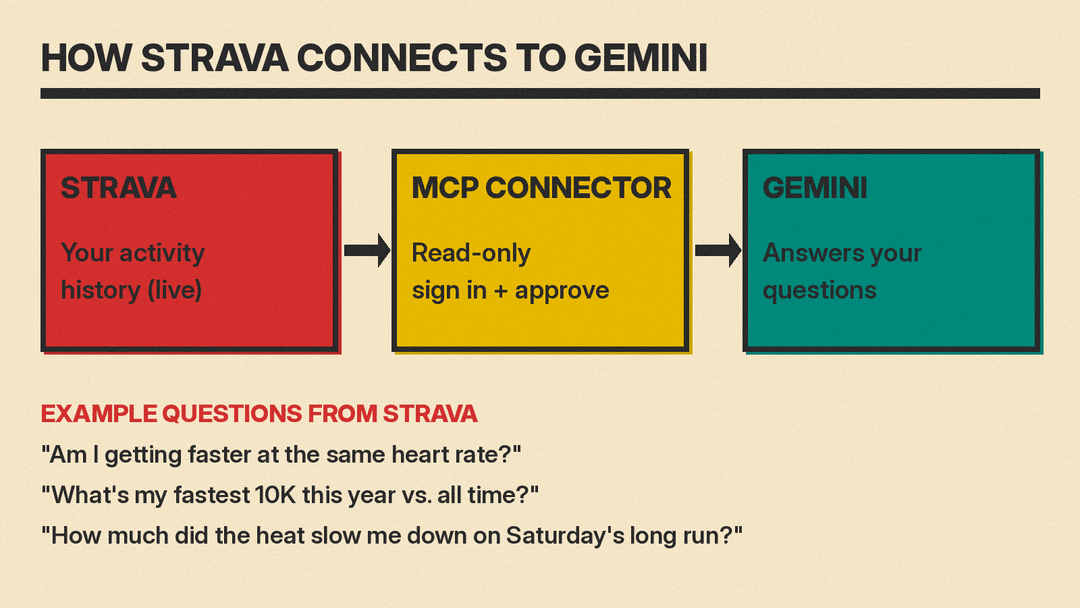
Once connected, Gemini can read your Strava activity history and answer questions grounded in it. Strava's announcement lists example questions, including:
- "Am I getting faster at the same heart rate?"
- "Can you give me a detailed analysis of how I performed in my last race?"
- "How is my strength training impacting my running?"
Strava says a recent update adds more types of questions. Users can compare best efforts ("What's my fastest 10K this year vs. all time?"), check how weather affected a workout ("How much did the heat slow me down on Saturday's long run?"), and look up streaks. According to Strava, the temperature, humidity, wind and conditions from an activity "are now part of the picture."
Who can use it
The details come from Strava's help center article on AI assistants:
- Region: At launch, connecting Strava to Gemini is only available in the US. Strava says it is "working on bringing it to more countries soon."
- Strava plan: You need a paid Strava subscription. The help center lists the standard subscription, the Strava + Runna bundle, the Family Plan, the Student Plan, and military, educator and medical discounts.
- Gemini plan: Strava's announcement says the integration is available to its subscribers "across all Gemini plans."
- Rollout: The announcement says it is "rolling out in the US beginning today," so not every account may see it yet.
How to connect it
Strava's press release says to open Personal Intelligence in Gemini, select Strava under connected apps, sign in with your Strava account, and authorize the connection. The help center describes the same flow with different menu names: open Gemini, select Customize in the sidebar (under More if you don't see it), then Connectors, find Strava and select Add. On the mobile app, Strava says to tap Inactive if Strava is not in the list.
You can also start from Strava. On Strava.com, go to Settings, then MCP. In the mobile app, tap You, then Settings, then AI Assistants.
To disconnect, Strava says you can use the More options menu next to Strava in Gemini's Connectors, or revoke access under My Apps on Strava.com.
What it can and cannot do with your data
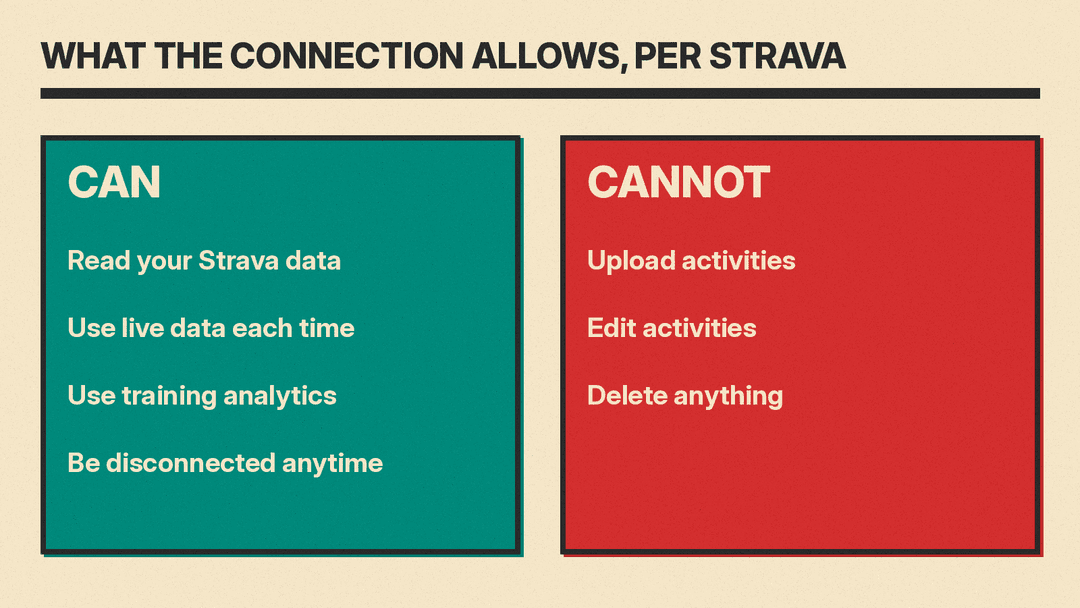
Strava stresses that the connection is optional and read-only. In its words, "Your AI assistant can read your Strava data to answer your questions, but it can't upload, edit, or delete anything."
Under the hood, this runs on Strava's MCP connector. MCP (Model Context Protocol) is an open standard that lets AI assistants call outside services. Strava describes its connector as a remote server that gives subscribers "conversational access to their activity data via AI assistants," and says it also exposes subscription features such as training analytics outside the Strava app or website for the first time. Answers come from live data each time you ask, not a one-time export, so there is nothing to re-upload.
Lifehacker's hands-on adds a detail the announcement does not. The writer reports that the consent screen says Gemini will access workout activities, performance metrics, training plans, gear, clubs and profile info, and that parts of your conversation, plus your name and email, may be shared with Strava under its privacy policy. That is worth reading before you tap authorize.
How well it works so far
Lifehacker's tester, a marathon runner, came away mixed. Asked whether she was getting faster at the same heart rate, Gemini said yes and only accounted for hotter September weather after she raised it herself.
The bigger issue was history. When she asked for every marathon-distance effort since 2019, Gemini found one, though she says she has logged at least eight. Gemini told her its access was limited to roughly summer 2026 onward because of how the connection pages through past activities. Specific dates and locations worked better, but other answers did reference older races, so the reach seemed uneven. Her advice was to query older date ranges as specifically as possible and double-check any numbers that matter.
She also found the coaching advice sound but generic, often the same conventional wisdom a runner may already know. She did credit Gemini with pulling data faster than she could by hand and suggesting useful comparisons.
Why it matters
The launch lands in the same week Google opened Gemini and Search to more developer apps. Strava's integration follows the same pattern as Suno's MCP connector for Claude, ChatGPT and Gemini: a company builds one MCP server, then plugs it into several assistants. Strava did Claude first (since June 2026, per its help center) and now Gemini, and says it is "looking at adding more AI assistants in the future."
Google has also been adding personal context to its AI elsewhere, such as Chrome's new option to fill forms using details from Gmail. For Strava, it is a feature reserved for paying subscribers. For runners, the practical takeaway is narrower: treat it as a fast way to pull and compare your own numbers, then check anything that sounds too flattering.
