
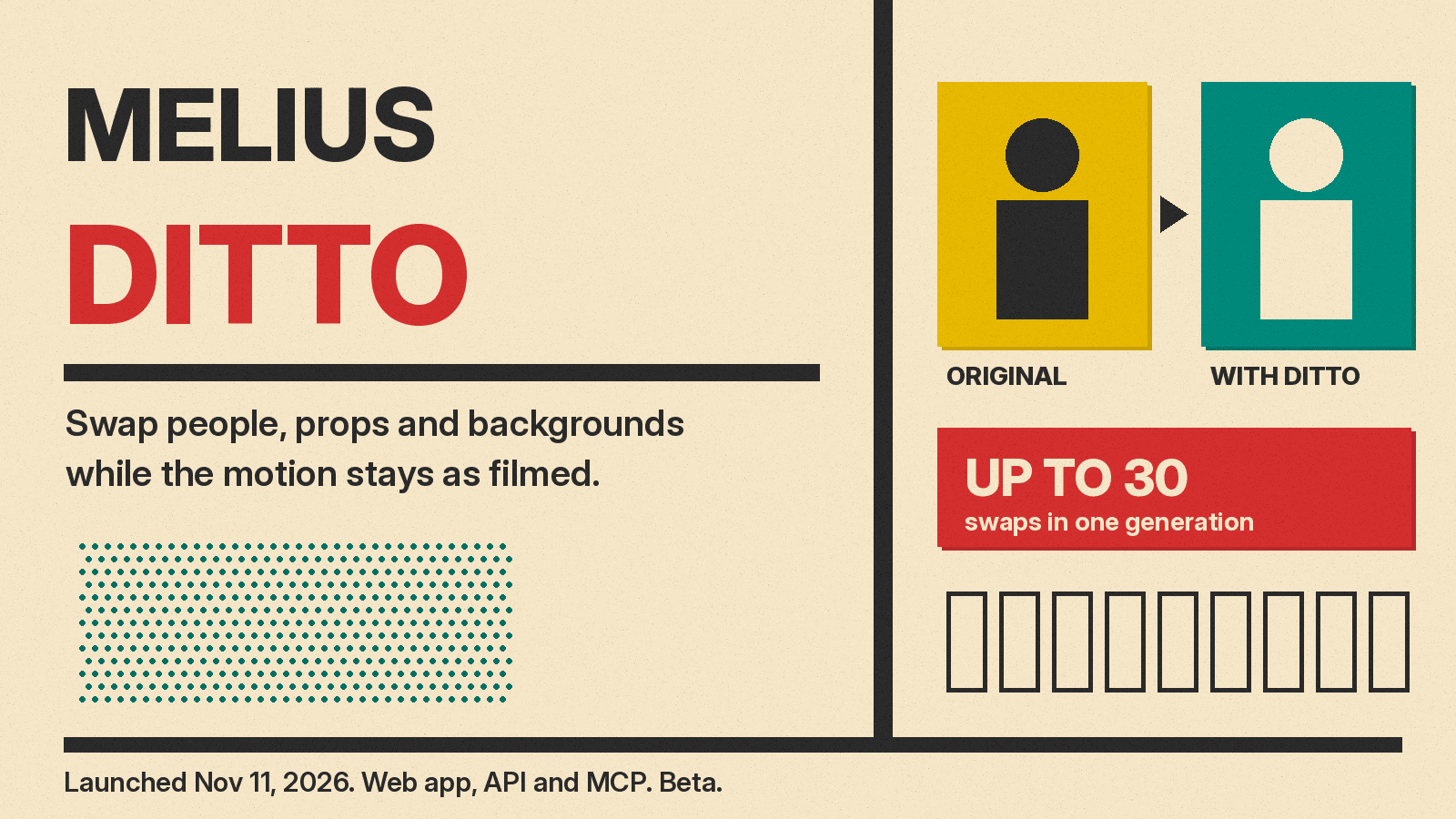
Melius has launched Ditto, a video tool that recasts a clip you already have. You pick a video, choose who or what to replace, and Ditto swaps the people, props or background for an avatar, a photo or a new scene. The motion, the camera moves and the timing stay as they were filmed.
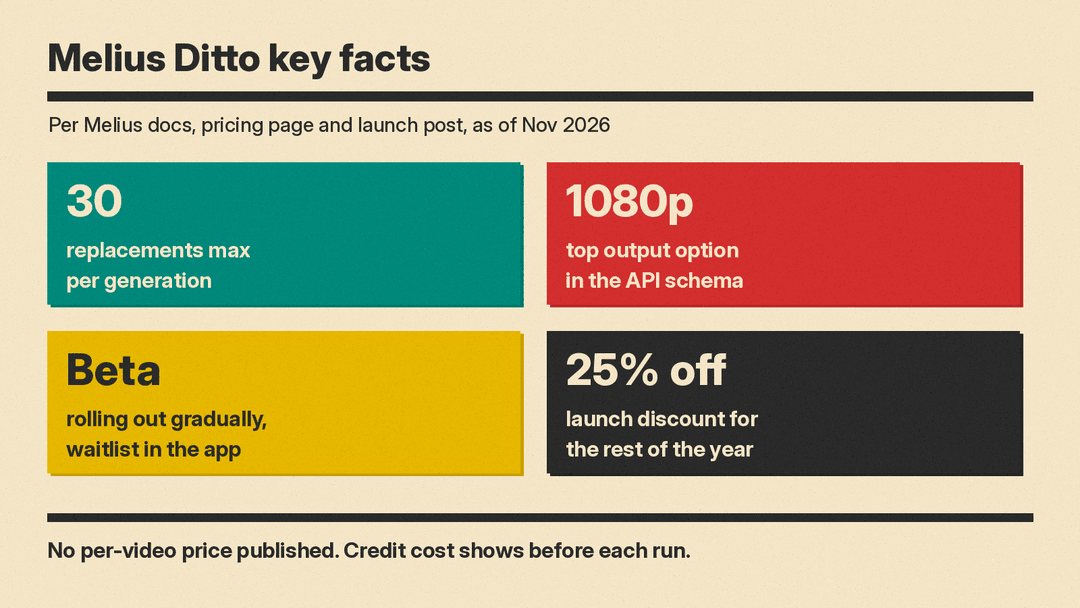
Melius CEO Joowon Kim announced Ditto on X on November 11 as "The Swap Anything Tool". The post says it is available in the Melius app interface, through the API and through MCP, so AI agents can call it too. It also says Melius is running 25% off "for the rest of the year" to mark 11/11.
The pitch is aimed at short-form creators and marketers: take a trending clip or an ad that already works, and remake it with a new face, product or setting.
What is Melius Ditto?
Melius calls itself "the AI-native operating system for creatives": you describe what you want, and its agent, Mel, picks the model and runs the workflow for images, video and audio. Ditto is one tool inside it. The Ditto product page defines it simply: it "swaps the people, things or background in a clip for an avatar, a photo or a new scene, and keeps the original motion, camera movement and timing."
The headline number is scale. Per the Ditto API docs, one request can carry up to 30 replacements, and they are all applied together in a single generation, with one price and one output video. That means you could swap two dancers, a mug on a desk and the whole room in one pass, rather than stacking edits clip by clip.
Kim's post says Melius did not just wrap an existing model. In his words, Melius built "our own video processing pipeline that uses both generative media and good old fashioned transformation software". Melius has not published details or benchmarks for that pipeline, so treat quality claims as the company's own until independent tests appear.
How Ditto works
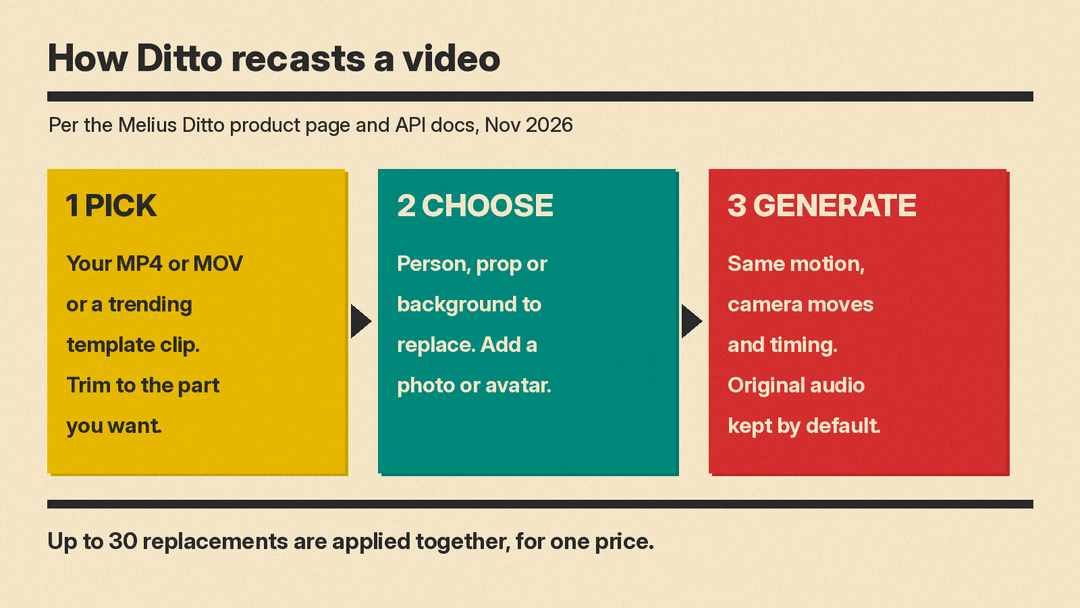
The product page lays out three steps:
- Pick a video. Upload your own MP4 or MOV clip, or start from a trending video in the Melius template library. You can trim a longer clip to the part you want to recast.
- Choose who and where. Select the person, object or background to replace, and give Ditto a reference photo or one of your avatars. A background swap moves the whole shot to the new scene, alone or together with new people.
- Generate. Ditto renders the new video "with every move, camera turn and beat of the original", per Melius.
The product page shows the kinds of uses Melius has in mind: a new person in every outfit change, a new customer in a barber's chair, a street dance rebuilt as a blocky game, and a green-screen phone call turned into a retro console cutscene. So Ditto handles both realistic recasting and full style changes.
What the API and MCP add
Ditto is not only a button in an app. The API documentation shows how a developer or an agent drives it:
- Targets. Each replacement names a reference image or avatar and a target kind: character, prop or background. A short text description says what to replace, such as "the mug on the desk". It is optional for characters but required when you swap two or more props or two or more backgrounds.
- Avatars. You can cast your team's own custom avatars or curated avatars made by Melius, instead of uploading a photo.
- Audio. The original soundtrack is kept by default. You can choose to mute it instead.
- Cost cap. A
maxCreditsfield sets the most a video may cost. If the price is higher, the request is refused and nothing is charged. - Resolution. The API schema lists output options from 480p up to 1080p, depending on the model. Each model also has a source length limit, and the API tells you when a clip is too long.
The MCP route matters because it lets assistants such as Claude or ChatGPT run Ditto from a chat. This fits a wider trend of video tools opening up to AI agents, which we covered when Luma and Runway shipped MCP and coding-agent plugins.
Availability and price
Ditto is in beta. The API docs say it is "rolling out gradually", and a team outside the beta gets an error from every Ditto endpoint until it joins the waitlist in the app.
Melius has not published a per-video price for Ditto. The app shows the credit cost before each run. As of November 2026, the Melius pricing page lists a free tier with limited trial credits and a Creator plan at roughly $17 to $20 a month (the lower figure is for annual billing) with 20,000 credits, which Melius says is about 15 videos. Higher plans add more credits. How many Ditto runs a plan buys will depend on the model, the length and the number of swaps.
How it compares
Recasting existing footage is a busy niche. Viggle recently shipped a similar idea with open LoRAs, covered in our look at Viggle Remake. Beeble's SwitchX targets professional VFX work, changing filmed environments while keeping the actor's performance, as in our SwitchX 3.0 post. Melius's own guide to character replacement tools also names Magic Hour, Higgsfield Character Swap and Luma Ray3 Modify.
Ditto's angle is breadth in a single pass: many people, props and a background at once, plus a template library of trending clips and agent access through MCP.
Why it matters, and what to watch
For marketers, the appeal is speed. Diego.exits, an e-commerce founder, put it plainly on X: once you have an ad that already sells, a tool like Ditto lets you "re-skin it: new product, new avatar, new background." Remaking a proven clip is cheaper than shooting a new one.
The same power raises clear risks. Swapping a real person into or out of a video is close to deepfake territory. Melius's safety page says its terms ban "impersonating someone, or using their likeness to mislead people" and intimate images of a real person shared without consent, including AI-generated ones. Practical rules for creators:
- Use your own face, a licensed avatar, or a person who has agreed to it.
- Remember the source clip is still someone's work. Trending videos are not free stock footage.
- Label realistic AI edits where the platform asks for it.
Things to watch next: when the beta opens to everyone, what a typical Ditto run costs in credits, and whether independent tests confirm that motion and identity hold up on hard shots with fast cuts or people passing behind objects.
