
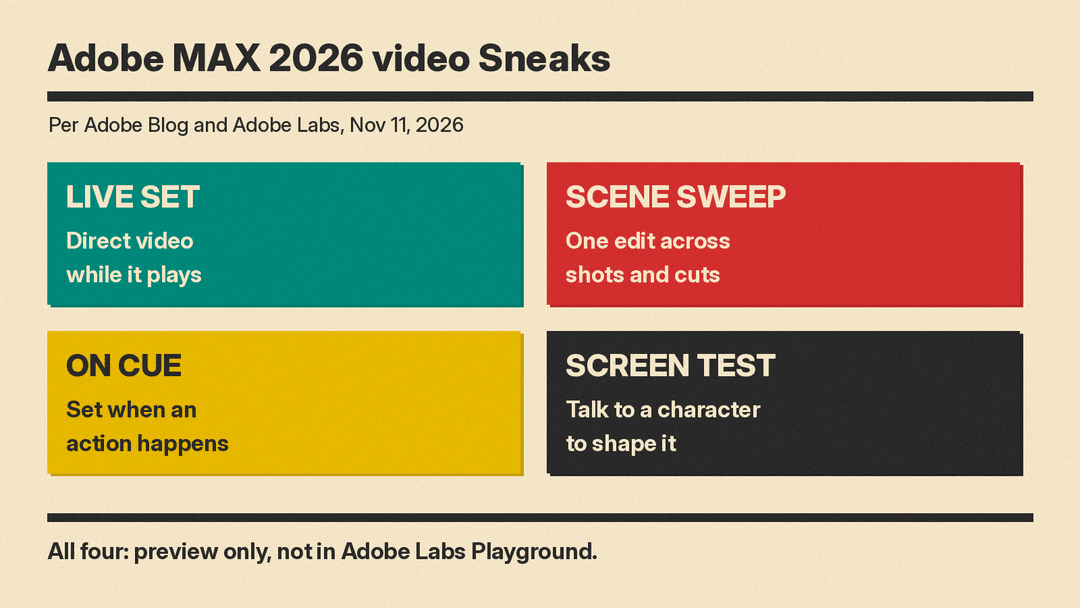
Adobe showed Project Live Set at its MAX 2026 Sneaks session on November 11. It is a research project that lets you direct an AI video while it is still being generated. You can change the prompt mid-shot, swap a subject or an outfit, or move the camera, and the video keeps playing. Adobe also showed three other video research projects: Project Scene Sweep, Project Screen Test and Project On Cue.
None of these tools is a product yet. They are research previews with no release date, no price and no published model details. But together they show where Adobe thinks AI video editing is going: less waiting, more control over shots, timing and characters.
What is Project Live Set?
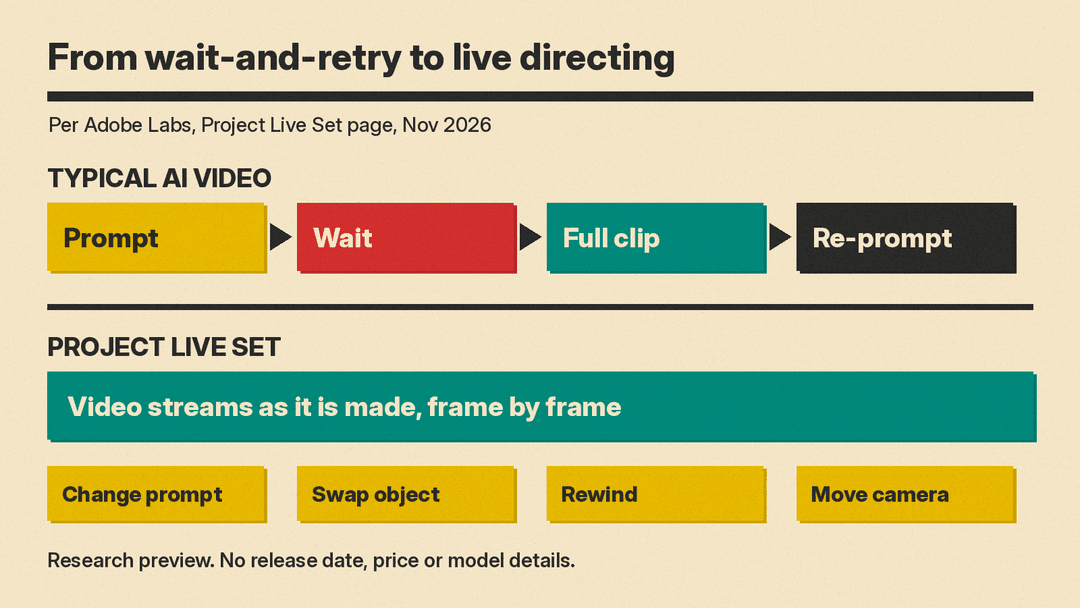
Most AI video tools work like this: you write a prompt, you wait, and you get a finished clip. If the clip is wrong, you change the prompt and wait again.
Project Live Set changes that loop. According to its Adobe Labs page, the video "streams as it's made, so you can change the prompt mid-shot, swap an object or an outfit while it plays, rewind to an earlier moment, and try several versions side by side." Adobe says creators can generate, edit, restyle, add reference subjects, propagate changes and redirect the camera in one continuous experience.
The Labs page lists these uses:
- Real-time directing: pause at any frame to adjust it, or direct the scene live by speaking or prompting while the video streams frame by frame.
- Unbounded video generation: open-ended video that can run as long as a creative vision, an interactive experience or a livestream.
- Interactive worlds: step into a live scene that is generated as you go.
- VTuber and livestream content: generated assets that streamers can interact with, and streams where viewers restyle characters, wardrobes and environments.
- Live video editing: swap products in ads, remove objects, fix artifacts or change backgrounds without recreating the video.
What did the demo show?
Variety reported that the demo used a video of a black cat changed with four prompts at the same time, with the results previewed side by side in the editing window. The four prompts were "add a chef's hat on the cat", "swap the cat with a shiba inu dog", "swap the cat with an alligator wearing a miami shirt" and "swap the cat with a puppy wearing a tuxedo".
Gautham Mysore, who leads Adobe's video and audio research group, told Variety: "Today, a large part of the video creation process is waiting. This breaks creative flow." He also said Adobe is not sharing details about the underlying models at this stage.
Why does real-time AI video matter?
The idea came from film crews. Adobe says its researchers spoke with film teams who value seeing results during a shoot, so they can adjust a take on the spot instead of finding problems later in post-production.
The Labs page is also open about how hard this was. Design choices made while training the model showed up as latency about two months later, once the model ran in the interface. The shift came when the team adapted components from recent research, and the model moved from rendering clips offline to streaming them.
Adobe's product team describes Live Set as "a sketching tool for moving images": a quick draft you could later hand to a more powerful model. That is a useful way to read it. Live Set is not pitched as a final-quality renderer. It is pitched as a fast draft tool, the way a storyboard is a draft for a film.
On the Live Set page, Adobe lists Edit Video in Adobe Firefly as a related tool, which edits existing videos with a text prompt. For what Firefly video does today, see our post on Firefly's Build a Story and clip editor.
Project Scene Sweep: one edit across many shots
Most generative video tools work on one short clip at a time. The Scene Sweep team saw edits that looked good on one clip fall apart once a change had to carry across several shots.
Scene Sweep first analyzes the scene to find where shots change and which people, objects and locations appear in each shot. The edit is then tied to its subject, not to a stretch of the timeline. Adobe says one edited frame guides the result better than a text prompt, and the team trained its own editing model for long-form, multi-shot video.
Adobe's listed uses include removing a person or prop without reshooting, replacing an unlicensed logo in every shot where it appears, adding product placement after the shoot, making variants for different audiences, and recasting a character or moving the story to a new location while keeping the original performance and pacing.
Project On Cue: control when things happen
A video prompt can say what happens, but it is hard to say when. The On Cue page describes "a simple, editable timing signal", drawn as a curve, that sets the moment an action happens, such as a move, a flash or a jump, in both video and audio. Because timing is its own signal, you can adjust the video without rewriting the whole prompt.
Adobe's examples include delaying a character's entrance, placing a footstep or door slam at the exact moment of contact, timing a jump to a drum beat or the start of a chorus, and holding a product reveal until the voiceover names the product. Adobe's own framing is that today's video generators let you control "what" appears, but not much "when" things happen. Until a tool like On Cue ships, the main lever is the prompt itself, as our AI video prompt guide explains.
Project Screen Test: casting an AI character
The Screen Test page says existing tools are good at copying what a character looks and sounds like, "but not who they are." Screen Test lets you give a character a face, a voice and a personality, then talk to it. The conversation builds a personality profile, and that profile guides video generation, so the personality comes through without being written into every prompt.
The Verge described the flow: you start with base traits such as "anxious, shy, awkward", pick or describe a voice or upload sample audio, talk to the character as if on a video call, and then generate animated screen tests in a scene you describe. The project was led by Gabi Duncombe, a former filmmaker and designer, who built the prototype with AI tools.
Can you try these tools?
Not yet. Adobe's Sneaks blog post says Sneaks are research previews, and only two of this year's ten, Project Deep Brush and Project Hands On, are open to try in the new Adobe Labs Playground. Both are image projects. The four video projects are previews only. Each Labs page has a "Get notified" button in case the Sneak becomes available as an experiment, and Adobe takes feedback at labs@adobe.com.
Variety notes that Sneaks are not commitments to future features, but some have reached products before, such as Generate Soundscape in Adobe Premiere and Relight in Photoshop.
What this means for creators
The four projects target the same pain points: waiting for renders, keeping edits consistent across shots, controlling timing, and making characters feel like the same person from scene to scene. These are the gaps that make AI video hard to use for real edits today.
Adobe already ships some of the base pieces. Premiere 27 added generative media in the timeline and an AI Assistant in beta, which we covered in our Premiere 27 guide. If Live Set, Scene Sweep or On Cue reach Firefly or Premiere, they would add directing tools on top of that. For now, treat them as a preview of direction, not a feature you can plan a project around.
Sources
- Adobe Blog: Adobe MAX 2026 Sneaks: Previewing the future of creativity
- Adobe Labs: Project Live Set
- Adobe Labs: Project Scene Sweep
- Adobe Labs: Project On Cue
- Adobe Labs: Project Screen Test
- Variety: Adobe Gives Sneak Peek at Real-Time Generative AI Video Editing Feature
- The Verge: Adobe's AI experiments let you explore photos and interview characters
