
Google has begun rolling out a page inside Gemini called Memory summary. It lets you view, edit, and delete what the Gemini apps understand about you. The rollout was reported by Abner Li at 9to5Google on Nov 9, 2026. Google documents the feature in its Gemini Apps Privacy Hub.
Assistants that remember things between conversations build up details about you from what you share. Memory summary puts what Gemini has kept on one page that you can read, correct, or clear, which makes it a practical privacy check.
What Memory summary shows
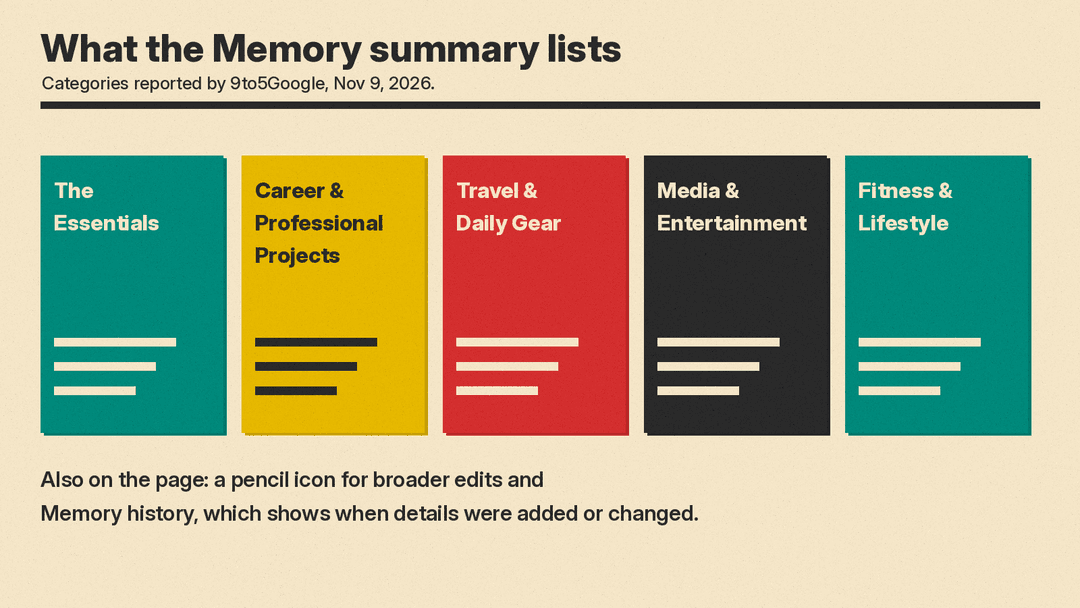
The page is a list of categories, each with several bullet points. 9to5Google lists The Essentials, Career & Professional Projects, Travel & Daily Gear, Media & Entertainment, and Fitness & Lifestyle. The Essentials is described as a "snapshot of your core background, location, and key relationships."
Google's support page says the summary "helps make sure that Gemini Apps responses are accurate and relevant for you." You can also reach the same information by asking Gemini "What do you know about me?"
Two more controls sit on the page, according to 9to5Google. A pencil icon in the top-right corner lets you make broader edits. The three-dot menu contains Memory history, which shows when specific information was added or modified.
How to open it
On the web, the page is under Settings, then Personal Intelligence. It can also be opened directly at gemini.google.com/personalization-settings.
At the time of its report, 9to5Google had not yet seen the page in the Android or iOS apps, though it expects the mobile version to look similar.
Who can use it
According to 9to5Google, Memory summary is officially available to Google AI subscribers using US English who have both Keep Activity and Memory enabled. Google's support page adds that access depends on eligibility and settings. The same page says you can turn memory summary on or off at any time, so it is not a one-way switch.
How to add or remove details
A text field at the bottom of the page is labeled "Add or remove details." You write requests in ordinary language. The examples given by 9to5Google are "Add to my memory that I speak Japanese." and "Remove my old phone number from your memory."
Google says "Gemini may ask follow-up questions if your request is ambiguous to ensure your summary remains accurate." In practice, that means a vague request may prompt a clarifying question rather than an immediate change.
The support page lists three things you can do here: add new details, fix inaccuracies, or delete information. Keep in mind that the summary is not your chat history. Google handles past chats through separate controls, covered below.
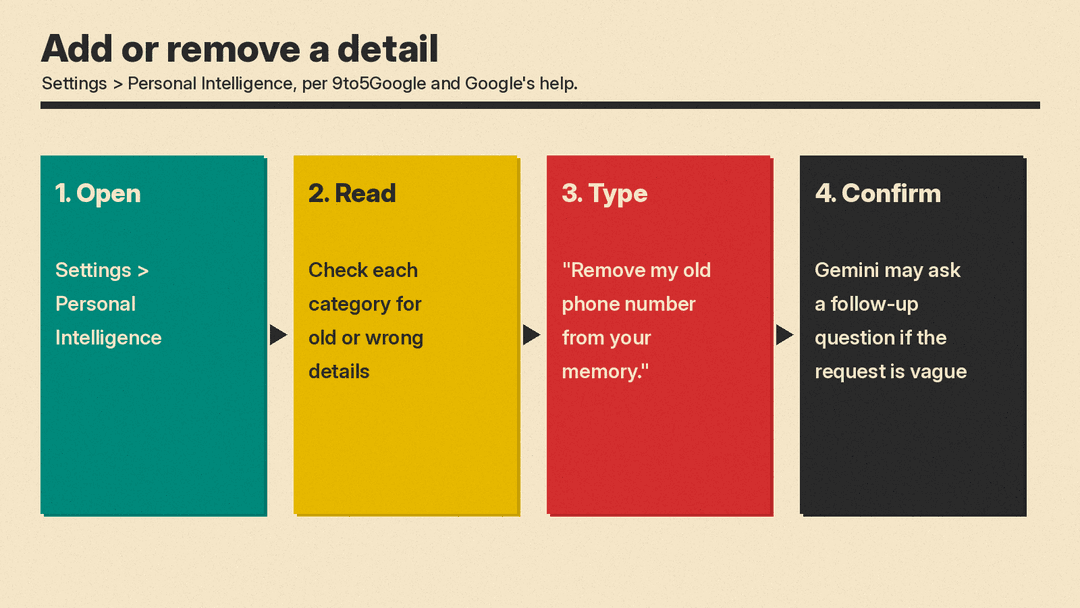 Personal Intelligence, check each category, type a request such as Remove my old phone number from your memory, and answer any follow-up question" loading="lazy">
How it compares with ChatGPT
ChatGPT has a comparable feature, also called a memory summary. OpenAI's memory FAQ describes it as a high-level view of information the assistant may use, and says it does not necessarily include every detail or every source.
When the summary is available, ChatGPT offers several ways to correct it. You can enter a correction in a text field, highlight text to correct it, choose "Don't mention this again", or select "Delete and turn off memory".
OpenAI also sets out limits. Choosing "Don't mention this again" does not delete the original source. "Delete and turn off memory" removes what the summary shows and turns Memory off, but it does not delete past chats. Deleting a chat on its own does not necessarily delete a separate saved memory.
What it does not do
The summary does not replace your chat controls. Google's advice is that to stop Gemini personalizing from a past chat, you delete that chat. If you do not want something remembered in the first place, Google points to Temporary Chat.
Storage rules continue to apply, according to the Gemini Apps Privacy Hub. Temporary chats and chats made with Keep Activity off are kept with your account for 72 hours. With Keep Activity on, chats are saved in your Activity and auto-deleted after 18 months by default. You can change that to 3 months, 36 months, or no auto-delete. Chats that human reviewers have looked at are kept for up to three years, disconnected from your account.
Google's help page also warns that Gemini may use sensitive information you provided in your chats to personalize your experience.
What to do now
- Open Settings, then Personal Intelligence, and read the whole summary.
- Start with The Essentials and correct anything wrong about your location or key relationships.
- Remove details that are out of date, such as an old phone number.
- Use Temporary Chat for sensitive topics you do not want remembered.
- If a past conversation should stop shaping answers, delete that chat in addition to editing the summary.
