
OpenAI says eligible ChatGPT Pro and ChatGPT Business subscribers can claim free API credits as part of their subscription. In its help center article, the company says these subscribers "can claim free API credits as a subscription benefit to build apps and agents with the OpenAI API." The credits go to one API organization that you link to your subscription, and unused credits expire at the end of each billing cycle.
What OpenAI is offering
OpenAI's developer guide, "API credits for ChatGPT subscribers", sums up the offer in four points:
- "Up to $500 per month: Your allowance depends on your Pro plan or your Business workspace's paid seats."
- "Activate once: Receive credits automatically when your subscription renews, while these benefits are available and your subscription is eligible."
- "Use them before your billing cycle ends: Unused credits expire at the end of the billing cycle and don't roll over."
- "No API payment method required: You can use the API with active free credits."
The credits are for the API only. The help center says the grant "does not increase your ChatGPT or signed-in Codex usage allowance, personal usage-credit balance, or Business workspace credit balance." That is a different thing from the Pro plan changes we covered in OpenAI Doubles ChatGPT Pro Work and Codex Usage, which were about usage inside ChatGPT and Codex.
Which plans qualify and how much they get
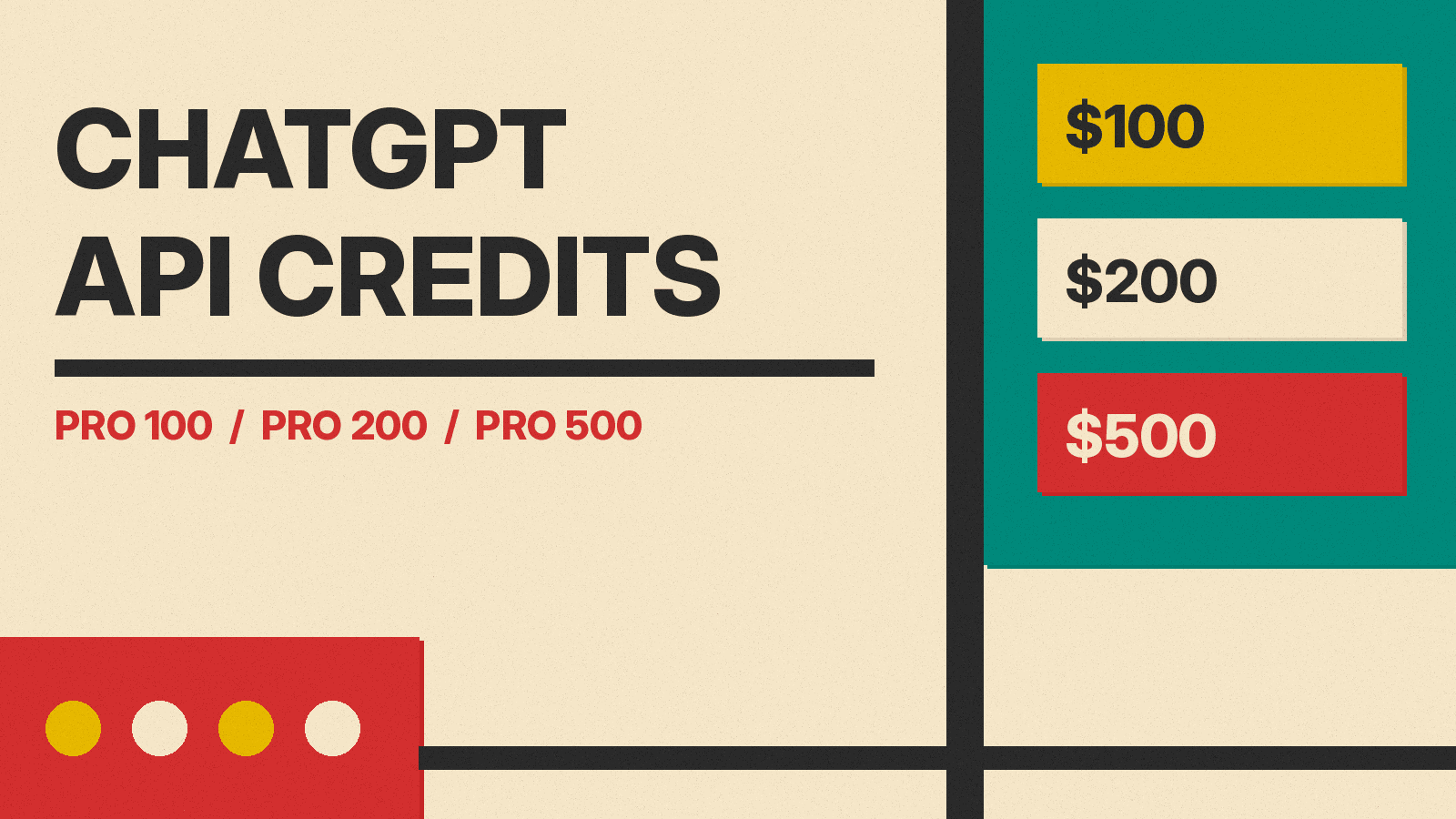
According to the help center article, "The included plans are Pro 100, Pro 200, Pro 500, and eligible Business workspaces with paid Standard or Premium seats." OpenAI lists these full-period API allowances:
- Pro ($100 tier): $100 per monthly billing period
- Pro ($200 tier): $200 per monthly billing period
- Pro ($500 tier): $500 per monthly billing period
- Business Standard seats: $20 per paid Standard seat, pooled for the workspace
- Business Premium seats: $100 per paid Premium seat, pooled for the workspace
- Business workspace cap: $500 total per monthly billing period across Standard and Premium contributions
- Business workspaces billed annually upfront: the full year's grant at once, capped at $6,000 per annual billing cycle
Some plans are left out. The article says "Plus, free trials subscriptions do not qualify for this offer," and "Enterprise, Edu and legacy Codex seats are not established eligible plans or seats for this offer." The developer guide adds that "Free trials and complimentary subscriptions don't qualify."
The help center also says availability depends on the enabled cohort and country. If you do not see the benefit, it says to check the plan, the paid subscription age, the selected workspace and the account email.
The rules before you claim
The developer guide lists three eligibility conditions:
- "Have an active, paid ChatGPT Pro or Business subscription that is at least seven days old."
- "Be an owner of the ChatGPT subscription or Business workspace and an owner of the API organization receiving the credits."
- "Use the same email address for your ChatGPT account and the API account used to link the organization."
The one-organization rule is the part to get right the first time. The help center says: "Choose the intended API organization carefully. One eligible ChatGPT subscription or workspace can link to one API organization, and an API organization can have only one such active link."
How to claim the credits
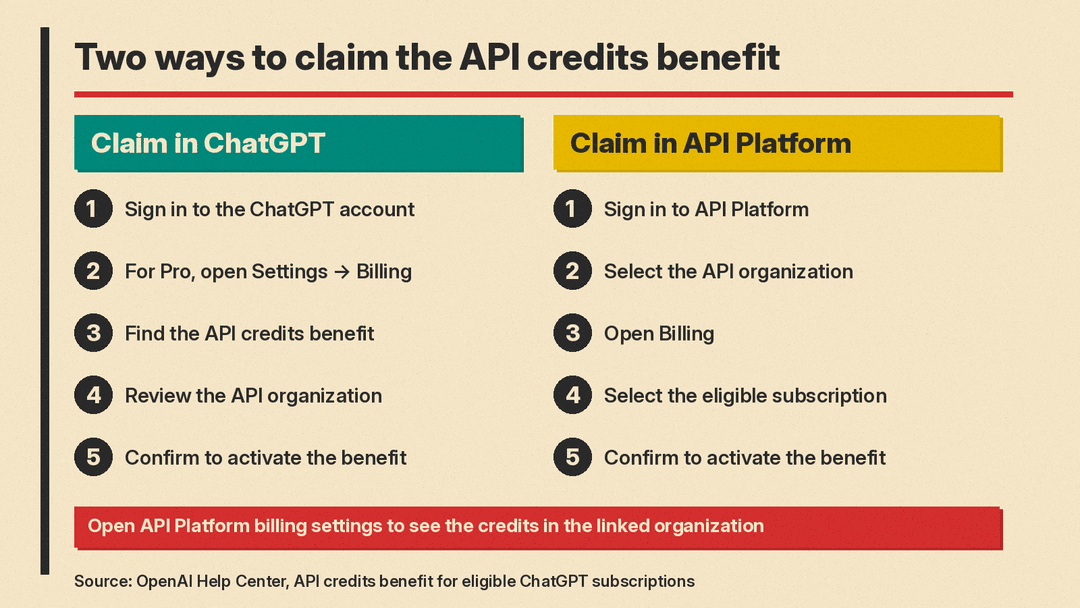
OpenAI's help center gives two ways to claim. Both link the same benefit.
Claim in ChatGPT:
- Sign in to the ChatGPT account that owns the eligible Pro subscription, or select the eligible Business workspace as an owner.
- For Pro, open Settings → Billing in ChatGPT. For Business, open your workspace's billing settings in ChatGPT or the Admin Console.
- Find the API credits benefit and start the claim flow.
- Review the API organization that will receive the credits. If you own multiple eligible organizations, select the one you want to link.
- Confirm to activate the benefit.
- Open API Platform billing settings to see the credits in the linked organization.
Claim in API Platform:
- Sign in to API Platform with the email associated with your eligible ChatGPT subscription.
- Select the API organization you own and want to link.
- Open Billing and find the API credits benefit.
- Select the eligible subscription or Business workspace you own.
- Review the offer and confirm to activate the benefit.
- Open API Platform billing settings to see the credits in the linked organization.
When the credits expire
The help center says "Monthly grants expire at the end of the subscription billing cycle. Unused credits do not roll over." Your first grant is prorated for the time remaining in the paid billing period, and OpenAI notes that "A full-period allowance is not necessarily the amount shown when you claim partway through a period." After activation, "You do not need to claim again at each renewal."
OpenAI also says "The benefit may change or be removed in the future." If you cancel, credits already issued are not revoked, and "they remain usable until the end of the current billing cycle."
What the credits cover
The developer guide says the credits cover "paid API Platform usage billed to the linked organization," including the Responses API, Agents API, Images API and built-in tools such as web search. It also says "Codex usage through API keys is not supported by this benefit." When free credits run out and no purchased credits remain, "API requests fail with HTTP 429 and error code credit_balance_exhausted." For a primer on how API usage is measured, see our explainer on what tokens are and how usage is billed.
