
If you read about AI models for long, you hit the same link again and again: huggingface.co. Labs such as Meta, Mistral AI, Google, Qwen and DeepSeek have published open-weight models there. Demos live there too.
This guide explains what Hugging Face is, what you find on it, and how a non-developer can use it safely to find and run AI models.
What Hugging Face is, in one paragraph
Hugging Face is a company that runs the Hugging Face Hub, a website where people and companies publish AI models, datasets and small AI apps. Its own documentation calls the Hub "the reference AI platform for open ML" and says it hosts over 2 million models, 1.5 million datasets and 1.5 million AI apps, "all open and publicly available," and that private teams also use it (Hub docs). A simple way to think of it: it does for AI models what an app store or a code-sharing site does for software. Anyone can browse, and anyone with an account can upload.
The company also builds open-source tools, such as the Transformers library, which developers use to download and fine-tune models. You do not need any of those tools to get value from the site.
Nvidia has agreed to buy Hugging Face, and the deal is expected to close in the first half of 2027. For the latest on that deal, see our report on the DOJ's questions about it.
The three things on the Hub
Models
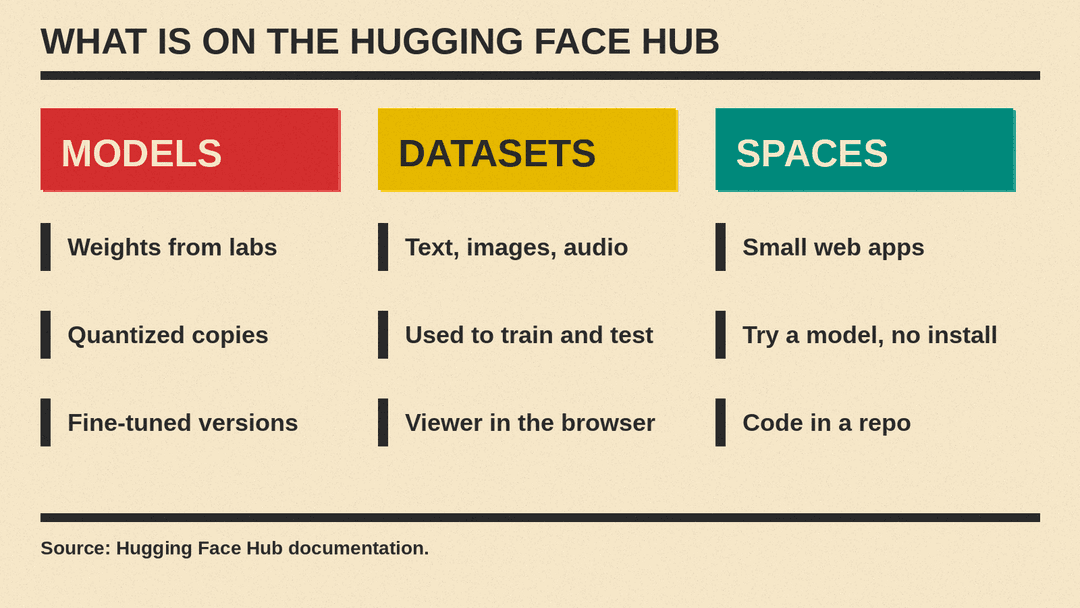
The Model Hub is where model makers "host all of their model checkpoints for simple storage, discovery, and sharing." A model page is a repository, a folder of files with a history of every change. For a language model, the files are mostly the weights: very large files that hold what the model learned.
You will often see many versions of one model:
- The original upload from the lab.
- Community "quantized" copies that are smaller, labeled with codes like Q4_K_M or Q8_0. Local apps load files like these; Hugging Face's own Ollama example uses a Q4_K_M file. Our quantization explainer covers what the labels mean.
- Fine-tuned versions that other people trained further for a task, such as coding or a language.
Datasets
The Hub also hosts datasets, the collections of text, images or audio used to train and test models. Hugging Face says they cover tasks "such as translation, automatic speech recognition, and image classification." Many have a viewer, so you can look at the rows in your browser without downloading anything. If you only want to use models, you can skip this section of the site.
Spaces
Spaces are small web apps that run on Hugging Face. Labs and hobbyists use them to post demos: type a prompt, upload a photo, get a result. For a non-developer, a Space lets you try a model with nothing to install. Under the hood, Hugging Face says each Space stores its code in a git repository.
How to read a model page
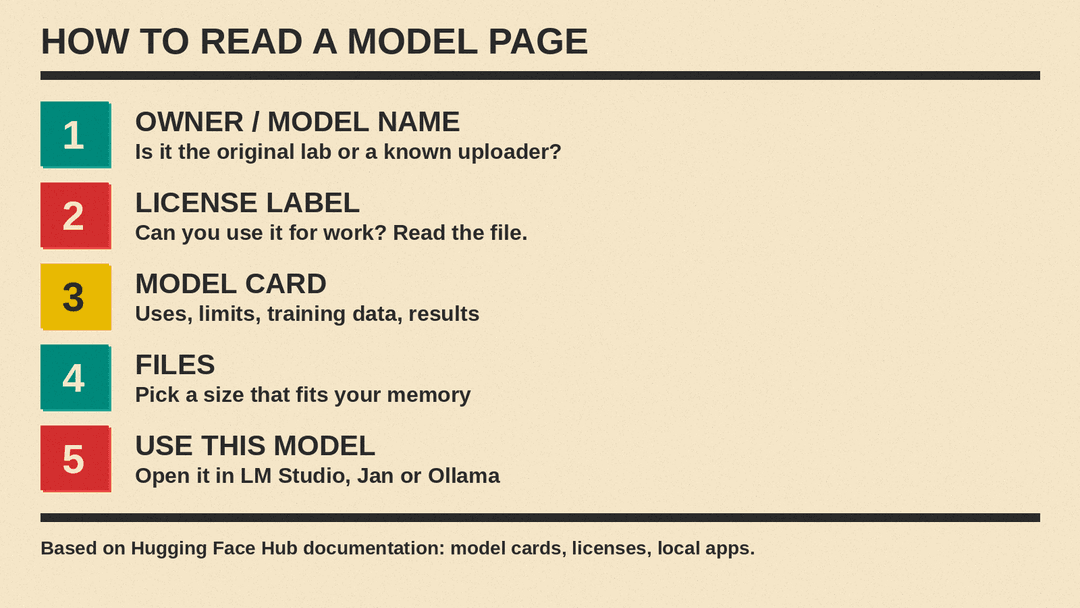
The most useful part of any model page is the model card. Hugging Face describes model cards as "simple Markdown files with additional metadata" that sit in the repo as the README file. A good card tells you:
- What the model is and what it is for.
- Its limits, including known biases.
- How it was trained and on which data.
- Its evaluation results.
Cards are written by whoever uploads the model, so benchmark tables on a card are the uploader's own claims. Treat them as claims to test, not as independent results.
The card's metadata also drives the labels you see at the top of the page, including the license. That leads to the most important check.
Check the license before you use a model
Every repo can declare a license, and the Hub lists dozens of options. They differ a lot:
- Permissive licenses such as Apache 2.0 and MIT let you use, change and share the model, including for business.
- Creative Commons "NC" licenses (for example cc-by-nc-4.0) rule out commercial use.
- Custom licenses written by a company can add their own rules, so read them in full.
Hugging Face's own advice is short: "seek out and respect a project's license." If you plan to use a model for work, read the license file in the repo, not only the label. "Open weights" means you can download the files. It does not always mean you can use them for anything you like.
Gated models: why some downloads ask for your details
Some pages show a form before you can download. These are gated models. The model author has turned on access requests, so you must submit an access request, which shares your Hugging Face username and email address with the author, unless the author chose not to collect it. Some authors approve requests automatically. Others review each one by hand, so access can take time.
Models are not gated by default. Gating is a setting the author turns on, not a sign that something is wrong.
Do you need an account?
To browse, read model cards and try many public Spaces, no. To download gated models or upload your own work, you need a free account. Hugging Face also sells paid plans, such as PRO for people and Team and Enterprise plans for organizations; check its pricing page for current details, since plans change.
Running a model from Hugging Face on your own computer
You do not have to write code. The Hub has a Local Apps feature that connects model pages to desktop tools. You turn on the apps you use in your Hugging Face settings, open a supported model, and pick your app from the "Use this model" menu. Hugging Face lists these among the popular ones:
- LM Studio, a desktop app with a model browser and chat window.
- Jan, an open-source chat app that runs offline.
- Ollama, a simple command-line tool.
- llama.cpp, which Hugging Face describes as a C/C++ library for running LLMs locally.
Hugging Face's docs name four reasons to run models locally: privacy (your data stays on your machine), speed limited only by your hardware, control over settings, and no API bill. The trade-off is that your computer must have enough memory for the model you pick, which is why the smaller quantized files exist. For a step-by-step walkthrough, see our guide to running an AI model on your own laptop.
A few safety habits
Anyone can upload to the Hub, so use the same care you would with any download site:
- Prefer files from the original lab's account or from well-known community uploaders with many downloads.
- Read the model card. A page with no card and no explanation is a reason to look elsewhere.
- Use mainstream apps such as the ones above to load models, rather than running unknown code that comes with a repo.
- Remember that a model's answers can be wrong. Running it locally does not make it more accurate.
Why Hugging Face matters for open AI
Closed models, such as the ones behind ChatGPT, Claude or Gemini, do not offer their weights for download. Open-weight models can be downloaded and run on your own hardware, within the terms of their license. With over 2 million models on the Hub, it is a common place to compare new releases, publish smaller versions, and build on each other's work. For a list of models to start with, see our guide to the best open-source LLMs. If you want to follow open AI, a Hugging Face account and a habit of reading model cards will take you a long way.
