
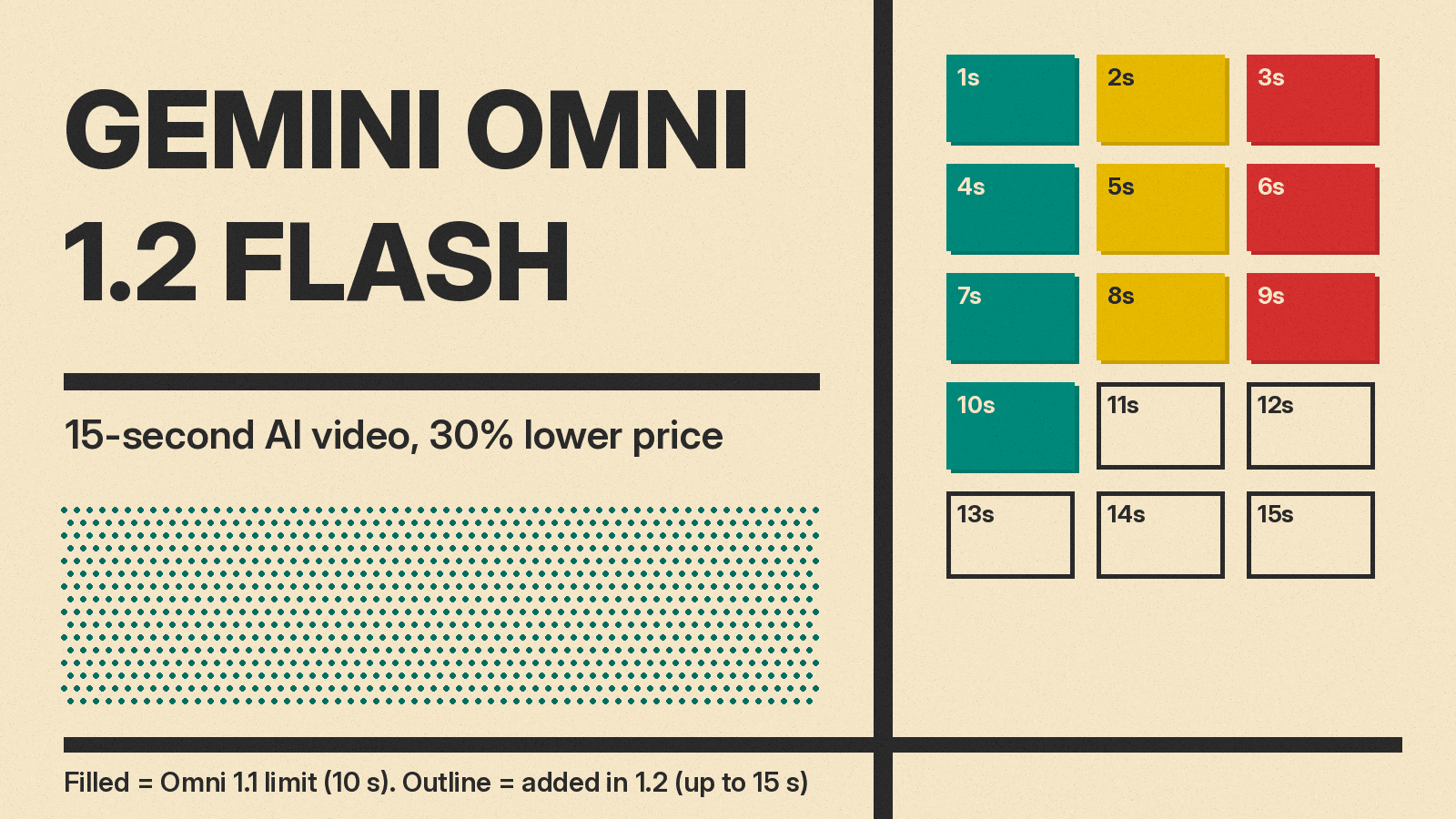
Google has made Gemini Omni 1.2 Flash generally available, its video model for making and editing short clips with sound. The update, announced on November 5, raises the clip limit from 10 to 15 seconds, adds editing over several chat turns, and cuts the price by 30% compared with Gemini Omni 1.1. At 720p, Google puts the cost at about $0.07 per second of video. This post covers what changed, what it costs at each resolution, where you can use it, and what Google says it is still working to improve.
What changed in 1.2
The launch post on Google's blog lists the main changes:
- Longer clips. Clips can now run up to 15 seconds, up from 10 seconds in Omni 1.1. You can set the length in one-second steps from 3 to 15 seconds.
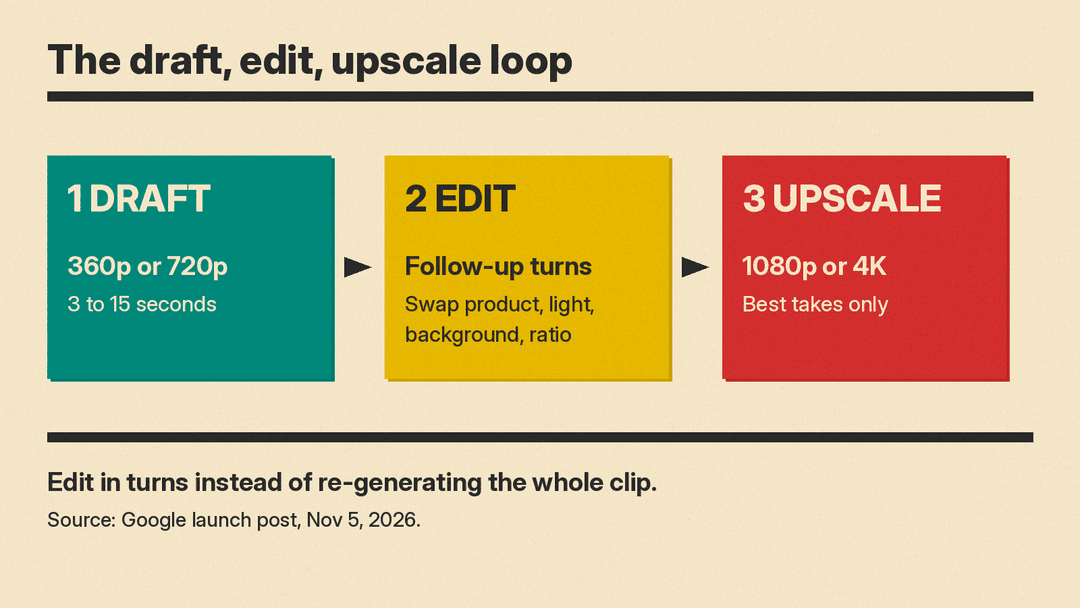
- Editing in conversation. You can change the same clip turn by turn, for example swap a product or background, change lighting or weather, or switch the aspect ratio, instead of starting over. Google says this works across full 15-second clips.
- Better reference following. You can guide a clip with character, product or style images, short motion clips of up to three seconds, and audio cues. Google says faces, garments, packaging text and brand colors stay consistent across camera angles. The Google Cloud blog notes that audio references are gated behind allowlisting.
- More natural speech. Google claims more fluid dialogue, clearer lip-sync and distinct voices when several characters speak.
- Steadier camera moves. Google says complex, continuous moves like FPV flythroughs, zoom-outs and orbits now have fewer unwanted jump cuts.
These quality points are Google's own claims, shown with Google's own demo clips. Google has not published a benchmark table with the launch post, so treat the quality gains as vendor statements until independent tests appear.
If you are new to the model line, our earlier post on Gemini Omni 1.1 Flash and its scene extension and keyframe tools explains the previous version.
What it costs
Omni bills video by output tokens. The Gemini API pricing page lists video output for gemini-omni-1.2-flash at $12.00 per million tokens on the paid tier, down from $17.50 for Omni 1.1. Input costs $1.50 per million tokens for text, images and video. There is no free tier for this model on the Gemini API.
Google's pricing footnote converts that into approximate per-second prices:
- 360p: about $0.023 per second
- 720p: about $0.07 per second, or roughly $0.70 for a 10-second clip and $1.04 for a 15-second clip
- 1080p (upsampled): about $0.104 per second
- 4K (upsampled): about $0.209 per second
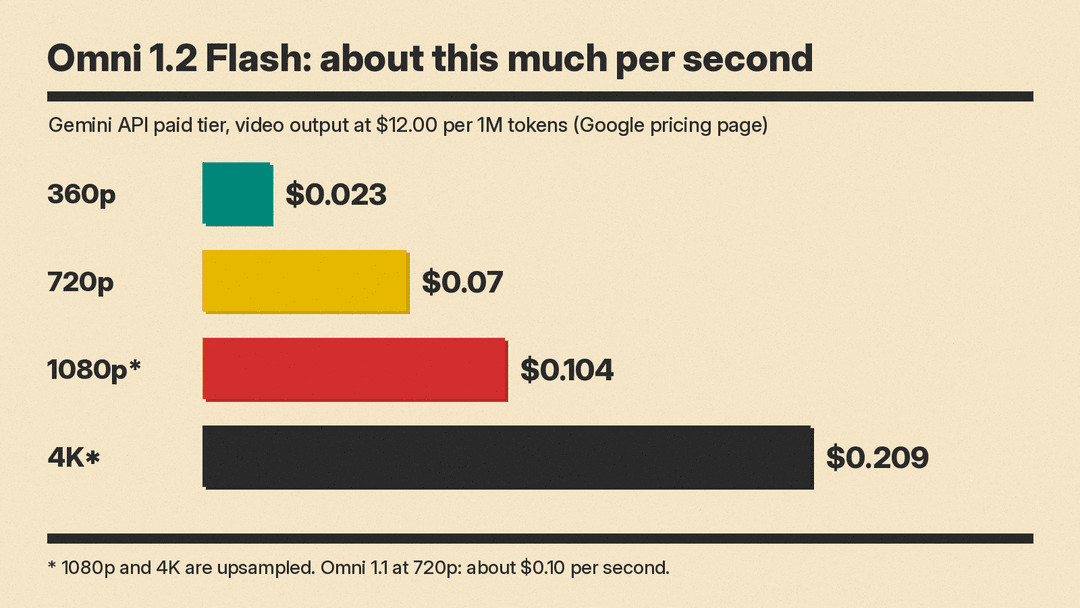
For comparison, the same page puts Omni 1.1 at about $0.10 per second of 720p video. Google says the workflow keeps costs down: draft at 360p or 720p, fix a detail with a follow-up edit instead of re-generating the whole clip, then upscale the best takes to 1080p or 4K.
Specs developers should know
The Google Cloud model page gives the technical limits:
- Model ID:
gemini-omni-1.2-flash, launch stage GA, release date November 5, 2026, with a listed retirement date of November 5, 2027 or later. - Tasks: video from text, from an image, from references, and from first and last frames, plus video editing, extension and standalone upscaling. Sound generation covers speech, music and sound effects.
- Output length: 3 to 15 seconds for generation and editing, and 3 to 10 seconds when you use first and last frames.
- Extension: each extension adds 3 to 10 seconds, joined onto up to the last 30 seconds of the input video.
- Inputs: up to 10 images and up to 3 videos per prompt.
- Aspect ratios: 16:9 and 9:16 only. Resolutions: 360p, 720p, 1080p and 4K.
- API: it runs through the Interactions API, not the GenerateContent API.
One change matters for anyone already on Omni 1.1. The pricing page says that from December 3, 2026, all API requests to gemini-omni-1.1-flash will automatically route to gemini-omni-1.2-flash and be billed at 1.2 rates. If your app depends on exact 1.1 output, test 1.2 before that date.
Where you can use it
Google says Omni 1.2 Flash is rolling out across several products:
- Gemini API and Google AI Studio for developers.
- Google Cloud for businesses, with Provisioned Throughput available. The Google Cloud blog pitches it for product videos, virtual try-ons and ads.
- Flow, Google's filmmaking app, for directing scenes and multi-turn edits. Our explainer on what Google Flow is and how it works covers that tool.
- Google Vids, where Google says 15-second clips come at no additional cost with a Google account or Workspace subscription.
- The Gemini app, where 15-second videos are rolling out to Google AI Ultra subscribers.
- Google Ads, for video campaigns.
Google says outputs carry an imperceptible SynthID watermark, and the Cloud model page lists Content Credentials (C2PA) as supported.
Why it matters
Google pitches the 15-second length for complete stories, product explainers and full social ad spots in a single generation, without stitching shorter clips. The 30% price cut lowers the cost of trying many takes. If you are choosing between hosted models, our Gemini Omni Flash vs Kling 4.0 comparison sets Google's model against a main rival.
Conversational editing is the other main change. Google says you can refine the same clip turn by turn instead of starting over, and that this makes it easy to produce ad variants for different audiences and placements. Whether follow-up edits keep the rest of the shot steady is, for now, a Google claim.
Limits Google lists
Google lists some weak spots. The launch post says work is ongoing on fast sports action, rapid script changes and complex physics. Output is limited to 16:9 and 9:16 framing, and 1080p and 4K are upsampled rather than native. Quality claims come from Google's own demos for now.
