
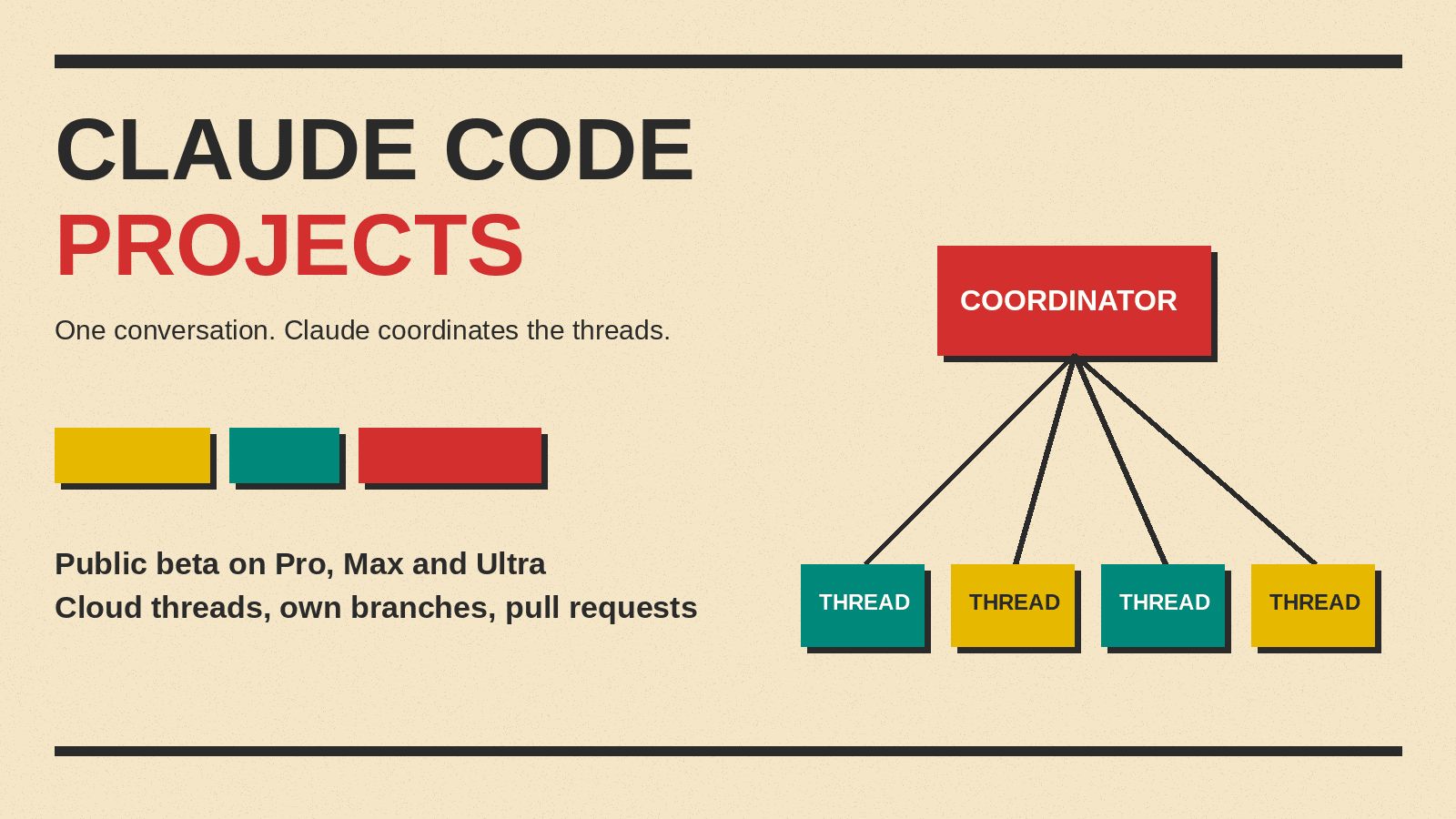
Projects is a Claude Code feature where you describe work in one ongoing conversation and Claude starts a separate thread for each task. Anthropic's Claude Code documentation says Projects is in public beta on Pro, Max and Ultra plans and rolling out gradually, a status ai notis reported on November 9, 2026. Here is what a project is, who can use it, how it works, what it costs in usage, and how it differs from related features, based on that documentation.
What are Claude Code Projects?
A project is one ongoing conversation where Claude coordinates a stream of related work. You tell it what needs doing, and it starts a thread for each task (docs).
Each thread is usually a cloud session. That means Claude Code runs in the cloud, not on your machine. A thread can run on your own computer through Remote Control when a task needs something only your computer has.
Threads run in parallel, and you can check and steer them from your phone. Cloud threads keep going after you close your laptop. A thread on your computer runs only while that computer is awake (docs).
Who can use Projects?
Projects are in public beta on Pro, Max and Ultra plans, and they are rolling out gradually. The rollout started with accounts that have used cloud sessions and don't have existing projects in claude.ai chat or Cowork. Projects are not offered on Team or Enterprise plans yet. There is a waitlist (docs).
You create and use projects in three places: claude.ai/code, the Code tab of the desktop app, or the Claude mobile app for iOS and Android. You cannot use them in the terminal CLI, the VS Code extension or the JetBrains plugin, and not through Amazon Bedrock, Google Cloud's Agent Platform or Microsoft Foundry (docs).
Code projects have repository requirements. The code must be on github.com, not GitHub Enterprise Server, GitLab or Bitbucket. You need push access, and the Claude GitHub App must be installed on the repository (docs).
How does a project work?
A project has two parts: the project conversation and the threads.
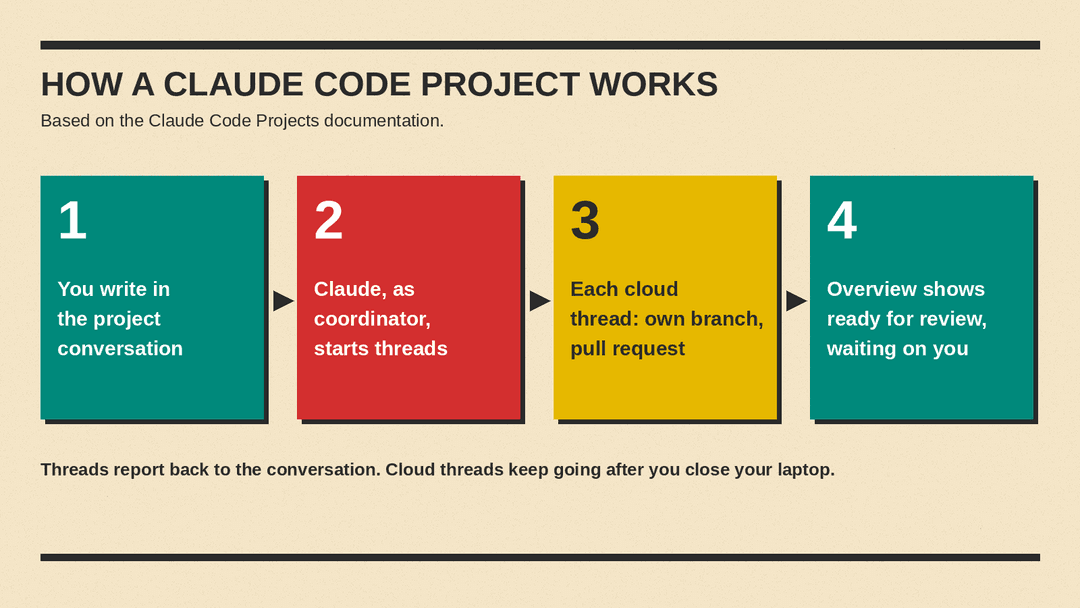
The project conversation is one long-running session where Claude acts as coordinator. It decides what becomes a thread, and it tracks every thread it started. It sees what threads report back, not every step they take (docs).
A thread is a separate session with its own context window. It does one piece of work and reports back. A cloud thread works on its own branch and opens a pull request when the work calls for one (docs).
Every cloud thread starts with the same standing context. That includes the project's repositories and files, its instructions and its memory. A thread picks up the CLAUDE.md in each repository, but not the repositories' skills, .claude/settings.json or .mcp.json. It gets the connectors on your claude.ai account, and a cloud environment that sets network access, environment variables, secrets and tools. Cloud threads don't pick up anything from the Claude Code setup on your own machine (docs). So permission rules you saved on your own machine do not carry over to a cloud thread. For why those local settings files matter, see our report on Claude Code settings files that exposed secrets on GitHub.
Standing context has three pieces. Project memory is notes Claude keeps as files, and every cloud thread reads the MEMORY.md index at start. Project instructions are sent to each new thread and to the conversation, up to 16,000 characters. The third piece is the repositories, files and environment (docs). Anthropic has also published research on agent memory and "dreaming". Project memory, as the docs describe it, is a set of files with an index.
The interface has an Overview pane and other tabs. The Overview pane shows which threads finished, which pull requests are ready for review, and which thread is waiting on you. The Library tab holds files you added and files threads produced. There are also Pull requests and Scheduled tasks tabs (docs).
For models, a new project runs Opus everywhere, with high effort for threads and low effort for the conversation. You can change the thread model and the coordinator model in Project settings. You don't manage context windows. Threads compact automatically, and the conversation works from recent messages, recent threads and project memory (docs).
You can tell Claude how many threads to run at once, when to post updates and when to open pull requests. These are instructions Claude keeps to, not enforced settings, so a thread limit given this way isn't a hard cap (docs).
What work fits a project?
The docs list good fits. One goal across many repositories, for example "Bring every service up to the new lint config." An area you keep feeding, such as bugs and stack traces for one service. A build or migration bigger than a session. And work that isn't code, such as a folder of contracts or a support-ticket export, with write-ups delivered as files on the Library tab (docs).
The docs also list worse fits. A single task that fits in one session: use a cloud session. Work where every task needs your machine: use a local session or agent view. A repeating scheduled task with no conversation: use a cloud scheduled task. Several people steering Claude together in Slack: use Claude Tag. Scheduled tasks requested inside a project run as threads there (docs).
What does a project cost in usage?
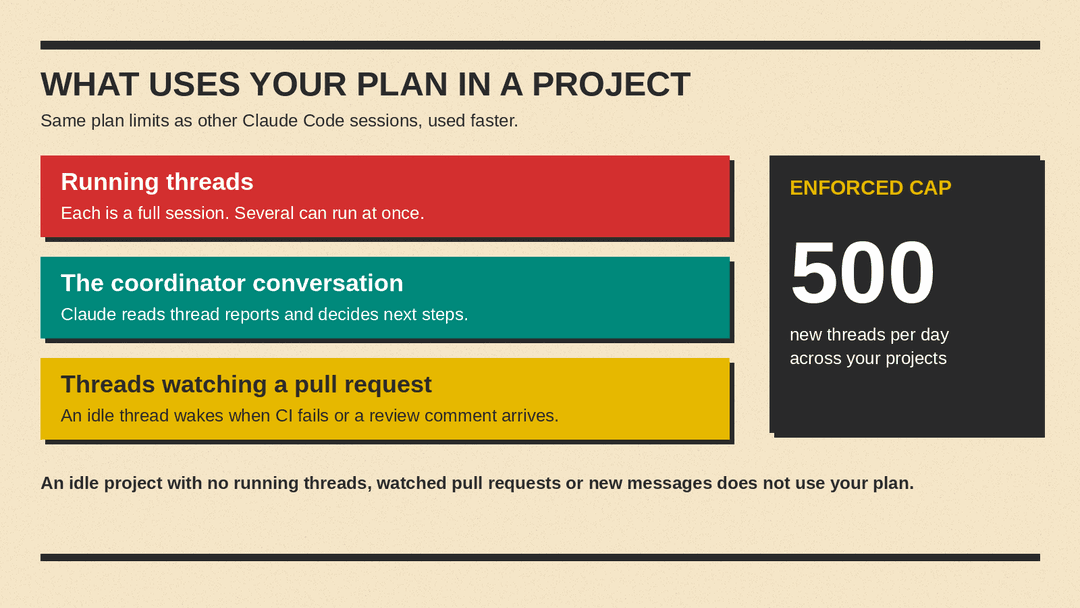
Projects count against the same plan limits as other Claude Code sessions, and a project can't spend past those limits on its own. A project uses limits faster than a single session. On Pro in particular, expect to reach the limit sooner on days you run one (docs).
Three things draw on the plan. Running threads, where each is a full session, several can run at once, and there is no fixed number. The coordinator conversation's own tokens. And threads watching a pull request, where an idle thread wakes when CI fails or a review comment arrives (docs).
One limit is enforced: 500 new threads per day across your projects. A thread that stops at your plan's five-hour or weekly usage limit waits, and by default it continues when that limit resets. Work goes past plan limits only if you turned on usage credits, and a thread can't turn them on (docs).
An idle project doesn't use your plan if it has no running threads, no watched pull requests and no new messages. The Usage view in Project settings shows token use by thread and model. On Pro, Max and Ultra, within plan limits, the cache lifetime is an hour, and an idle thread older than that re-reads its whole conversation on a follow-up (docs).
What are the limits?
A cloud thread's sandbox pauses between turns. If it can't resume, the thread continues from a fresh clone, so uncommitted changes can be lost. The docs suggest asking Claude to commit and push work in progress (docs).
A project belongs to one user and can't be shared. There are no organization-level controls during the beta. A thread can't be moved to another project, and projects can't be merged (docs).
How is it different from subagents, agent teams and Claude Tag?
The docs compare Projects with several nearby features (docs):
- Subagents run inside one session and return a summary. A project's threads are whole sessions that Claude starts, each with its own context window, and they report back to the project conversation. A thread can still use subagents for its own side tasks.
- Agent teams are one session that starts teammates for a single task and ends with that task. A project conversation is long-running and coordinates a stream of work.
- Agent view tracks several local sessions that you start yourself. In a project, Claude starts the threads and tracks them.
- Claude Tag is Claude in Slack channels on Team and Enterprise plans, where anyone in a channel can give it work. Projects are single-user and live in claude.ai/code, the desktop app and the mobile app.
There is also a naming overlap. The older Projects in claude.ai chat and Cowork group conversations and files, without threads or a coordinator. They keep working until the redesigned experience reaches them (docs).
Why it matters
Without a project, the docs say, running several sessions means doing the coordinating yourself: you decide what each one works on, repeat the same background at the start of each, and check back to see which finished. In a project, Claude does that coordinating. You review pull requests and answer the thread that is waiting on you. The docs aim it at goals that span repositories, areas you feed over time, and work too big for one session.
The tradeoffs are concrete. A project burns plan limits faster than a single session, since every running thread is a full session and the coordinator conversation uses tokens too. There is a hard cap of 500 new threads per day. Projects are single-user during the beta, with no sharing and no organization-level controls. Uncommitted work in a cloud thread can be lost if the sandbox can't resume. And code work is limited to github.com repositories with the Claude GitHub App, though a project can also work on uploaded files with no repository.
For now, Projects are in public beta on Pro, Max and Ultra, rolling out gradually. Users who don't see Projects yet can join a waitlist, per the docs.
