

Every MCP client speaks the same protocol. None of them speak it the same way.
Six months after MCP landed under the Agentic AI Foundation, the question "does your tool support MCP" has stopped meaning anything. Everything supports MCP. What actually differs, and what you should care about, is how each host implements it: where its config lives, which transports it accepts, how it authenticates to remote servers, and what your team admin can centrally control. The current specification (version 2025-11-25) defines exactly two standard transports, stdio and Streamable HTTP, with the older HTTP+SSE transport marked as a legacy replacement. Every client below implements some subset of that, plus a few things the spec does not require at all.
This is a comparison of the six hosts people actually run daily in late 2026: Claude Desktop and Claude Code, ChatGPT, Cursor, VS Code with Copilot, Zed, and goose. The per-client facts come from each vendor's own documentation, linked throughout.
The config file is the product

The single most portable fact about MCP: server entries do not move between clients unchanged. Every host invented its own dialect.
- Claude Desktop:
claude_desktop_config.jsonfor local stdio servers (JSON); remote servers go through Settings > Connectors instead. - Claude Code:
~/.claude.jsonfor local and user scope,.mcp.jsonat the repo root for project scope (JSON). - ChatGPT: Settings > Connectors > Advanced > Developer mode, form UI only, no user-editable file.
- Cursor:
~/.cursor/mcp.jsonglobal,.cursor/mcp.jsonper project (JSON with comments). - VS Code:
.vscode/mcp.jsonin the workspace, plus user profile (JSON). - Zed:
~/.config/zed/settings.jsonundercontext_servers, with a nestedcommand.pathobject (JSON). - goose:
~/.config/goose/config.yamlunderextensions(YAML).
Two consequences worth internalizing. First, the same mcpServers block that runs in Claude Desktop silently does nothing in Zed: Zed's settings schema wraps the binary in a nested object ("command": { "path": "npx", "args": [...] }) rather than the flat command/args pair Anthropic's clients use, and the key is context_servers, Zed's pre-MCP name for the concept. The conversion is mechanical, but it is a conversion.
Second, Claude Code is the only mainstream host with a first-class scope model. Local scope (the default) stores a server in ~/.claude.json under the current project's path and stays private to you. Project scope writes to .mcp.json in the repository root, which means the server definition ships through git to everyone who clones the repo, and Claude Code prompts for approval before running one for the first time. User scope applies across all your projects. When the same server name exists in multiple scopes, the highest-precedence entry wins whole, with no field-level merge. Nothing else in this list has an equivalent concept; Cursor and VS Code approximate it with workspace files and team-distributed config.
Transports: the tail cuts off SSE
stdio is the baseline: the host spawns the server as a subprocess and exchanges newline-delimited JSON-RPC over stdin/stdout. The spec says clients "SHOULD support stdio whenever possible," and the chat-app hosts are where that breaks.
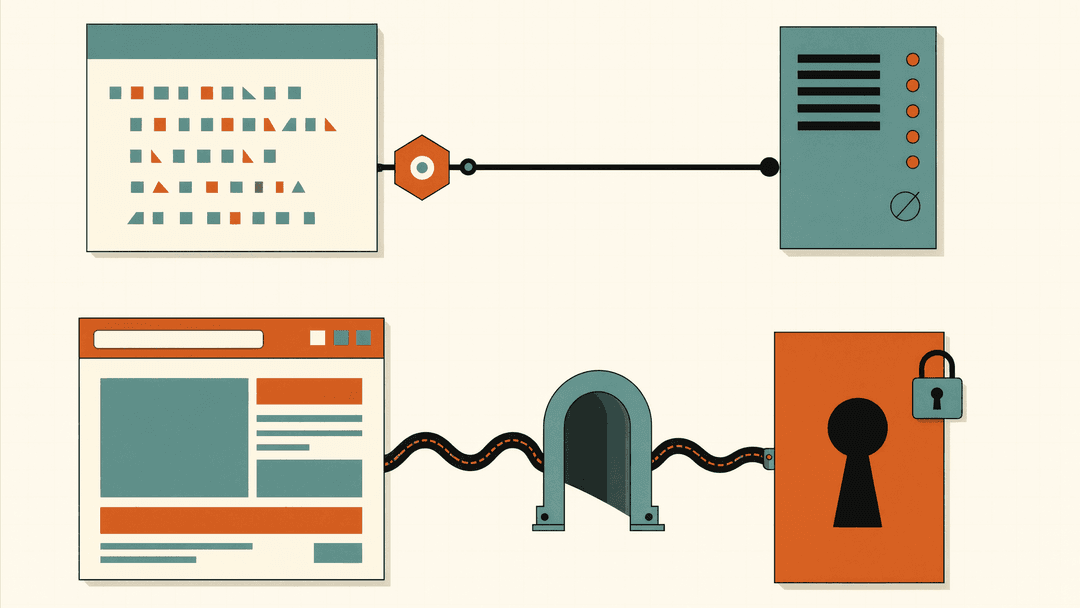
ChatGPT's Developer mode only accepts remote servers, SSE and Streamable HTTP; to reach a local tool you must tunnel it to a public HTTPS URL, typically with the mcp-remote bridge. Claude Desktop's local stdio path exists but its remote path deliberately does not read from claude_desktop_config.json, remote servers must be added through the Connectors UI.
The interesting asymmetry is in the other direction. goose's documentation lists stdio and Streamable HTTP as its two current extension types, plus the older sse type still parseable in config.yaml. Cursor's transport table still lists SSE alongside Streamable HTTP as supported options with OAuth for both. Zed covers stdio plus remote URLs with headers, and its docs note that until recently URL-based entries lacked custom-header support, which pushed users toward mcp-remote shims. If you are picking a host for a team that runs both local and hosted servers, the practical question is not "does it support MCP" but "does it support my server's transport without a bridge process."
Auth: OAuth flow versus static credentials
Remote servers nearly always need credentials, and hosts split into two camps.
The flow camp: Zed's rule is clean and worth quoting, because it is becoming the standard. When a remote server entry has no Authorization header, Zed starts the MCP OAuth sign-in in your browser; when you configure a header, it uses the key. No header, no ambiguity: it assumes OAuth. Claude Desktop and Claude Code do the same via the connector flow, with Claude's OAuth client stricter than the baseline spec: it supports dynamic client registration (DCR) and client ID metadata document (CIMD) identification, and requires registering its fixed loopback callback URL. Cursor documents static OAuth client credentials in mcp.json for providers that hand out a fixed client ID or require a whitelisted redirect URL (Figma and Linear are named examples) instead of relying on DCR.
The key camp: every host takes headers with a bearer token, or stdio env vars. Here the security posture differs more than the syntax. goose's documentation gives client_id and client_secret_key fields for pre-registered OAuth clients, and interpolates environment variables with ${VAR} syntax so secrets can stay out of the config file proper. Claude Code's project-scope ${VAR} expansion in .mcp.json exists for the same reason: a committed file should not contain a token. VS Code's guidance is blunter: don't paste credentials into chat or shared configuration, and treat API keys with minimum required scope.
Admin controls and trust, the part vendors underdocument
This is where a personal-tool decision becomes a fleet decision.
- goose scans external extensions for known malware before activation and blocks a package that matches. No other client in this list ships an equivalent default gate.
- Cursor lets team admins distribute MCP servers through a team marketplace, so config arrives centrally rather than being pasted per developer.
- VS Code ties server availability to organization policy and an enterprise allowlist, and its docs carry an explicit trust warning: local servers run code on your machine with your permissions, so review the publisher, command, and requested access before starting.
- Claude Code's project-scope approval prompt is itself a control: cloning a repo does not mean a teammate runs its servers without saying yes. It also has a disable list to block servers in every mode, and loads project servers without a prompt in non-interactive runs, which is exactly why the disable setting matters in CI.
- Zed's granular lever is
agent.tool_permissions.default(confirm,allow, ordeny, since v0.224.0) plus per-tool rules keyed likemcp:github:create_issue.
If your threat model includes tool poisoning or malicious registry packages, the supply-chain angle is covered in our analysis of MCP servers as unaudited dependencies; the client-side summary is that admin controls are uneven enough to matter.
Feature coverage beyond tools
All six hosts implement MCP tools; that is table stakes. The spec's client-side features are patchier than marketing pages suggest. Zed's support matrix lists Tools and Prompts only, with Discovery, Sampling, and Elicitation called out as explicitly incomplete, while Zed does handle notifications/tools/list_changed and reloads the tool list at runtime without a restart. Cursor's matrix is the broadest of the group: Tools, Prompts, Resources, Roots, Elicitation, and the MCP Apps extension for interactive UI returned by tools. goose supports MCP Roots so workspace-aware servers can see the session's working directory. Claude Code has gone one step further than any spec feature: a server can act as a channel that pushes messages into a session, so Claude reacts to Discord or webhook events unprompted.
One operational detail Zed documents and most vendors do not: tool-calling reliability is model-dependent, and mentioning the server by name in a prompt helps. For hard guarantees, Zed profiles can disable built-in tools and leave only one server's tools enabled, a pattern its extension authors recommend for sandboxed environments.
Picking a host
There is no best client, because the axes that matter are different for different jobs.
- Already living in a terminal agent: Claude Code, because the scope model plus
.mcp.jsonis the only clean way to share server config with a team through git, and project-scope approval prompts default to trusting code review over blind load. - IDE-first, broadest protocol surface: Cursor, the only mainstream client shipping Elicitation and MCP Apps with one-click marketplace install, and static OAuth for providers that refuse DCR.
- Editor speed with real admin teeth: Zed, if you accept config translation and are fine with a narrower feature set; VS Code, if your org policy and enterprise allowlist are the deciding requirement.
- Non-technical users or open-source autonomy: Claude Desktop for the simplest on-ramp; goose if you want malware-gated extensions, YAML config, deeplink installs, and a client that is not owned by a model vendor.
- ChatGPT-first shops: workable, but budget for a tunnel. Remote-only transport and form-UI config mean nothing here is file-managed or portable.
The honest summary: the protocol standardized, the hosts mostly did not. A server you build once is portable, but the config, the auth path, and the admin story you write around it are not. Assume you will maintain one dialect per host, keep secrets out of committed files with ${VAR} interpolation where the client allows it, and treat a project-scope .mcp.json like a dependency you are about to execute.
