
GitHub made local sandboxing for GitHub Copilot generally available on October 7, 2026. It covers GitHub Copilot CLI, the GitHub Copilot app, and Visual Studio Code sessions that use Agent Host. The feature restricts what agent-run tools can touch on your machine. It is included with Copilot at no extra cost.
Coding agents run shell commands, edit files, and call local tools. Without a boundary, those actions inherit your full user account. Local sandboxing adds a policy so teams can grant more autonomy without opening the whole disk and network.
What local sandboxing does
GitHub's changelog says local sandboxes give a secure boundary for agentic workflows on your machine. Copilot-started tools run with restricted filesystem, network, credential, and system access. Policies come from the developer or the organization.
Local sandboxing uses Microsoft eXecution Container (MXC), which maps one policy onto native OS controls on Windows, macOS, and Linux. GitHub says model execution and tool isolation are separate. Sandbox policies apply to tools no matter which model Copilot uses.
Local vs cloud sandboxes
GitHub documents two modes in About cloud and local sandboxes for GitHub Copilot:
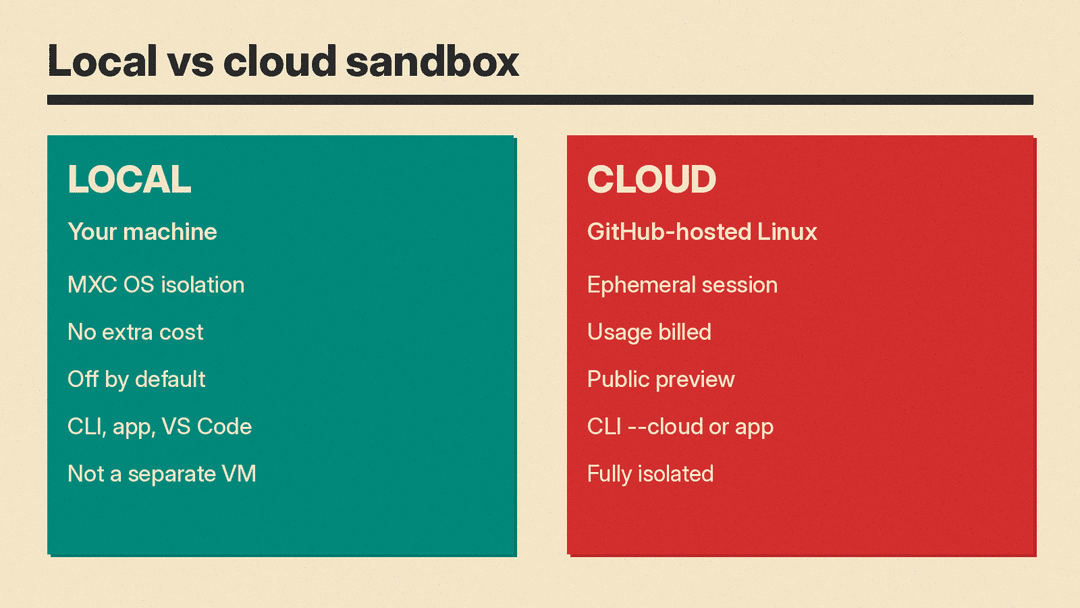
- Local sandboxing. Copilot runs on your machine. Shell commands and tools run under a policy you control. Local sandboxing has no extra charge. It is off by default. Until you enable it, shell commands run with the same access as your user account.
- Cloud sandboxing. The whole session runs in an ephemeral Linux environment hosted by GitHub. Cloud sandboxing is billed on usage. GitHub marks it as public preview.
CLI and app settings are separate. Turning sandboxing on in one surface does not change the other.
Local sandboxing is lighter than a full VM or container. Docs say it restricts what a process can read, write, and reach on the network, but it does not run your commands inside a separate virtual machine or container. GitHub points security reviewers to the microsoft/mxc repository for implementation detail.
What you can restrict
GitHub's changelog lists these controls:
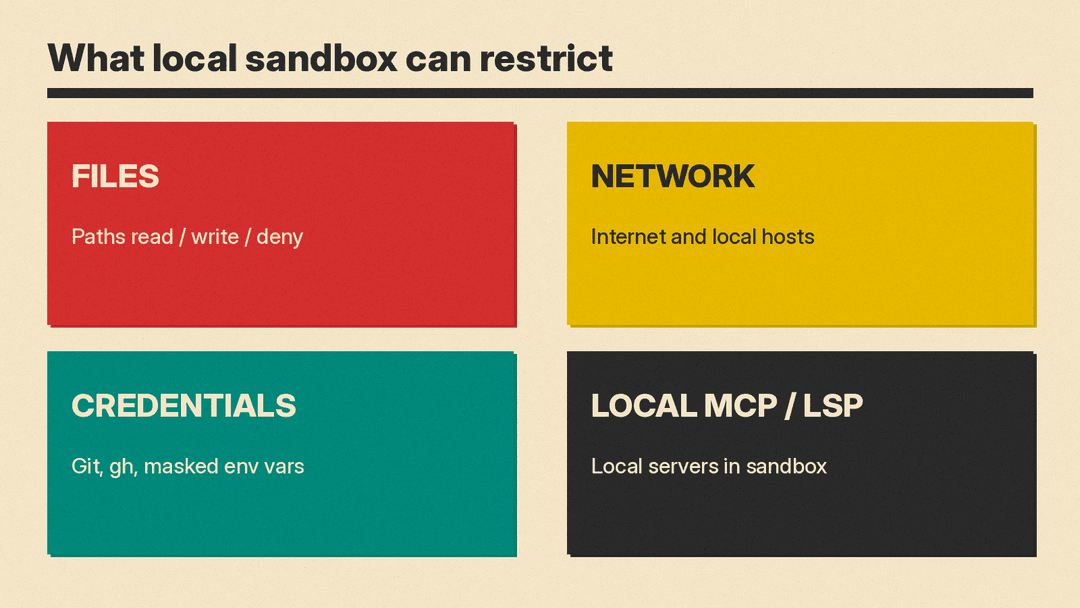
- Limit which files and directories agent-run commands can read or change.
- Control access to the internet, local networks, Git credentials, and GitHub CLI credentials.
- Apply sandboxing to local tools and services, including local MCP and language servers where supported.
- Use enterprise-managed settings to require sandboxing and enforce policies developers cannot weaken.
CLI docs also cover path grants, network hosts, credential masking through a local proxy, whether local MCP and language servers run inside the sandbox, macOS keychain access, and per-command exceptions. Remote MCP servers are never sandboxed.
Default CLI policy: write access in the current working directory and temp folders. In a Git repo, Git metadata is writable; the rest of the repository above the working directory is read-only. The full home directory is not granted. Outbound internet is on by default. Local network access is off.
How to turn it on
In Copilot CLI, run /sandbox enable in an interactive session (Using local sandboxing). After that, sandboxing stays on for later sessions until you run /sandbox disable. If enterprise policy requires sandboxing, you cannot turn it off this way unless the policy allows bypass.
Useful CLI commands:
/sandbox statusshows whether the session is sandboxed./sandbox policyshows effective paths and network settings./sandbox configopens settings.copilot --sandboxorcopilot --no-sandboxcan override for one session when policy allows.
In the Copilot app, use /sandbox on and /sandbox off for the active local session. Project settings set the default for new local repository sessions.
If a command needs more access, Copilot can ask you to approve a one-time run outside the sandbox. An approved bypass skips credential masking for that command. Enterprises can block bypass.
Platforms and enterprise rules
Local sandboxing runs on macOS, Linux, and recent Windows 11 builds. macOS uses Seatbelt (GitHub recommends macOS 15 Sequoia or later). Linux uses bubblewrap 0.5.0 or later, plus networking helpers such as slirp4netns when outbound traffic is allowed. Windows needs a recent Windows 11 update that supports the ProcessContainer backend.
Enterprises can require local sandboxing through managed settings. When policy requires it, ordinary settings and --no-sandbox cannot turn it off.
Cloud sandbox pricing (as of October 2026)
Cloud sessions use Azure Container Apps Sandboxes under GitHub's identity and billing layer. Organization owners must enable cloud sandbox access. In Copilot CLI, start with copilot --cloud --experimental for an interactive session only.
GitHub publishes these meters for cloud sandbox usage:
- Compute: $0.000024 per compute second
- Memory: $0.000003 per GiB second
- Storage (stopped-session snapshots): $0.005 per GiB month
Local sandboxing stays inside the standard Copilot seat with no added fee.
Why it matters for agent tooling
Tools such as Cursor, Claude Code, and Codex compete on autonomy. That raises the same risk Microsoft frames for enterprise agents as insider threats: code and credentials need a clear boundary.
Local sandboxing is GitHub's answer for Copilot on the laptop. Cloud sandboxing fits full isolation and device handoff. Teams that already wire agents through MCP and account access should treat sandbox policy as part of the same control plane: what the agent can read, where it can connect, and which secrets it may use.
