
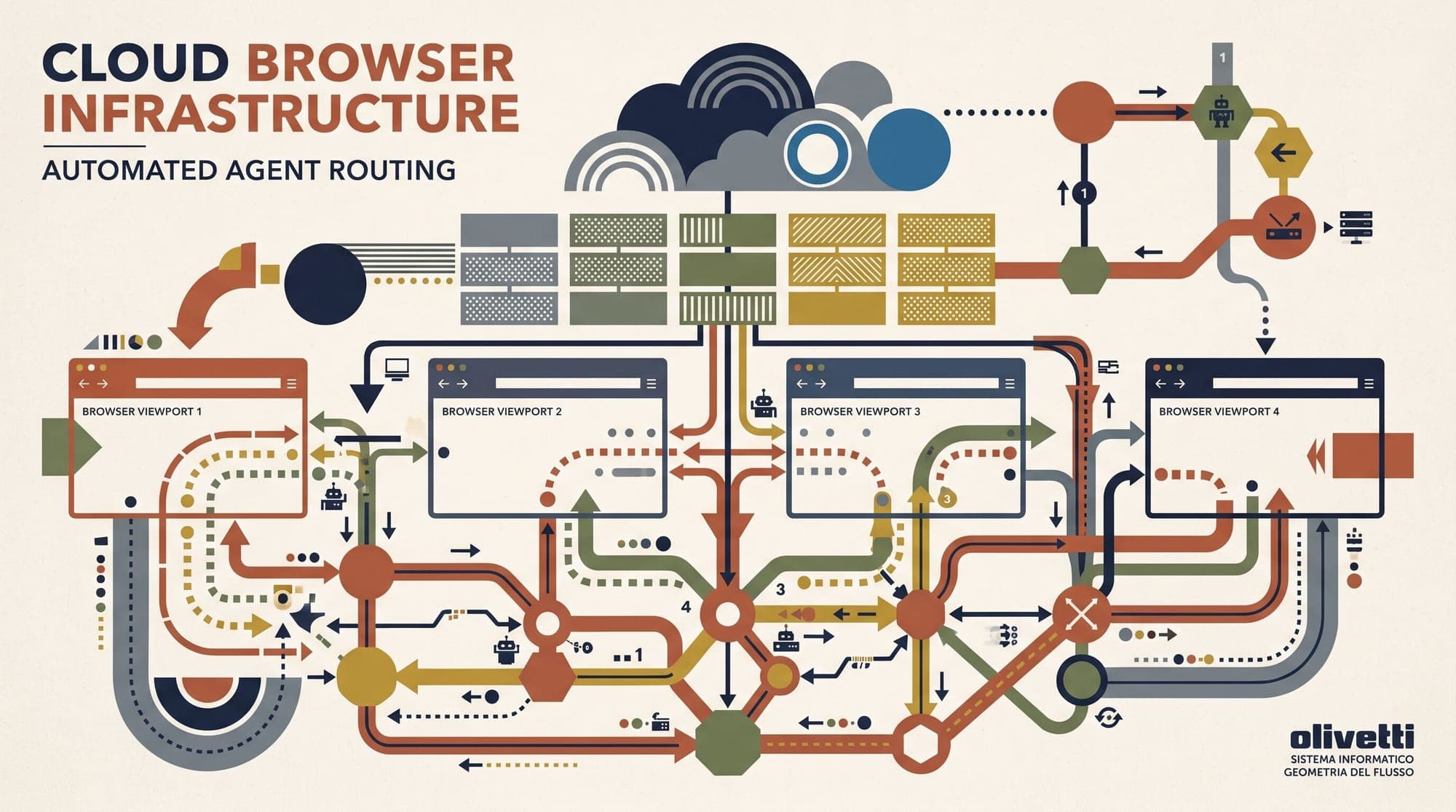
Autonomous AI agents require interactive web environments to navigate single-page applications, authenticate across complex portals, fill multi-step forms, and extract dynamic client-rendered data. However, running headless browsers at scale introduces severe operational bottlenecks. Ephemeral container instances (such as Docker containers or AWS Lambda functions) frequently suffer from cold starts, memory leaks, fingerprint leakage, and instant IP blacklisting by bot-detection networks.
To solve these scaling challenges, modern engineering teams are shifting away from self-managed headless Chromium instances toward specialized cloud browser infrastructure. These platforms provide pre-warmed browser pools, kernel-level stealth, residential proxy orchestration, persistent session storage, and live WebRTC streaming for human-in-the-loop takeover.
The Failure Modes of Ephemeral Headless Browsers
Deploying vanilla headless Chromium via Playwright or Puppeteer on standard cloud infrastructure exposes multiple failure modes when scaled to thousands of autonomous agent runs:
- Resource Overhead and Memory Leaks: A single Chromium process consumes between 500MB and 1.2GB of RAM depending on DOM complexity and JavaScript payload size. Over extended agent trajectories involving multi-page navigation and DOM mutations, Chromium accumulates internal memory leaks that cause container crashes and out-of-memory (OOM) kills.
- Cold Start Latency: Launching a fresh Chromium instance inside an ephemeral container requires 3 to 8 seconds before navigation can begin. In real-time agent loops where latency directly impacts user experience, this startup overhead is unsustainable.
- Datacenter IP Blacklisting: Automated web platforms protected by security networks like Cloudflare, DataDome, and Akamai immediately flag requests originating from standard cloud hosting ASN ranges (AWS, GCP, DigitalOcean) before any application JavaScript executes.
- Automation Artifacts and Protocol Leaks: Vanilla Playwright leaks numerous automation signals, including the
navigator.webdriverflag, missing Chrome runtime plugins, inconsistent WebGL/Canvas rendering hashes, mismatched Client Hints headers, and detectable Chrome DevTools Protocol (CDP) listener hooks created duringRuntime.enablecalls. - Session Discontinuity: Complex workflows require preserving cookies,
localStorage, andIndexedDBstates across distributed agent execution turns without forcing repeated authentication flows.
+-----------------------------------------------------------------------------------+
|                           AI AGENT CONTROL PLANE                                  |
|   (LLM Reasoning Loop / Orchestration Engine / LangChain / Stagehand / AutoGPT)  |
+-----------------------------------------+-----------------------------------------+
                                          | WebSocket / CDP Session Request
                                          v
+-----------------------------------------------------------------------------------+
|                     CLOUD BROWSER INFRASTRUCTURE GATEWAY                          |
|  - Edge Connection Multiplexer     - Pre-Warmed Pool Router     - Proxy Dispatch  |
|  - Session Lifecycle Controller    - Profile State Manager      - Live Stream Hub |
+--------------------+--------------------+--------------------+--------------------+
                     |                    |                    |
        +------------+                    |                    +------------+
        v                                 v                                 v
+-----------------------+   +-----------------------+   +-----------------------+
| CHROMIUM INSTANCE 1   |   | CHROMIUM INSTANCE 2   |   | CHROMIUM INSTANCE N   |
| - Patched C++ Engine  |   | - Patched C++ Engine  |   | - Patched C++ Engine  |
| - Residential Egress  |   | - Residential Egress  |   | - Residential Egress  |
| - WebRTC Live Stream  |   | - WebRTC Live Stream  |   | - WebRTC Live Stream  |
| - DOM / State Cache   |   | - DOM / State Cache   |   | - DOM / State Cache   |
+-----------------------+   +-----------------------+   +-----------------------+
Core Architectural Pillars of Cloud Browser Infrastructure
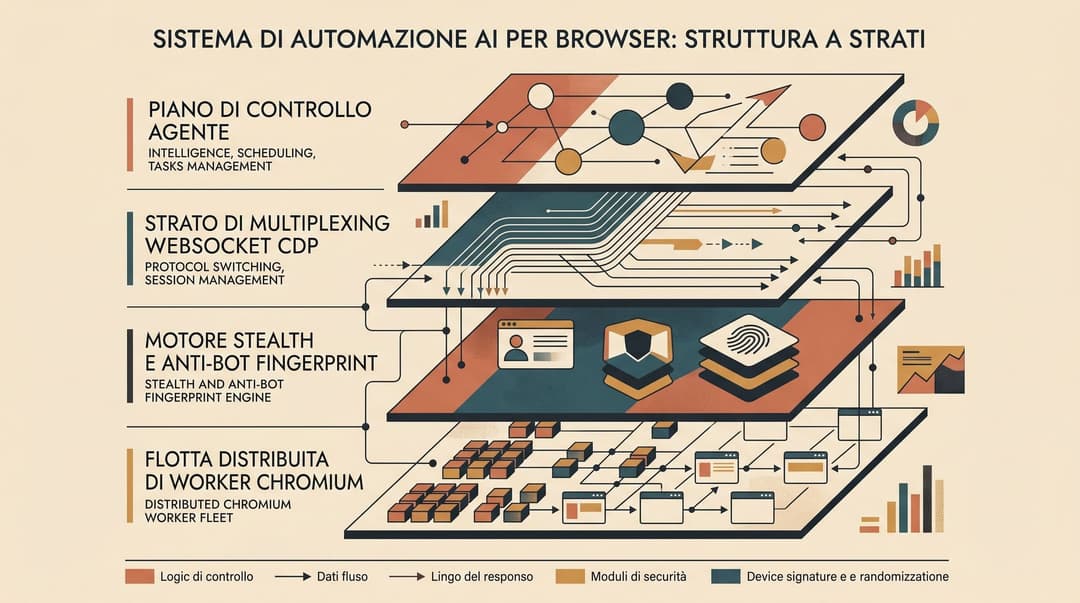
Purpose-built cloud browser infrastructure replaces local process management with a distributed, API-driven execution tier built around five architectural components.
1. Remote CDP Multiplexing and Pool Management
Instead of launching local browser binaries, agent applications connect to remote browsers over secure WebSocket connections using the Chrome DevTools Protocol (CDP) or high-level drivers like Playwright.
The infrastructure control plane maintains warm pools of pre-initialized Chromium processes. When an agent requests a session, the gateway attaches the WebSocket connection to an available browser instance in less than 300 milliseconds. When the session terminates, the control plane captures final state artifacts, terminates the browser process, and recycles the sandbox environment to prevent memory leaks from polluting subsequent sessions.
2. Kernel and Binary-Level Stealth
Traditional stealth plugins, such as puppeteer-extra-plugin-stealth, rely on injecting JavaScript shims via Page.addScriptToEvaluateOnNewDocument. Modern bot-detection systems defeat user-space injection by detecting script execution ordering, inspecting prototype chains, and exploiting timing differences.
Production cloud browser platforms implement stealth at the browser binary level. By compiling customized Chromium forks, these platforms:
- Modify C++ source definitions to completely eliminate
navigator.webdriverand internal automation flags without JavaScript shims. - Harmonize HTTP/2 and HTTP/3 TLS fingerprints (JA4 and cipher suite ordering) with legitimate desktop browser profiles.
- Emulate real GPU rendering behaviors for WebGL and 2D Canvas operations, generating non-synthetic noise that matches standard consumer hardware profiles.
- Synchronize viewport dimensions, screen color depths, device pixel ratios, and user-agent client hints to eliminate configuration mismatches.
3. Residential and Mobile Proxy Orchestration
Cloud browser infrastructure tightly couples browser processes with managed proxy networks. Incoming browser egress traffic is routed through pools of residential and mobile IP addresses.
Crucially, the infrastructure enforces sticky session affinity. During an interactive multi-step agent flow (such as e-commerce checkout or bank dashboard navigation), all HTTP requests and WebSocket connections retain the same residential egress IP. Shifting IP addresses mid-session triggers fraud alerts and session invalidation on protected target websites.
4. Persistent State and Profile Hydration
To allow agents to operate across asynchronous tasks without continuous re-login, cloud browser infrastructure abstracts browser state from underlying compute nodes.
When a session concludes, cookies, storage tokens, session storage, and cache partitions are serialized and saved to cloud object storage. When an agent initiates a subsequent task under the same authenticated context, the infrastructure downloads and mounts the profile partition before establishing the CDP connection, enabling immediate authenticated access.
5. Live Streaming and Human-in-the-Loop Handover
Fully autonomous agents frequently encounter friction points that require human judgment, such as multi-factor authentication (MFA) codes, push-notification prompts, or complex visual CAPTCHAs.
Cloud browser platforms encode browser viewports in real time using WebRTC or low-latency HLS video feeds. This allows engineering teams to embed interactive browser viewports directly into operator dashboards. When an agent detects a blockage, it pauses execution and allows a human operator to click, type, and complete the authentication step directly within the live cloud browser before relinquishing control back to the agent loop.
Production Platform Comparison
Engineering teams building agent systems have several hosted and open-source cloud browser options, each tailored to distinct operational requirements.
Browserbase
Browserbase is a managed cloud browser platform optimized for developer experience, debugging visibility, and structured agent control.
- Strengths: Deep integration with Stagehand, an open-source browser automation framework that exposes natural-language primitives (
page.act(),page.extract(),page.observe()) on top of Playwright. Provides Session Inspector with synchronized DOM timelines, console logs, network waterfalls, and video recordings. - Best Suited For: Enterprise agent applications requiring high observability, detailed audit logs, and turnkey integration with natural-language agent frameworks.
Steel
Steel offers open-source browser infrastructure designed for low-latency session management and flexible deployment models.
- Strengths: Open-core architecture that can be self-hosted via Docker/Kubernetes or consumed as a managed cloud service. Benchmark tests indicate sub-second session creation times (229ms control-plane connection latency) and comprehensive Puppeteer/Playwright/Selenium driver compatibility. Features an interactive live viewer for real-time human intervention.
- Best Suited For: Teams requiring hybrid deployment flexibility, self-hosting for regulatory compliance, and minimal session initialization overhead in high-throughput loops.
Hyperbrowser
Hyperbrowser focuses on high-concurrency execution, advanced anti-bot evasion, and integrated CAPTCHA solving.
- Strengths: Built-in CAPTCHA solving engines that automatically detect and solve Turnstile, reCAPTCHA, and hCaptcha challenges without third-party solver orchestration. Optimized for horizontal scaling up to tens of thousands of concurrent sessions.
- Best Suited For: High-volume web scraping pipelines and wide-scale information gathering agents navigating heavily defended web properties.
Self-Hosted Playwright and Browserless Clusters
Teams operating under strict data-residency regulations often deploy self-hosted clusters using open-source tools like Browserless on Kubernetes.
- Strengths: Total control over network traffic, zero third-party data egress, and predictable compute costs based on dedicated cloud instances rather than per-minute SaaS billing.
- Trade-Offs: Requires significant engineering overhead to maintain proxy pools, update custom anti-detection patches against evolving bot mitigations, and build custom process recycling to prevent zombie container processes.
Comparison Matrix
- Browserbase: Managed cloud deployment; native Stagehand SDK; built-in Session Inspector (DOM/Video/Logs); managed residential proxy routing; enterprise auditing and agent orchestration focus.
- Steel: Managed cloud or open-source self-hosted; standard Playwright, Puppeteer, Selenium support; sub-second session startup; interactive live viewer; hybrid deployment focus.
- Hyperbrowser: Managed cloud deployment; standard CDP and Playwright support; built-in automated CAPTCHA solving; ultra-stealth binary patches; high-volume scraping and concurrency focus.
- Self-Hosted Browserless: Self-hosted Docker/K8s; open-source core; manual proxy and stealth maintenance; zero SaaS per-minute cost; strict compliance and private network focus.
Production Implementation Best Practices
Deploying cloud browsers in production requires careful architectural boundaries to manage latency, bandwidth, and cost:
- Implement Hybrid Extraction Tiering: Do not route every web request to a full cloud browser. Use lightweight HTTP extractors (such as Crawl4AI or Jina Reader) for static HTML content and API endpoints. Reserve cloud browser sessions exclusively for single-page applications (SPAs), authenticated flows, and interactive UI actions.
- Filter Heavy Assets via CDP Interception: Block unnecessary resource types (such as images, video streams, custom web fonts, and tracking scripts) using CDP
Network.setRequestInterceptionor Playwright route filtering. This reduces page load latency by up to 60% and slashes proxy egress bandwidth costs. - Enforce Strict Session Timeouts and Health Checks: Autonomous agents can enter infinite navigation loops or stall on unresponsive DOM elements. Enforce aggressive per-step timeouts (15 to 30 seconds) and maximum session durations (5 to 10 minutes) with automated session termination hooks.
- Isolate Authentication Profiles: Store session state artifacts in encrypted object storage keyed to specific workspace or tenant IDs. Never reuse browser profile contexts across distinct users to eliminate cross-session data contamination.
