
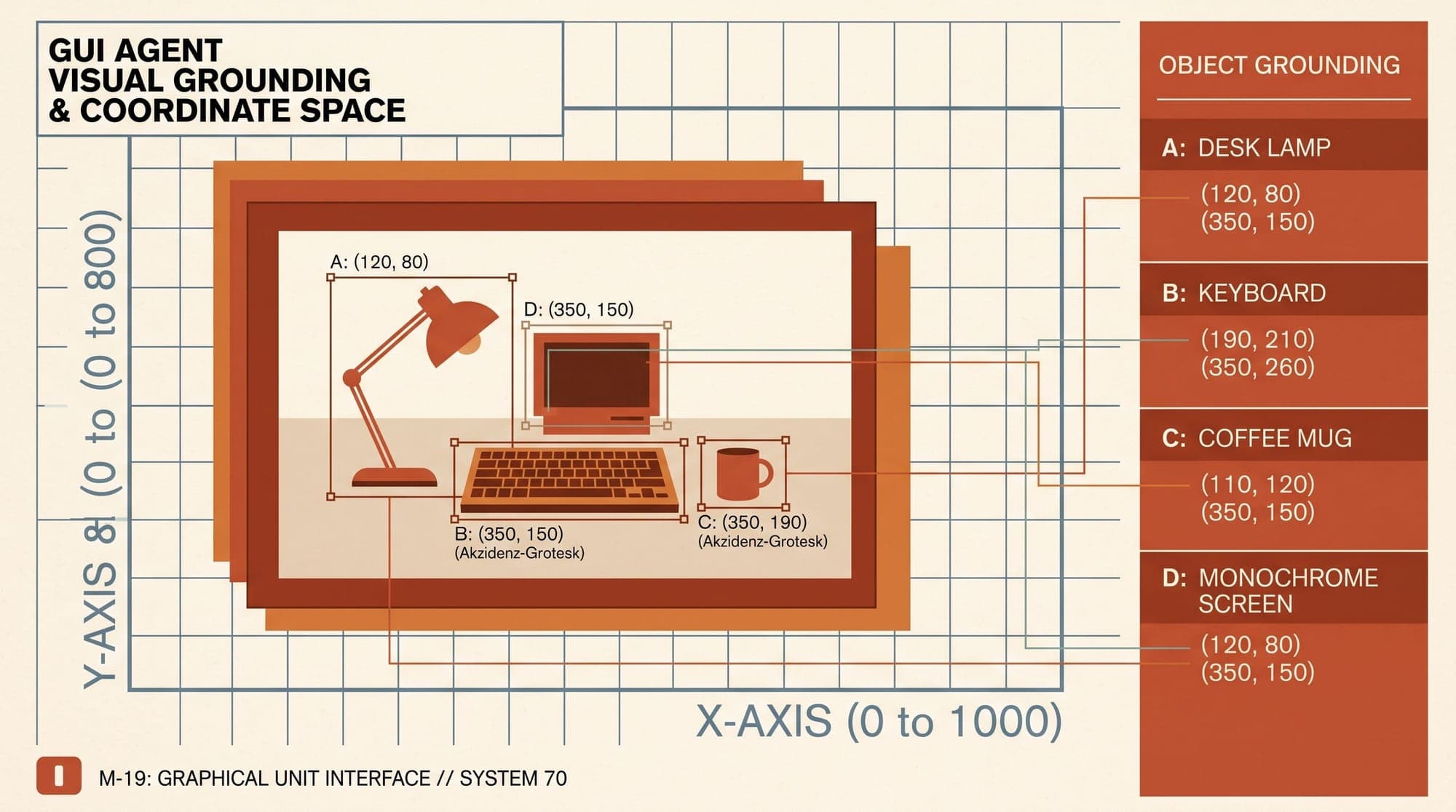
Graphical user interface (GUI) automation has undergone a structural transition from programmatic DOM manipulation to vision-based foundation agents. Where earlier browser automation relied on CSS selectors, XPath expressions, and accessibility trees, modern desktop and cross-platform agents interact with operating systems through raw pixel observations and virtual input devices.
Deploying GUI agents in production environments introduces distinct engineering constraints. Visual grounding precision, token economics, perception latency, action space design, and security isolation dictate whether an agentic workflow executes reliably or collapses under compounding step errors.
The Grounding Dilemma: DOM Trees vs. Visual Coordinates
Traditional web automation frameworks such as Selenium and Playwright interface directly with the Document Object Model (DOM). For web-only workflows, DOM-based extraction offers clear advantages: text content and element hierarchies are explicitly parsed, and actions target unique element identifiers.
However, DOM and Accessibility (A11y) tree representations exhibit severe operational limitations in real-world deployment:
- Cross-Platform Inconsistency: Native desktop operating systems (Linux X11/Wayland, macOS Cocoa, Windows Win32/UWP) lack a unified, structured document model. Accessibility APIs across OS boundaries are inconsistent, frequently incomplete, and often disabled by application developers.
- Canvas and Non-Standard Rendering: Modern web and desktop applications increasingly render content through HTML5 Canvas, WebGL, Flutter, WebAssembly, or custom graphics pipelines where DOM elements do not exist.
- DOM Bloat and Context Window Exhaustion: Production web pages contain tens of thousands of DOM nodes. Pruning these trees into context-friendly representations requires complex heuristics that frequently strip critical interactive attributes.
- Visual-Semantic Disconnect: An element present in the DOM may be clipped, covered by a modal overlay, hidden off-screen, or styled with
opacity: 0. Text-based models targeting raw DOM nodes frequently attempt actions on non-visible elements.
Pure vision-based GUI agents bypass the underlying document model entirely. By processing raw display frames (RGB screenshots) and returning coordinate-based actions, visual agents operate agnostically across browser windows, terminal emulators, desktop native applications, and virtualized guest systems.
Visual Grounding Architectures: Direct Regression vs. Two-Stage Parsing
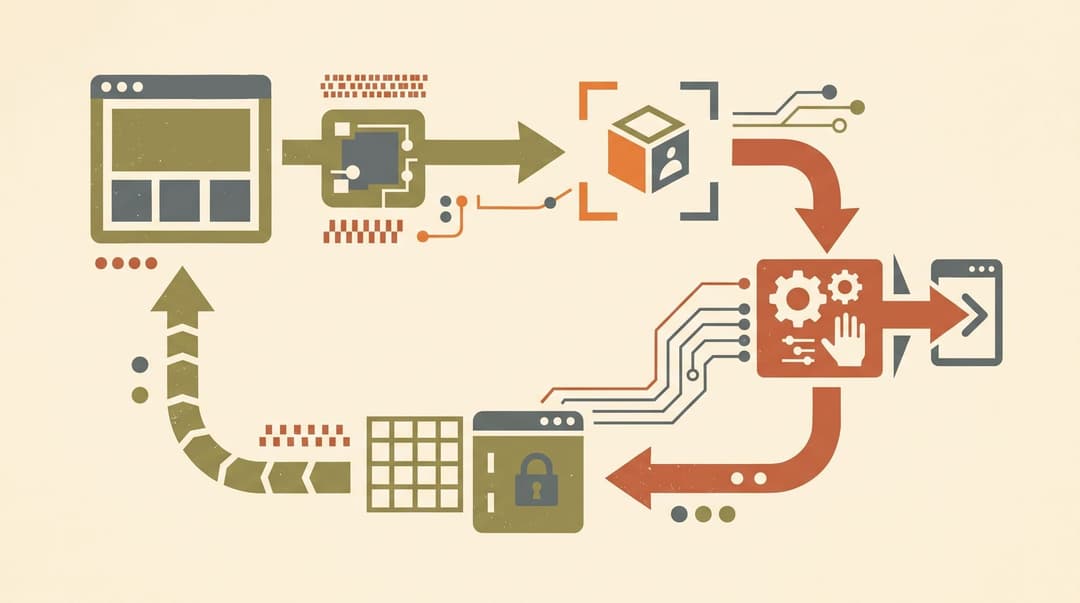
Locating interactive UI components on high-resolution displays requires mapping semantic user intent to exact screen coordinates (x, y). Modern systems implement visual grounding through two primary architectural patterns.
1. Direct Visual Coordinate Regression
Direct visual grounding uses an end-to-end Vision-Language Model (VLM) fine-tuned to output normalized spatial coordinates directly from image tokens.
- Native Coordinate Prediction: Models such as ByteDance UI-TARS and Anthropic Claude (via the Anthropic Computer Use API) encode the raw screenshot through a vision encoder (e.g., Vision Transformer or dynamic patch projection). The autoregressive decoder generates tool-call payloads containing exact target coordinates (e.g.,
click(point=[0.482, 0.315])). - Patch-Level Resolution Limits: Standard VLMs divide images into discrete patches (such as 14x14 or 28x28 pixels). Small UI icons, fine menu items, and single-character terminal prompts often fall within a single visual token, leading to coordinate drift and missed clicks.
- Training Objectives: Direct regression models rely on specialized coordinate-token supervision and multi-turn reinforcement learning (RL) on environments like the OSWorld benchmark to refine fine-grained mouse pointing accuracy.
2. Two-Stage Visual Parsing (Set-of-Mark & OmniParser)
To decouple visual element detection from high-level reasoning, two-stage architectures process the screenshot through specialized computer vision models before passing structured data to a general-purpose LLM or VLM.
- Interactable Element Detection: A dedicated object detection model (such as a fine-tuned YOLO or Florence-2 checkpoint) scans the screenshot and identifies bounding boxes for all clickable elements, text boxes, buttons, and icons.
- Visual Tagging (Set-of-Mark): The system overlays numbered or colored bounding box markers onto the screenshot, applying the Set-of-Mark (SoM) prompting paradigm.
- Icon Functional Captioning: Specialized vision sub-models generate descriptive functional labels for non-text icons (e.g., labeling a gear icon as "Settings Menu").
- Structured LLM Prompting: As demonstrated by Microsoft OmniParser v2, the reasoning LLM receives the labeled screenshot alongside a structured list of element IDs and functional descriptions. Instead of predicting continuous coordinates, the LLM simply outputs the target element ID (e.g.,
click(element_id=14)), shifting the task from spatial regression to categorical selection.
On fine-grained UI benchmarks like ScreenSpot and ScreenSpot Pro, two-stage parsing significantly reduces spatial localization errors for small icons, though it introduces pipeline complexity and intermediate model latency.
Action Space Design and Input Primitives
A GUI agent must translate high-level plans into deterministic OS input events. In production architectures, action spaces are standardized into discrete operational primitives:
- Mouse Primitives:
mouse_click(x, y, button="left"|"right"|"middle"): Single click at target coordinates.double_click(x, y): Rapid two-click sequence for opening files or selecting words.mouse_down(x, y)/mouse_up(x, y): Explicit press-and-release actions required for drag-and-drop operations, slider manipulation, and text selection.mouse_move(x, y): Hovering over UI elements to trigger dropdown menus, tooltips, and dynamic CSS hover states.- Keyboard Primitives:
type_text(text, enter=False): Sequential character injection into active input fields.hotkey(combination): System-level modifier shortcuts (e.g.,Ctrl+C,Ctrl+V,Alt+Tab,Cmd+Space).key_down(key)/key_up(key): Sustained key presses for navigation and modifiers.- Navigation & Synchronization Primitives:
scroll(direction="up"|"down", amount=steps): Viewport scrolling to expose off-screen components.wait(duration_seconds): Deterministic delay to accommodate page loading, asynchronous animations, and backend rendering.take_screenshot(): Capture of the updated screen buffer for state verification.
Execution backends dispatch these primitives via virtual input interfaces: PyAutoGUI, OS-native event injectors (such as xdotool on X11, Quartz Event Services on macOS, or SendInput on Windows), or Chrome DevTools Protocol (CDP) for browser-confined sub-tasks.
Latency Budgets, Token Economics, and Compounding Errors
Deploying visual GUI agents in production requires managing steep latency overheads and token consumption.
Token Consumption Profiles
A standard 1080p (1920x1080) or 4K screenshot decomposed into visual patches consumes substantial context:
- Standard vision encoders generate between 1,000 and 2,500 vision tokens per full-resolution screenshot.
- In a 25-step task trajectory, feeding full screenshots at every step results in 25,000 to 60,000 input tokens solely for visual history.
- Context compaction strategies, including frame diffing (only processing regions that changed) and aggressive historical screenshot eviction (retaining only the most recent 2-3 visual frames alongside text action logs), are critical to prevent context exhaustion and reduce inference costs.
Execution Latency Breakdown
Each step in an autonomous GUI loop incurs multiple sequential latencies:
- Screen Capture and Preprocessing: 50 to 150 ms (framebuffer capture, resizing, encoding).
- Vision Model Inference / VLM Generation: 1,500 to 4,000 ms (visual token encoding, autoregressive reasoning, and tool call generation).
- Action Dispatch and OS Execution: 100 to 300 ms (virtual driver input simulation).
- UI Render and Animation Settling: 500 to 1,500 ms (waiting for dynamic DOM changes, network requests, or application transitions).
A single interactive step averages 2.5 to 6.0 seconds. For multi-step workflows requiring 20 to 40 steps, task execution times span 1 to 4 minutes.
The Compounding Error Law
In long-horizon GUI workflows, errors compound exponentially. If an individual step has an execution accuracy of p = 0.96, the probability of completing a 30-step trajectory without failure is:
P(success) = 0.96^30 ≈ 0.294 (29.4%)
On the OSWorld benchmark, which tests 369 complex multi-application desktop workflows across Ubuntu, Windows, and macOS, human evaluators achieve a 72.36% task completion rate. Early frontier models achieved approximately 12.24% success. Recent dedicated systems like UI-TARS-1.5 (42.5%) and UI-TARS-2 (47.5%) have improved performance through multi-turn reinforcement learning, yet the reliability gap remains substantial for unattended operations.
To survive long trajectories, production architectures must implement closed-loop verification:
- State Transition Verification: After each action, the agent compares the post-action screenshot against the pre-action frame. If no visual state change occurred (e.g., a modal failed to open), the agent detects a missed click and retries with an adjusted coordinate offset.
- Explicit Backtracking and Recovery: When an action triggers an unexpected error dialog or invalid navigation path, the agent executes recovery actions (
Esc,Ctrl+Z, or back-navigation) rather than blindly proceeding along a broken execution path.
Production Sandboxing and Security Containment
Because GUI agents control arbitrary mouse and keyboard inputs, running them directly on host infrastructure creates severe security vulnerabilities:
- Indirect Prompt Injection: If an agent visits an untrusted web page or opens an unvetted document containing adversarial text (such as hidden CSS instructions telling the agent to exfiltrate private files), the visual model may read and follow the injected instructions.
- Destructive OS Actions: Unbounded file deletions, credential overwrites, or accidental billing transactions can occur during model hallucinations.
Production deployments require multi-layered sandboxing:
- Ephemeral Virtual Machines and MicroVMs: Agents run inside isolated QEMU instances, Firecracker microVMs, or Docker containers configured with headless X11 servers (
Xvfb) and isolated virtual network namespaces. - Privilege Separation: The agent user account within the guest OS operates without sudo/root permissions, preventing system-level reconfiguration.
- Human-in-the-Loop (HITL) Checkpoints: High-risk actions—such as financial confirmations, credential entries, or external email dispatches—are intercepted by policy filters that halt execution until verified by an authenticated human operator.
Architecture Outlook
GUI agent systems are converging toward hybrid perception pipelines. While direct coordinate prediction models will continue to benefit from native multimodal pre-training and reinforcement learning, production implementations increasingly combine lightweight local screen detectors with frontier reasoning models to balance grounding precision, latency budgets, and operational containment.
Sources
- OSWorld: Benchmarking Multimodal Agents for Open-Ended Tasks in Real Computer Environments (arXiv:2404.07972)
- Microsoft Research: OmniParser v2 - Turning Any LLM into a Computer Use Agent
- ByteDance UI-TARS: Automated GUI Interaction with Native Agents
- Anthropic: Computer Use Documentation and API Reference
- Set-of-Mark Prompting Unleashes Extraordinary Visual Grounding in GPT-4V (arXiv:2310.11441)
